Knowledge Base
Categories: Builder Legacy
Builder brands: Adding Alt text to images within the Express editor
Adding Alt text to images on your website is a great way to make it accessible to all visitors and boost your ranking on Google. All photos added from our free photo library will automatically have alt text added. Still, we provide you with the freedom to add and edit Alt text on all images selected or manually uploaded.
- Log in to your account manager via https://www.networksolutions.com/my-account/login.
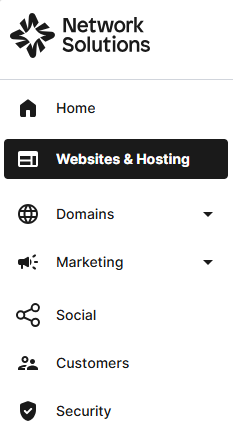
- Click Websites & Hosting from the left navigation menu.
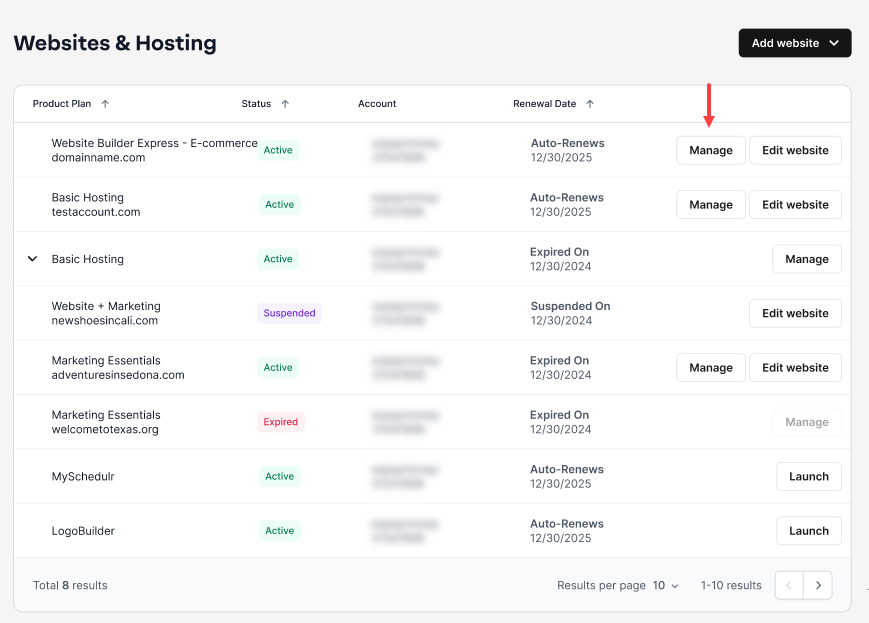
- Navigate to the hosting package that you want to access with Website Builder, then click Manage to continue.
- On your Website Builder dashboard, tap Edit Site.

- Add an image or select an existing image on your website, and you will see a gear icon appear over the image.

- Click on the gear icon. The Inline Image Setting pop-up window will appear. Select the Alt Text tab.

- Within the Alt Text box, enter the verbiage you would like about the image. You will want this to be a brief description of what you see in the image, no more than 1-2 sentences.
- Once you’re happy with your description, click on the Save button at the top to save the text to the image.

- The window will close, and you are finished! You can now continue to add more alt text to images or publish these changes to the web.

- Here is another example of how to add Alt text to images within the Express editor. In other sections, like the cover image and gallery,you can click directly on the Alt icon by hovering your cursor on the image. Please check this quick walkthrough down below to learn more:

Get practical tips and product updates on LinkedIn. Follow Network Solutions
Did you find this article helpful?