Builder brands: Adding tags to a blog post
Bloggers and content writers alike should provide the audience/visitors reading their blog with tags to help quickly identify the purpose of a written work. A tag is a bit of text that addresses the topic in a specific post and focuses on that category.
Usually, a tag is two to three words long and expresses critical things about the topic, similar to keywords. Tags help viewers find and determine relevance. It is good to incorporate tags on a blog when specific things inform your audience on multiple areas covered.
In this article, we will discuss:
How to add tags to your blog posts
Follow the steps below:
- Log in to your account manager via this link.
- From the left-hand menu, click the Websites & Hosting tab.
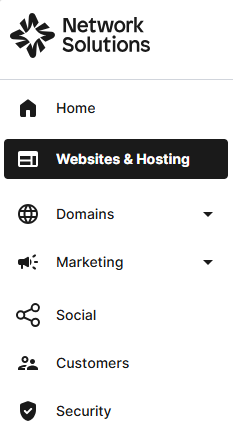
- Navigate to the hosting package that you want to access with Website Builder, then click Manage to continue.
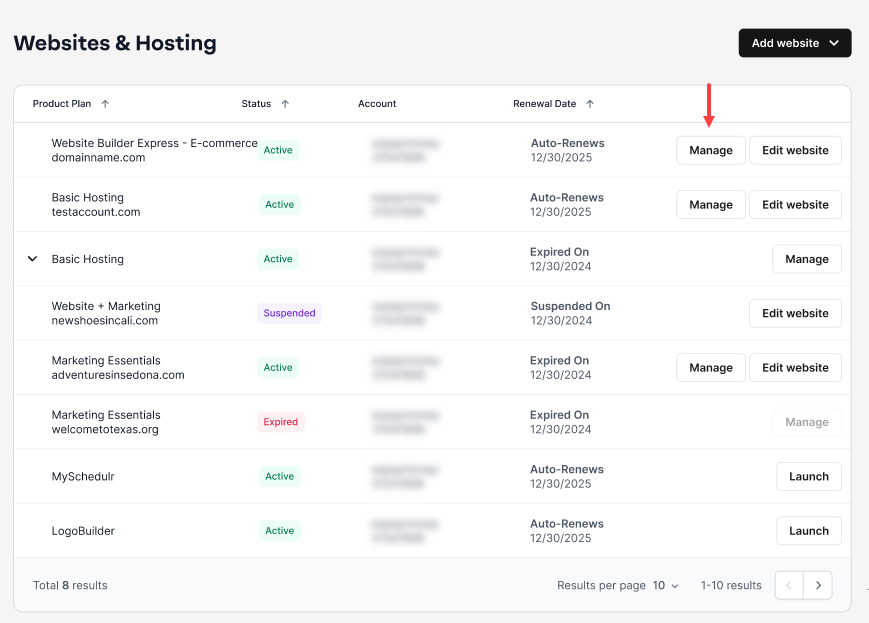
- Launch your website editor by choosing Edit Site.

- Navigate to your blog by logging into your website editor and then clicking Blog from the left-hand toolbar.

- Select MANAGE POSTS.

- Select EDIT on the post you would like to add tags to or click CREATE NEW POST to begin a new blog post.
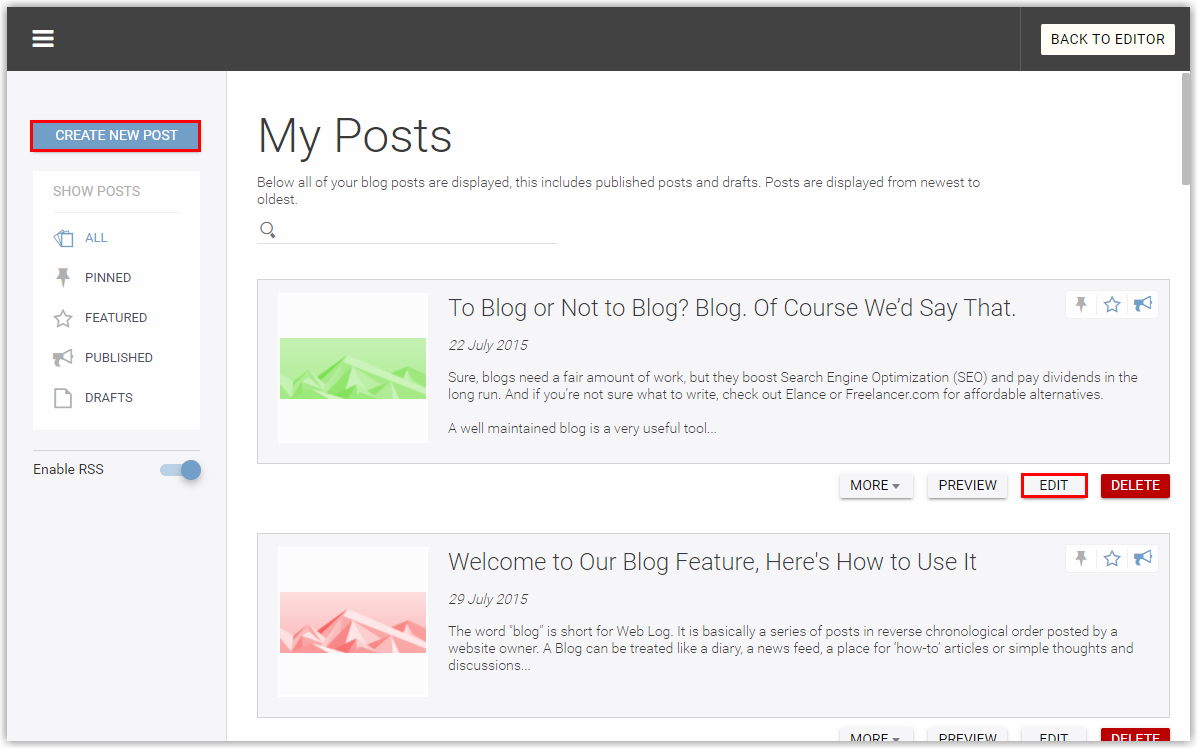
- Now you will be on the blog post page, where you will see all the different areas where you can add content to and stylize your post.

- Look for the Tags section on the right-hand side and begin adding in your tags, separating each with a comma.

- Click SAVE POST to do just that, and you’re done!

Review
Adding tags to your blog posts helps readers quickly understand the topic and find relevant content. Tags act like keywords, highlighting the main focus of each post and making it easier for your audience to navigate your blog. By using a clear and consistent tag structure, you can improve engagement, increase readership, and ensure that your content reaches the right audience.
Get practical tips and product updates on LinkedIn.
Follow Network Solutions