Knowledge Base
Categories: Builder Legacy
Builder brands: How to copy a section in the Express editor
You can now copy any section other than the header or footer within your Express editor site and move it to another location within your website.
How to copy a section
- Log in to your account manager via https://www.networksolutions.com/my-account/login.
- Click Websites & Hosting from the left navigation menu.
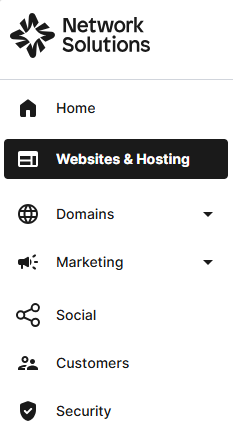
- Navigate to the hosting package that you want to access with Website Builder, then click Manage to continue.
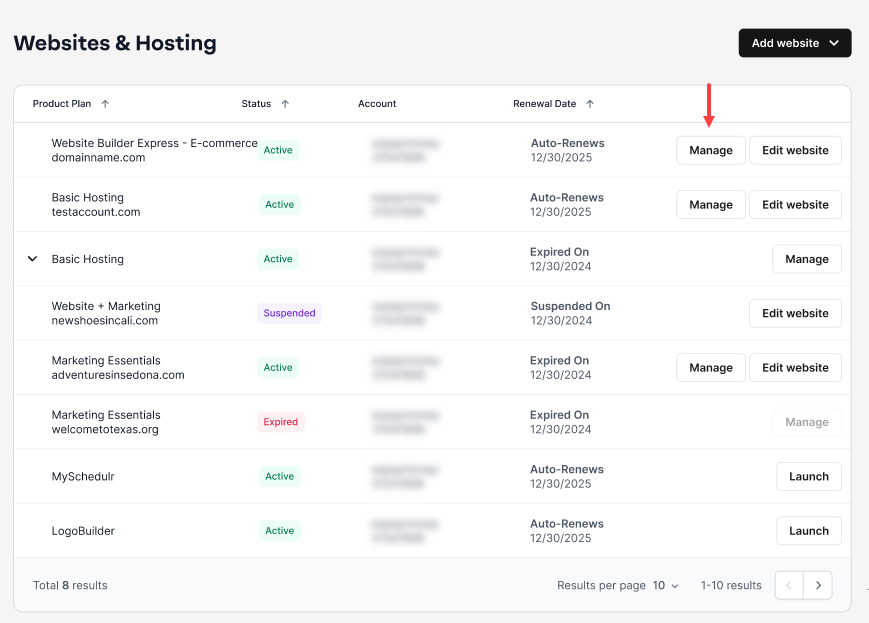
- On your Website Builder dashboard, tap Edit Site.

- Navigate to the desired page, and click on the section you want to edit.
- From the upper right corner, click the Duplicate icon to copy the section on your webpage.

- Here is a quick walkthrough:

- Here is a quick walkthrough:
- You can move around the duplicated page by clicking the ˄ (up) or ˅ (down) button located in the top-right corner of the workspace editor.

Get practical tips and product updates on LinkedIn.
Follow Network Solutions
Did you find this article helpful?