Knowledge Base
Categories: Builder Legacy
Builder brands: Setting up a product for pickup
You can set up a product for pickup in addition to items that are normally shippable in your Constant Contact website store.
In this article, we will discuss:How to set up a product for pickup
Follow these simple steps to get started:
- Log in to your account via https://www.networksolutions.com/my-account/login.
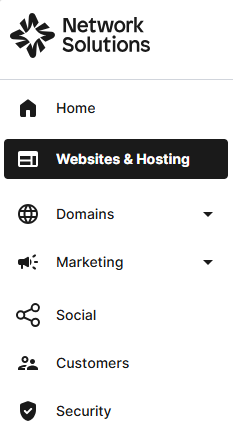
- Click Websites & Hosting from the left navigation menu.
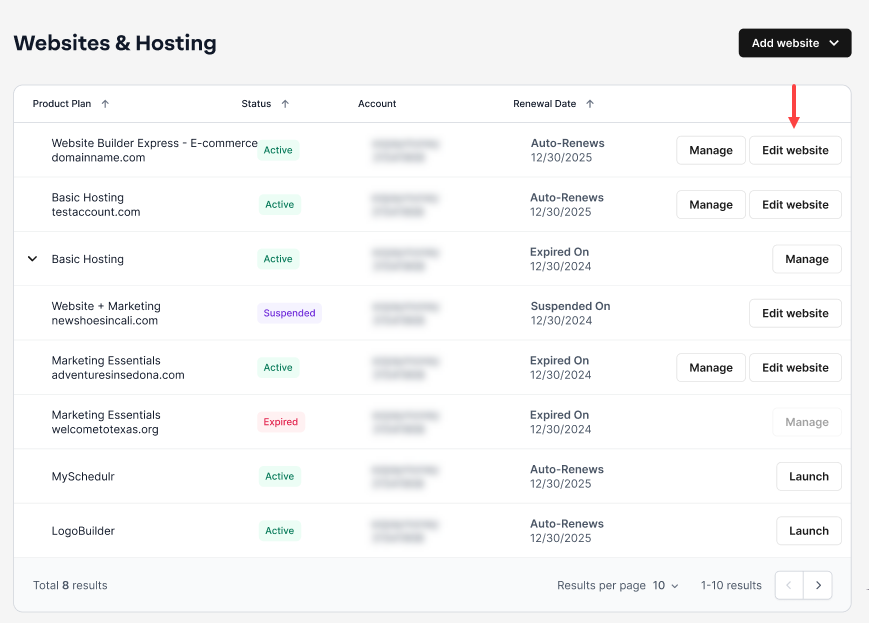
- If you have a single website builder in the account, you will be redirected to the Website Builder dashboard. If you have multiple website builder accounts, click the Edit website button on the respective website package that you need to access.
- Launch your website editor by choosing Edit Site.

- Within MANAGE STORE, choose Products from the left.

- Next, select the product that you want to make available for pickup.

- Scroll down the page to the Advanced settings area.

- Click the toggle next to Pickup Only.

- Finally, scroll to the top of the page and click on Publish to make this change live in your store. Congrats! You’ve now made your product available for pickup.

Review
Making a product available for pickup in your Constant Contact website store is simple. Access your store management, select the product, enable the Pickup Only option in the advanced settings, and publish your changes. This allows customers to pay online and pick up in person, giving you more flexibility and control over your store management.
Get practical tips and product updates on LinkedIn.
Did you find this article helpful?