Knowledge Base
Categories: Builder Legacy
Builder brands: Stock images in the Express editor
We understand that your main focus is on running your business. That's why we integrated Unsplash directly into our image library. We provide over 550,000+ free high-resolution images to allow you to create a website that perfectly matches your business.
More precisely, we grant you an irrevocable, non-exclusive, worldwide copyright license to download, copy, modify, distribute, perform, and use photos from Unsplash for free, including for commercial purposes, without permission from or attributing the photographer or Unsplash.
Accessing stock images from the editor
- Log in to your account via https://www.networksolutions.com/my-account/login.
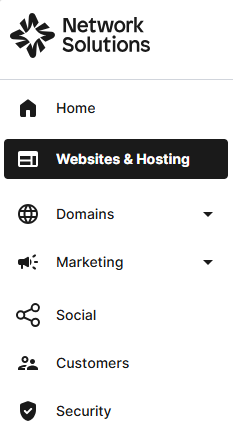
- Click Websites & Hosting from the left navigation menu.
- Navigate to the hosting package that you want to access with Website Builder, then click Manage to continue.
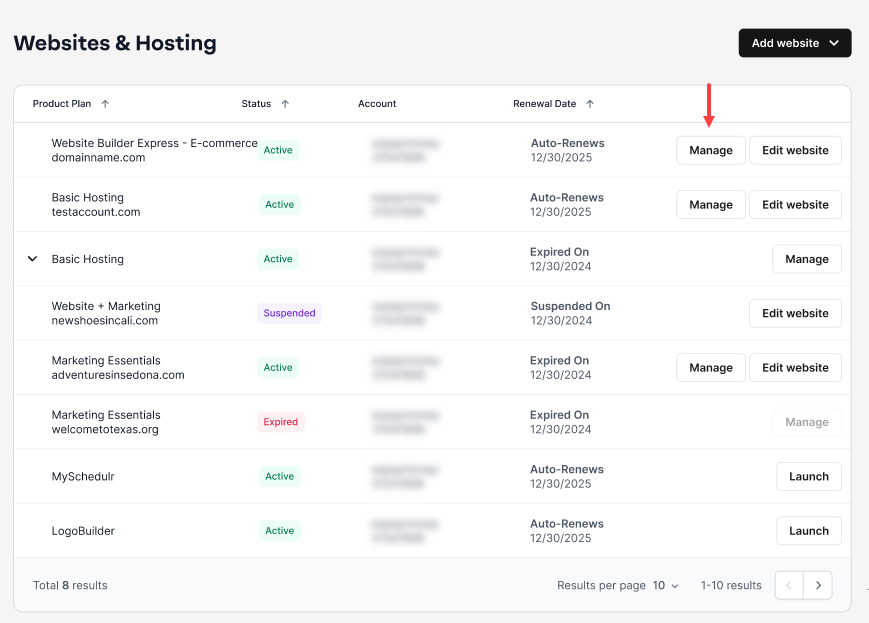
- To launch your website editor, click Edit Site.

- Inside the website editor, you can click any item with an image, including backgrounds, images within sections, and thumbnail image elements, to open a new window with the tab Free images.

- You will then have the free image library open up, with categories, image thumbnails, and the ability to search for images in the upper right.
- When you click any of the images, they will then load into the site in the area you had selected.

Get practical tips and product updates on LinkedIn.
Follow Network Solutions
Did you find this article helpful?