Knowledge Base
Categories: Builder Legacy
Builder brands: Updating social media links in Express editor
Given the importance of social media today, it's understandable to want to add as many relevant options as possible.
In this article, we will cover where to go to quickly add or update your social media links, which automatically attach to each respective logo on your page.
- Log in to your account manager via https://www.networksolutions.com/my-account/login.
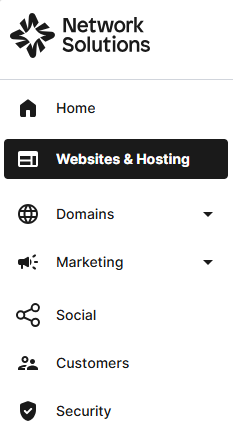
- From the left-hand menu, click the Websites & Hosting tab.
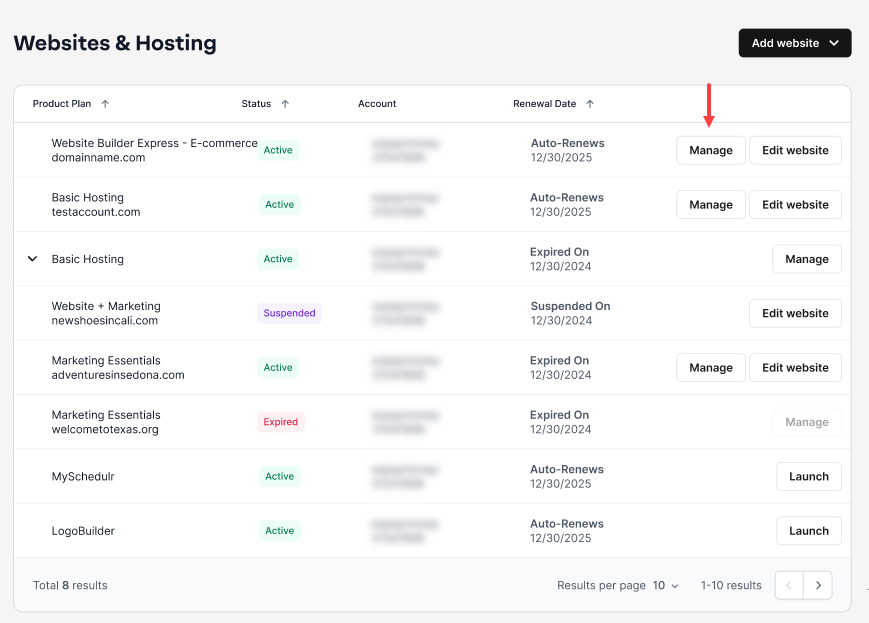
- Navigate to the hosting package that you want to access with Website Builder, then click Manage to continue.
- On the website builder dashboard, select Edit Site on the site you want to manage.

- Click on Settings in the dashboard on the left.

- In the pop-up menu that appears, select Social accounts.

- Choose the field you would like to link or update and fill in the URL for your social account.

- Click Apply to save your changes.

- Click Save, then Publish, to see your changes on the live site.

Get practical tips and product updates on LinkedIn.
Follow Network Solutions
Did you find this article helpful?