Email Marketing app - Upgrade
Email Marketing app upgrade brings advanced features designed to help you grow your audience and manage your communications easily.
The upgrade instantly expands your reach, enabling you to connect with a much larger audience by sending campaigns to more recipients at once. You also get full control over your branding by adding multiple sender emails and selecting a custom reply-to address so responses from your customers go exactly where you want them.
Upgrade your Email Marketing app using the steps below to unlock advanced functions.
- There are three areas where you can upgrade your Email Marketing app:
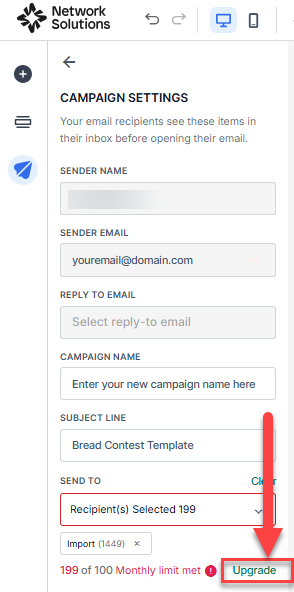
- In the Send to section, click the Upgrade link.
Note: The upgrade link only appears when the monthly limit has been exceeded.
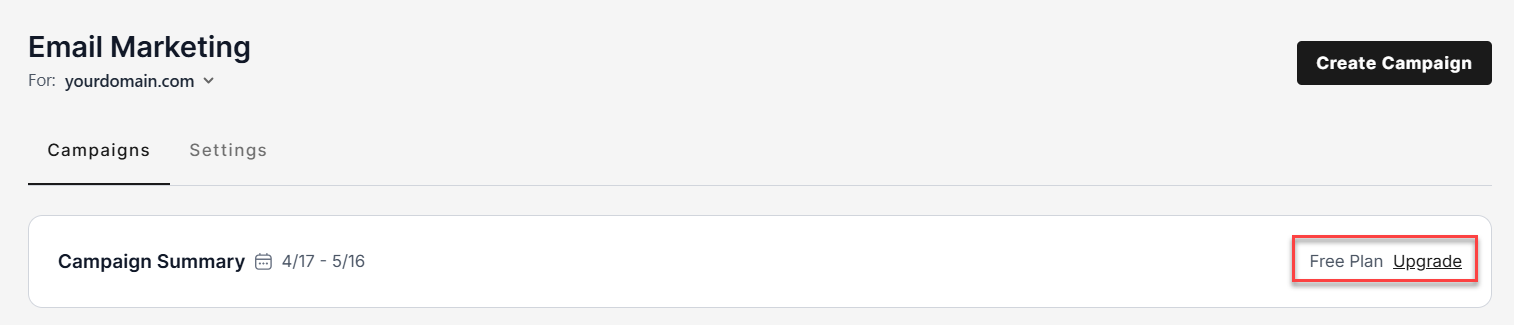
- In the Campaign Summary section, click the Upgrade link.
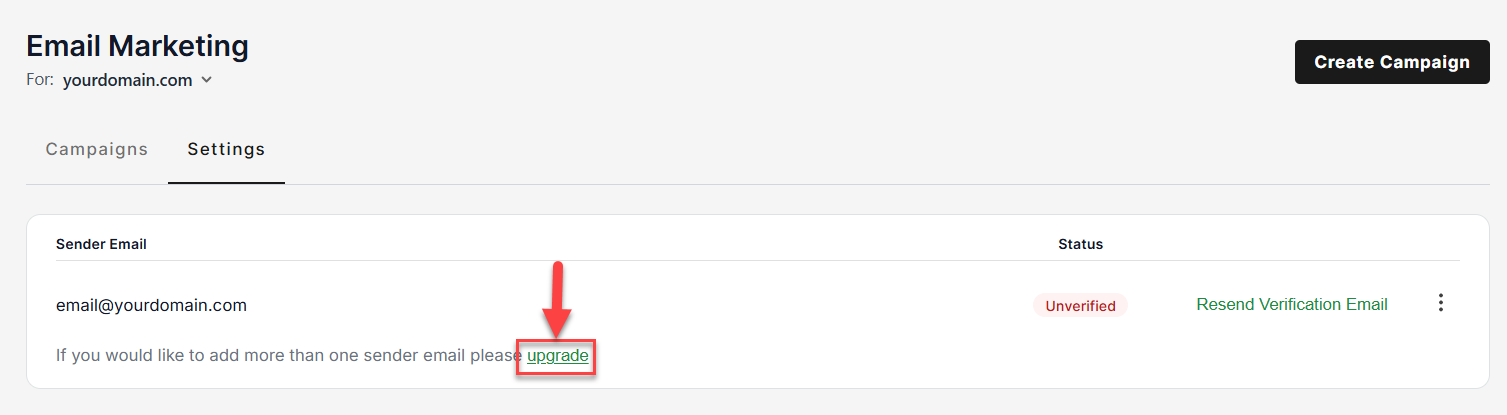
- In the Email Marketing Settings tab, click the Upgrade link under the Sender Email.
- In the Send to section, click the Upgrade link.
- An upgrade pop-up will show, offering options for you to upgrade to one of our paid plans.
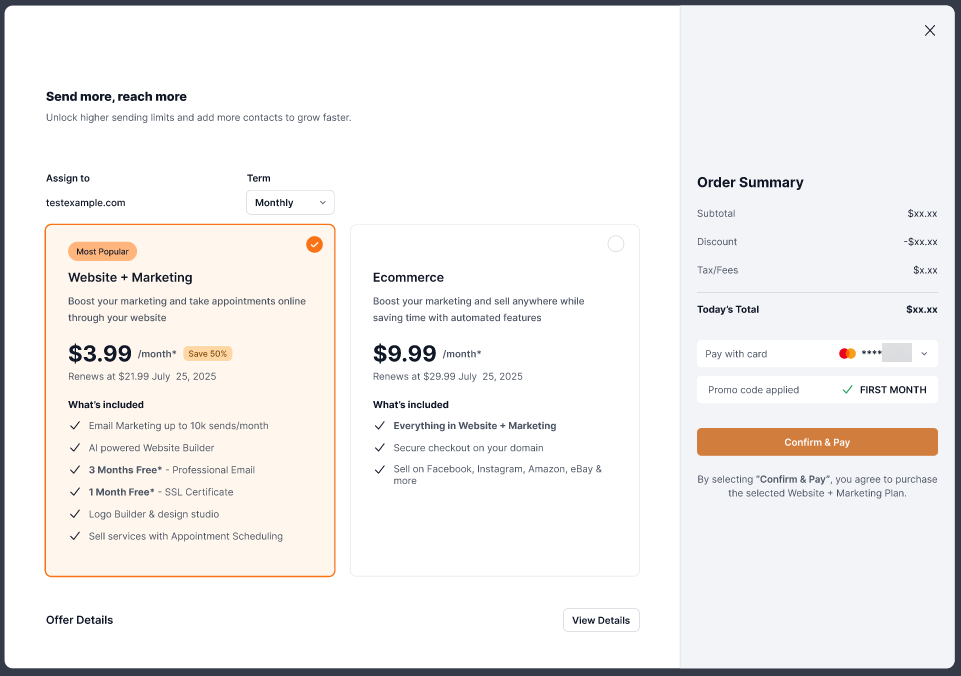
Note: The paid services offered are our bundle plans, which include other functionality in addition to increasing the email send limits and other advanced features in Email Marketing. Choose the plan that best suits your business's needs. - At the top of the page, you can see which domain you will be upgrading and a choice of how long a term you wish to purchase.
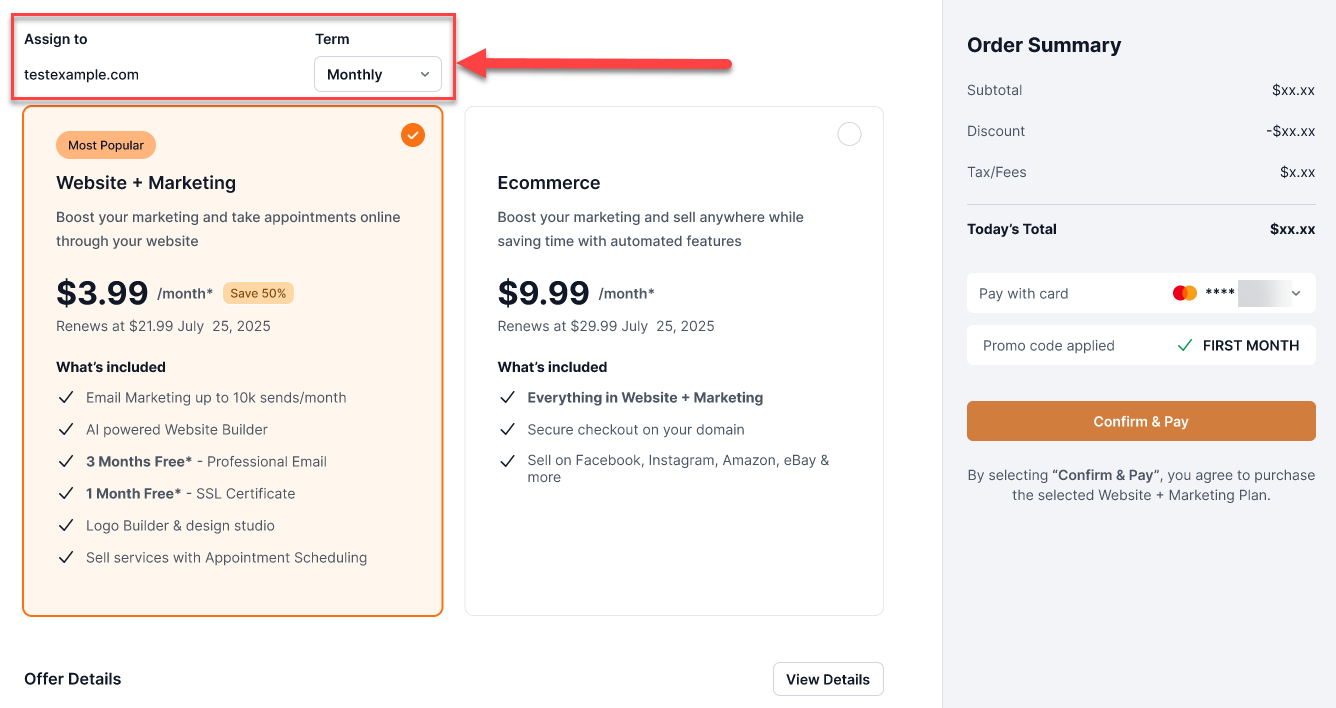
On the left side, you will see the Order Summary. In this section, you can select the card to charge for the upgrade.
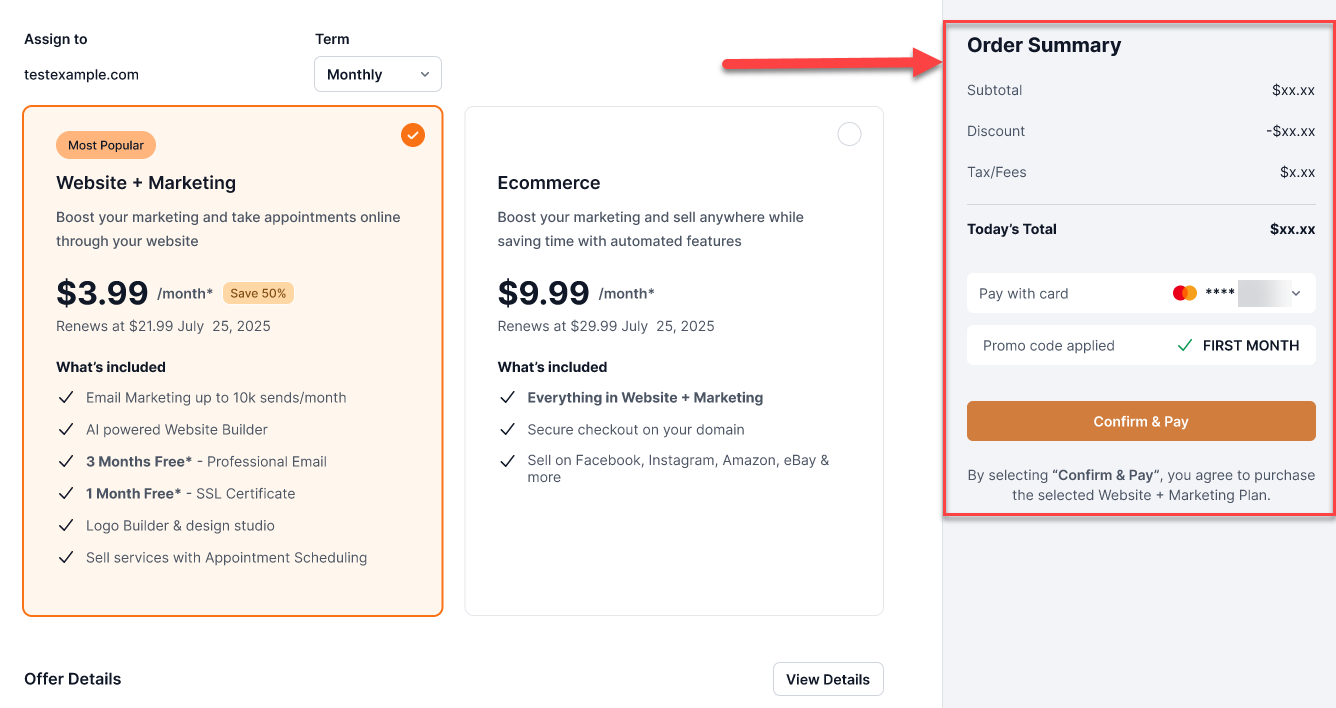
- Click Confirm & Pay to proceed with the upgrade.
Note: Plans renew automatically at the end of your selected term to the card on file.
- A confirmation page pop-up window will show the transaction and advise you on where in your menu to access your upgraded plan, and once you go back to the initial screen where you clicked upgrade, an "Upgrade Successful" message will show in the top right section of the page.

You have successfully upgraded to the paid plan!
Review
Choosing to upgrade your Email Marketing app helps you unlock immediate growth for your business. By expanding your recipient limits and giving you more flexibility with your sender details, this change ensures you can communicate with your customer base effectively and professionally.
Get practical tips and product updates on LinkedIn.