Site Builder migration to AI-powered Website Builder FAQs
This article answers common questions about Site Builder migration to the AI-powered Website Builder experience. It provides a comprehensive overview of the reasons behind this migration, detailing the enhancements and improvements that the new platform will bring to users. The article also describes what users can expect at different stages of the migration: before it begins, during the transition, and after the migration is completed.
You may be on Site Builder if you have one of these plans: Hosting-Unix, nswebsite (large), or nswebsite (small). If the website builder you use looks like the image below, this article is for you.

In this article, we will answer the following questions:
- Why are we moving to a new builder?
- What are the benefits of upgrading?
- Will my plan pricing change due to this upgrade?
- Can I opt out of this migration?
- When can I expect my site to be migrated?
- Do I need to do anything before the migration?
- What will be migrated?
- Will my saved drafts or unpublished changes be migrated?
- Will I be notified after the migration is complete?
- Will my website look different after the migration?
- I’ve been migrated, but why does my site still look the same?
- What happens if I do nothing after migration?
- What features on my current builder will be unsupported once I move?
Why are we moving to a new builder?
We are upgrading to a new website builder to provide better features, improved security, and a smoother experience. This ensures your website stays modern and reliable.
What are the benefits of upgrading?
Our AI-powered Website Builder provides a more modern and flexible website editing experience designed to make managing your site easier.
Benefits include:
- An intuitive drag-and-drop grid editor that allows you to place elements where you want with greater flexibility
- More social media links and integrations to better connect your website with the platforms your customers use most
- AI-generated sections and copy tools to help you create content faster
- More content blocks and element types for increased site customization
- Improved stock image search functionality to help you find visuals more quickly
- Updated templates, improved mobile responsiveness, and access to future enhancements
Will my plan pricing change due to this upgrade?
There will be no changes to your pricing or billing as part of this migration. You will pay the same price as you currently pay for your website or hosting service.
Can I opt out of this Site Builder migration?
You cannot opt out of this migration as it is required. Your current builder is in a maintenance state, which means no new features or enhancements are being planned. In addition, some functionality available on this platform is no longer aligned with modern internet standards. Moving to the AI-powered Website Builder allows us to provide updated tools, improved security, modern functionality, and the best possible experience going forward.
When can I expect my site to be migrated?
Your migration will begin no sooner than 30 days after your initial notification. During that time, you will receive reminder communications and additional details to help you prepare. We will also notify you once the migration has been completed.
Do I need to do anything before the Site Builder migration?
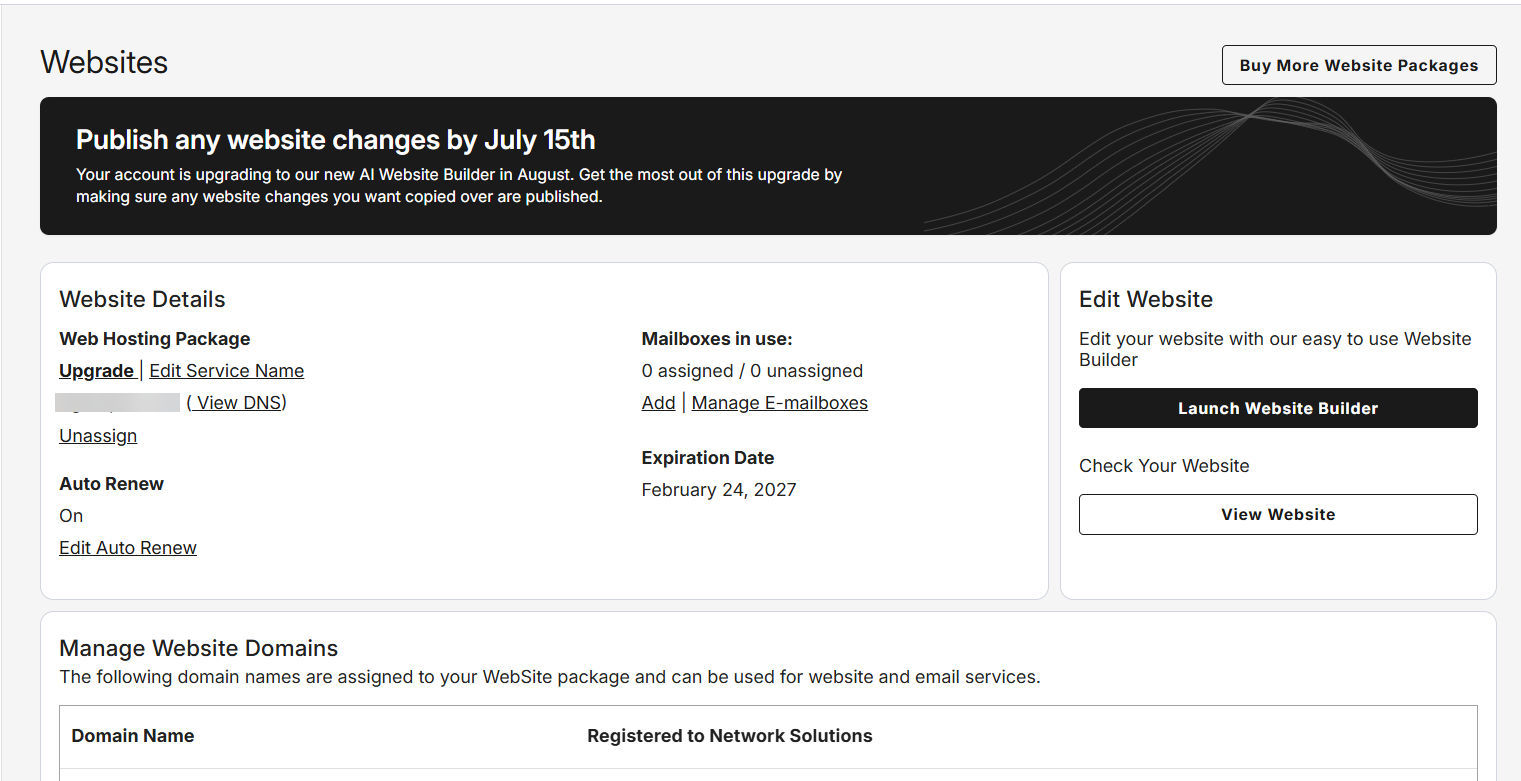
As part of your preparation for the Site Builder migration, you have to review your current website and make sure the version of your site you want us to migrate is published before the date shown in your account manager. We will not migrate new changes after this date.
If you’re curious, you can review our resources about the new website builder.
What will be migrated?
During the Site Builder migration, we will migrate the current live published version of your website. Saved drafts, unpublished changes, alternate versions, and backups in your current builder will not be migrated. If you want specific updates included, please make sure they are published before the migration date.
Will my saved drafts or unpublished changes be migrated?
Your saved drafts will not be migrated. Only the version of your website that is currently live and published will be migrated to the new website builder. Any saved drafts, unpublished pages, or alternate versions stored in your current builder will not be included in the migration.
Will I be notified after the Site Builder migration is complete?
You will receive an email confirmation once your site is fully migrated to the new website builder, along with instructions on how to log in and review everything.
Will my website look different after the Site Builder migration?
Immediately after the Site Builder migration, your live, published website will remain unchanged. After the migration is complete, you will log in to your new website builder, where the editing experience may look different. Some older features may not carry over, and you will see updated templates, layouts, and functionality. We recommend reviewing your site in the new builder, making any desired updates, and then publishing. Changes will only appear on your live website after you publish.
I’ve been migrated, but why does my site still look the same?
Your site will continue to display your current live design until you log in to the new website builder and click Publish. This gives you time to review the migrated version and make any updates before replacing your existing live website. If you do not publish from the new builder, your current live site will remain online, but you will no longer be able to edit it in the previous builder.
What happens if I do nothing after the Site Builder migration?
Your current live website will remain online and unchanged. However, to make future edits, you will need to use the new website builder. If you do not review and publish, your live site will stay online, but editing in the previous builder will no longer be available.
What features on my current builder will be unsupported once I move?
Some legacy features are not supported in the new website builder. Where possible, the closest available alternative will be provided.
| Feature | Alternative |
|---|---|
| Vertical menus | If your site is currently using a vertical menu, the navigation will be moved to a horizontal menu at the top of your website. |
| Meta tags (ex. robots, canonical, og:url) | We will add these tags through HTML injection. In addition, sitemap.xml and robots.txt files will be created for your site and will be available in the Settings area of your new builder. Please check the following articles: |
| Fonts | Replaced with the closest available font. |
| CAPTCHA | CAPTCHA has been discontinued. You can enable reCAPTCHA for your forms, which provides similar protection against spam and abuse. |
| Some header styles; multi-row headers | The closest available style will be applied. |
| Embedded blogs (blogs in a non-blog page) | You will only be able to show individual blog posts on the blog page of your website. The website builder team is working on improvements to blogging. We appreciate your understanding; stay tuned. |
| Payments | PayPal buttons are not supported in the new experience. If you take orders through your website, you can either upgrade to our e-commerce plan for an all-in-one solution or link to your preferred e-commerce provider using a button, embed element, or external link on your site. |
| Drafts | Only content that is currently published will be migrated. If you want draft content included, it must be published before migration. In your new website builder, you will be able to create multiple versions of your site and backups. |
| Layered background images/superimposed photos | The new website builder supports layering photos, but not as background images. You may need to make manual adjustments after migration. |
| Background videos | Background stock videos are no longer supported. We recommend replacing them with videos hosted on Vimeo or Dailymotion. |
| Videos | Videos are supported, but they must be hosted on YouTube, Vimeo, or Dailymotion. |
| Text effects | We do not support outlines or shadows for text. |
| Unpublished changes, alternate versions, and backups | You will be able to create backups, exit without publishing, and create multiple versions of your site in the new builder, but we aren't moving any content other than the published site from your current builder. |
Review
Site Builder is in maintenance mode and no longer meets modern web standards. The new builder ensures better reliability, functionality, and future enhancements. This article sets expectations and addresses common user concerns about the Site Builder migration.
Get practical tips and product updates on LinkedIn.
Follow Network Solutions