Knowledge Base
Categories: Account Management
How to access the Resources page in account manager
The Resources page in account manager provides access to guides, Ebooks, and other content that can help customers make the most of their online presence.
How to access the Resources page and download an Ebook
- Log in to your account manager via https://www.networksolutions.com/my-account/login.
- From the left navigation menu, click Help?, then select Resources.
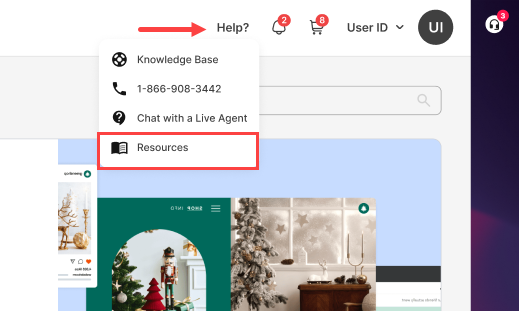
- In the first section, you’ll see the featured Ebook or playbook. If you’re interested, click Download Playbook to download it.
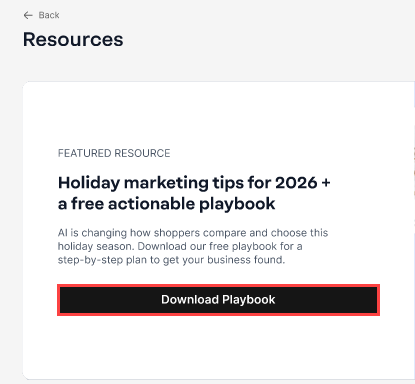
To explore other available Ebooks, scroll down and look for the corresponding download buttons.
What you’ll find on the Resources page
Resources may include:
- Ebooks
- Marketing guides
- Seasonal business content
- Other educational materials
Note: Available options vary by resource. Some content, such as eBooks, can be downloaded, while other resources are provided as links.
Content may vary as new resources are added over time.
Review
This article explains how to access the Resources page in the account manager. The Resources page includes Ebooks, guides, and other helpful content that customers can use to learn more about building and managing their online presence.
Get practical tips and product updates on LinkedIn.
Follow Network Solutions
Did you find this article helpful?