Knowledge Base
Categories: iPage Legacy
iPage: VPS and Dedicated Hosting - How to create new cPanel accounts through WHM
VPS and Dedicated Hosting: How to Create New cPanel Accounts through WHM
Check the steps below to create more than one cPanel inside your account and host more than one website.
You will need to log in to WHM. Please see this article for guidance on logging in to WHM first. Once you are in, you can proceed with the steps below.
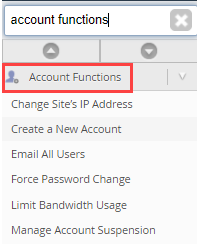
- Once inside the WHM, utilize the
Search tabin the upper left corner of WHM. Type "Account Functions." - Select
Create a New Account. - Enter the Domain, Username, Password (twice), and the contact email address inside the Domain Information.
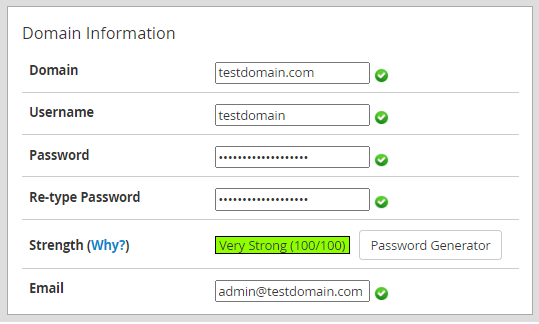
- Inside the
Package Section, select from the drop-down menu that you have created. If in case that you have not created a package yet, see this article.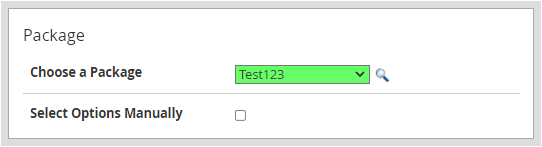
- Customize the themes and language inside Settings.
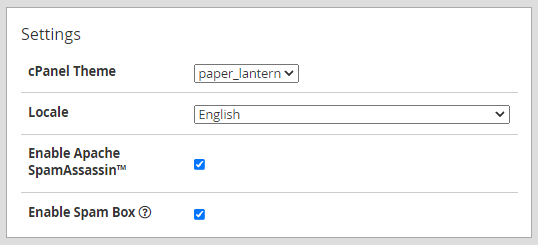
- Select the desired
Mail Routing Settings.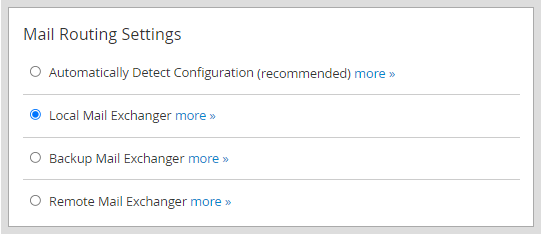
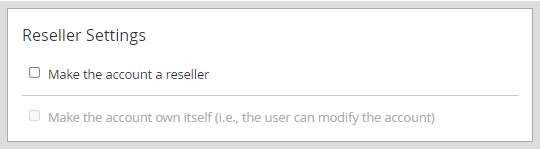
- If you want the newly created account to be the reseller, you can update it here.
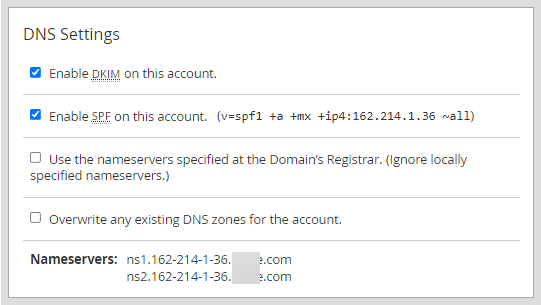
- Choose which nameservers will be used. This will give you the option of enabling the SPF and DKIM Records in the local DNS Nameserver tables.
- Hit
Create.
Get practical tips and product updates on LinkedIn.
Follow Network Solutions
Did you find this article helpful?