Guard encryption for Cloud Mail: Sending and reading encrypted emails
Sending and reading encrypted emails with Guard encryption helps protect sensitive information by ensuring that only authorized recipients can access secure email messages and attachments. This Cloud Mail security feature allows you to securely send, receive, read, and download encrypted content while helping prevent unauthorized access to confidential communications. By using Guard encryption, you can safeguard sensitive data, maintain email privacy, and enhance the security of your communications.
In this article, we will discuss:
How to send an encrypted email
Follow the steps below to begin sending encrypted emails with Guard encryption in Cloud Mail.
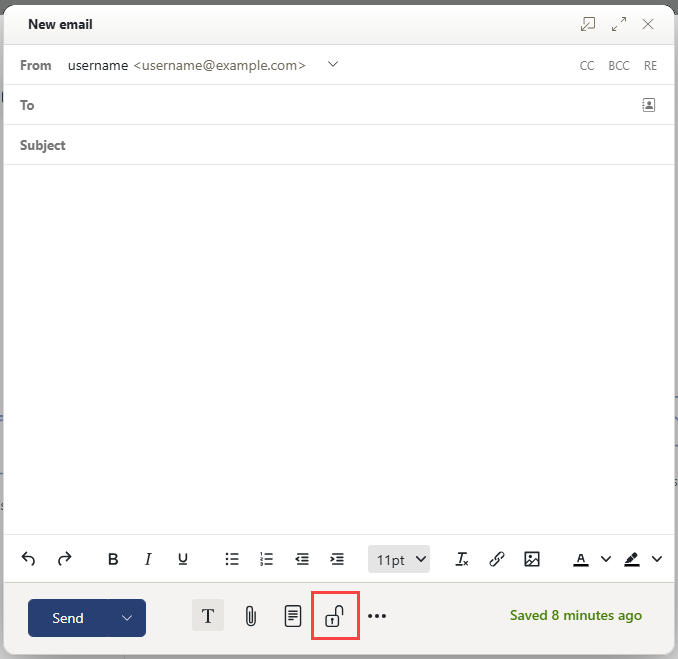
- When composing a new email, click the lock icon to enable Guard Encryption, as shown in the image below.
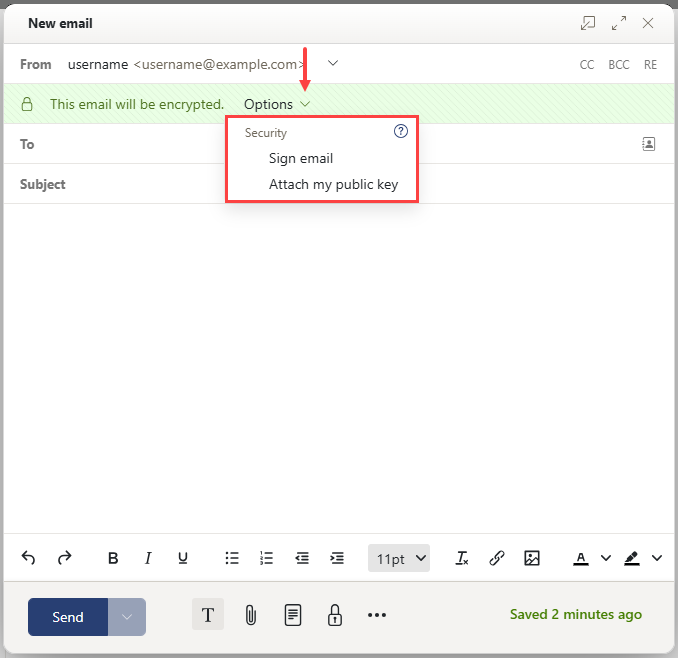
- Once you have activated Guard encryption, you will be presented with two options:
- Sign email: This enables you to send an email with a signature that tells the recipient you sent it.
- Attach my public key: To allow the email recipient to send an encrypted reply, you need to provide them with your public key, which is sent as an attachment.
- Click the Send button.
How to read encrypted emails
Follow the steps below to begin reading encrypted emails with Guard encryption.
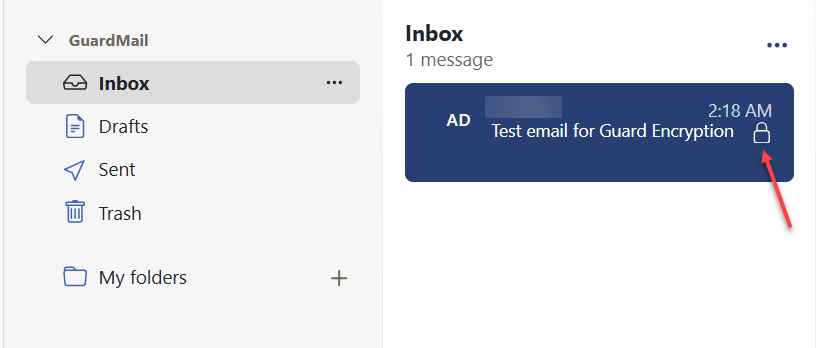
- Select an email with the lock icon.
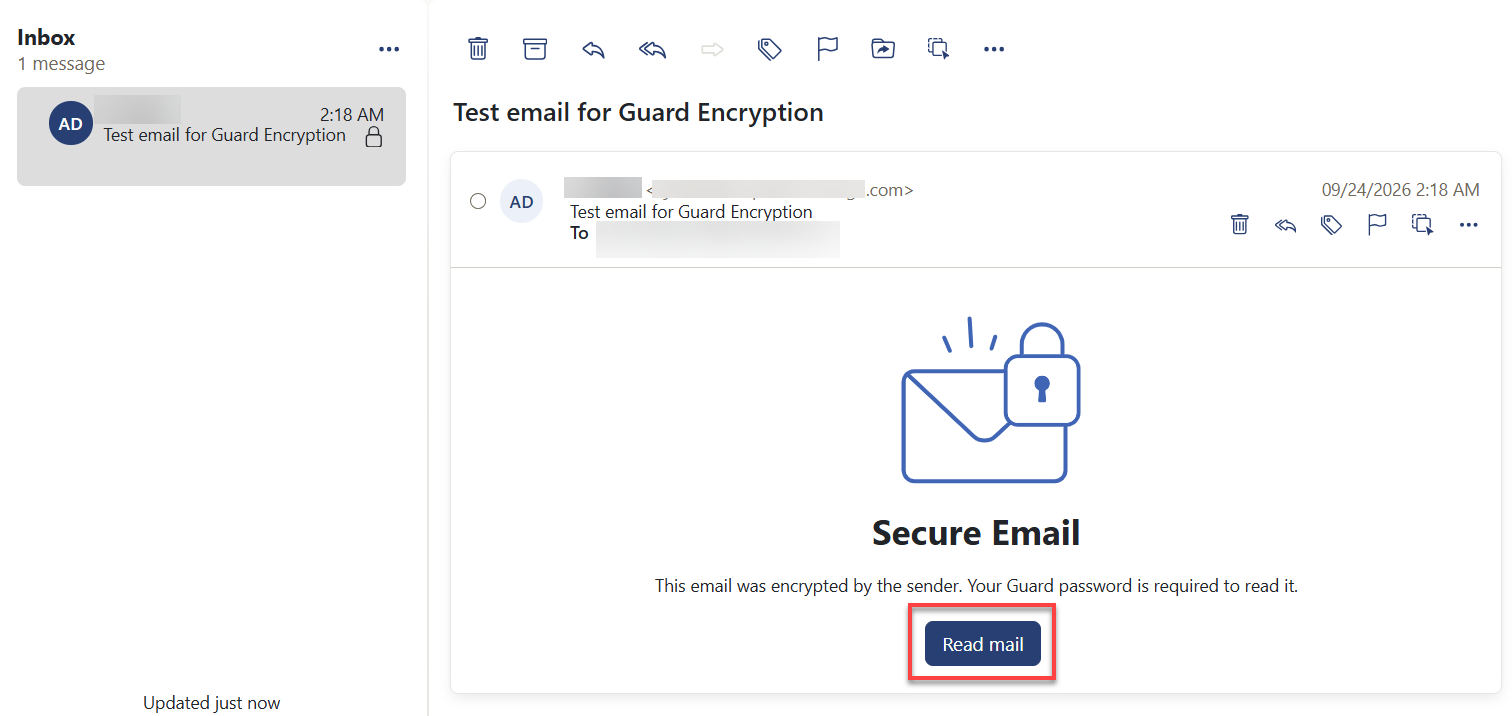
- Click the Read mail button.
- In the Password needed pop-up, enter the Guard password you created in the Secure email, enter your Guard security password field.
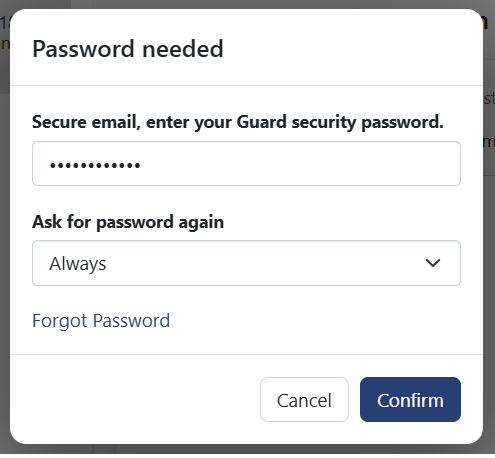
- Select a duration from the Ask for password again drop-down menu to specify how long Guard should retain your security password.
Note: If you previously selected the option for Guard to remember your security password for a specified period, and you open another encrypted email within that timeframe, the message will open automatically without prompting you to enter the password again. - Click Confirm.
- You can now access and read the email. If the email includes attachments, the Password needed pop-up will appear again before you can view or download any attachments.
How can external recipients read an encrypted email
You can also send encrypted emails to external recipients who are using differing email systems. When adding an external recipient, Guard checks whether a public key is available for this email address.
Depending on the result, Guard uses different procedures for sending the encrypted email:
- If there is a public key for the recipient:
- The message is sent encrypted with this key. The recipient can read the message with their private key.
- If there is no public key for the recipient:
- If the external user already has a guest account, they receive an email with the link to the login page of their guest account. When having logged in, they can read the encrypted email on the guest page. They can send an encrypted reply from this page.
- If there is no guest account, a guest account will be created. The external recipient receives an email with a link to a guest page. The user logs in to the guest page, then they can create their own password.
- Depending on the configuration, guest account emails are deleted from the server after a specific number of days.
Review
Guard encryption helps keep email communications secure by allowing you to send and receive encrypted messages and attachments in Cloud Mail. With features such as email encryption, digital signatures, and secure access for external recipients, Guard encryption helps protect sensitive information from unauthorized access.
Get practical tips and product updates on LinkedIn.
Follow Network Solutions