Outlook on the web: Something went wrong (500 error) upon signing in
Having issues logging in to Outlook on the web? If you receive a "Something went wrong" (500 Error) message, it may indicate an issue with your Exchange Online mailbox or license assignment.
With this guide, you will know the symptoms, why it's happening, its possible causes, and the steps to resolve it.
In this article, we will discuss:
What is "Something Went Wrong" (500 Error)?
This is the error message displayed when Outlook on the web cannot open the mailbox successfully.
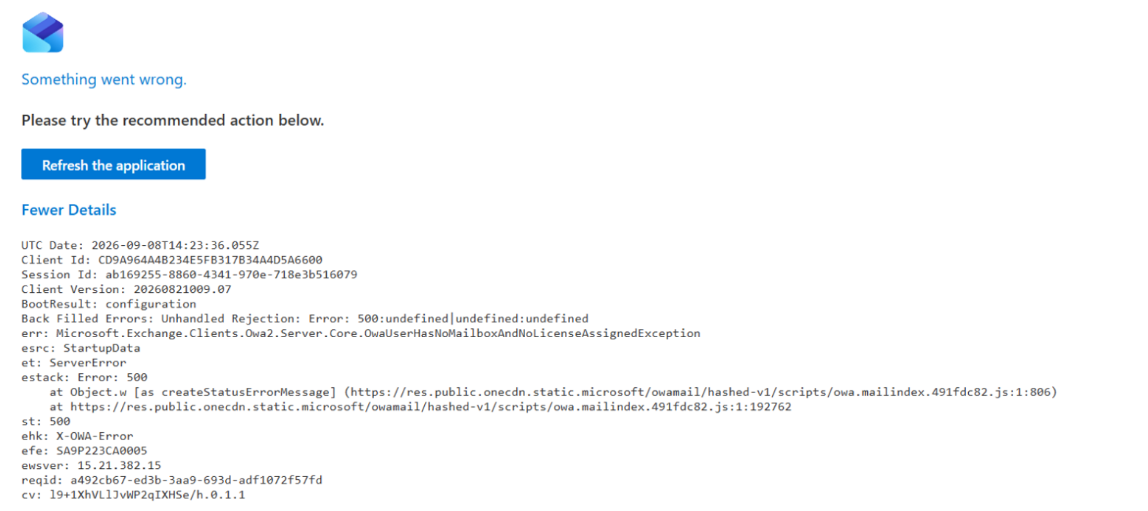
This error usually appears when Outlook on the web is unable to access your email account. This can happen if:
- Your mailbox has not been fully set up.
- The required Microsoft 365 email service is not enabled for your account.
What's causing this?
Common reasons for this error include:
- An email license has not been assigned to your account.
- Mailbox setup is still in progress.
Note: Recently assigned licenses may require additional time before the mailbox becomes available. Once setup is complete, sign out and sign back in to Outlook on the web.
- The Microsoft 365 email service is disabled for the account.
How to fix it?
To resolve this issue, check the user's account in the following two Microsoft admin centers.
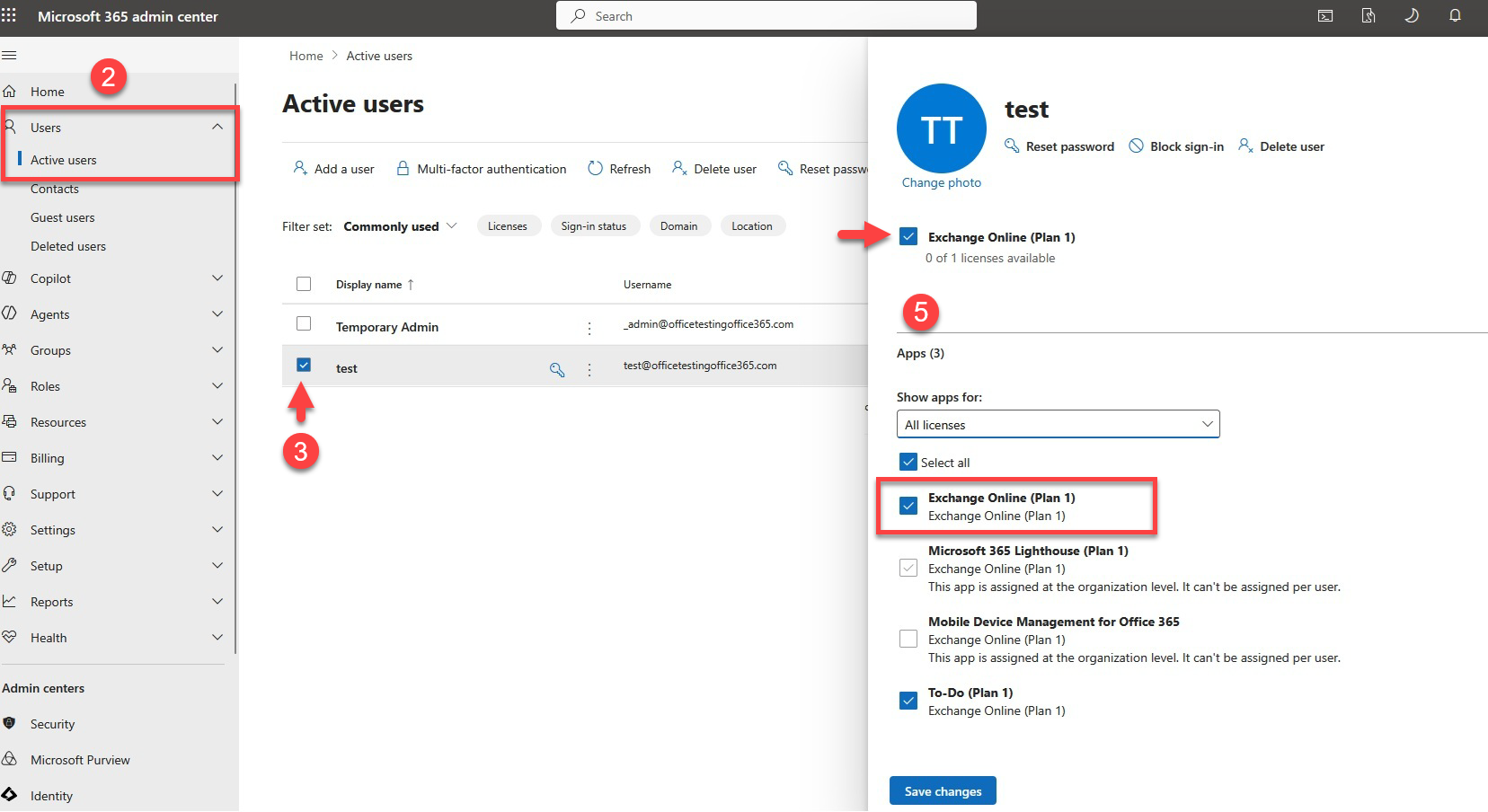
Step 1: Verify the user's license settings in your Microsoft 365 Admin Center
First, verify that the affected account has the required Microsoft 365 email service and that it is enabled.
- Sign in to the Microsoft 365 Admin Center via https://admin.microsoft.com.
- Go to Users > Active Users.
- Select the affected user.
- Open Licenses and Apps.
- Confirm the following:
- A Microsoft 365 license that includes email services has been assigned.
- The email service is enabled for the account.
Step 2: Check if the mailbox exists in your Exchange Admin Center
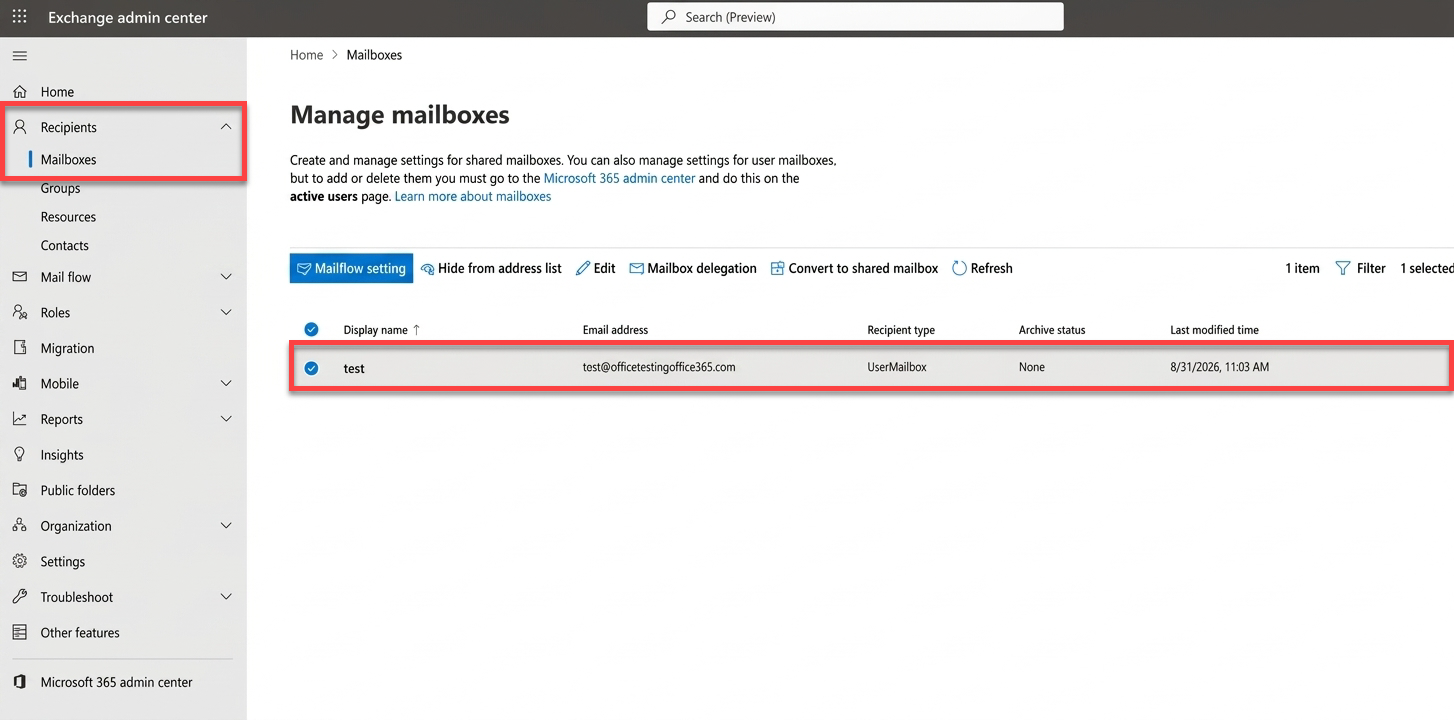
Next, confirm that the user's mailbox exists and is ready to receive email.
- Sign in to the Exchange Admin Center via https://admin.exchange.microsoft.com.
- Go to Recipients > Mailboxes.
- Search for the affected user.
- Verify that the user appears in the list of mailboxes.
Review
Experiencing a "Something Went Wrong" (500 Error) message in Outlook on the web can prevent access to your email. Learn the common causes of this issue and the steps to restore access to your mailbox.
Get practical tips and product updates on LinkedIn.