Knowledge Base
Categories: Third-Party Servers
How to troubleshoot Windows 503 service unavailable error message
If you see the Windows 503 Service Unavailable error message, it could be because the worker process running your web application has become unstable or unavailable.
To resolve this issue, follow these steps:
Following these steps should fix the issue automatically. If not, you will need to review your website code to resolve the issue.
- Log in to your account via https://www.networksolutions.com/my-account/login.
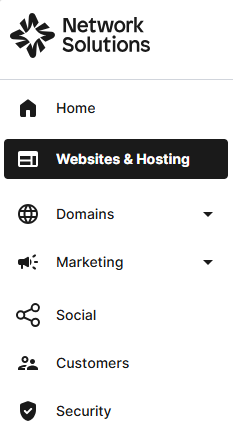
- Click Websites & Hosting from the left navigation menu.
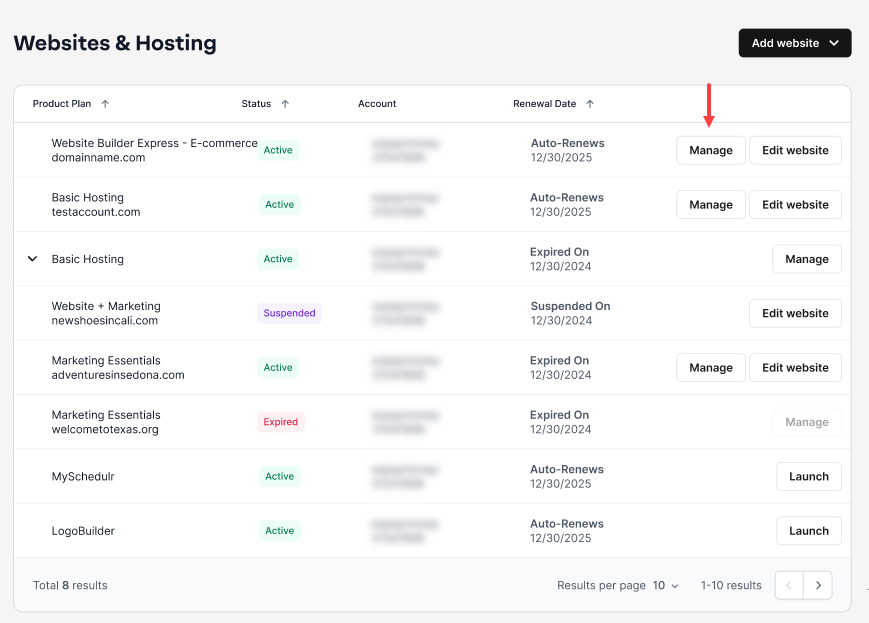
- If you have a single website builder in the account, you will be redirected to the Website Builder dashboard. If you have multiple website builder accounts, click the Manage button on the respective website package that you need to access.
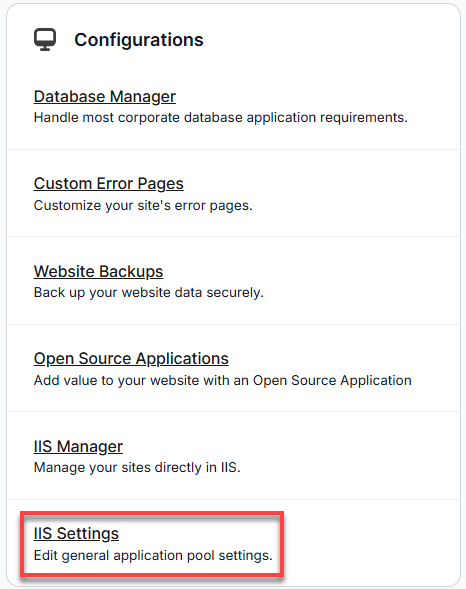
- In the Hosting Package dashboard, look for Configurations, and select IIS Settings.
- You can click the Recycle button to recycle once, or you can recycle automatically at a specified time by clicking the Enable button, which is on the right-hand side of Automatic Recycling.
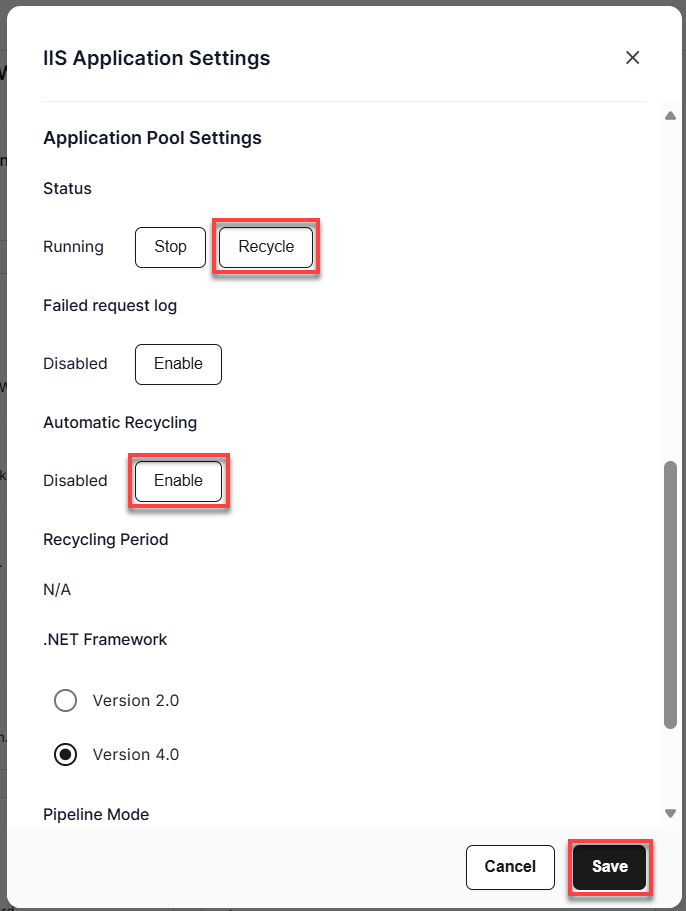
- Hit the Save button.
Review
Is your site throwing a 503 error? This usually indicates an unstable IIS worker process. Check out our quick step-by-step guide to learn how to access your IIS Settings in your Account Manager and recycle your application pool, either instantly or on an automated schedule, to get your site back online!
Get practical tips and product updates on LinkedIn.
Follow Network Solutions
Did you find this article helpful?