How to get started with the SEO Tool
Improving your online presence allows potential customers to find you easily on major search engines like Google and Bing by using specific keywords that match what they are looking for. The SEO Tool is designed to guide you through this journey by helping you create a custom action plan and monitor exactly how well your website performs. You can quickly get started by verifying your domain and selecting the best location and keywords to describe your business needs. This easy process ensures you have the right strategy in place to boost your rankings and helps you focus on reaching the people who matter most to your success.
What is SEO?
Search Engine Optimization (SEO) involves refining your website and digital visibility so that prospective clients can effortlessly discover your business through online search results. By including popular keywords and other important factors, you can boost your website's ranking and make your website more visible to customers.
Setting up the SEO Tool
- Log in to your account via https://www.networksolutions.com/my-account/login.
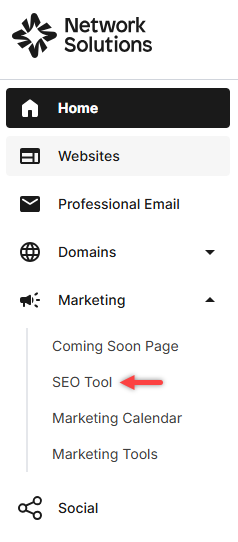
- Click Marketing and select the SEO Tool from the left navigation menu.
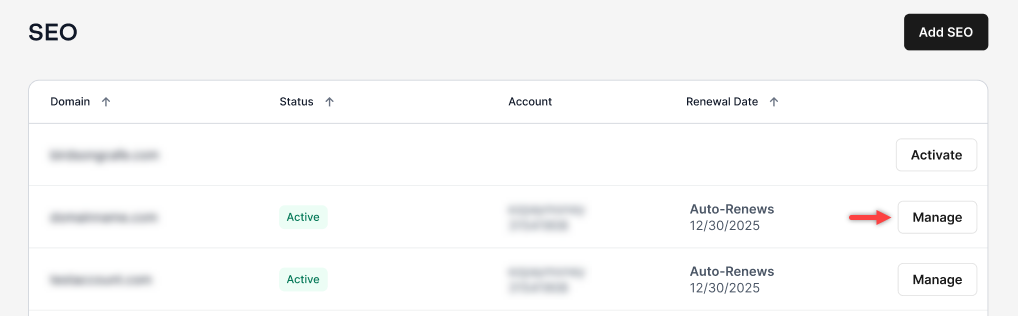
- Select Manage in the SEO Tool home page.
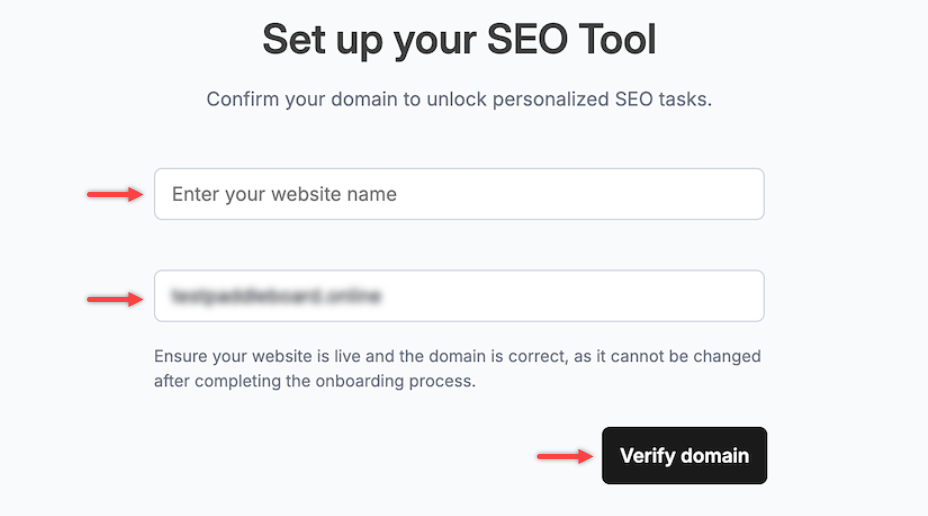
- Enter your domain name and project/website name, then click on the Verify domain button to start the onboarding process.
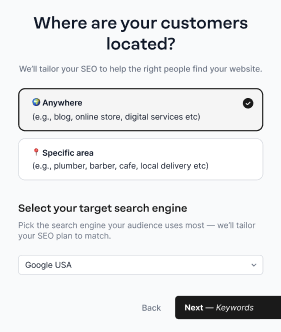
- Choose the location of your targeted customers and select your target search engine from the drop-down menu. Click Next – Keywords once done.
- Describe your website by choosing the AI-powered suggested keywords, or you can enter your own keywords to match your website's needs. Then click Finish – Get found! to complete.
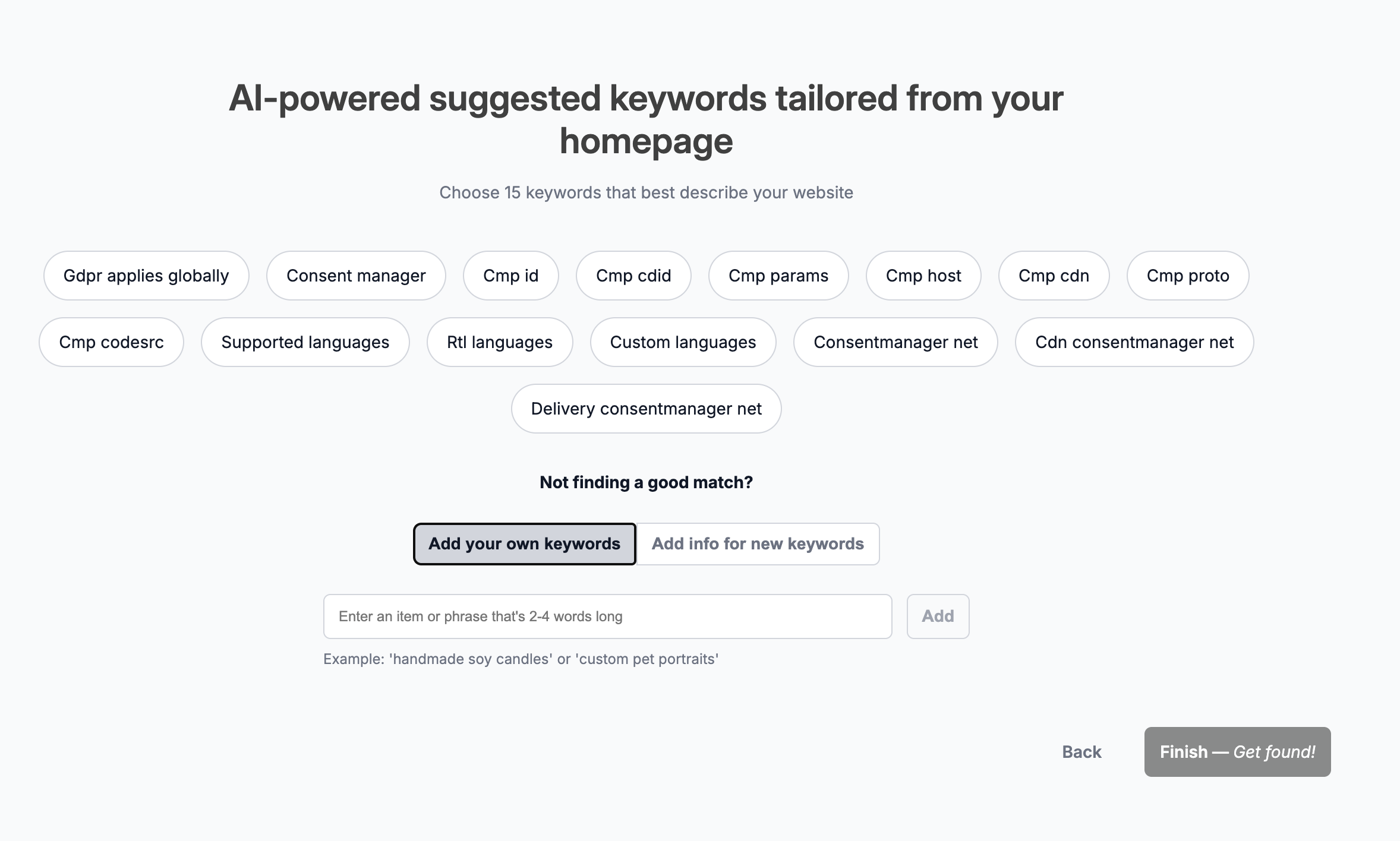
Important:- Keyword limits vary by SEO plan. The one-month free trial applies exclusively to the SEO Starter plan (up to 15 keywords). The SEO Growth plan, which allows up to 50 keywords, is not available as a free trial.
- The free trial is limited to one per account. Once the free trial has been activated, another free trial cannot be claimed on the same account, even if the account contains multiple domain names. If you have multiple domains under a single account, the free trial can only be used for one domain.
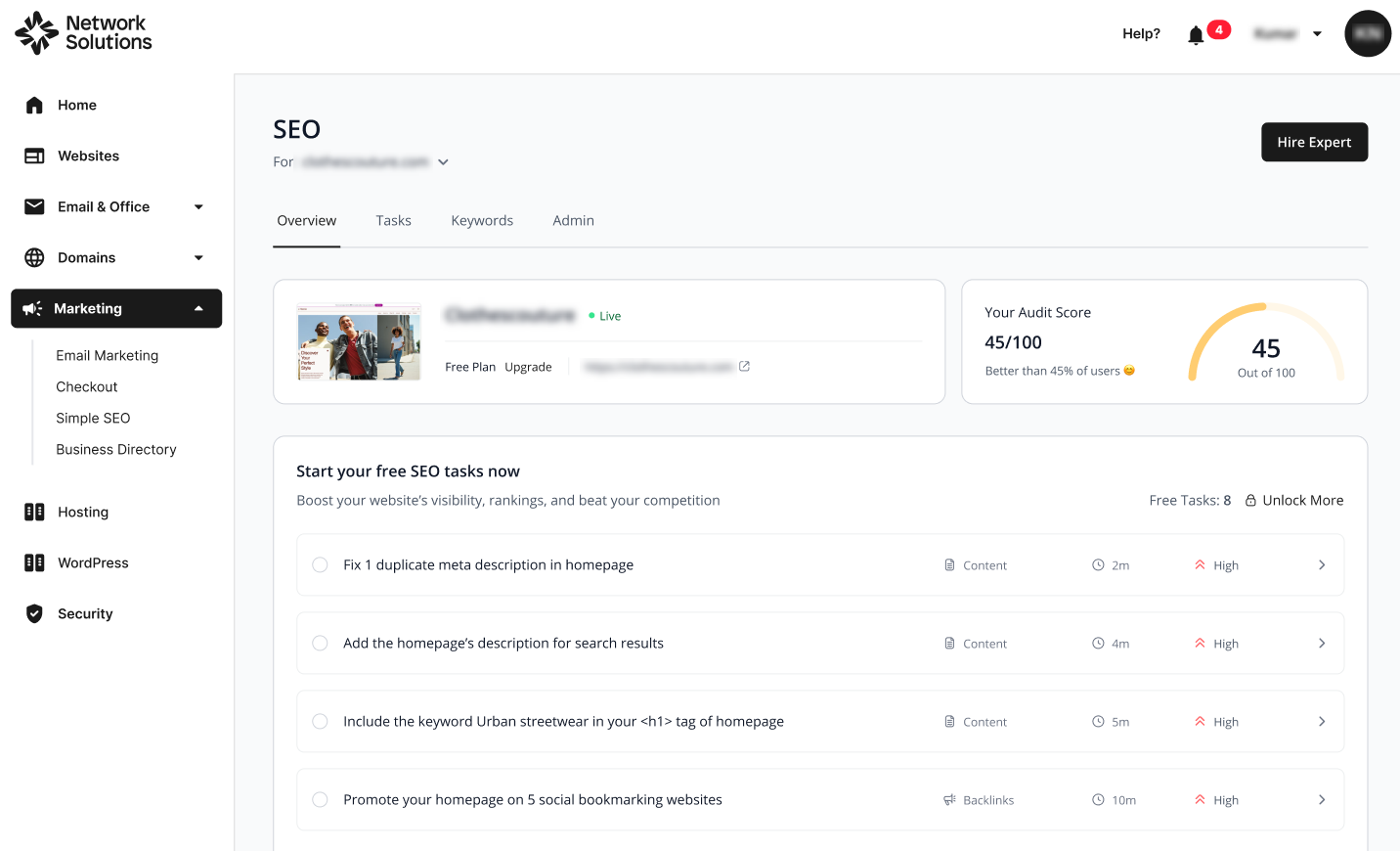
- Once your information has been fully analyzed, you will see the overview page, indicating that the process is complete.
Note: To learn more about managing your SEO Tool, please see the article: How to manage your SEO Tool.
Review
The SEO Tool offers a straightforward and effective way for entrepreneurs to enhance their search rankings without getting lost in technical details. The setup process simplifies everything into manageable steps by asking you to verify your domain and select the specific location where your customers live. It effectively streamlines the often complicated world of search engine optimization by helping you choose the best keywords and search engines to build a clear action plan. This approach makes it much easier to track your progress and gives you the confidence that your strategy is actually working to help your business grow.
Get practical tips and product updates on LinkedIn.
Follow Network Solutions