Knowledge Base
Categories: Hosting
How to access phpMyAdmin
Ever wondered how to get into phpMyAdmin? It's simpler than you might think! If you have a web hosting package, you already have phpMyAdmin ready to go. Let's walk through how to access it and start managing your MySQL databases.
How to access phpMyAdmin?
Follow these instructions to access phpMyAdmin:
- Log in to your account via https://www.networksolutions.com/my-account/login.
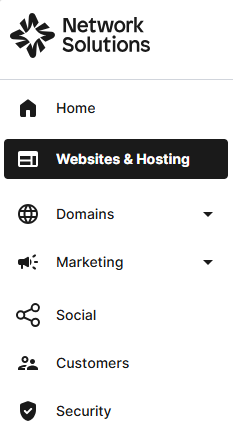
- Click Websites & Hosting from the left navigation menu.
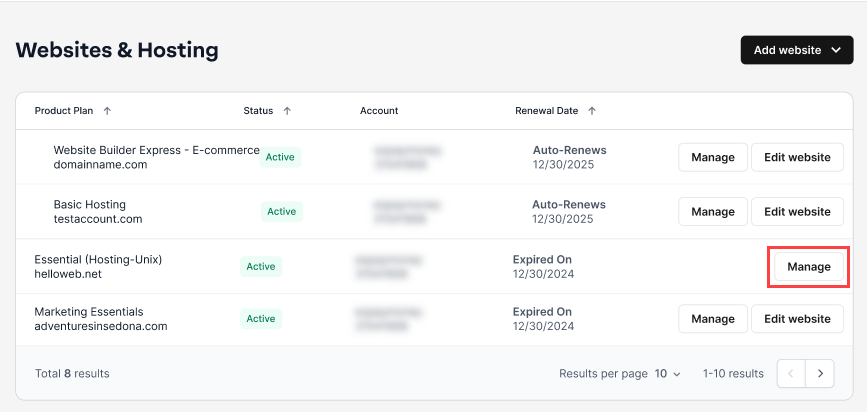
- Navigate to the hosting package that you want to access the database for, then click Manage to continue.
- On the web hosting control panel, scroll down to Configurations and click the Database Manager icon.

- Hover your mouse over the kebab menu, then click Edit.

- Scroll down and click the Database Admin Login link.

You are now logged in to phpMyAdmin
Note: You must have a MySQL database already set up to use the phpMyAdmin software program.
Review
And there you have it! Accessing phpMyAdmin is just a few clicks away. Easily manage your MySQL databases now and ensure the smooth operation of your website. Remember, if you ever need a refresher, this guide is here to help!
Get practical tips and product updates on LinkedIn.
Follow Network Solutions
Did you find this article helpful?