Knowledge Base
Categories: Powered by Network Solutions
Powered by Network Solutions: Email management - How to delete a mailbox
Starting April 1st, 2024, new Domain.com account sign-ups will require a professional email solution. We recommend Google Workspace, which provides a complete range of productivity and communication tools.
When you no longer need a mailbox, you can delete it. Please ensure that you have kept a backup of important emails before following the steps below.
Deleting a mailbox
- Log in to your account via https://www.networksolutions.com/my-account/login.
- Click Standard Email from the left navigation menu.

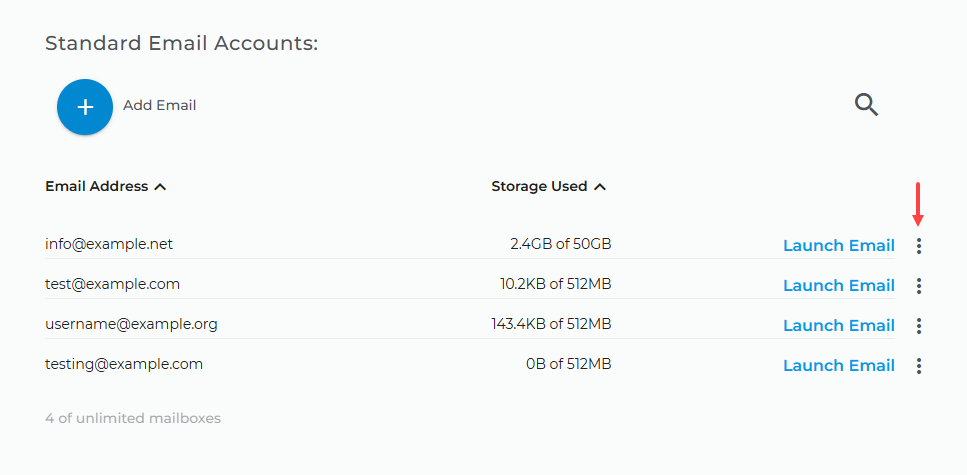
- Choose the Email Address that you want to delete and click on the ellipsis next to the Launch Email.
- Select Delete Account.
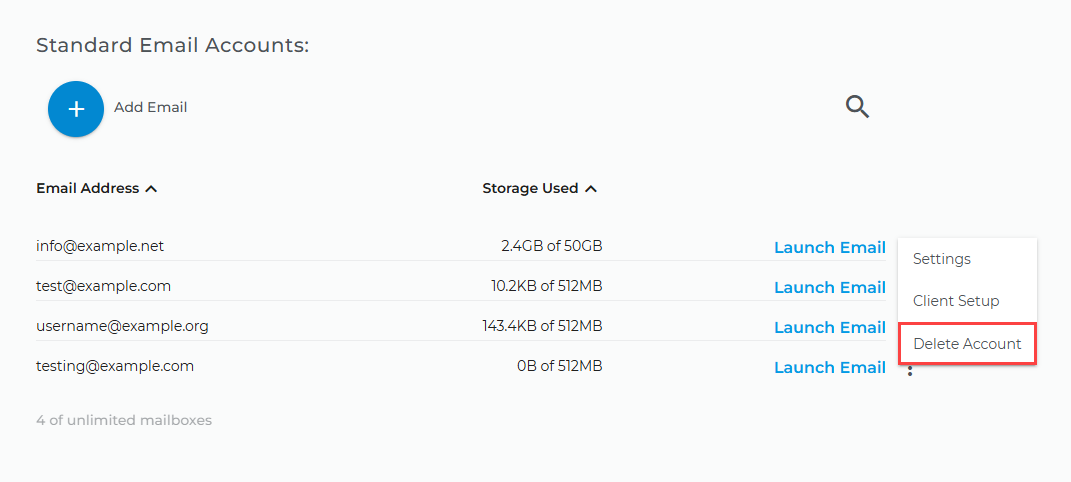
Note: Deleting a mailbox will permanently remove all its contents. This cannot be undone.
Get practical tips and product updates on LinkedIn.
Follow Network Solutions
Did you find this article helpful?