Purchase or upgrade a cWatch website security plan
If you want to purchase or upgrade cWatch website security, this guide outlines the steps available within your Network Solutions account. Whether you are looking to purchase cWatch protection for a new website or upgrade cWatch to a different service level, you can manage your website security plan from your account. This article explains how to select a cWatch plan, assign it to a domain, choose a subscription term, and complete the checkout process. It also covers the steps required to upgrade an existing cWatch website security plan.
In this article, we will discuss:
Purchasing a cWatch plan
- Log in to your account via https://www.networksolutions.com/my-account/login.
- Click Security from the left navigation menu.

- Tap Add Security, then choose Website Security to purchase a plan for your website.
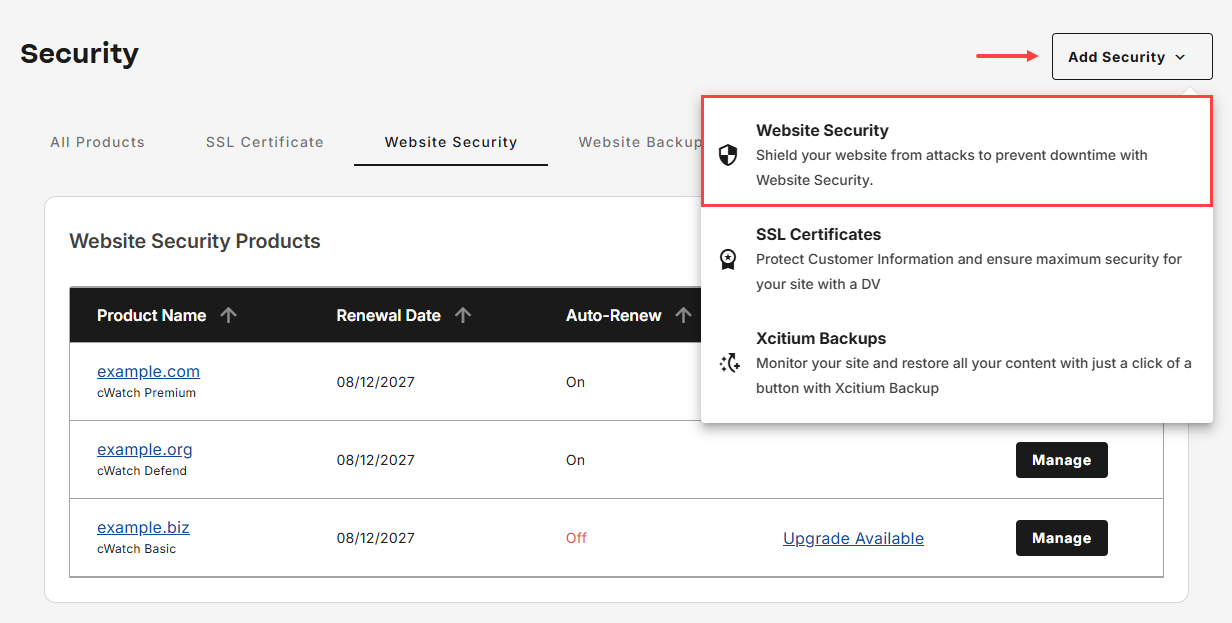
- In this section, there are a few things to complete your purchase:
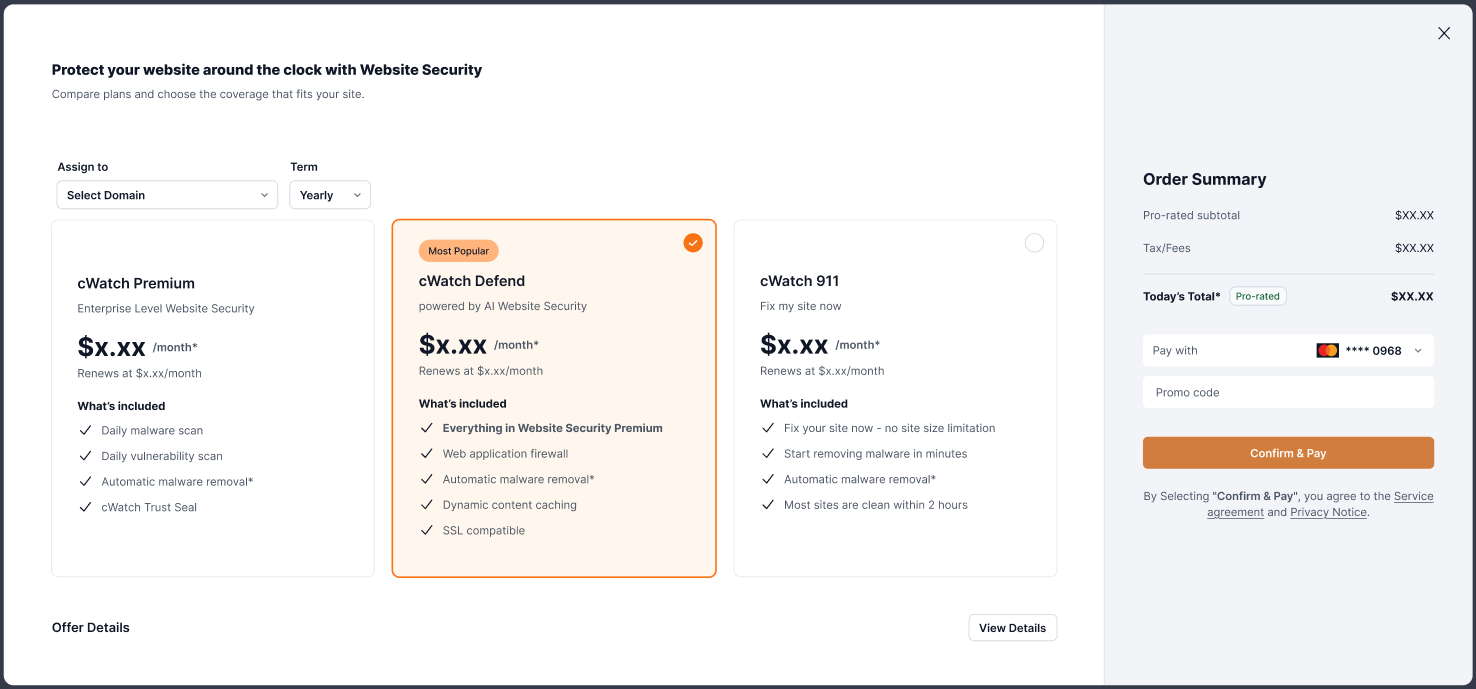
- Assign to: Select the domain to which you want to assign the plan.
- Term: Select a subscription term, either monthly, yearly, or up to three years.
- Plan: Select the plan you want to purchase.
- Pay with: Ensure that you select the correct payment method before proceeding with the order.
- Click Confirm & Pay to complete your purchase.
- Once your order is complete, an invoice will be sent to the registered email on the account shortly.
Upgrading a cWatch plan
- Navigate to Website Security, then tap Upgrade Available to the selected cWatch website name.
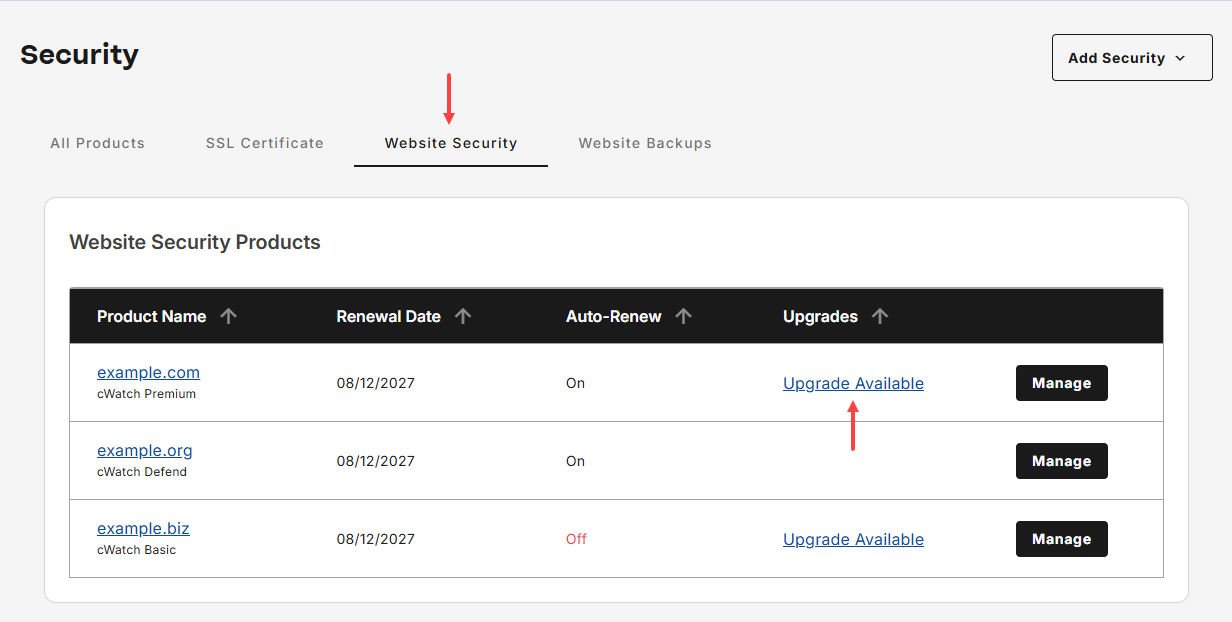
- In this section, there are a few things to complete your upgrade:
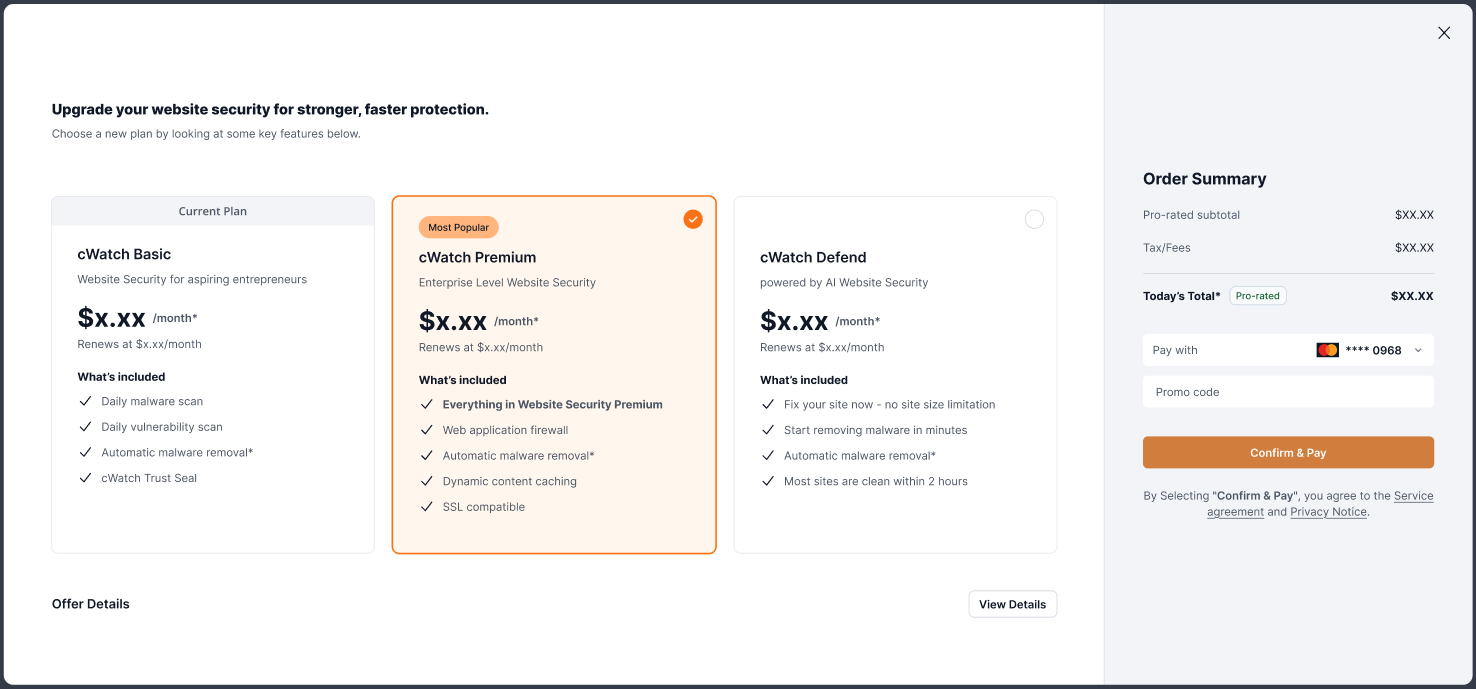
- Choose a new plan.
- Pay with: Ensure that you select the correct payment method before proceeding with the order.
- Click Confirm & Pay to complete your plan upgrade.
- Once your order is complete, an invoice will be sent to the registered email on the account shortly.
Review
You can purchase or upgrade cWatch website security directly from your account. To purchase cWatch, select the domain, choose a subscription term and plan, verify your payment method, and complete the order. If you need to upgrade cWatch, select an eligible website security plan, choose a new plan level, and confirm your purchase. Once the transaction is processed, an invoice will be sent to the account's registered email address.
Get practical tips and product updates on LinkedIn.
Follow Network Solutions