How to purchase and configure your self-managed VPS hosting
The Network Solutions' self-managed VPS hosting is officially designed to provide developers and technical professionals with full administrative root access and high-speed storage performance at a cost-effective price point. These unmanaged plans—available in NVMe 2, NVMe 4, NVMe 8, and NVMe 16 tiers—empower you to build a custom environment using high-performance AMD EPYC™ processors and DDR5 RAM, eliminating the overhead of managed services while offering total configuration flexibility.
This article serves as a direct guide on how to select, purchase, and configure your self-managed VPS hosting, ensuring your server resources are correctly aligned with your technical project requirements and business goals.
In this article, we will discuss:
Is self-managed VPS hosting right for you?
Our self-managed VPS hosting offers unrestricted root access but requires a baseline level of technical skill. Correctly identifying your project fit prevents confusion during setup.
| Good fit (ideal match) | Not a good fit (limitations) |
|---|---|
| Developers and Engineers: Users building and testing web applications in isolated environments. | Beginners: Owners of simple informational websites with no technical experience. |
| Tech-Savvy tinkerers: Users wanting to experiment with new software, operating systems, or scripts. | Hands-off users: Customers who expect the support team to handle software installation and troubleshooting. |
| Production teams: Hosting development servers that mirror production environments. | Classifieds/Social networks: Subscription-heavy platforms or sites with more than 50 pages. |
Purchasing and configuring your self-Managed VPS hosting
The checkout flow is your opportunity to define the server’s underlying power. Please follow the steps below when purchasing and configuring your self-managed VPS hosting.
Choosing your self-managed VPS hosting package
- Using your preferred internet browser, please visit https://www.networksolutions.com/hosting/vps.
- For the self-managed VPS hosting plan you want to purchase, please click the Choose plan button.
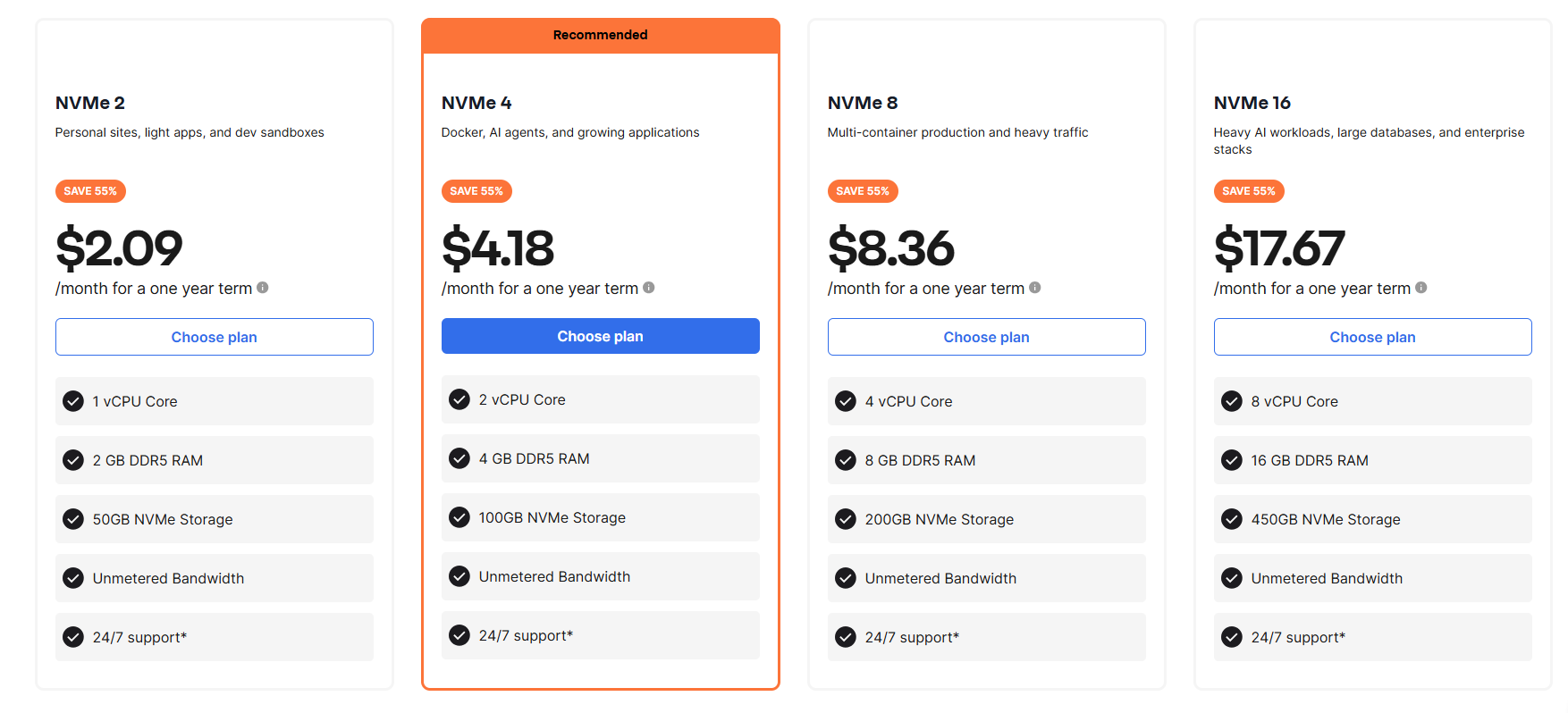
Note: The plan tiers and prices shown are current at the time of publication. For the most up-to-date information regarding tiered rates and exact plan specifications, please visit our self-managed VPS hosting page. - After choosing your self-managed VPS package, please choose the hardware for your server.
Choosing hardware (vCPU, RAM, NVMe)
After choosing the desired self-managed VPS hosting package, please follow either of the steps below to choose your desired hardware for your self-managed VPS hosting server.
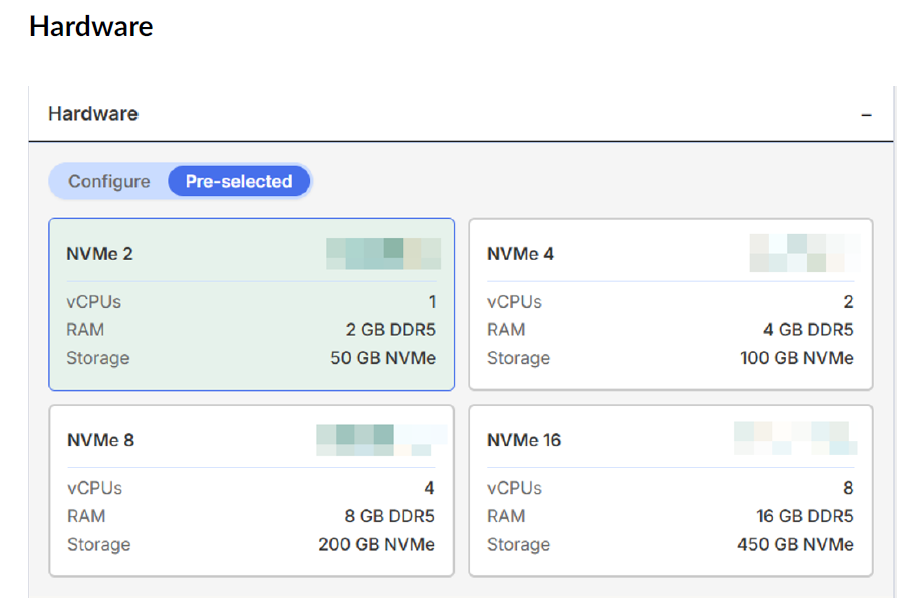
- Pre-selected hardware (Pre-selected tab): Choose one of our optimized NVMe tiers for a standard, reliable configuration.
- Your own configuration (Configure tab): Adjust resource sliders to set the exact amount of vCPUs, RAM, and Storage needed for your unique workflow.
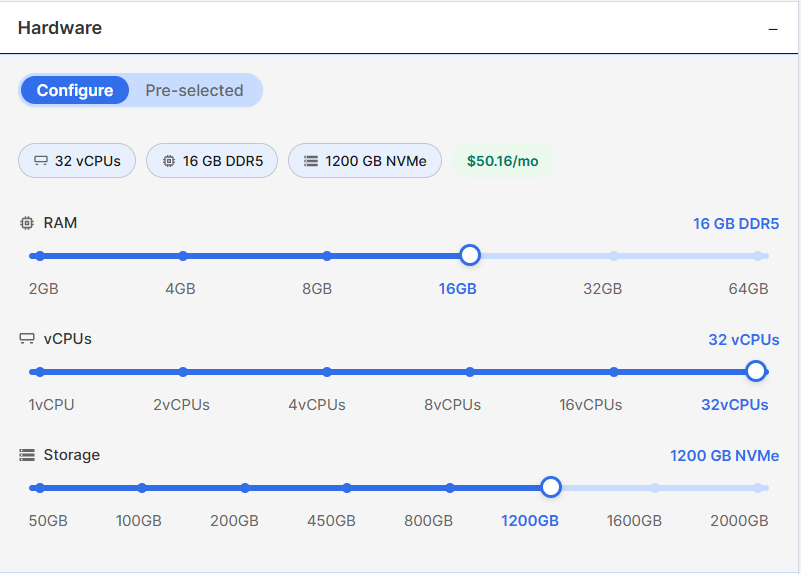
Core specifications:- vCPU (Virtual Central Processing Unit): Powered by AMD EPYC processors, these cores provide the computing power needed to execute tasks. Higher vCPU counts allow for better handling of multi-threaded applications.
- Random Access Memory (RAM): We utilize high-speed DDR5 (PCIe 5) memory. RAM is the server's short-term memory that stores active data, so your applications run smoothly
- NVMe Storage: Non-Volatile Memory Express is a storage technology that acts like a "high-speed highway" between the storage and processor, transferring data significantly faster than traditional SATA drives.
Choosing software (optional)
After choosing the hardware for your self-managed VPS hosting server, you may or may not follow the steps below when choosing software for your self-managed VPS hosting server:
- Plain OS tab: Click on the desired software, choose the version from the drop-down menu, then click the Confirm button.
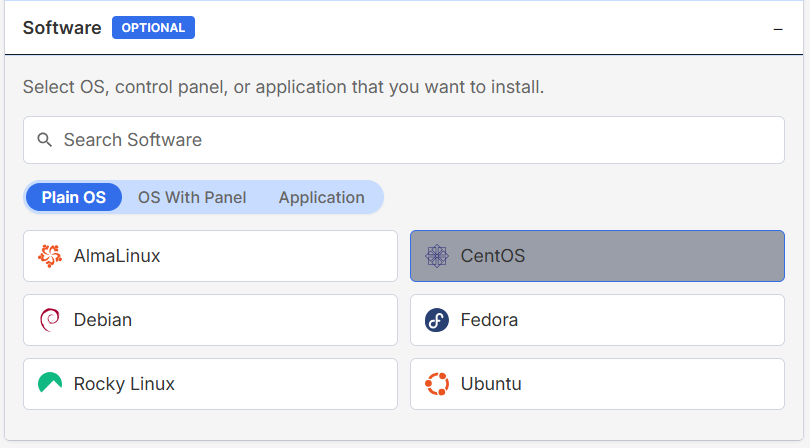
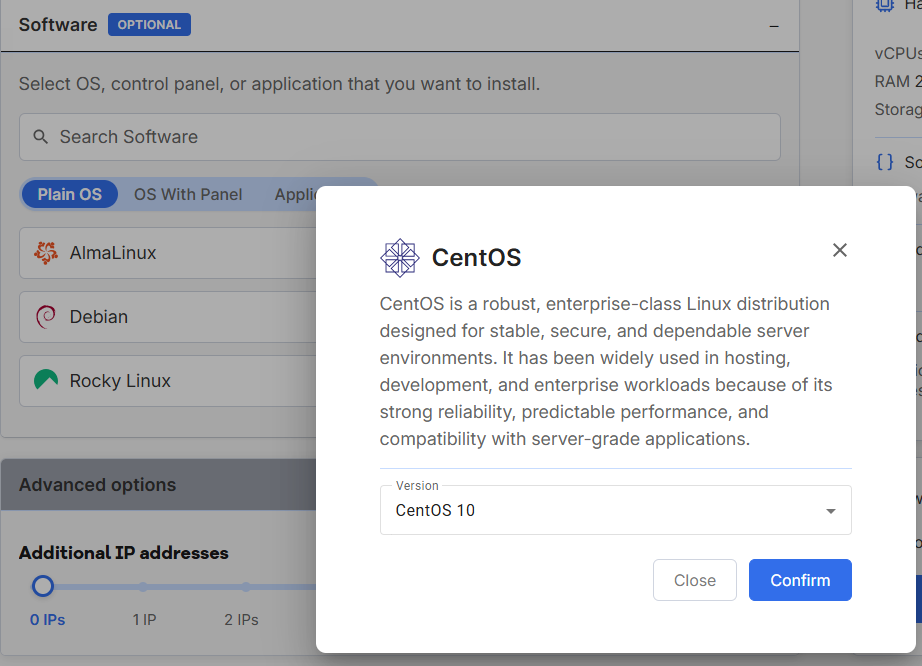
Plain OS options:- AlmaLinux: A community-powered, open-source platform designed to provide a secure and robust alternative to CentOS for enterprise-level operations. (Versions: 8, 9, and 10)
- Rocky Linux: Developed as a community-driven successor to CentOS, this distribution focuses on delivering consistency and binary compatibility for business infrastructures. (Versions: 8, 9, and 10)
- CentOS: An enterprise-grade Linux ecosystem traditionally derived from Red Hat Enterprise Linux (RHEL), now transitioned to the CentOS Stream model for continuous updates. (Versions: 9 and 10)
- Fedora: Sponsored by Red Hat, this innovative distribution acts as a testing ground for the latest Linux technologies and is favored by developers seeking cutting-edge features. (Versions: 41, 42, and 43)
- Ubuntu: A highly versatile and popular Debian-based distribution that combines a user-friendly experience with powerful capabilities for web, desktop, and cloud hosting. (Versions: 22.04, 24.04, 25.04, and 25.10)
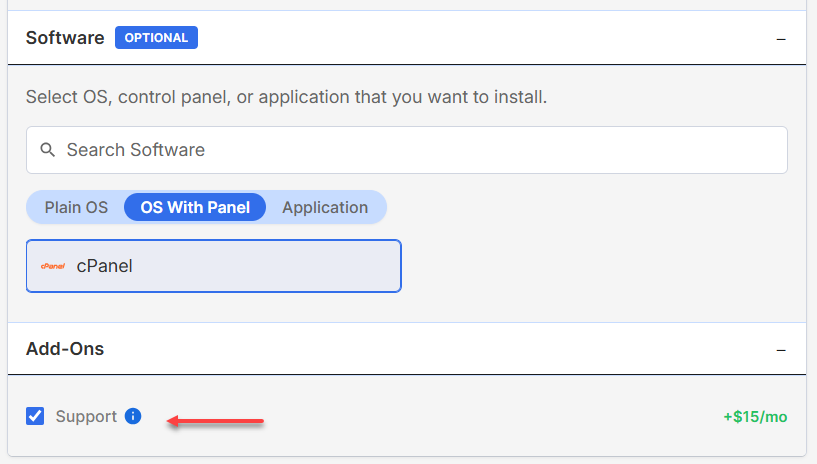
- OS With Panel tab: Click on cPanel, choose your preferred license tier from the drop-down menu, then click the Confirm button. You do have the option to add management features for up to 100 accounts to your server for a fee.
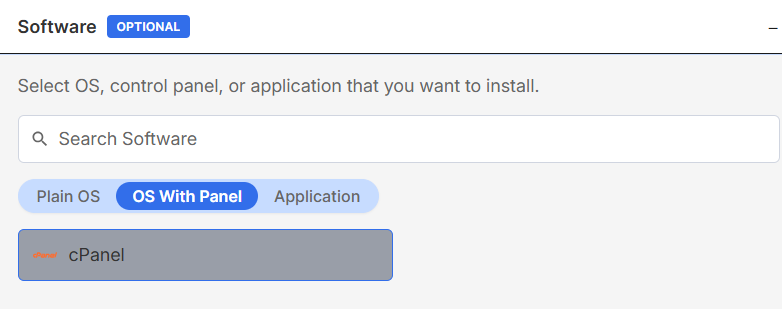
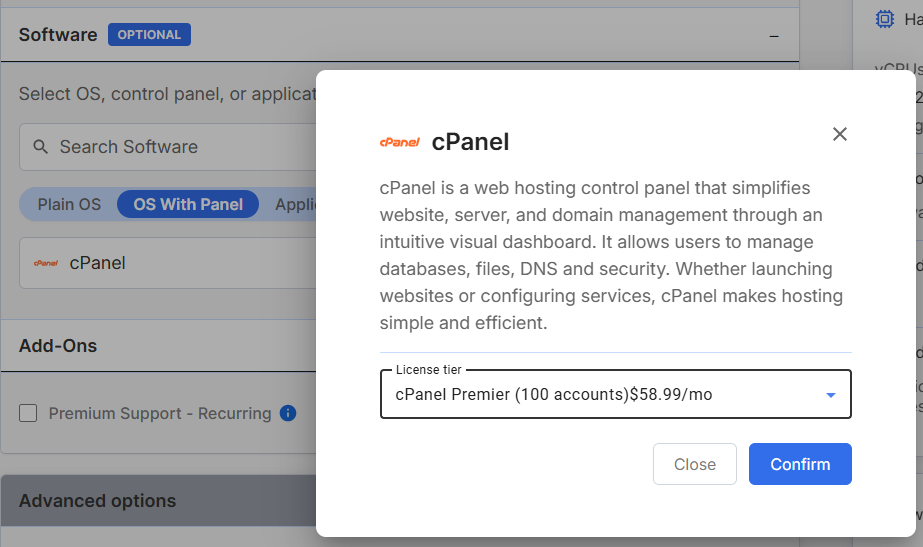
- Application tab: Click on the pre-built stack, then click the Confirm button.
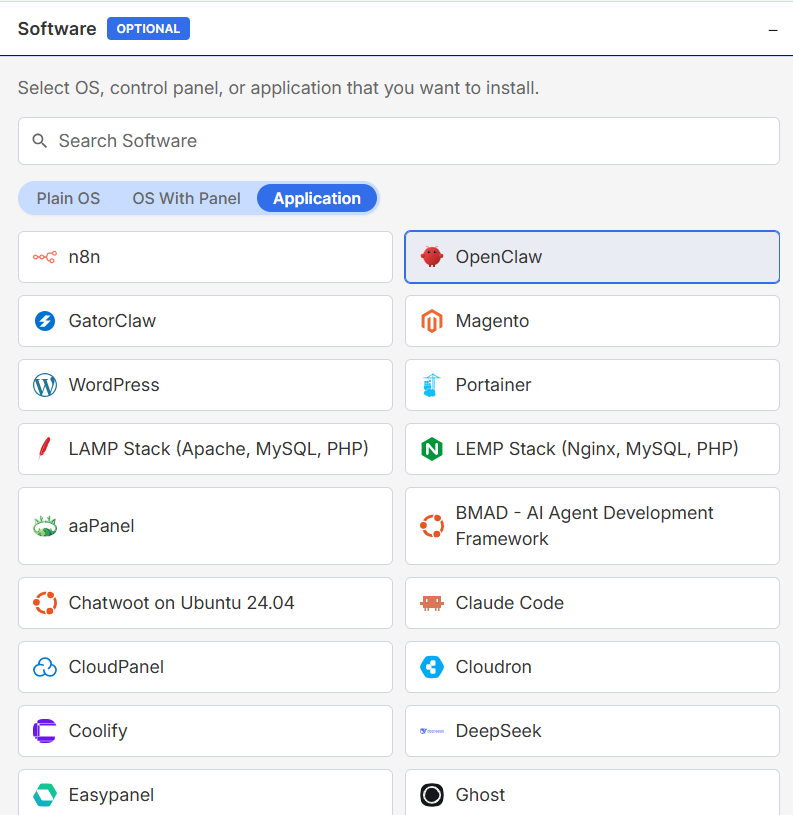
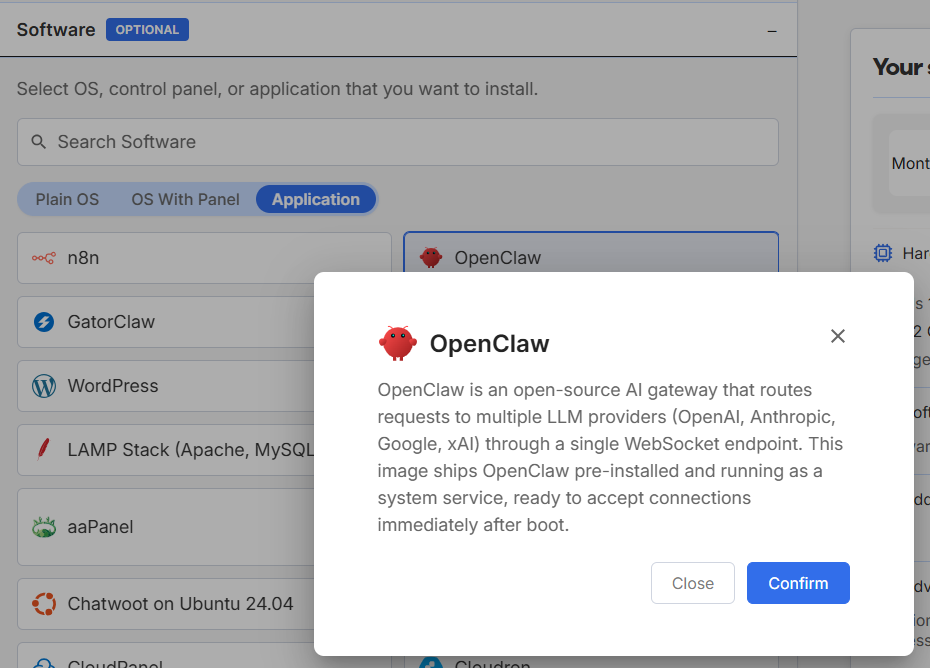
- n8n: A flexible, open-source platform for building automated workflows. It allows you to link various apps and services together to streamline repetitive tasks without writing complex code.
- OpenClaw: An independent, open-source AI agent that allows you to run large language models on your own server and execute tasks through standard messaging interfaces.
- GatorClaw: A specialized variation of the Claw AI agent framework designed for efficient task automation and agentic workflows within a secure server environment.
- Magento: A powerful, enterprise-grade e-commerce platform that provides merchants with complete flexibility over the user experience and functionality of their online store.
- WordPress: The world’s leading content management system (CMS). It is the primary choice for creating websites and blogs due to its vast library of plugins and adaptable design options.
- Portainer: A centralized management dashboard for containerized environments. It simplifies the deployment and monitoring of Docker and Kubernetes clusters through an intuitive user interface.
- LAMP Stack: A standard web development architecture featuring Linux, Apache, MySQL, and PHP. This foundation is engineered specifically for hosting and serving dynamic web applications.
- LEMP Stack: A high-performance variation of the LAMP stack that replaces Apache with Nginx. This configuration (Linux, Nginx, MySQL, and PHP) is optimized for sites that demand high speed and efficiency.
- aaPanel: A sleek and simple web-based control panel that allows users to manage servers and web environments through a modular and user-friendly interface.
- BMAD (AI Agent Development Framework): A specialized framework designed for the rapid development and training of AI agents, providing a structured environment for complex machine learning tasks.
- Chatwoot (on Ubuntu 24.04): An open-source customer engagement and live-chat platform that aggregates messages from various social channels into a single dashboard.
- Claude Code: A developer-focused command-line tool powered by Anthropic's Claude AI, designed to assist with agentic coding tasks and code modifications directly within the server environment.
- CloudPanel: A lightweight, performance-optimized server control panel specifically designed for managing PHP applications with high speed and minimal resource usage.
- Cloudron: A comprehensive server solution that automates the installation, configuration, and backup of dozens of popular web applications and services.
- Coolify: A self-hosted "Platform as a Service" (PaaS) alternative to Heroku that lets you manage and deploy your own applications and databases with ease.
- DeepSeek: A highly capable large language model implementation focused on advanced reasoning and efficiency, pre-installed for direct server-side execution.
- Easypanel: A modern server management panel built on Docker that makes it effortless to deploy and scale applications, databases, and SSL certificates.
- Ghost: A professional, open-source publishing platform built on Node.js, specifically designed for modern blogging, newsletters, and independent journalism.
- gstack: A comprehensive software stack tailored for the development and deployment of generative AI models and supporting infrastructure.
- Hermes Agent: An advanced AI agent framework built for autonomous decision-making and tool-calling capabilities across a variety of business and developer workflows.
- Hermes Agent + Open WebUI: A bundled environment that combines the Hermes AI agent with an extensible, web-based user interface for intuitive interaction with the model.
- Jitsi Meet ('jitsi'): A secure, high-performance video conferencing solution that allows you to host private virtual meetings without the need for an external third-party provider.
- Moodle: The world's most popular open-source learning management system (LMS), used globally for online education, training portals, and collaborative classrooms.
- Nanoclaw: A lightweight, resource-efficient implementation of the Claw agentic framework, optimized for smaller VPS instances and specific automation tasks.
- Odoo: A versatile, all-in-one ERP and business management suite including modules for CRM, e-commerce, accounting, inventory, and project management.
- Ollama: A local-first implementation environment for large language models that allows you to download and run models like Llama 3 or Mistral directly on your private server.
- OpenLiteSpeed + Node.js: A combination of the world’s fastest open-source web server with the Node.js runtime, designed for low-latency delivery of JavaScript applications.
- OpenLiteSpeed & WordPress: A specialized installation that pairs WordPress with the LiteSpeed server and LSCache, resulting in significantly faster page load times for web visitors.
- Open WebUI: A feature-rich and customizable web interface that serves as a frontend for interacting with self-hosted AI models and language processing tools.
- Paperclip: A specialized interface and toolset designed to simplify and manage the assets and outputs generated during agentic AI workflows.
- Rocket.Chat: An enterprise-level communication hub that allows for secure messaging, file sharing, and video calling across your entire organization.
- Sim: A simulation-focused interface tool used to model and test AI behavior and workflow triggers in a controlled, virtual server environment.
- WooCommerce (WordPress): An e-commerce extension for WordPress that transforms your website into a professional online shop, including integrated cart and checkout features.
Add-ons
Network Solutions provides various networking and support layers during the configuration phase.
- Support: Choosing cPanel automatically enables access to helpful support for all panel-related services at a cost-effective rate.
Advanced options
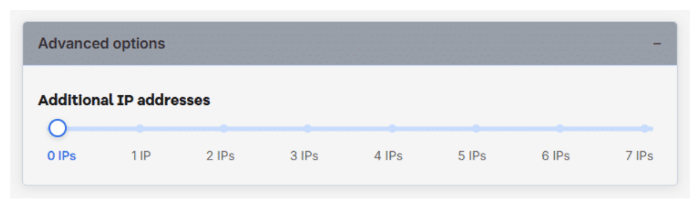
A dedicated IP is a unique internet address assigned exclusively to your VPS, allowing direct access to the server and supporting services such as websites, SSL certificates, email, DNS, and remote connections. If you require more for private DNS, email services, or distinct security certificates, you may purchase up to 7 additional dedicated IPs by dragging the slider.
Choosing a billing term(optional)
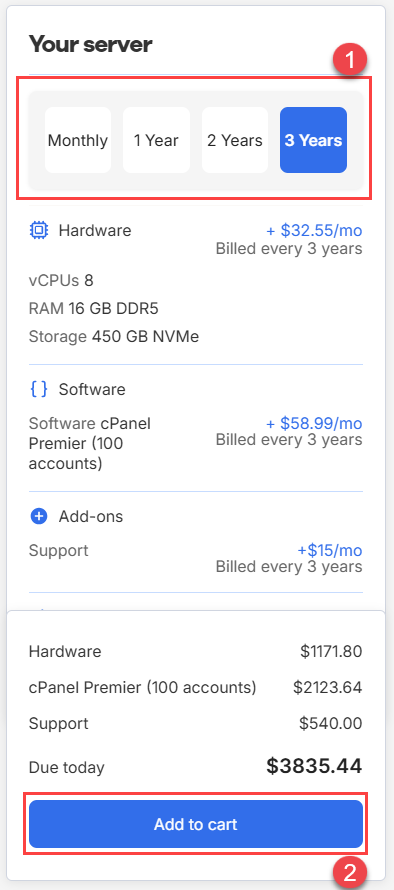
After adding a number of dedicated IPs to your self-managed VPS hosting server, please follow the steps below in choosing a billing term:
- Click on the desired billing term options. (Monthly, 1 Year, 2 Years, or 3 Years)
- Click the Add to cart button.
Finalizing the purchase and configuration
After choosing the billing term for your self-managed VPS hosting server, please finalize your purchase and configuration by following the steps below:
- Review the entries and options you have selected for your self-managed VPS hosting.
- Click the Continue to checkout button.
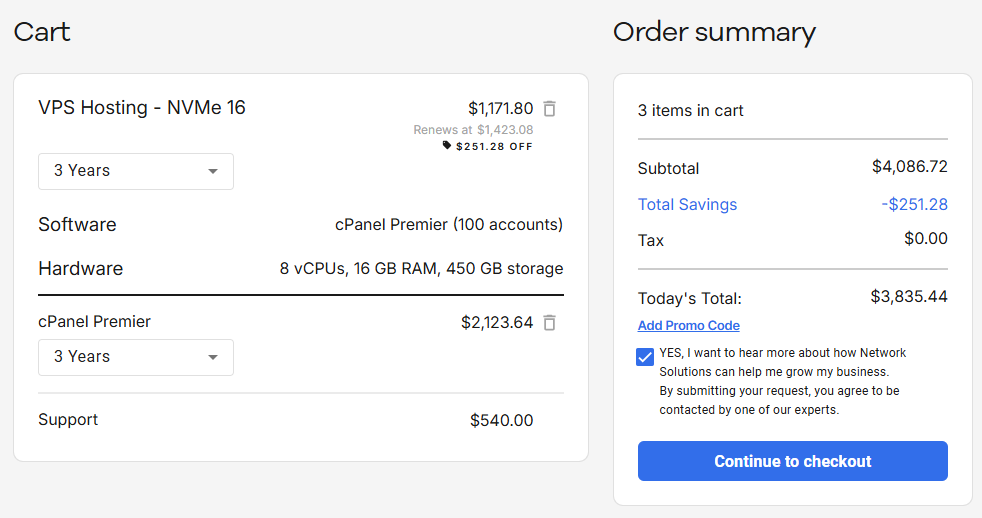
Note: If you want to receive exciting promos and updates, please tick the YES, I want to hear more about how Network Solutions can help me grow my business box. - Create your Network Solutions account. You can do this easily by using your email address or by connecting with your Google, Apple, or GitHub account — whichever you prefer!
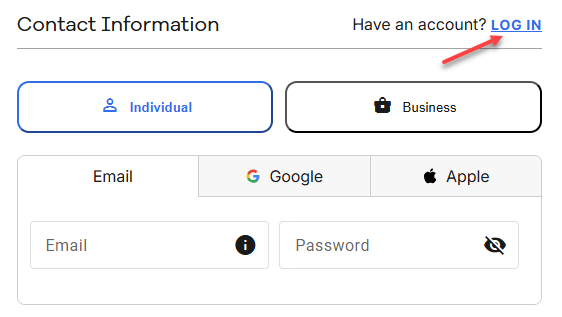
Note: If you already have a Network Solutions account, please click the LOG IN link. - In the Billing Information section:
- Please choose your preferred payment method for your purchase by using either a credit or debit card, Google Pay, or PayPal.
- Fill in your billing information.
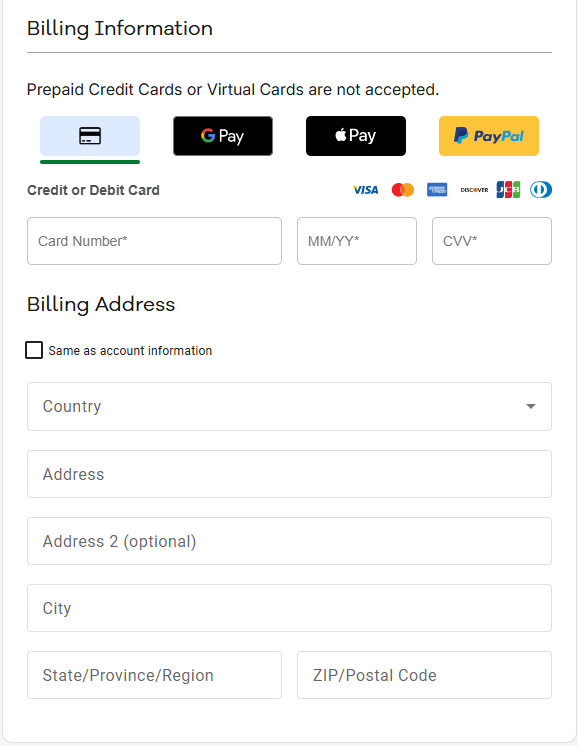
- In the Order summary section, adjust the terms and features as needed, then click the Submit payment button to complete the purchase.
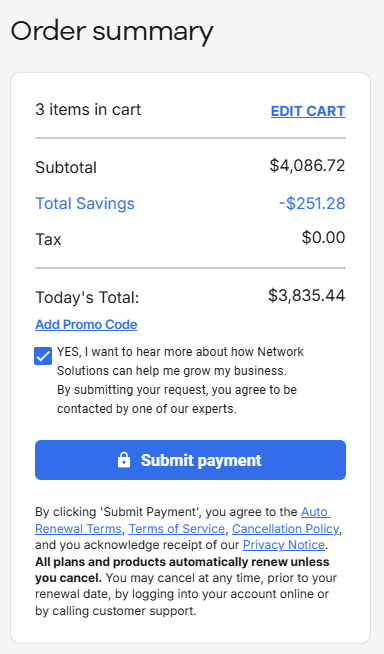
Important:- By clicking the Submit payment button, you agree to the Auto Renewal Terms, Terms of Service, Cancellation Policy, and you acknowledge receipt of our Privacy Notice.
- All plans and products automatically renew unless you cancel. You may cancel at any time, prior to your renewal date, by logging into your account online or by calling customer support.
Once you have completed your purchase and configuration of your self-managed VPS hosting, the server will begin its provisioning. You can locate your new VPS hosting under the Hosting tab of your Network Solutions account manager.
Related VPS management articles
After provisioning your hardware, use these guides for administrative tasks:
Review
Configuring the right self-managed VPS hosting allows you to harness the power of AMD EPYC processors and ultra-fast NVMe storage. By choosing between a standard hardware tier or a custom configuration, and selecting from our broad list of supported OS options like AlmaLinux and Ubuntu, you build a foundation optimized for performance. Remember that self-managed hosting provides total control and flexible scaling, placing you in charge of your project’s digital environment.
Follow us on LinkedIn for technical product insights and hosting news:
Follow Network Solutions on LinkedIn