How to access the Network Solutions web hosting control panel
Accessing the web hosting control panel for your hosting package in Network Solutions is a straightforward process. It is designed to give you full control over your web hosting environment. By logging into the control panel, you can manage your website's files, databases, configurations, and more.
In this article, we will discuss:
How to access your website hosting control panel
Follow the steps below to access your web hosting control panel.
- Log in to your account manager via https://www.networksolutions.com/my-account/login.
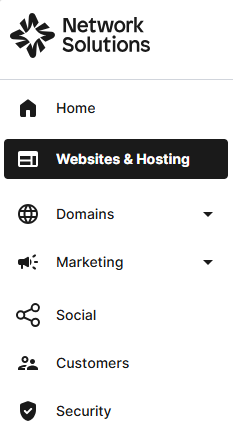
- On the left side of the page, select Websites & Hosting.
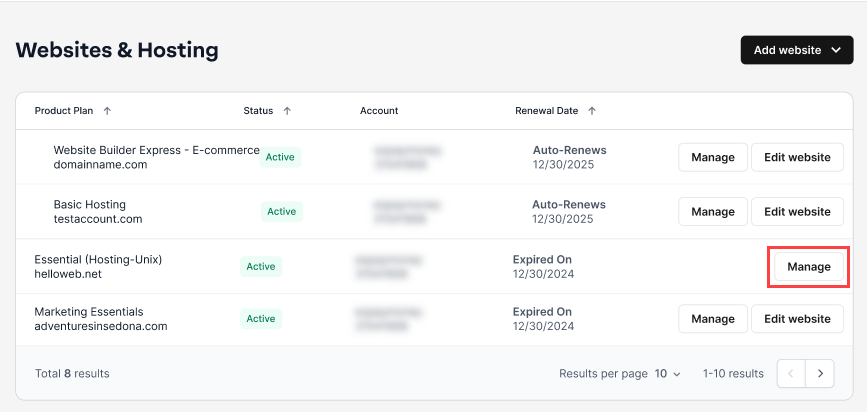
- If you only have one hosting package in your account, you will be redirected to the hosting control panel right away. If you have multiple hosting packages in your account, click the Manage button on the respective hosting package that you need to access.
- The web hosting control panel page will be shown.

Advanced features of the web hosting control panel
Security
Advanced security tools help protect your website and data.

SFTP & Content Publishing
Build pages with the Website Builder, manage files through the File Manager, control secure access via SFTP accounts, and reset file permissions to their default settings when needed.

Configurations
Essential tools for managing your website's backend infrastructure, automation, and software environment.

Statistics
Gain insights into your website's performance and visitor activity through detailed data tracking.

Review
Your Network Solutions web hosting control panel opens doors to a world of possibilities in website management. It will be easy to start navigating like a pro after just a few explorations and practices to get it just right, running the site efficiently and smoothly in no time.
Get practical tips and product updates on LinkedIn.
Follow Network Solutions