Knowledge Base
Categories: AI Products
How to upgrade AI All-Access Pack
The AI All-Access Pack can be upgraded to AI All-Access Privacy+ directly from your account manager. This guide shows you how to select the new plan, review your order, complete payment, and understand important billing details.
Important: Due to GDPR, this product is not available to customers in the EU or UK at this time.
Upgrade your AI All-Access Pack
You have successfully upgraded your AI All-Access plan!
- Log in to your account via https://www.networksolutions.com/my-account/login.
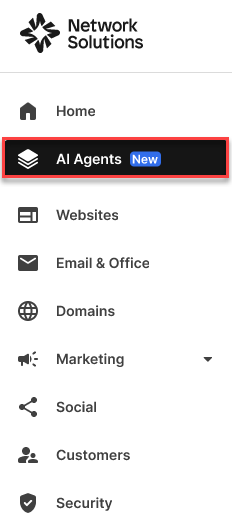
- Click AI Agents on the left navigation tab.
- Click the Upgrade link or the Upgrade now button.
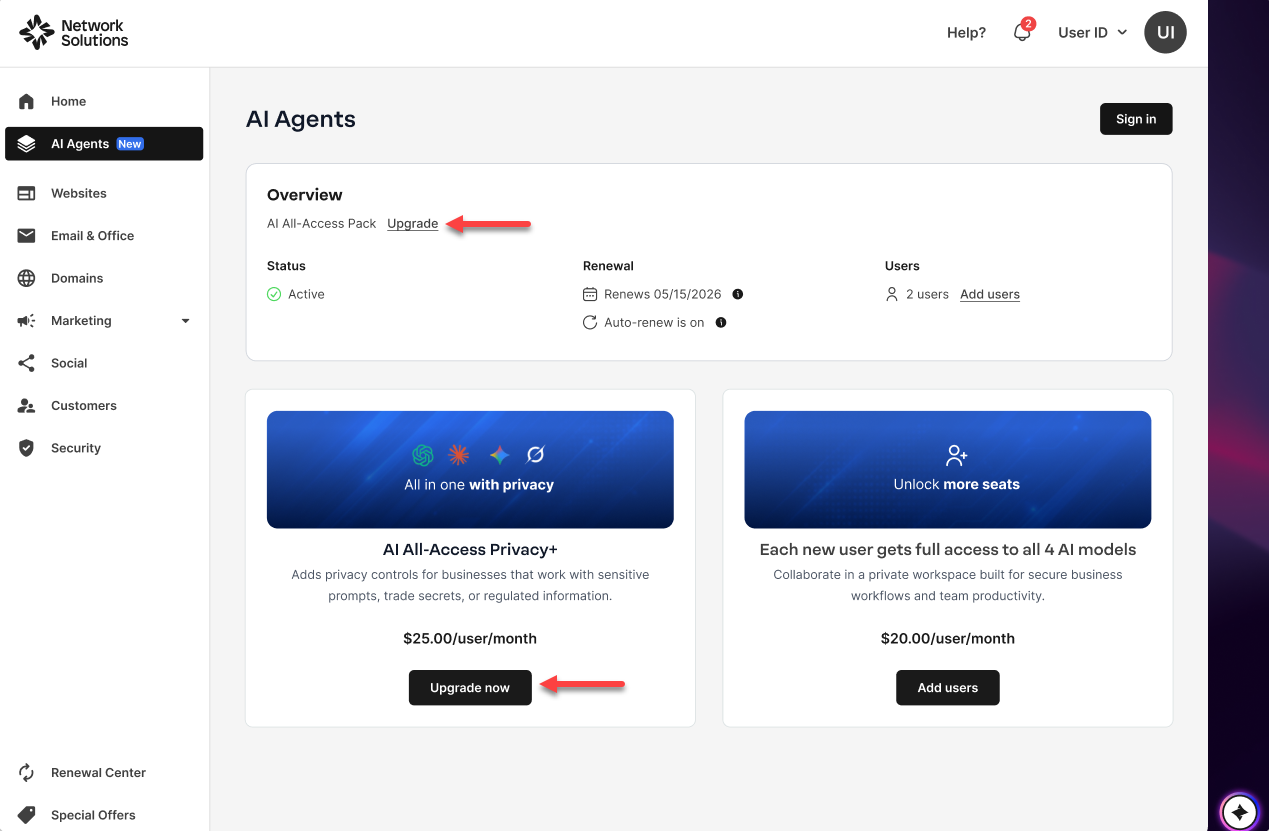
Note: The upgrade option will not be visible for AI All-Access Privacy+ users, as they are already on the highest available AI All‑Access Pack tier. - Review your Order Summary on the right side of the window before clicking Confirm & Pay to proceed.
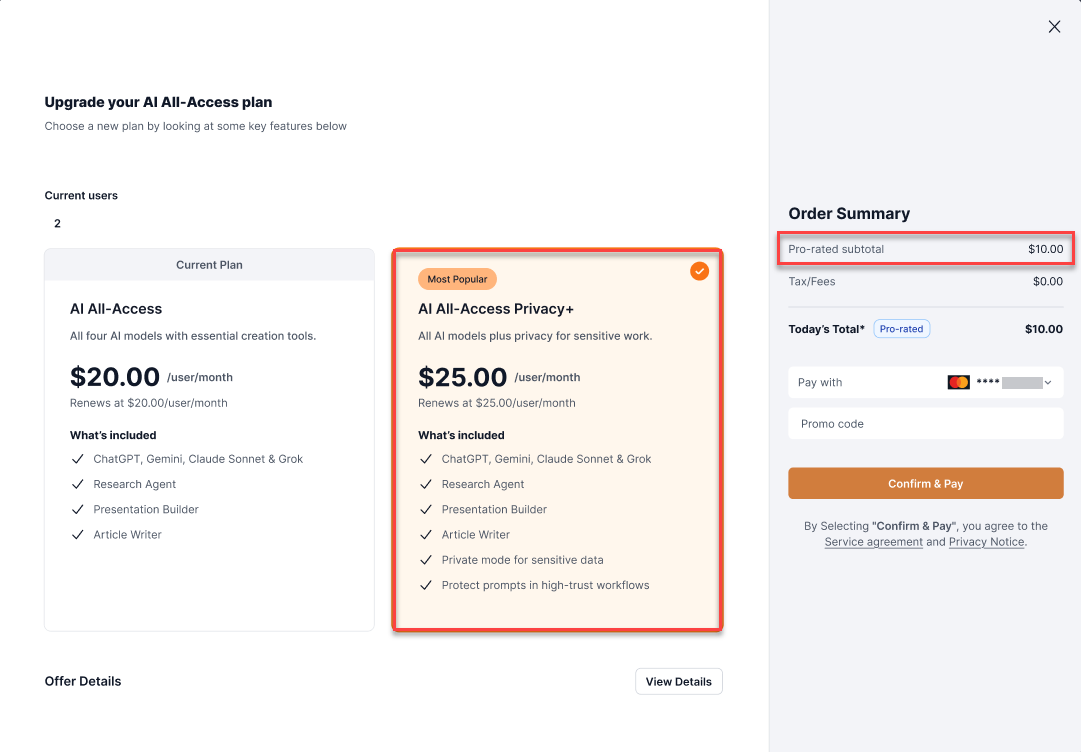
Note: The pro-rated subtotal will be calculated based on the difference between the two packages, the remaining time of your current term, and how many current users you have. Please see the Offer Details for more info. - A thank you window will show confirming your order.
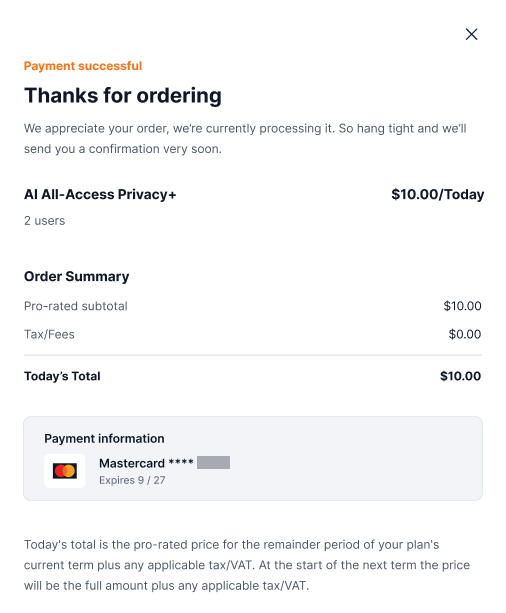
Note: Once the upgrade is complete, you will receive an order confirmation email. You will be returned to the same screen you were on. The details page reflects the AI All-Access Privacy+, and the upgrade option is no longer available.Important: All products and packages will automatically renew using the card on file. Cancel anytime by logging in to your account manager or calling customer service.
Related Articles
- How to purchase AI All-Access Pack
- How to add seats in AI All-Access Pack
- AI All-Access Pack: Features, benefits and AI models
- Getting started with AI All-Access Pack
Related Articles
This article provides step-by-step instructions for upgrading from the AI All-Access plan to the AI All-Access Privacy+. It also explains prorated billing calculations, automatic renewal details, and how to confirm a successful upgrade.
Get practical tips and product updates on LinkedIn.
Follow Network Solutions
Did you find this article helpful?