How to purchase AI All-Access Pack
Managing multiple AI tools can quickly become expensive and disorganized. Network Solutions is introducing a new all-access package that solves that challenge by giving you secure access to the industry's leading language models under a single subscription. Below is a complete walkthrough on how to purchase your AI All-Access Pack.
- Due to GDPR, this product is not available to customers in the EU or UK at this time.
- You are only allowed to purchase one AI All-Access Pack per email adress.
Purchase an AI All-Access Pack
We provide separate steps for purchasing the AI All-Access Pack:
Via networksolutions.com
- Go to www.networksolutions.com.
- There are two ways to add the AI All-Access Pack to your cart:
- Through the top banner

Or
- Through the AI Tools tab
- Hover on the AI Tools tab.
- Click the AI All-Access Pack from the drop-down.
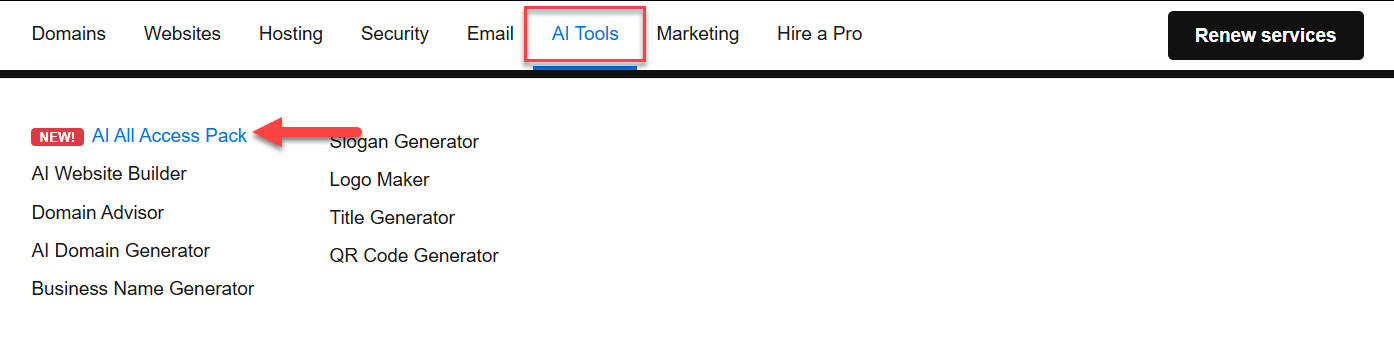
- Through the top banner
- Click on See plans.
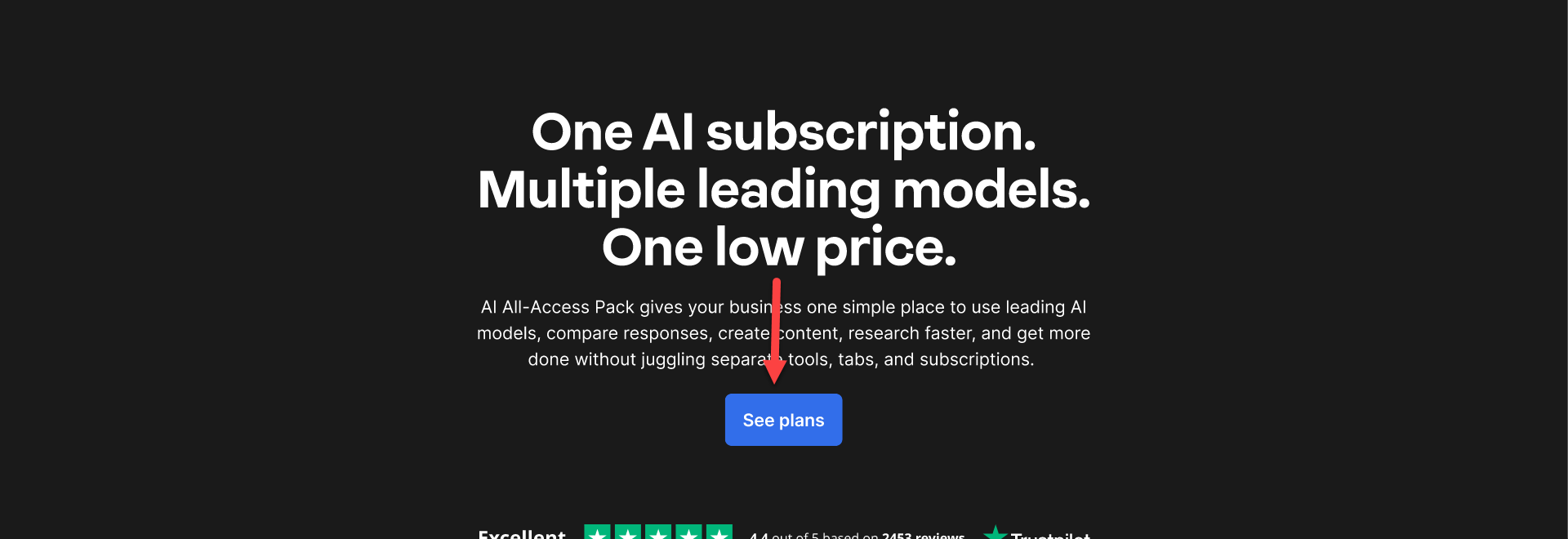
- Choose the type of AI All-Access Pack you want to purchase, then click Add to cart. Visit our AI All-Access Pack: Features, benefits and AI models article to understand the differences between the plans.
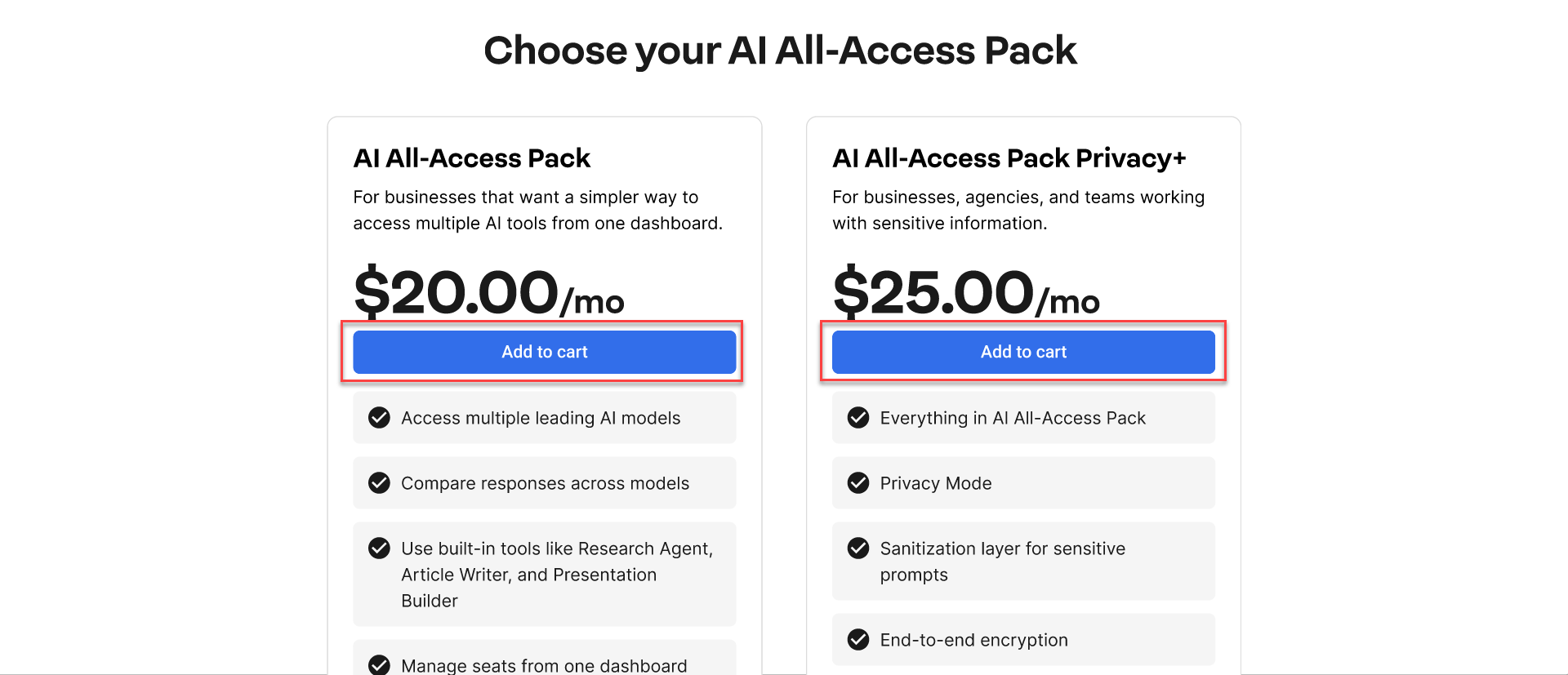
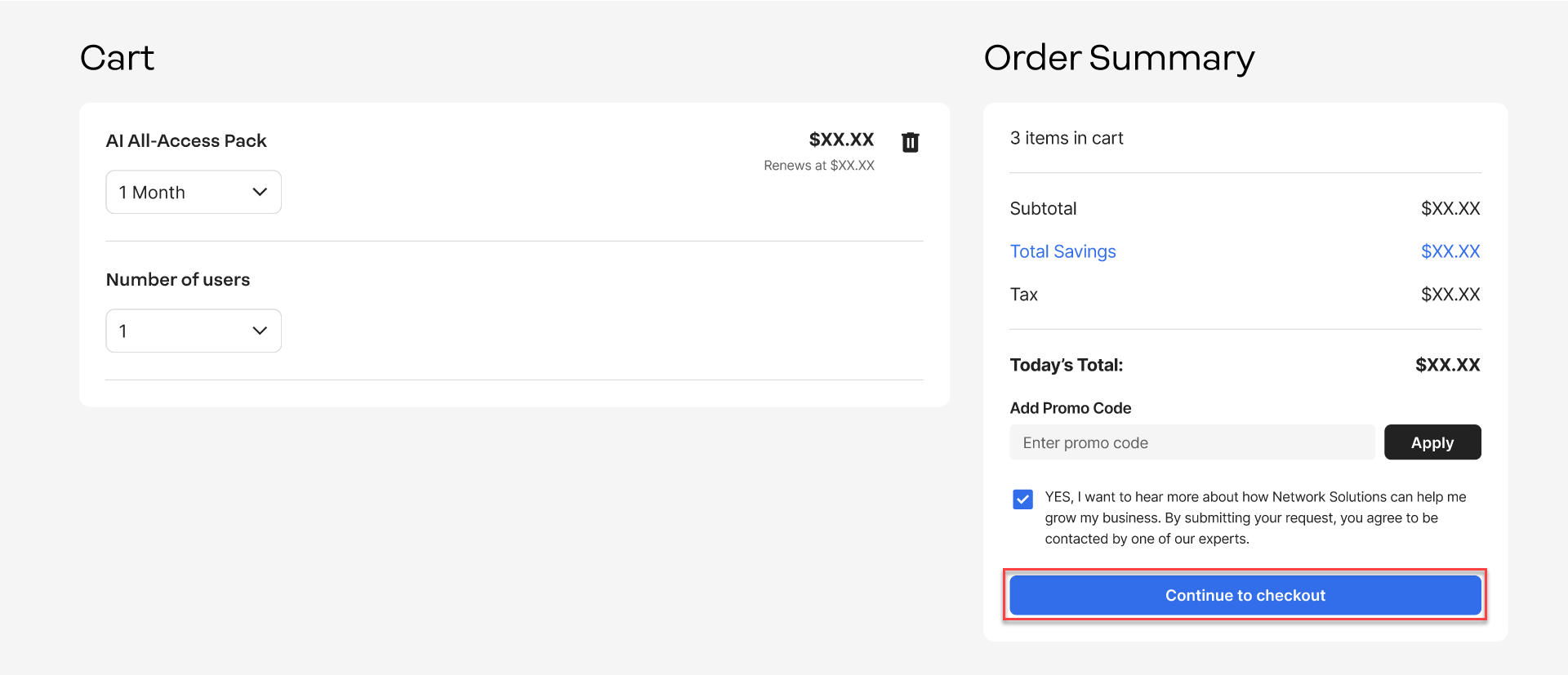
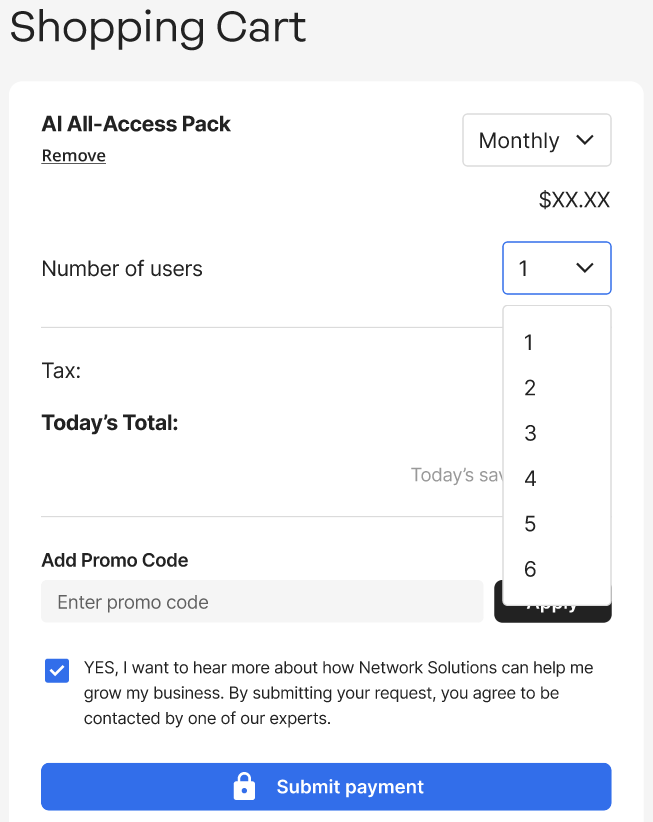
- You will be routed to your cart. Select the number of users and choose if you wish to pay monthly or annually.
- Once satisfied with your order, click Continue to checkout.
- On the checkout page, you will be prompted to create your account and add billing information.
- Review your Shopping Cart on the left side of the window before clicking Submit payment to proceed.
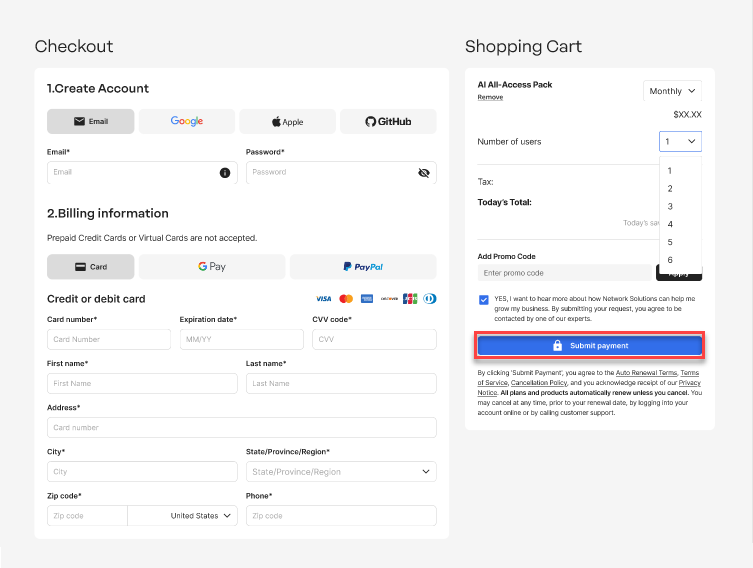
Note: If you need to change the number of users or the term, you can update it in the drop-down on the Shopping Cart section.
- You should see a Thank you page, which confirms your order. An invoice will be sent to the registered email on the account as well.
Via account manager
- Log in to your account manager via https://www.networksolutions.com/my-account/login.
- There are two ways to purchase:
- Through the home page tile:
- Click the Buy Now button on the tile.
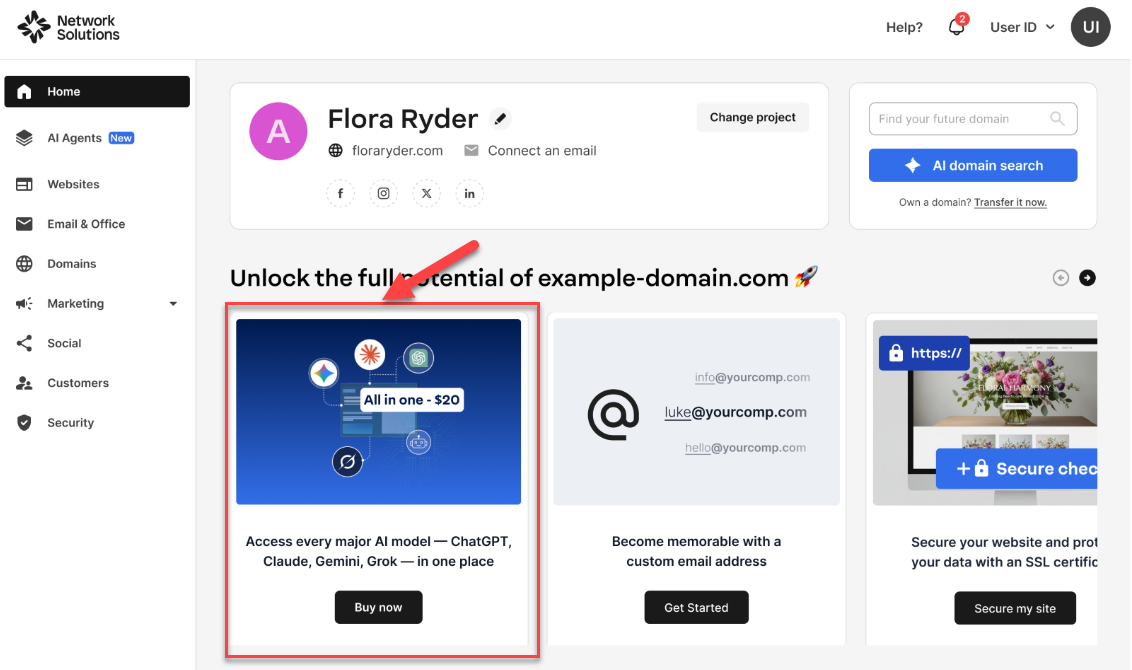
- Click the Buy Now button on the tile.
- Through the AI Agents tab
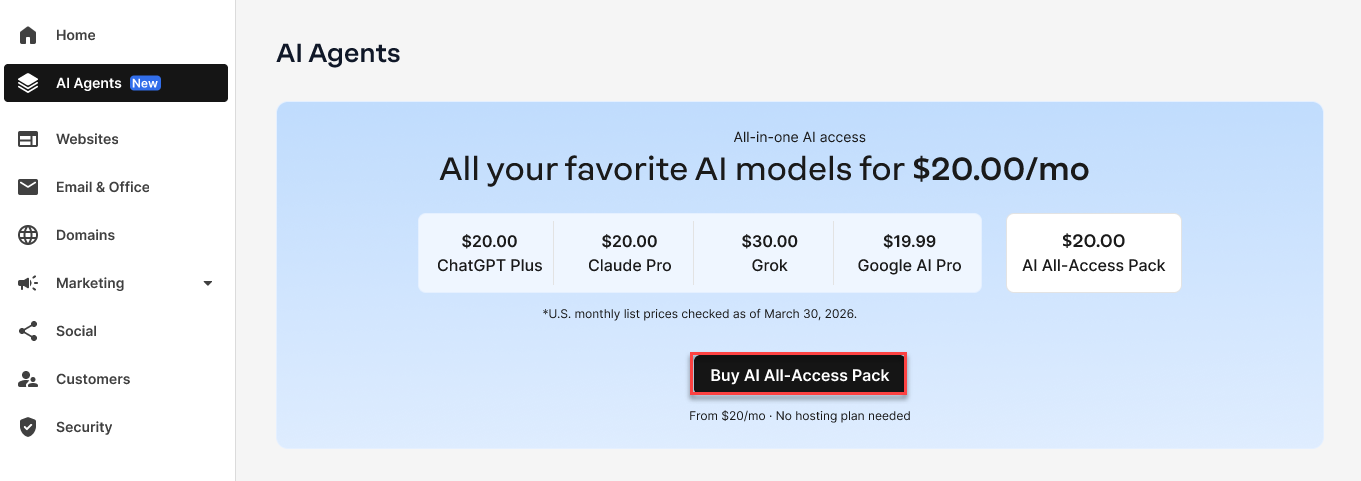
- Click AI Agents on the left navigation tab.
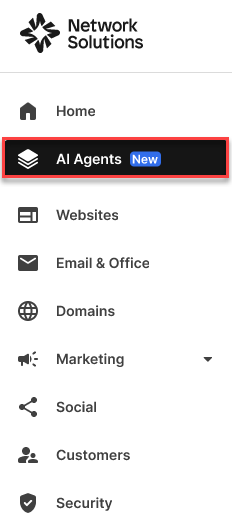
- You can click Buy AI All-Access Pack in the top section.
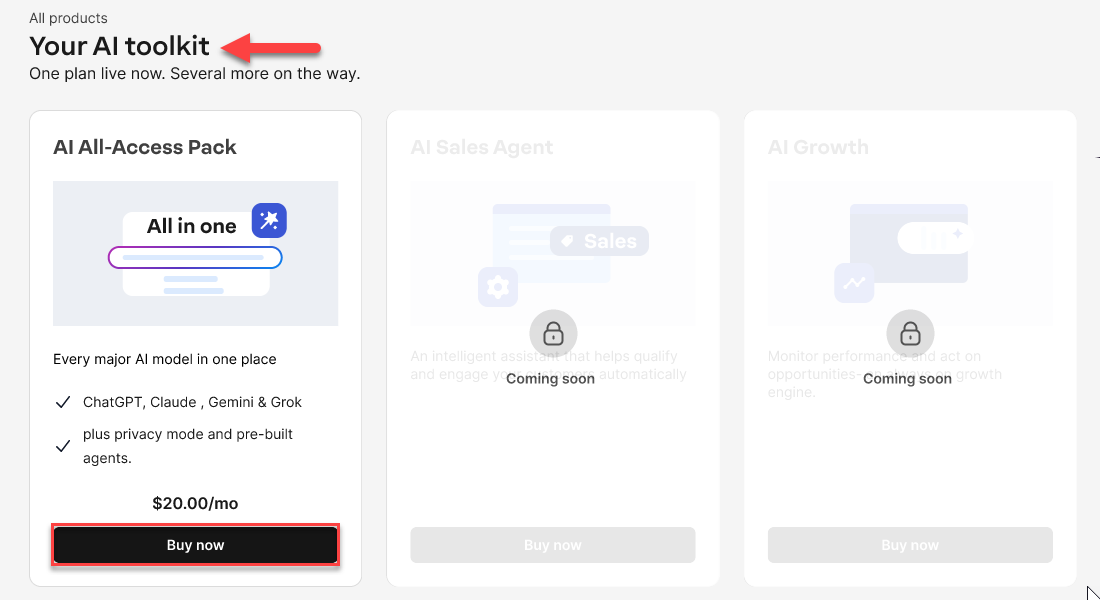
or
You can click Buy Now on the AI All-Access tile in the Your AI Toolkit section.
- Click AI Agents on the left navigation tab.
- Through the home page tile:
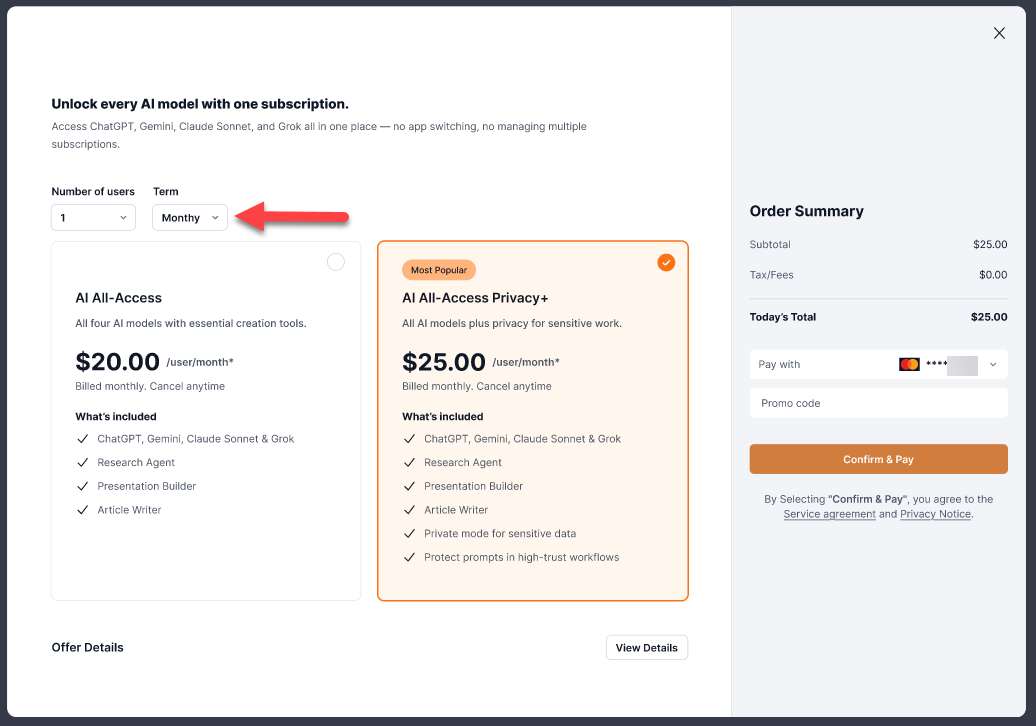
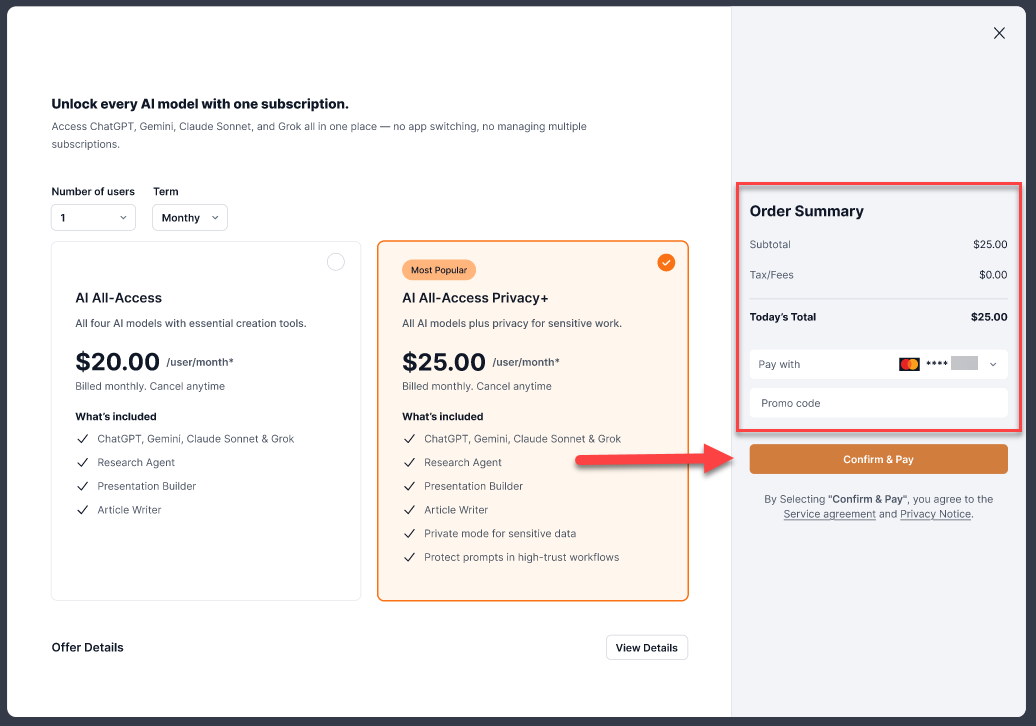
- A pop-up window will open.
- Select the number of users and the term you want your AI All-Access Pack to have.
- Select the type of AI All-Access Pack you want to purchase.Visit our AI All-Access Pack: Features, benefits and AI models article to understand the differences between the plans.
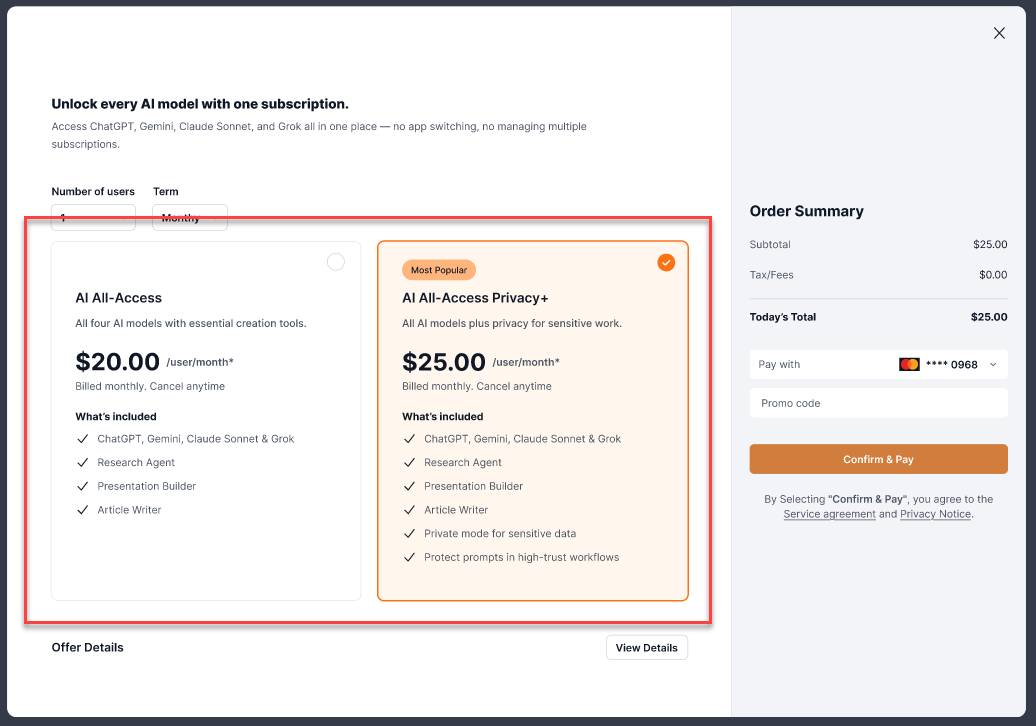
- Review your Order Summary on the left side of the window before clicking Confirm & Pay to proceed.
Important: All products and packages will automatically renew using the card on file. Cancel anytime by logging in to your account manager or calling customer service.
- A thank you window will show confirming your order.
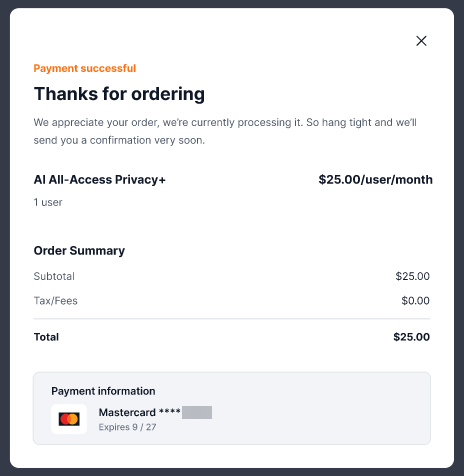
You have successfully purchased your AI All-Access Pack!
Related articles
Review
Getting access to several top AI models in one subscription saves you both time and money. It gives you the flexibility to use different tools without worrying about separate bills, with enhanced privacy controls for your AI workflow.
Get practical tips and product updates on LinkedIn. Follow Network Solutions