How to request a domain registrant email update on a Network Solutions account
A domain registrant email update allows you to change the email address associated with a domain's registrant contact information on your Network Solutions account. The registrant email address is important because it is used for critical domain-related communications, including ownership verification, transfer requests, renewal notices, and other account security and management notifications. If you no longer have access to the current registrant email address, you can submit a request through the account recovery form. To help protect domain ownership and account security, you will be required to provide contact information, a valid government-issued photo ID, and supporting organizational documents for verification before the domain registrant email update can be completed.
In this article, we will discuss:
Required documents
You will need to collect the following required documents:
- Government-issued photo ID: a valid, unexpired, full-color photo of any of the following IDs:
- Driver’s license
- State-issued photo ID card
- Military ID
- Passport
Important:- The ID provided must match the name of any supported legal documentation that will be requested.
- ID must be in color – Black and white scans/photos will be rejected.
- ID must be legible – All text, including your name, address, and expiration date, must be clearly readable. Avoid blurry or low-resolution images.
- ID must be valid and not expired – Expired documents will not be accepted.
- Upload a scan or clear photo of the physical ID. Screenshots of digital IDs or photos of screens displaying your ID are not accepted.
- Accepted file formats are .pdf, .jpg, .png, .jpeg, .doc, and .docx. The maximum file size is 40 MB.
- At least two supporting document: Choose any of the following:
- Utility bill (dated within 90 days of submission)
- Leases
- Credit card statements (dated within 90 days of submission)
- Bank statements (dated within 90 days of submission)
- Vehicle registration card
- Student/worker visas
- Voided check
- Vehicle insurance (policy documents or a bill, so long as an address is listed in addition to the name)
Important:- The document must match the organization‘s name and address on the account.
- The document must be clear, legible, and show the full page (do not crop or redact names, addresses, or dates).
- Accepted file formats are .pdf, .jpg, .png, .jpeg, .doc, and .docx. The maximum file size is 40 MB.
- Required documents may vary depending on your account role and scenario. Additional documents may be requested depending on state and local laws.
Requesting a domain registrant email update
- Visit https://www.networksolutions.com/my-account/account-recovery-new.
- Enter the domain name that is registered or associated with the Network Solutions account for which you want to update the domain registrant email.

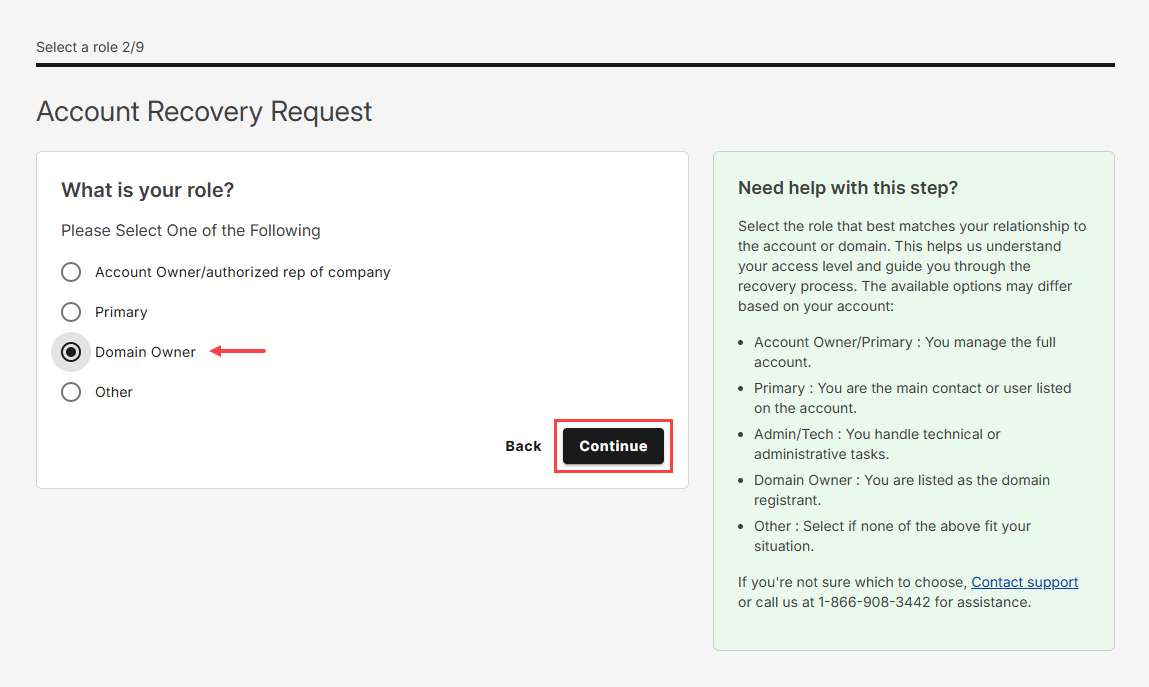
- Select Domain Owner, then click Continue.
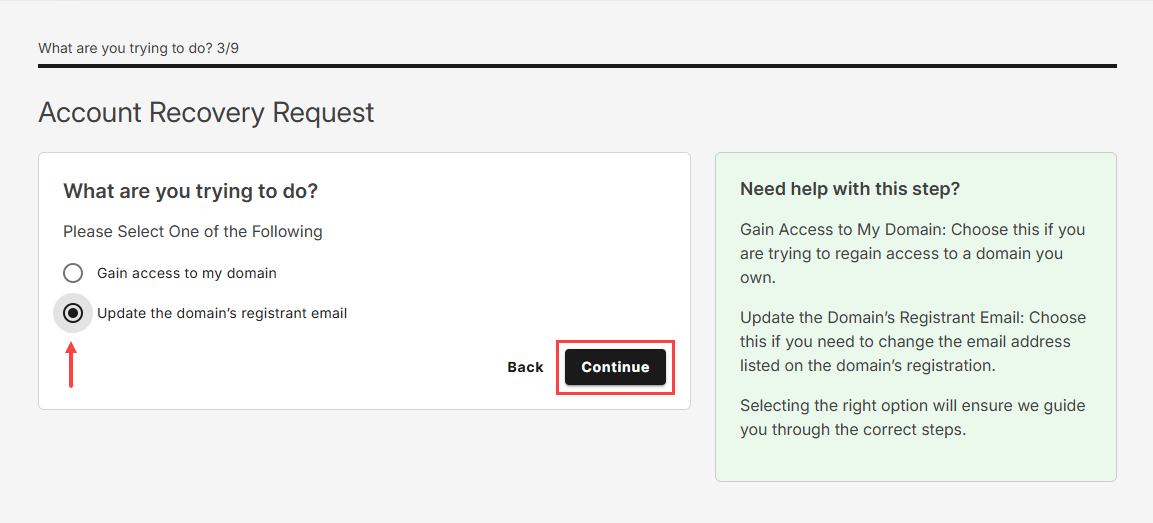
- Choose Update the domain’s registrant email and click Continue.
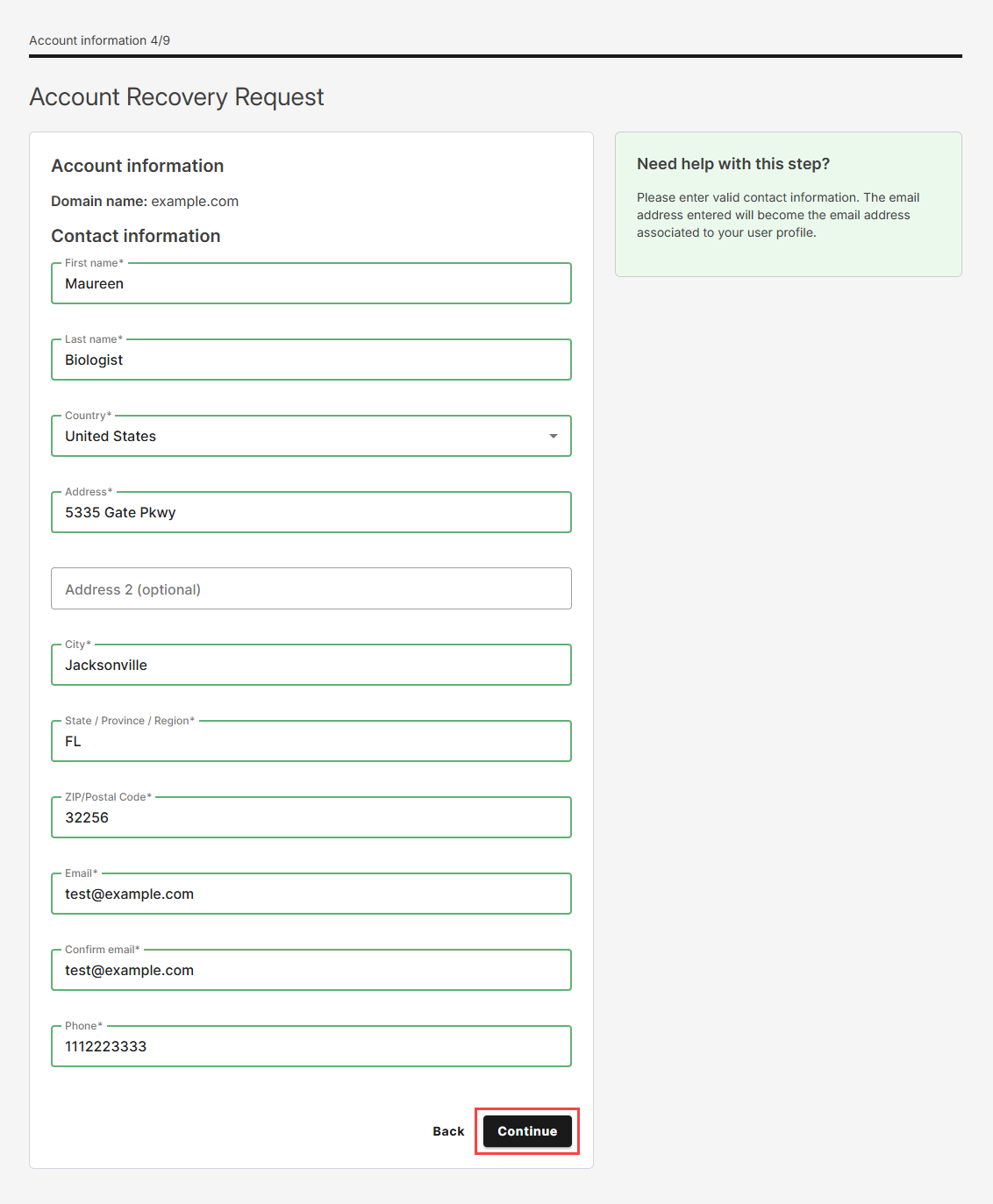
- Enter all required Contact information, then tap Continue once finished.
- In the Collect identification field, provide the following information:
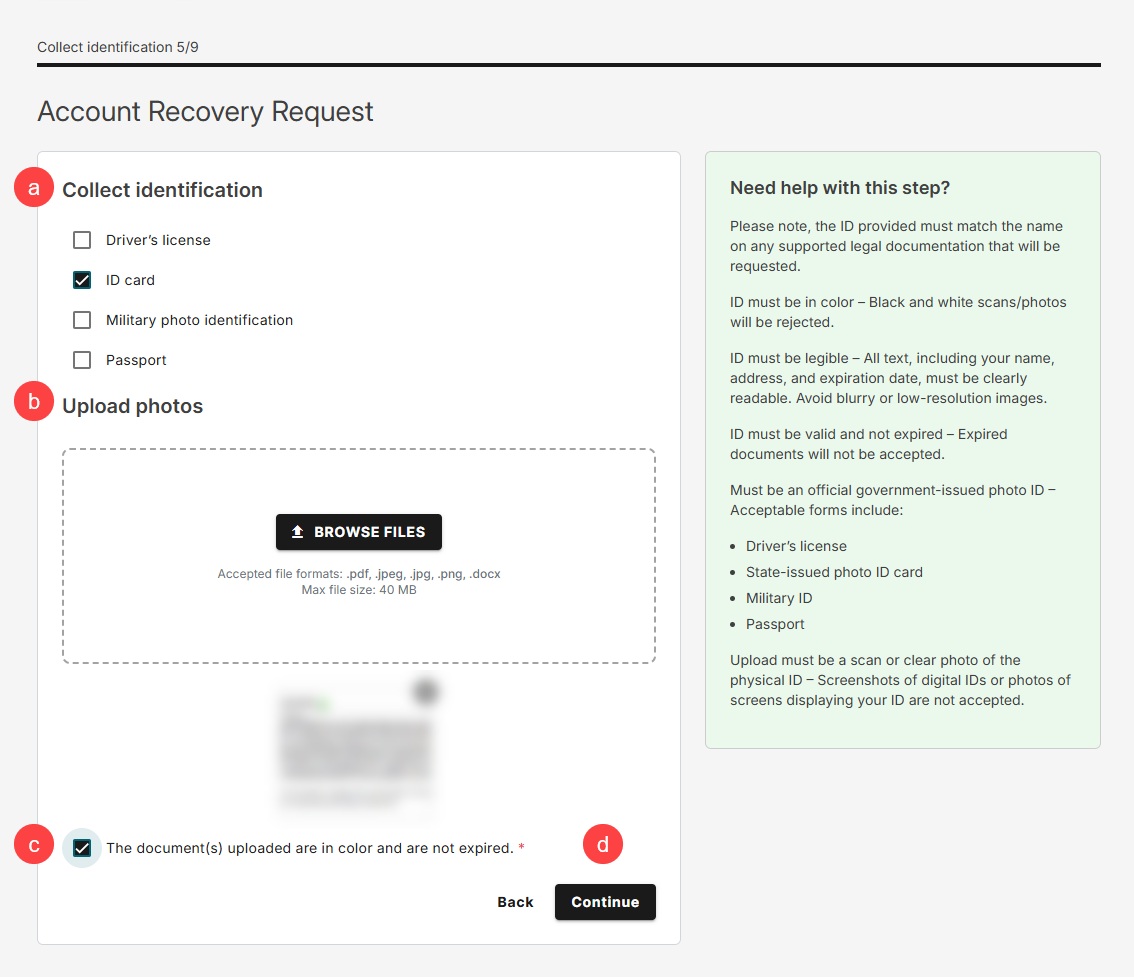
- Select a government-issued photo ID from the available options.
- Click BROWSE FILES to upload your selected ID.
- Select the checkbox to confirm that the uploaded document is in color and has not expired.
- Click Continue to proceed to the next step.
- In the Collect documentation field, provide the following information:
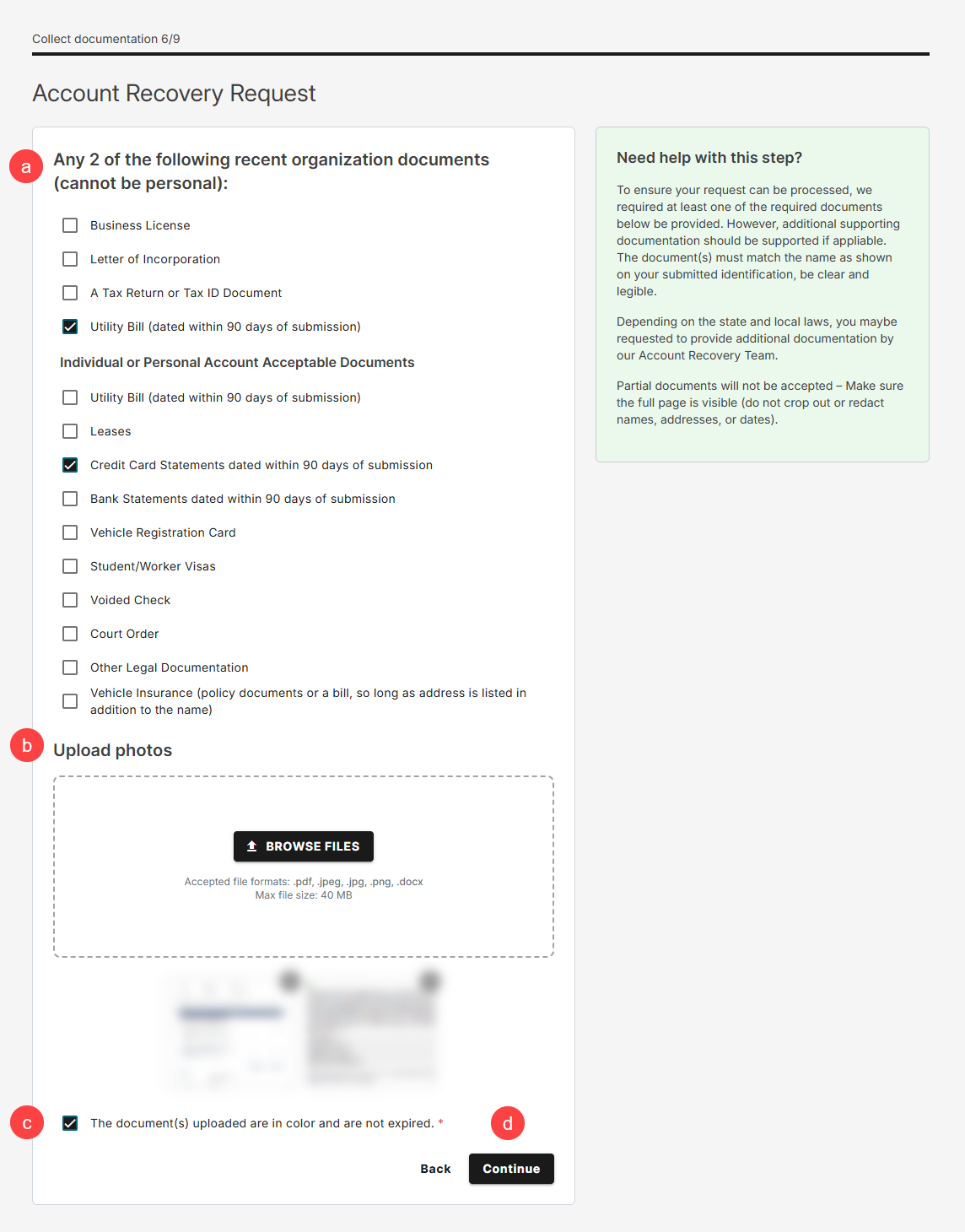
- Select any two of the following recent organizational documents.
- Click BROWSE FILES to upload your selected documents.
- Select the checkbox to confirm that the uploaded documents are in color and have not expired.
- Click Continue to finalize your request.
- Enter any additional information that may help us review your request, such as unique circumstances, relevant context, or supporting details. When you’re ready to submit your request, complete the CAPTCHA verification, select the I agree to these conditions checkbox, then click Submit to complete your request successfully.

Related articles
You can also check the following articles:
- How to change the primary contact of your Network Solutions account
- Updating the contact information in my account manager
- How to replace a deceased Account Holder on a Network Solutions account
- Network Solutions account changes and account roles
- How to change the contact email of your Network Solutions account
Review
Submitting a domain registrant email update request requires identity and document verification to help protect domain ownership and account security. Be sure to provide all required information to avoid delays in processing.
Get practical tips and product updates on LinkedIn.
Follow Network Solutions