How to check your domain expiration date
It is important to check your domain expiration date. When a domain expires, it will be deactivated, and all services connected will no longer function. Considering what it will cost you if your domain expires, it is crucial to set your domain to auto-renew or to frequently check your account to see when the domain registration is set to expire. You should also make sure that your account information, such as your email address, is up-to-date to ensure that you do not miss any account-related notifications.
Steps to check the domain expiration date
You will receive an SMS notification at the trusted phone number on your account, sent from +1 (833) 587-1533. If you’ve opted out of SMS notifications, you won’t receive these messages. You can opt back in at any time by texting START to +1 (833) 587-1533.
Learn how to check domain expiration with Network Solutions by following the steps below:
- Log in to your account via https://www.networksolutions.com/my-account/login.
- Click Domains on the left navigation pane.

- If you have multiple domains in the account, you must select the domain you want to access.
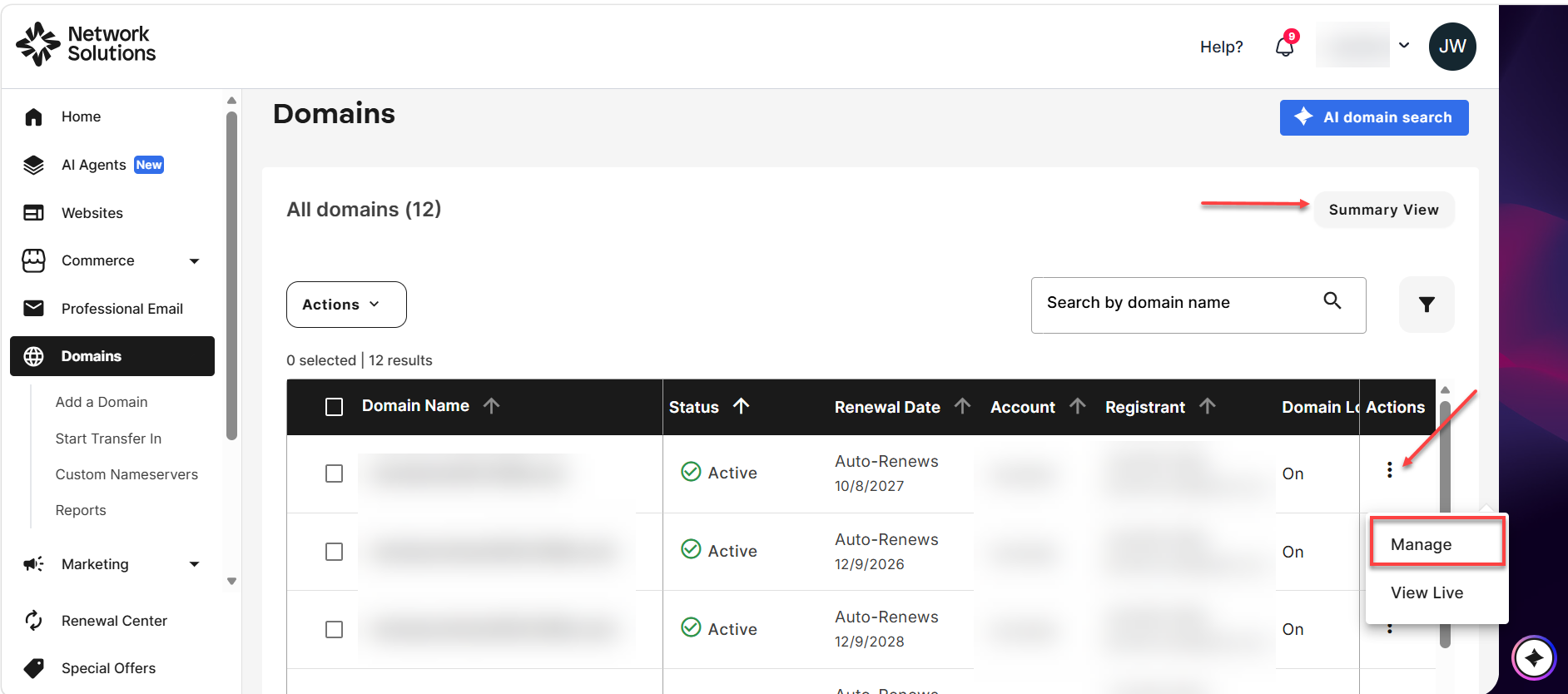
- If you are in the Summary View, click the Settings option on the domain you want to access. To switch to a different view, click the Advanced View button above the domain list.
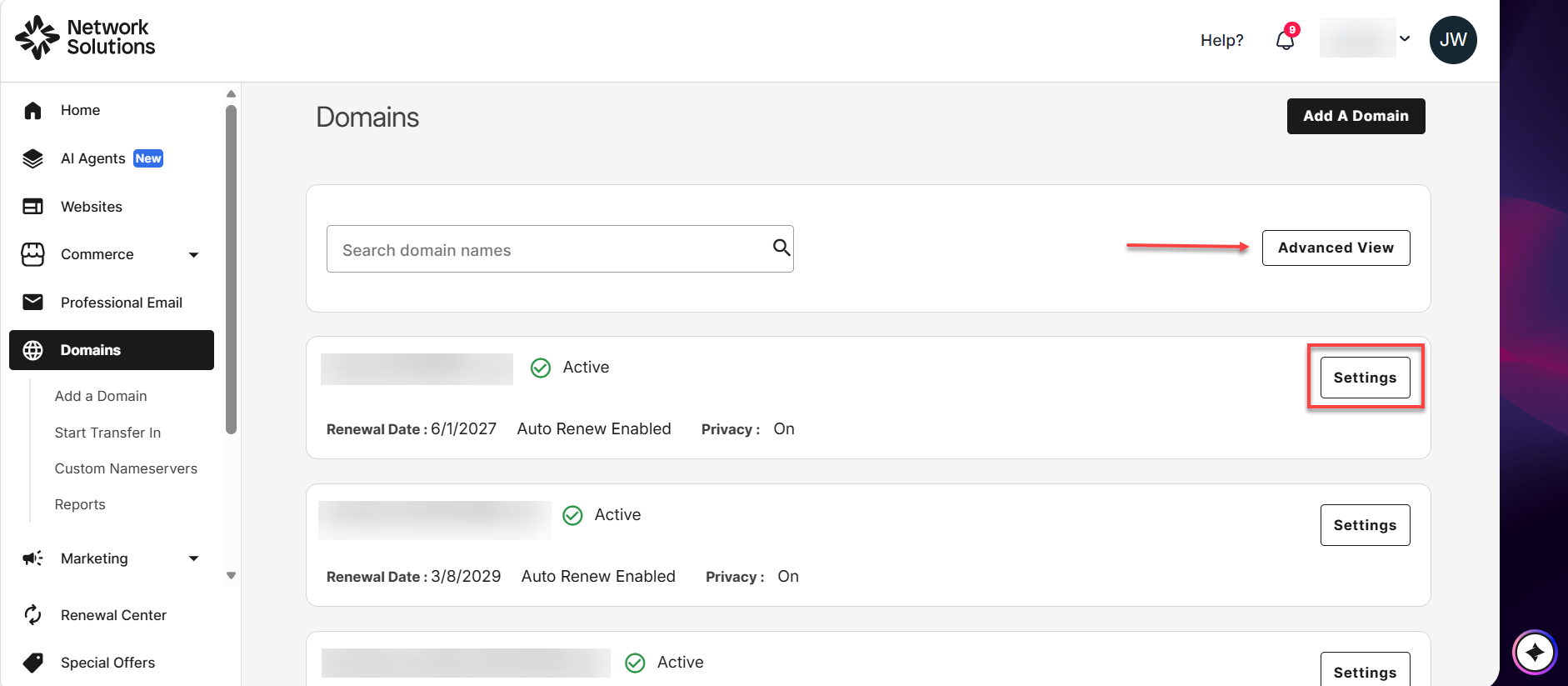
- If you are in the Advanced View, click the vertical ellipsis on the domain you want to access, then select Manage. To switch to a different view, click the Summary View button above the domain list.
- If you are in the Summary View, click the Settings option on the domain you want to access. To switch to a different view, click the Advanced View button above the domain list.
- In the Domain overview section, you can now check the domain expiration date under Renewal Settings. If your domain is set to auto-renew, you will see the renewal date instead.

- If you want to check the expiration date of multiple products, such as Email, eCommerce, Hosting, and Security products, click Renewal Center on the bottom left side of the account manager page. In here, you will see a product's expiration date or auto-renewal date.

- The difference between the domain expiration and the renewal date is that the expiration date indicates the end of the domain's registration period. It must be manually renewed to avoid expiring. On the other hand, the renewal date (displayed as Auto-Renew) is the date set for the domain to automatically renew so it does not expire.
- If your domain already has the auto-renew feature turned on, we will automatically renew your domain 60 days before the expiration date. We will use the same terms and conditions and your current assigned payment method to renew your domain.
Review
Keeping your domains active is important to ensure connected services continue to function. We advise you to set your domains to auto-renew or regularly check the expiration date to avoid inconveniences. Note that the domain expiration date marks the end of your domain's registration period. This guide teaches you how to check the renewal settings or the domain expiration date.
Get practical tips and product updates on LinkedIn.
Follow Network Solutions