Network Solutions Email Marketing app
Email Marketing is the bridge between a digital identity and building your customer base. It is the process of sending commercial emails to your customer base using email to deliver tailored, valuable updates and drive conversions. Essentially, email marketing turns a static web address into a dynamic engine for growth, ensuring that your audience isn't just visiting your site, but staying connected to your brand. Network Solutions now offers free email marketing features with your domain for both existing and new customers. The free Email Marketing app allows you to create, update, and manage the email campaigns you send to your customers.
In this article, we will discuss:
Email Marketing app features
Marketing has undergone several transformations to adapt to the innovations in business. We are now in the digital age, where the internet plays an important role in all aspects of life, including business and online shopping. Email marketing is vital for building and maintaining relationships with your customers, as well as maximizing business potential through promotions and discounts.
Network Solutions knows these needs, which is why we've made our Email Marketing app available for free to all domain owners. Conveniently, we have also moved it to your Account Manager's left navigation marketing tab for better access! Below are the features that you can get by using our Email Marketing app:
- Bulk distribution - Reaching your entire customer base should not be a manual chore. With our Email Marketing app, you can send marketing campaigns to your entire list of clients or patrons simultaneously - be it announcing a new location or a monthly update, you can make sure your message reaches your customers' inbox with a single click.
- High-conversion promotional tools - You can drive revenue by promoting your best offers. Our Email Marketing app is built to handle promotional styles- from flash sales and holiday discounts to exclusive "insider" announcements. This way, you can present your deals, turning your casual subscriber into a loyal repeat customer.
- Quality customizable templates - No need to be an expert in graphic design to create captivating emails; you can choose from our ready-to-use, responsive, and mobile-friendly templates library. You can make changes to fit your business's branding and vibe.
- Comprehensive dashboard - Knowing your numbers is the key to a better ROI. Instead of wondering if your emails are working, you can use our centralized dashboard to monitor your campaign's progress in real time. A bird's eye view that will allow you to manage your strategy from one convenient location.
- In-depth analytics and reporting - You will have access to detailed reports that break down subscriber behavior. In understanding the "why" behind the numbers, you can make better future content for better results.
Free vs paid
The Email Marketing app comes for free for every domain you register and have registered with Network Solutions, but you can always upgrade to a paid plan to have more features! Know more about the key differences between the free and paid plans!
| Email Marketing Product | Features | ||
|---|---|---|---|
| Email sent limit per month | Campaign sent limit per month | Number of Sender Email | |
| Free App | 100 | 100 | One sender email only |
| Website Plus | 500 | 1,000 | Multiple sender emails |
| Website + Marketing | 10,000 | 1,000 | Multiple sender emails |
| Business Essentials | 10,000 | 1,000 | Multiple sender emails |
| Online Marketplaces | 10,000 | 1,000 | Multiple sender emails |
| Marketing Essentials | 10,000 | 1,000 | Multiple sender emails |
| Online Store | 10,000 | 1,000 | Multiple sender emails |
| eCommerce | 10,000 | 1,000 | Multiple sender emails |
| eCommerce Essentials | 10,000 | 1,000 | Multiple sender emails |
| eCommerce Premium | 10,000 | 1,000 | Multiple sender emails |
| eCommerce with Marketplace | 10,000 | 1,000 | Multiple sender emails |
Access your Email Marketing app
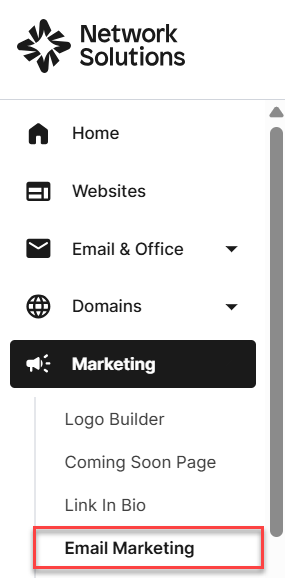
We’ve made it easy for you to find the Email Marketing app by moving it to a new location in your navigation.
To access your Email Marketing app:
- Log in to your account manager via Account Login Links.
- Click Marketing on the left navigation tabs.
- Select Email Marketing to be routed to your Email Marketing app.
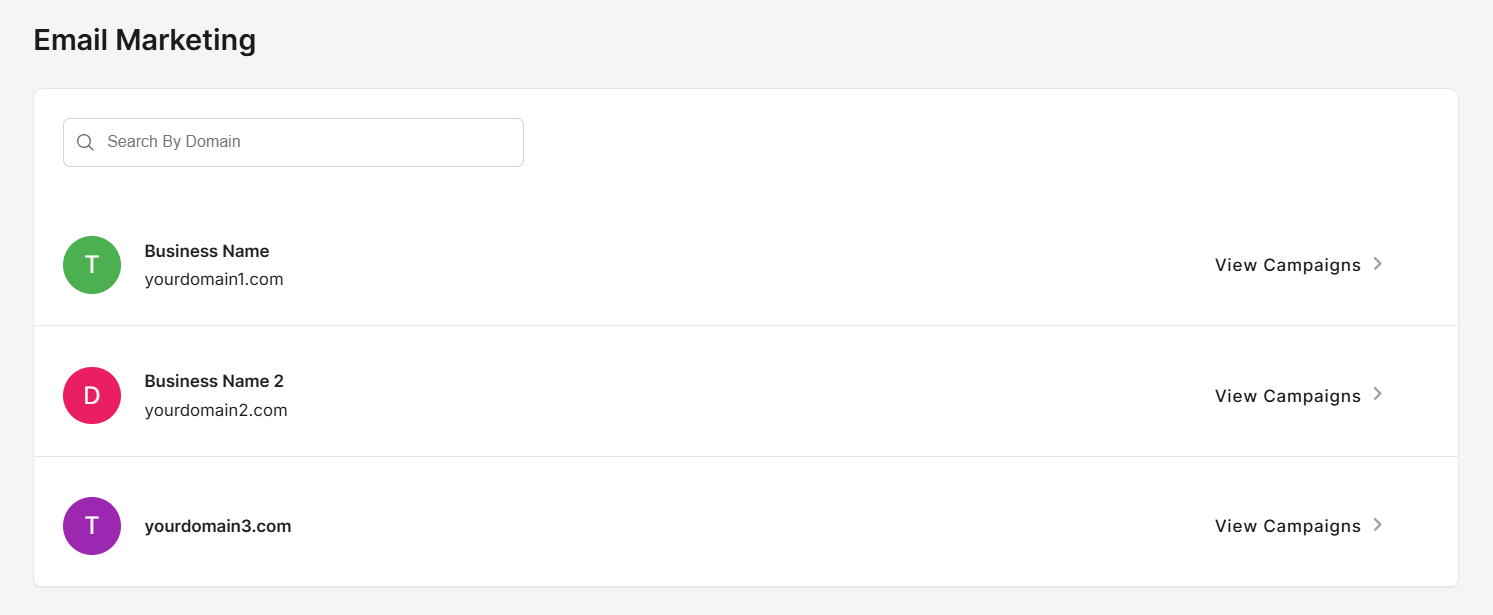
- If you have multiple domains, select which of the domains from the list you want to manage, then click View Campaigns to proceed.
Navigating the Email Marketing app for the first time
When the Email Marketing app launches for your selected domain, the page you see depends on whether the app has been set up for that domain before. The app automatically directs you to one of two landing pages.
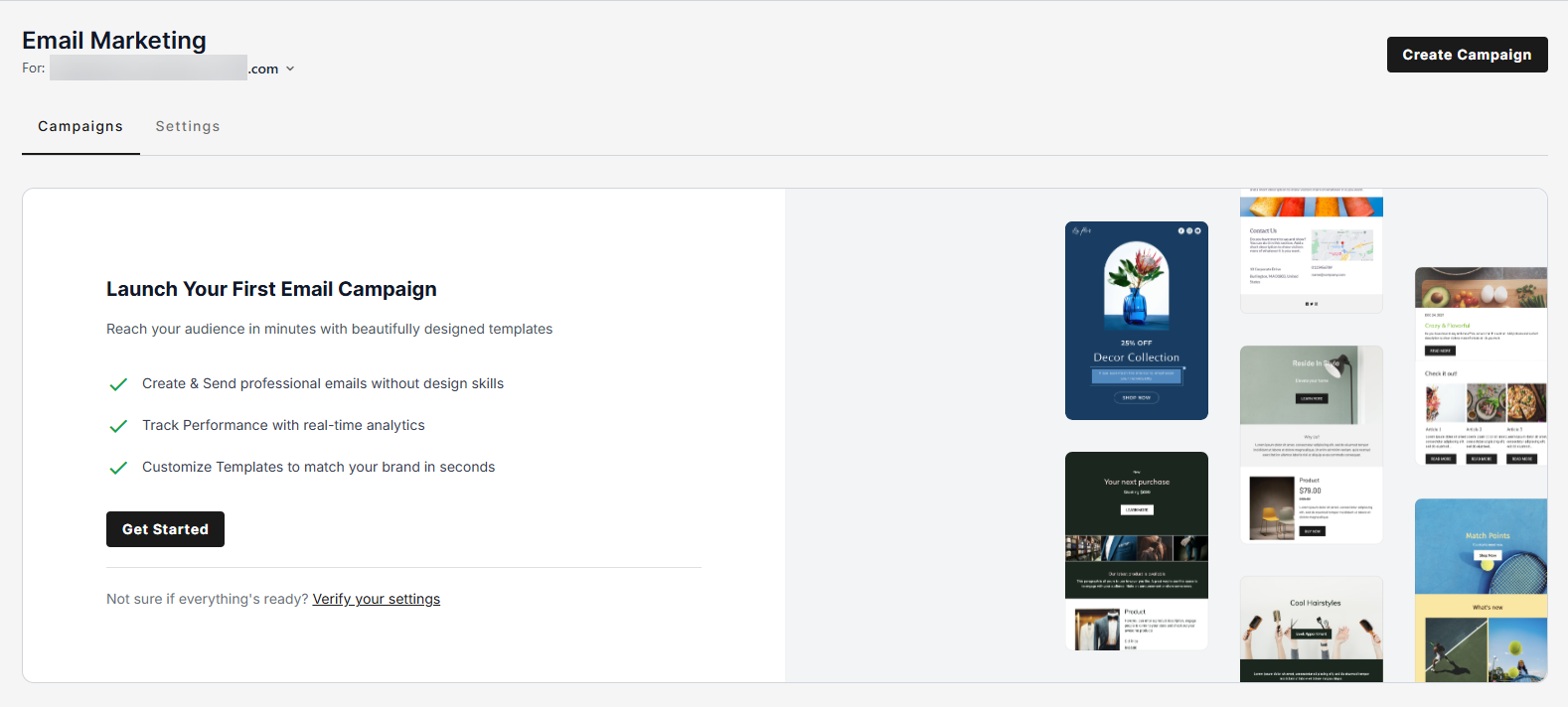
First-time setup
If this is the first time the app has been used on your domain, you will see a one-time setup page designed to prepare your account for sending email campaigns.
- You may click Get Started or Create Campaign at the top right to open the campaign editor.
Campaigns page
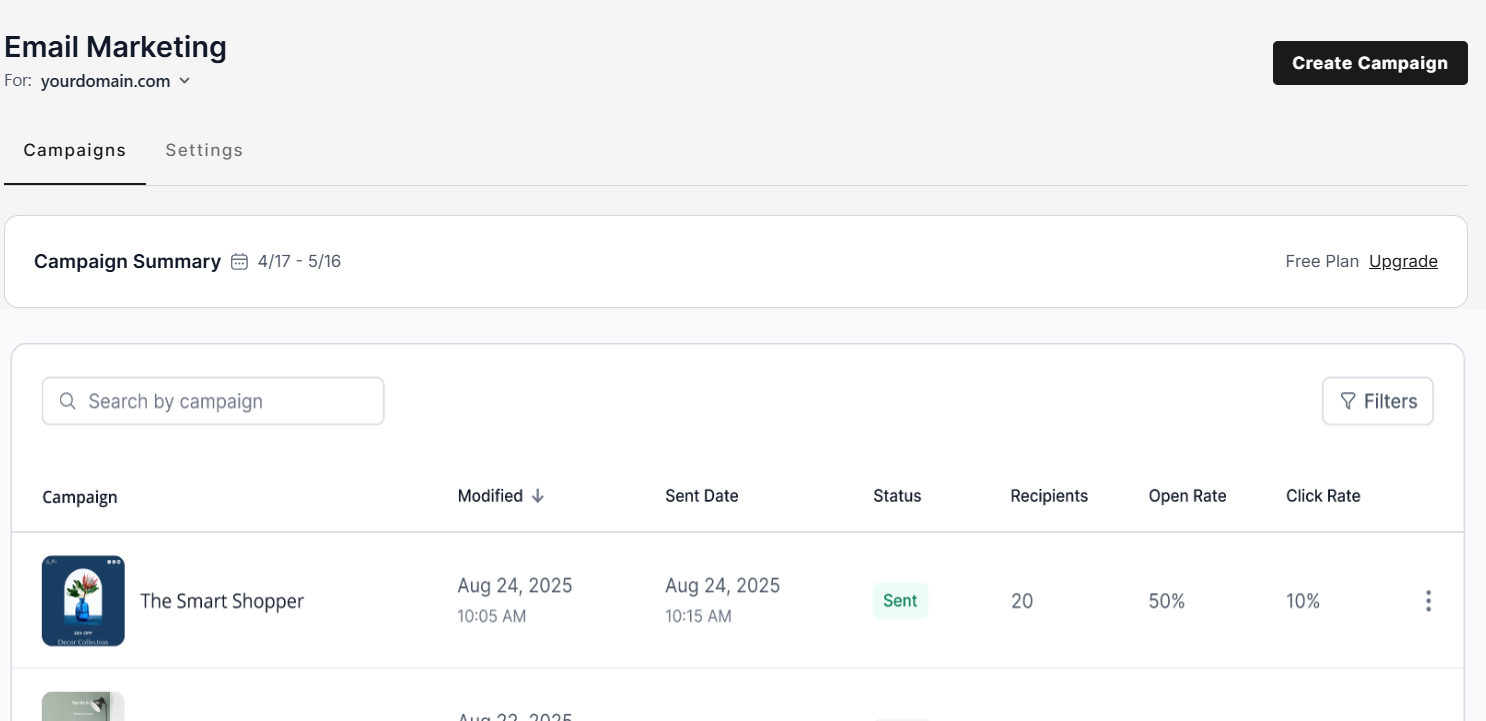
If the app has already been set up for your domain, it will skip the setup page and open directly to the Campaigns page. For a detailed overview of the Campaigns page and its available features, see the Email Marketing app's Campaigns list section.
Start your email marketing journey by learning how to create an email campaign. Check out our Email Marketing app – Creating and sending campaigns article.
Email Marketing app management and reporting
Launching a campaign is only the first step; understanding the numbers behind it is what drives long-term growth. This overview will guide you through your Email Marketing app's dashboard and reporting sections.
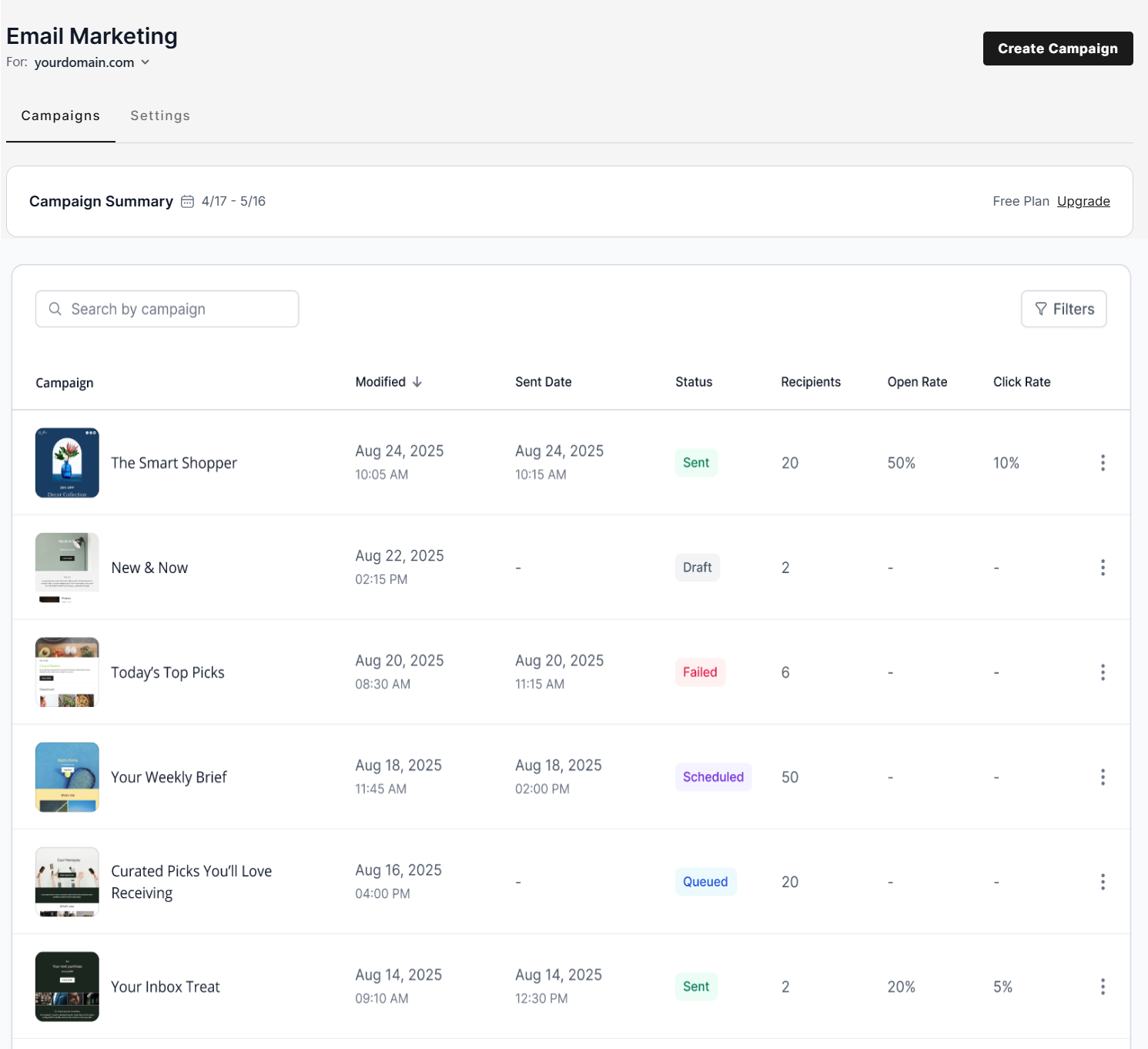
Email Marketing app's Campaigns list
Manage everything from one place with a clear view of all your email campaigns. This list makes it simple to check the status of your campaigns and quickly access options to edit or update your work.Check out our Email Marketing app – Campaigns article to know more.
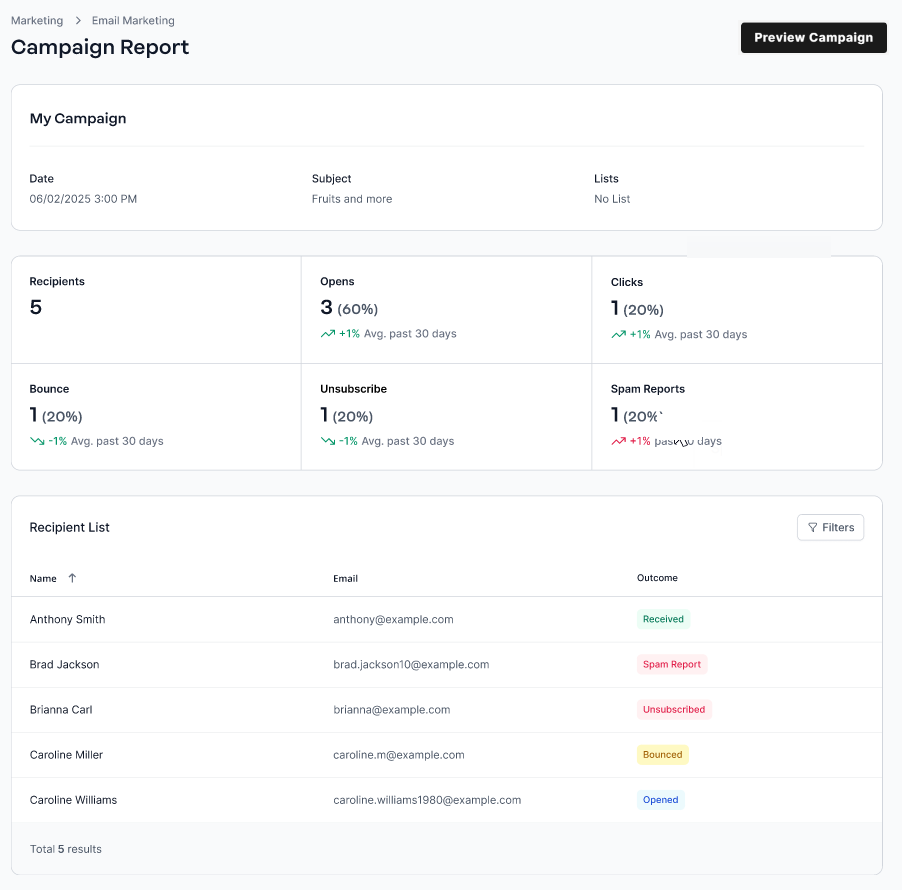
Email Marketing app's Campaign Report
Knowing the results of your email campaigns is the key to having a better email marketing strategy. This allows you to see the numbers of those who read, open, or unsubscribe. Check out our Email Marketing app – Campaign Report article to learn more.
Review
All customers with a registered domain name through Network Solutions will have access to the free Email Marketing app, enabling them to connect with clients and expand their online reach at no extra cost. The free plan serves as an essential starting point, while the paid upgrade unlocks advanced features.
Get practical tips and product updates on LinkedIn. Follow Network Solutions