
Key takeaways:
- Subdomains create a separate section of your main website. They’re helpful for organization and content separation.
- A subdomain creates a distinct, new webpage that’s separate from your main page. While a subdirectory acts like a folder within your core website.
- Different subdomains can have separate purposes, such as a blog, a store, a location-specific page, or a mobile website.
If you have ever wondered what is a subdomain, it usually starts with a practical problem. Your main website is doing its job, but now you want to add a blog without cluttering your core pages, launch an online store that needs its own structure, or create a support center that feels separate from marketing content. Suddenly, keeping everything under one roof feels messy, both for visitors and for the people managing the site.
This is where smart website organization comes into play. Subdomains let you separate different parts of your website while keeping everything under the same brand and domain. They are widely used by businesses, publishers, and platforms that need clarity, flexibility, and room to grow without rebuilding their entire site.
In this guide, you will learn the what, how, when, and why behind subdomains, including when they make sense and when they do not. We will also walk through how to set up subdomains using Network Solutions, so you can apply what you learn in a practical, straightforward way.
Find the perfect domain
Ready to register a domain name? Check domain availability and get started with Network Solutions today.
What is a subdomain?
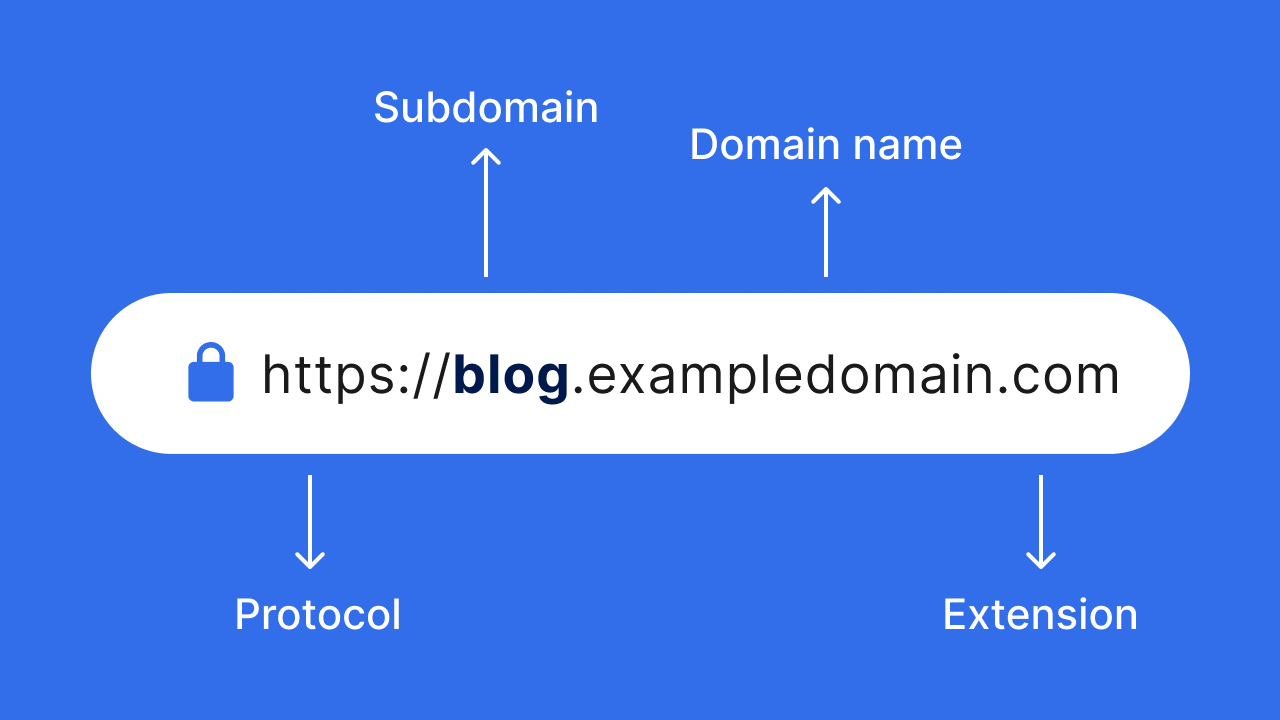
A subdomain is a prefix added to your primary domain name that creates a separate, identifiable section of a website. For example, in blog.example.com, “blog” is the subdomain that directs visitors to a specific area of the site without changing the primary domain. Each subdomain can function independently, making it easier to manage different website content or purposes, such as blogs, stores, or support pages, under a single domain.
How does a subdomain work?
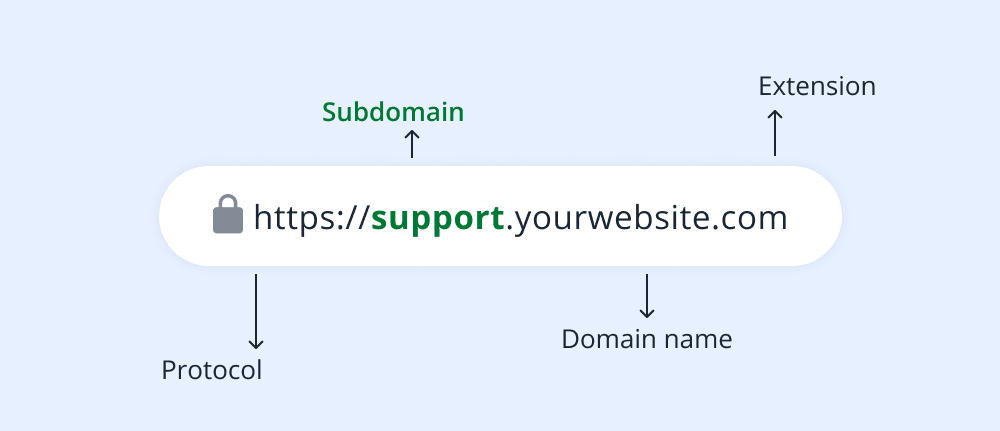
Behind the scenes, a subdomain works through your domain’s DNS settings, which act like a routing system for the internet. When someone visits a subdomain such as blog.example.com, the DNS checks the records associated with that prefix and directs the request to the correct server or location. The diagram above illustrates this flow, showing how the subdomain is resolved separately from the root domain before the content is delivered.
Subdomains are typically configured using either A or CNAME records. An A record points the subdomain directly to an IP address, which is common when the subdomain has its own hosting environment. A CNAME record, on the other hand, points the subdomain to another domain name, which is often used when connecting third-party services or platforms. DNS rules also apply here. Each label in a subdomain can be up to 63 characters long, and you can create multi-level subdomains, such as dev.blog.example.com, if you need more granular separation.
From a hosting perspective, subdomains can operate independently from the main website. They can live in a separate directory, run on a different server, or even use a completely different hosting provider. This flexibility makes subdomains useful for staging sites, regional content, support portals, or applications that need their own setup without affecting the primary website.
Search engines also treat subdomains as distinct sections of a site. While they are still associated with the main domain, subdomains are often crawled and evaluated separately, with their own content focus and performance signals. This can be beneficial for organization and clarity, but it also means each subdomain may require its own SEO (search engine optimization) attention to perform well in search results.
Subdomain vs subdirectory: Which should you choose?
Subdomains and subdirectories are both ways to organize website content, but they serve different purposes and are treated differently by browsers, servers, and search engines.
A subdomain creates a separate section of a site using a prefix, such as blog.example.com. A subdirectory keeps content within the main website structure, such as example.com/blog. While they may look similar to visitors, their operations behind the scenes differ.
Subdomains are best when you need clear separation. This often applies when sections of a site serve different purposes, use different platforms, or require independent management. For example, a support center hosted on a helpdesk platform or a regional site tailored to a specific country often works better as a subdomain.
Subdirectories work well when content is closely related to the main site and should strengthen it as a whole. Blogs, resource hubs, and product guides that support the core business typically benefit from staying within the root domain structure.
Here is a simple comparison to help clarify the difference:
Area | Subdomain | Subdirectory |
|---|---|---|
Content relationship to main website | More separate or specialized | Closely related and supportive |
SEO strategy | Treated as a distinct section that may need its own optimization | Shares authority and signals with the main domain |
Platform independence | High. Can use different hosting or platforms | Low. Usually tied to the same CMS and hosting |
Internal linking needs | Requires deliberate cross-linking | Naturally integrated into site navigation |
A simple way to decide is this. If the content needs independence, flexibility, or a different technical setup, a subdomain usually makes sense. If the content is part of your core site experience and should reinforce your main pages, a subdirectory is often the better choice.
What are examples of how to use a subdomain?
Subdomains are commonly used to keep main websites organized as they grow, especially when different sections serve distinct purposes or audiences. Instead of forcing everything into one structure, subdomains create clear entry points for users and make ongoing management easier.
Below are some of the most common ways businesses and platforms use separate subdomains, grouped by purpose:
Content-focused subdomains
Used to separate content types while keeping them connected to the main brand:
- Blog: A dedicated space for articles, updates, and thought leadership, such as blog.example.com, which keeps editorial content separate from product or service pages
- Academy or learning platform: Often used for courses, tutorials, or documentation that requires its own structure and navigation
- Community or forum: A place for user discussions and engagement that benefits from being isolated from core site content
Function-specific subdomains
Designed for sections of a website that perform a specific role or rely on different tools:
- Store: An e-commerce area like shop.example.com that can run on a separate platform optimized for selling.
- Support center: A help or knowledge base site, such as support.example.com, built to handle documentation, FAQs, and tickets
- Careers portal: A recruitment-focused section that lists job openings and company information for applicants
- Staging or development environment: Internal subdomains, such as dev.example.com, are useful for testing changes before they go live
Audience or region-based subdomains
Used to tailor experiences based on user location, language, or device:
- Mobile version: A mobile-optimized experience, such as m.example.com, is handy for proper display on legacy devices.
- Language or region sites: Country- or language-specific versions, such as fr.example.com or uk.example.com, with localized content.
- Product-specific subdomains: Separate spaces for individual products or services that need their own messaging or features.
These examples show how subdomains help websites scale without becoming confusing. When a section needs its own focus, tools, or audience, a subdomain provides a clean and flexible way to build it.
How to create a subdomain in Network Solutions
You create and manage subdomains through DNS, which controls how traffic is routed to different parts of your website. With Network Solutions, you can set up a subdomain directly from the DNS Manager by adding either an A record or a CNAME record, depending on where the subdomain should point.
Below is a simple walkthrough to help you create a subdomain using Network Solutions.
Step 1: Log in to your Network Solutions account
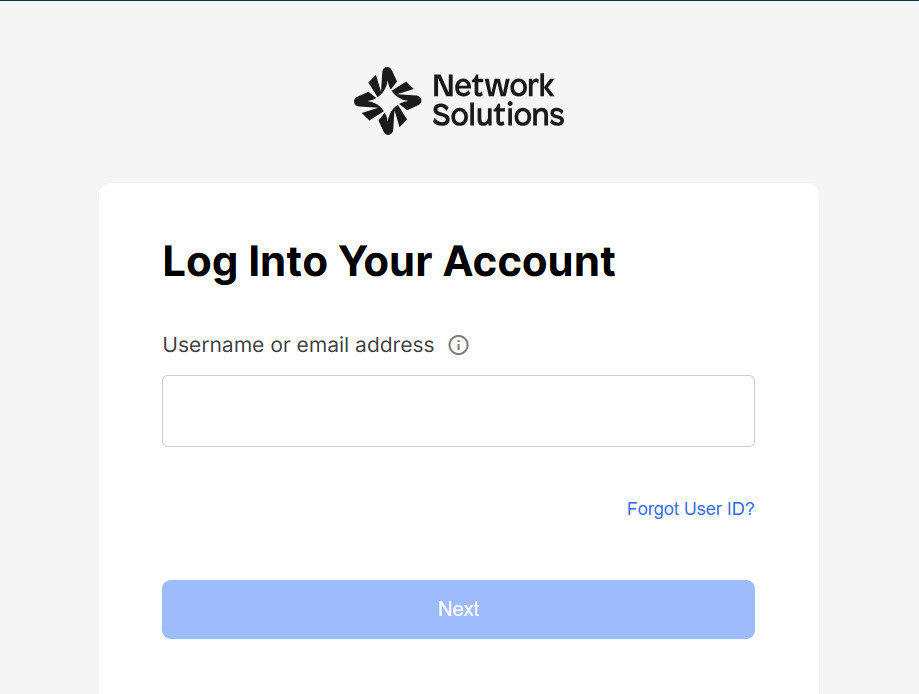
Sign in to your Network Solutions account and open your domain dashboard. From here, select the domain name where you want to add the subdomain.
Step 2: Access DNS Manager
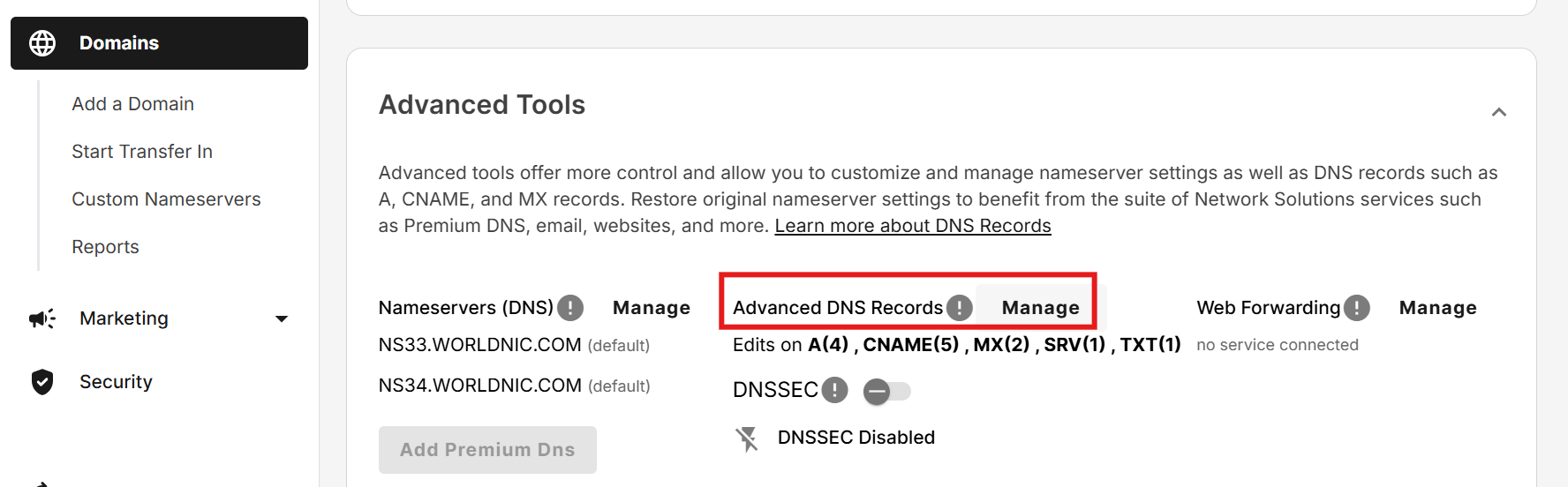
In the domain settings, choose the option to manage DNS. This opens the DNS Manager, where you can view and edit the records associated with your domain.
Step 3: Add the subdomain and record (A or CNAME)
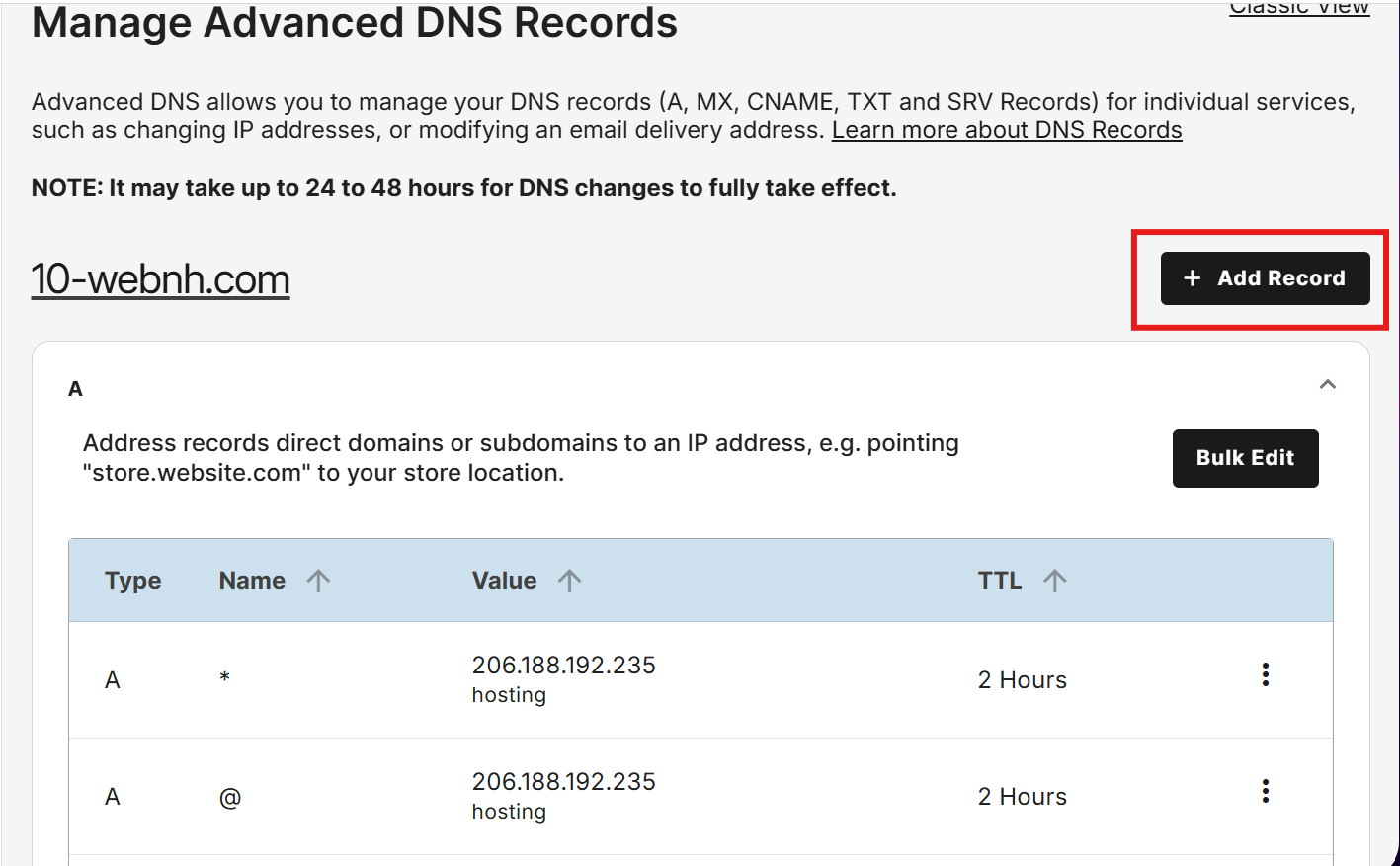
Click to add a new DNS record and enter the subdomain prefix, such as blog or support.
- Use an A record if the subdomain should point directly to an IP address.
- Use a CNAME record if the subdomain should point to another domain or service.
Step 4: Save and apply
Double-check the details you entered, then save the record. Once saved, the subdomain is added to your DNS configuration.
Step 5: Wait for propagation
DNS changes are not instant. It can take up to 48 hours for the new subdomain to fully propagate across the internet, although it often happens sooner.
Step 6: Test it
After propagation, visit the subdomain in your browser to confirm it loads correctly. If the page does not resolve right away, allow more time and recheck your DNS settings.
Best practices for managing subdomains
Below are some best practices to help you manage subdomains effectively and avoid common issues:
- Keep names short and clear
- Secure each subdomain with its own SSL
- Use separate Search Console properties
- Connect subdomains to the main site with internal links
- Track analytics separately
- Avoid content duplication
Keep names short and clear
Choose simple, descriptive prefixes like blog, store, or support. Clear naming helps users understand where they are and gives search engines immediate context about the content.
Secure each subdomain with its own SSL
Every subdomain should be protected with HTTPS. Even though it is tied to your root domain, a subdomain still requires its own SSL certificate to ensure data security and user trust.
Use separate Search Console properties
Search engines often treat subdomains as separate entities. Adding each subdomain as its own property in Google Search Console gives you better visibility into performance, indexing, and potential issues.
Connect subdomains to the main website with internal links
Use intentional internal linking between your main site and subdomains. This helps users navigate smoothly and allows search engines to understand how the different sections of your site relate to one another.
Track analytics separately
Set up individual tracking for each subdomain. This makes it easier to measure performance, user behavior, and conversions without mixing data from unrelated sections.
Avoid content duplication
Make sure each subdomain has a clear purpose and unique content. Repeating the same pages across subdomains can confuse search engines and dilute overall SEO performance.
Common mistakes to avoid with subdomains
Subdomains can be powerful when used correctly, but small missteps can create long-term issues that are easy to overlook at first. Many problems come from structural or technical decisions made early on, especially when subdomains are added without a clear plan. Before setting one up or expanding your existing structure, it helps to be aware of the most common mistakes that tend to cause confusion, performance issues, or SEO setbacks later.
Here are some of the prevalent pitfalls you can encounter with a subdomain:
- Creating subdomains without a clear purpose: Adding subdomains “just in case” often leads to fragmented content, poor organization, and sections that are difficult to maintain over time.
- Treating a subdomain as if it automatically inherits SEO strength: Search engines may associate subdomains with the main domain, but they still need their own optimization, content strategy, and performance tracking.
- Duplicating content across subdomains: Reusing the same pages or slightly modified content can confuse search engines and dilute visibility across your site.
- Forgetting to secure subdomains with HTTPS: An unsecured subdomain can trigger browser warnings and undermine trust, even if your main site is fully secure.
- Ignoring internal linking between the main website and subdomains: Without clear connections, users and search engines may treat subdomains as isolated experiences.
- Using overly complex or inconsistent naming: Long, unclear, or mismatched subdomain names make URLs harder to understand and can create confusion for both users and search engines.

Frequently asked questions
A subdomain is used to separate different sections of a website, such as a blog, store, or support center, while keeping them connected to the main domain. It helps organize content, manage functionality, or serve different audiences more clearly.
Technically, a subdomain is part of the same root domain, but it can function like a separate website. It can have its own hosting setup, content structure, and SEO strategy.
Yes, subdomains can affect SEO because search engines often treat them as distinct sections. They do not automatically share rankings with the main domain, so each subdomain needs its own optimization and tracking.
Use a subdomain when content needs separation, platform flexibility, or serves a different function or audience. Use a subdirectory when the content is closely related and meant to support the main site’s SEO and structure.
There is no practical limit to the number of subdomains you can create. However, adding too many without a clear purpose can make site management and SEO more complicated.
Yes, each subdomain should be secured with HTTPS. Even though it is connected to the main domain, it still requires its own SSL coverage to stay secure and trusted by browsers.
Most subdomains start working within a few hours, but DNS propagation can take up to 48 hours. During this time, the subdomain may load inconsistently or not at all.
Yes, you can remove a subdomain by deleting its DNS record. If the subdomain has been indexed or linked externally, it is best to set up redirects to avoid broken links or SEO issues.
Unlock the full potential of your website with subdomains
Subdomains give you a practical way to grow your website without losing structure or control. By separating content into clearly defined sections, you make it easier to manage different functions, support new ideas, and scale over time while keeping everything tied to a single domain. Whether you are organizing content, running separate tools, or serving different audiences, subdomains create the flexibility modern websites need.
Managing that flexibility becomes much simpler when you have reliable domain and DNS tools in place. Our domain registration and DNS management work together to support subdomain setup, updates, and long-term maintenance. Having the right foundation makes it easier to focus on building and improving your site rather than worrying about how everything connects behind the scenes.