Key takeaways:
- AI tools work best as creative accelerators, supporting designers while not replacing strategic design thinking.
- Different AI platforms serve different purposes. Choosing the right tool depends on your specific design goals.
- The best AI design tools save time by automating repetitive tasks.
Graphic design is rooted in creativity. But tasks like resizing images, adjusting layouts, choosing color palettes, and building templates can take up valuable time, leaving less room for what matters most—designing.
This is where AI is reshaping the workflow. Today’s AI tools for graphic design automate repetitive steps, help generate ideas, and speed up production without replacing creative direction.
From creating social media graphics to branding materials and marketing visuals, AI tools enable graphic designers and business owners to move from concept to execution faster and more efficiently.
In this guide, we explore what AI design tools are, why they matter, and what features to look for when choosing one. You’ll also discover some of the best AI-powered tools available today to help streamline your design process and bring your ideas to life with greater speed and consistency.
How we developed this list
We developed this list by first identifying widely used AI tools and AI-powered tools based on market visibility, feature innovation, and overall value for both professional designers and non-designers. Our goal was to focus on tools that genuinely improve the design process, not just those with the most marketing buzz.
Rather than relying solely on promotional materials, we analyzed user feedback across reputable third-party review platforms, community discussions, and industry publications to understand real-world experiences.
We looked for consistent patterns in satisfaction, common complaints, learning curves, and output quality. This helped us evaluate how these AI tools perform in practical use cases such as creating graphics for social media, generating logos, producing brand assets, and supporting everyday creative tasks.
Our evaluation process prioritized:
- User feedback analysis: We reviewed customer experiences across trusted review sites and forums to understand how these tools perform for business owners, freelancers, and design teams.
- Feature and output assessment: We examined core capabilities such as image generation, automation features, branding tools, and how well each platform enhances the overall design process.
- Ease of use and accessibility: We considered how intuitive each tool is for non-designers while still offering flexibility and creative control for professional designers.
- Pricing transparency: We compared free plans, trial availability, subscription tiers, and potential limitations to determine overall value.
- Limited hands-on testing: Where possible, we explored free plans and demos to evaluate usability and workflow, but our primary insights come from consolidated user experiences and publicly available documentation.
This structured approach ensures our recommendations reflect real-world use, practical benefits, and cost considerations rather than solely marketing claims.
Disclaimer: This article is for informational purposes only. Features, pricing, and availability are accurate at the time of writing but may change. Please consult the provider directly for the most up-to-date information.
Comparison of the best AI graphic design tools for SMBs and designers
These AI graphic design tools help businesses and creatives generate images, streamline logo design, support video creation, and simplify complex design projects. Whether you’re a small business owner creating social media graphics or a professional designer refining brand assets, each platform offers a different balance of automation, creative control, and workflow efficiency.
Platform | Pricing (starts at) | Key features | Best for |
|---|---|---|---|
Network Solutions Free AI Logo Maker | Free | AI-powered logo generator that creates professional, on-brand designs in just a few clicks Browser-based web app with no downloads required Easy customization tools to adjust fonts, colors, and layout Instant logo concepts optimized for websites, marketing materials, and social media graphics | SMBs and startups needing quick, professional logo design |
Canva (Magic Studio) | Free plan available; paid plans start at $15/month | AI-powered Magic Design, Magic Write, and Magic Edit for quick content creation Intuitive drag-and-drop editor for effortless customization Thousands of templates, with access to a vast library of stock images, fonts, and graphics Advanced text editing and AI-generated content suggestions | Social media managers, small businesses, and anyone needing quick design assets |
Adobe Firefly | Free trial; paid plans start at $9.99/month | Text-to-image AI tool for generating high-quality visuals from text prompts Generative Fill feature for image editing and enhancing photos Vector recoloring for design consistency Seamless integration with Adobe Creative Cloud apps like Photoshop and Illustrator | Professional designers, agencies, and anyone already using Adobe Creative Cloud |
Khroma | Free | AI-driven color palette generation based on user preferences Machine learning to suggest personalized color schemes Easy-to-use interface for fast color exploration | Brand designers, marketers, and anyone needing personalized color palettes |
Looka | Free preview; logo package at $20; brand kits subscription at $96/year | Automated logo design creation, perfect for quick branding Automatic brand kit generation, including colors, fonts, and templates User-friendly interface with fast customization options | Entrepreneurs, small businesses, and marketers looking for fast brand identity creation |
Designs.ai | Paid plans from $24.92/month (billed annually) | All-in-one design suite offering logo design, video creation, and speech synthesis AI-assisted video editing for quick content creation Collaborative features for team projects and marketing campaigns | Marketers, small businesses, and content creators who need multi-format design outputs |
Microsoft Designer | Free version with limited credit; plan starts at $9.99/month | DALL·E-powered text-to-image generator for visual content creation AI-driven design layouts for social media posts and presentations Integration with Microsoft tools like PowerPoint and Word for seamless workflows Simple interface for business users with minimal design experience | Business professionals, teams, and casual users who want simple designs with Microsoft integration |
Uizard | Free plan available; paid plans start at $12/month | Converts hand-drawn wireframes and text prompts into interactive digital prototypes AI-powered tools for creating UI/UX designs with ease Collaborative features for team projects and real-time editing | UX/UI designers, product teams, and startups needing quick wireframe-to-design conversion |
Note: Pricing is current at the time of writing but may change. Always check the provider’s website for the latest details.
Network Solutions Free AI Logo Maker
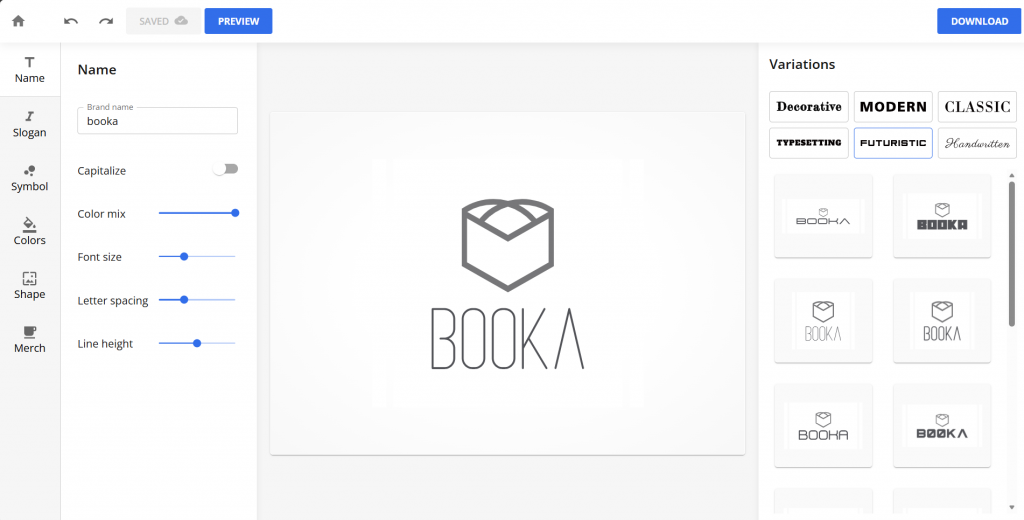
Network Solutions offers a free AI logo maker designed for business owners who need professional branding without the cost or complexity of hiring a designer. Unlike many other AI tools that require a subscription to download assets, this AI design generator lets you create and customize logos directly in your browser with no paid plan required to get started.
As a browser-based web app, it simplifies the design process into a few guided steps. You enter your business name, choose your industry, select style preferences, and the tool generates on-brand designs in just a few clicks.
Key unique features
- AI design generator that creates professional, on-brand designs in just a few clicks
- Completely free logo maker with no required paid subscription to start designing
- Browser-based web app with no prerequisite downloads or installations
- Simple customization tools that streamline the design process
- Logo files suitable for websites, social media content, and marketing materials
Who it’s best for
- Small business owners and startups that need a professional logo quickly
- Entrepreneurs launching a new brand with a limited budget
- Non-designers looking for a guided, easy-to-navigate interface
- Businesses that want a fast alternative to more complex AI tools
What users are saying
Users appreciate how straightforward the platform is, especially for those new to branding. Many highlight the clean interface and how quickly they can generate multiple logo concepts without feeling overwhelmed by too many settings. Business owners also note that the ability to access the tool directly in a browser makes it convenient to use on different devices.
Some users mention that while it may not replace a fully custom brand identity built by professional designers, it works well for startups and small businesses that need a polished logo without investing heavily upfront.
Pricing and plans
The Network Solutions AI logo maker is free to use. Users can generate and customize logo concepts without subscribing to a paid plan.
There are no required monthly fees to start designing, making it one of the more accessible AI-powered logo-creation tools.
Note: Features and availability may change over time. Please check directly with Network Solutions for the most current details.
Canva (with Magic Studio)
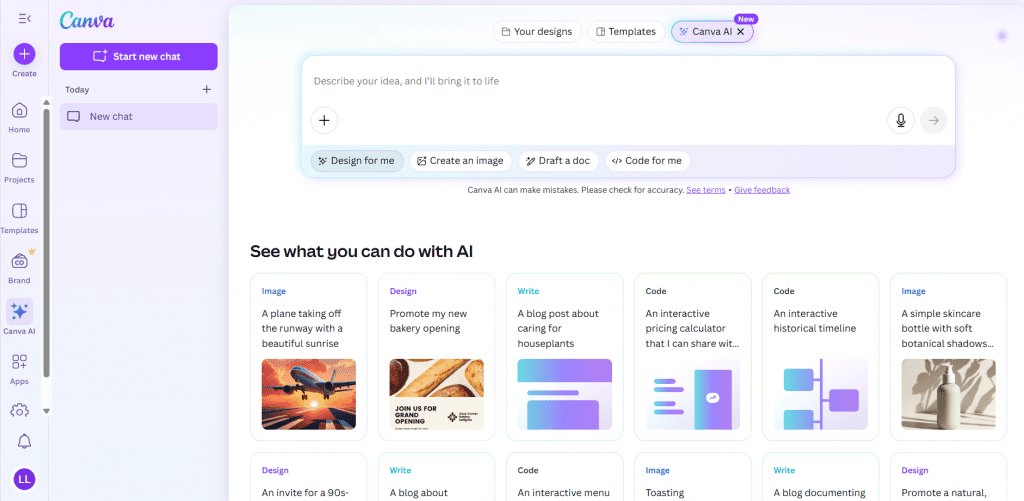
Canva is one of the most widely used AI design tools for businesses and content creators. Known for its intuitive interface and extensive template library, it allows users to create everything from graphic designs for social media to presentations and marketing materials without advanced design experience.
With the addition of Magic Studio, Canva now integrates AI directly into the creative workflow, helping users generate images, rewrite text, and automate design tasks more efficiently.
Compared to more specialized AI-powered tools, Canva stands out for balancing automation with creative control. It simplifies the design process while still giving users flexibility to adjust layouts, branding elements, and visual styles.
Key unique features
- AI design tools that automatically generate designs and content based on your text prompts
- One-click resizing for social media graphics and other creative projects
- Background remover that cleans up visuals instantly
- Access to thousands of customizable templates, fonts, and stock images
- AI-powered tools for creating videos and animated content
- Brand kit features that help maintain consistency across design projects
- Collaborative tools for teams working on shared assets in real time
Who it’s best for
- Entrepreneurs and small business owners who need quick marketing assets
- Content creators producing frequent social media content
- Non-designers who want guided design ideas with room for customization
- Teams that need collaborative tools without a steep learning curve
What users are saying
Users consistently praise Canva for its ease of use and accessibility. Many highlight how the intuitive interface reduces the learning curve, especially for beginners.
One user noted that “The interface is extremely user-friendly even for someone without a design background . . .”
Small business owners often mention that it helps them produce professional visuals without hiring a designer.
Some experienced designers note that while Canva is excellent for fast production and templated layouts, it may not offer the same depth or advanced customization found in more specialized design software.
As one reviewer mentioned, “While Canva is great for basic and intermediate designs, it lacks the depth and precision of professional tools like Adobe for complex projects.”
Still, most agree that its AI features significantly speed up repetitive tasks and idea generation.
Pricing and plans
Canva offers a free plan along with tiered paid subscriptions that unlock advanced AI design tools, expanded creative assets, and team collaboration features.
Plan | Cost/Term | Plan inclusions |
|---|---|---|
Free | $0 | Basic design tools, limited templates and stock assets, background remover (limited use), basic AI features, limited storage |
Pro | $15/month | All Free features plus full Magic Studio AI tools, unlimited premium templates and stock media, brand kit, background remover, one-click resize, expanded storage |
Business | $20/month per person | All Pro features plus team collaboration tools, shared brand controls, workflow approvals, real time collaboration |
Enterprise | Custom pricing | Advanced brand management, single sign-on (SSO), enhanced security, dedicated support, large scale team management |
Disclaimer: Pricing is accurate at the time of publication but may change without prior notice. Refer to Canva’s official website for the latest pricing details.
Adobe Firefly
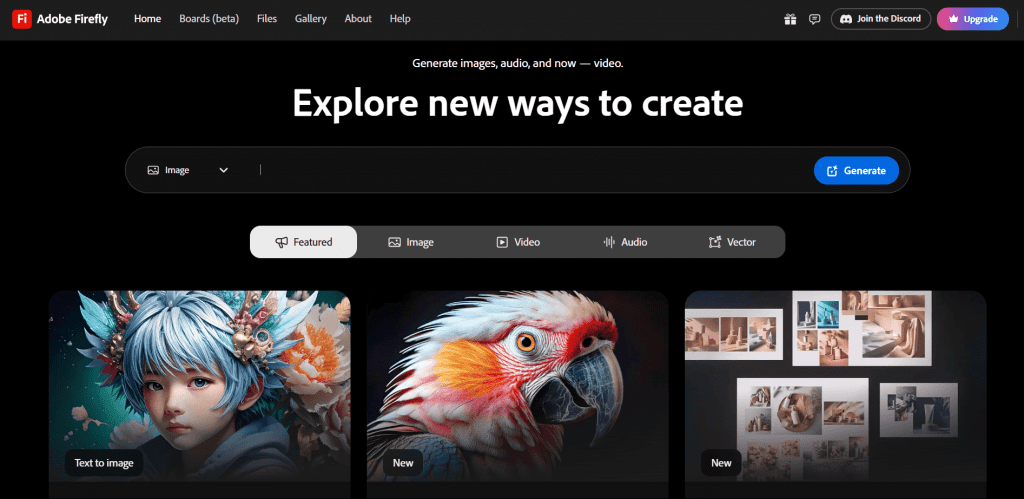
Adobe Firefly is Adobe’s dedicated generative AI platform built to support professional designers and creative teams. Unlike beginner-focused AI tools, Firefly integrates directly into Adobe’s ecosystem, making it a strong option for users already working in Photoshop, Illustrator, or other Creative Cloud apps. Its AI features are designed to enhance creative workflows, not replace them.
Firefly stands out for its ability to generate high-quality images from text prompts while maintaining creative flexibility. For designers who want advanced control over outputs, it provides more precision than many lightweight browser-based tools.
Key unique features
- Advanced AI features that generate images from detailed text prompts
- Generative fill tools that expand, edit, or transform existing visuals
- Style and variation controls for greater creative direction
- Commercially safe image generation trained on licensed content
- Seamless integration with Adobe Creative Cloud applications
Who it’s best for
- Professional designers who already use Adobe software
- Creative teams that require high design quality and precision
- Agencies working on branding and complex visual projects
- Users who want deeper creative control beyond basic AI automation
What users are saying
Users often highlight the quality of Firefly’s generated images and how well they fit into the Adobe workflow. One user noted that “Firefly is part of my daily workflow, and the cloud integration with Adobe apps makes it easy to implement into my workflow.”
Many professionals appreciate that the AI features feel like an extension of their existing design tools rather than a separate platform.
However, some users report limitations around generative credits, noting that usage caps can slow down experimentation. As one user pointed out, “The credit system, particularly for advanced video and audio features, can feel restrictive if you’re experimenting extensively.”
Others mention that results can occasionally feel inconsistent, noting that “Sometimes the image that the AI generates can be less than ideal.”
A few reviewers also point out that Firefly is most practical for those already subscribed to Adobe products, as costs can add up for individuals who only need standalone AI features.
Pricing and plans
Adobe Firefly is presented as free to use, with paid tiers that expand access through higher monthly generative credits and additional premium features. The paid plans shown on the pricing page include free trials for select tiers.
Plan | Cost/Term | Plan inclusions |
|---|---|---|
Firefly Standard | $9.99/month | 2,000 generative credits per month, access to standard image features (e.g., Generative Fill), access to premium features (e.g., Text to Video) using credits, access to partner models; free trial available |
Firefly Pro | $19.99/month | 4,000 generative credits per month, includes Standard plan features; higher usage limits (e.g., more 5-second videos, more translation minutes); free trial available |
Firefly Premium | $199.99/month | 50,000 generative credits per month, includes Pro plan features; highest usage limits shown |
Creative Cloud Pro | $69.99/month | Includes Firefly + Creative Cloud benefits (Adobe apps/perks shown on the page) and 4,000 generative credits per month; free trial available |
Disclaimer: Pricing is accurate at the time of publication but may change without prior notice. Refer to Adobe’s official website for the latest pricing details.
Khroma
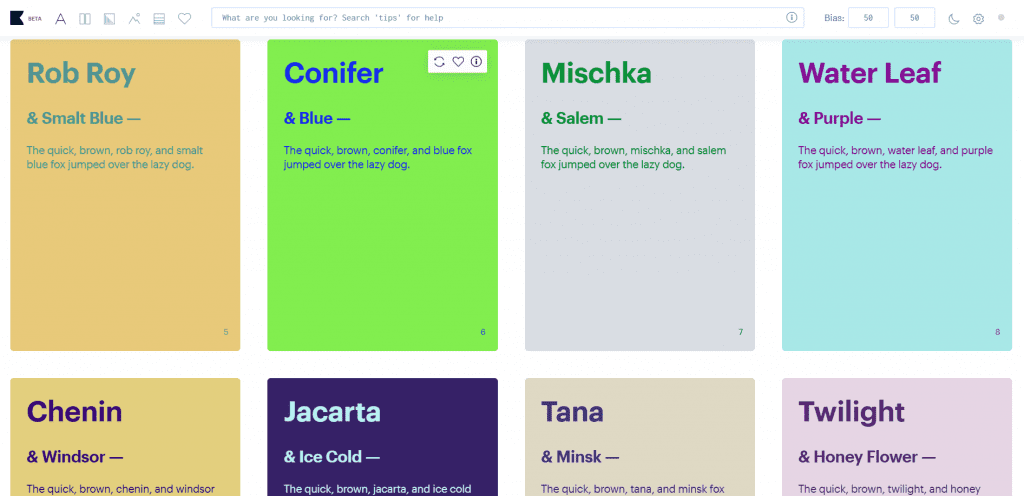
Khroma is an AI-powered design tool built specifically to generate personalized color palettes based on your preferences. Rather than creating full layouts or logos, it focuses on one critical element of visual identity: color.
By learning your color preferences through a short selection exercise, Khroma uses AI to generate curated color combinations tailored to your taste. It simplifies one of the most time-consuming parts of design while still giving you creative control over how those palettes are applied.
Key unique features
- AI-driven color engine that generates personalized color palettes based on your selections
- Real-time previews showing how colors work in typography, gradients, and sample layouts
- Unlimited palette generation for experimentation and refinement
- Search and filter tools to discover color combinations by hue, brightness, or contrast
- Simple interface that keeps the focus on color exploration
Who it’s best for
- Graphic designers refining branding and visual identity systems
- Freelancers developing brand style guides for clients
- Creative professionals seeking fresh color inspiration
- Business owners who want cohesive color palettes without advanced design knowledge
What users are saying
Reviewers often describe Khroma as a simple yet valuable tool for quickly discovering color palettes. Many appreciate how the AI learns their preferences and begins generating combinations that feel tailored rather than random. Designers highlight that it works well as an inspiration engine, especially when building brand identities or refreshing visual styles.
On the downside, reviewers note that Khroma lacks a dedicated color comparison feature, which can make it harder to evaluate multiple palettes side by side. Designers who want to assess subtle differences between combinations may need to compare them manually.
Others mention that Khroma does not integrate directly with popular design tools. This means users must manually transfer selected color palettes into their preferred software, which can slightly slow down workflow efficiency.
Overall, users see the platform as a focused AI-powered design tool that complements, rather than replaces, graphic designers’ broader creative workflow.
Pricing and plans
Khroma is free to use and does not currently offer paid subscription tiers. Users can access its color palette generation features directly on the web platform without creating a paid account or selecting a plan level.
Disclaimer: Pricing and availability are accurate at the time of publication but may change without prior notice. Refer to Khroma’s official website for the latest details.
Looka
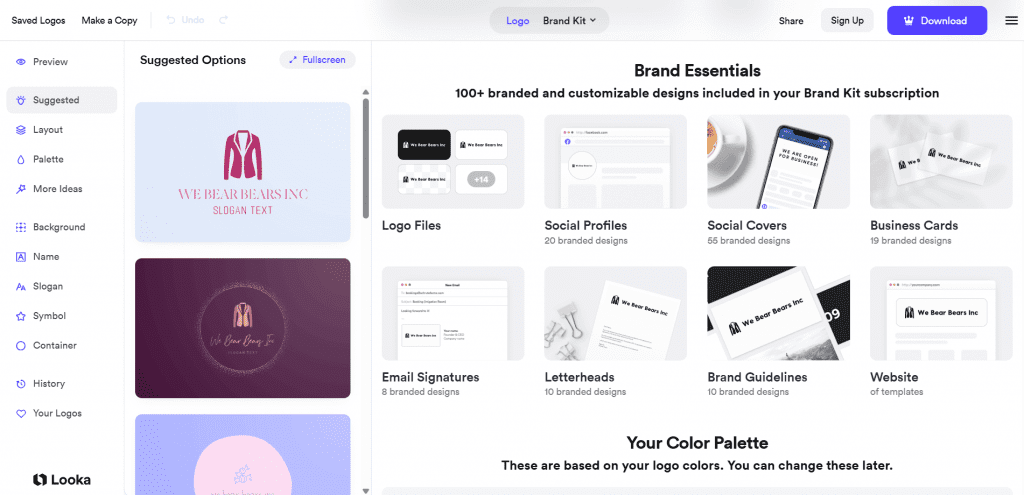
Looka is an AI-powered branding platform for quickly generating logos and complete brand kits. Unlike traditional design software, Looka simplifies the creative process by turning a few inputs about your business into ready-to-use branding assets.
Rather than treating logo design like a complex design game reserved for professionals, Looka makes it accessible for everyone through guided steps:
- Enter your brand name
- Select style preferences
- Choose colors
- The platform generates designs tailored to your inputs
The result is a streamlined way to create a visual identity without hiring a designer.
Key unique features
- An AI engine that generates logos based on your industry, style preferences, and color selections
- Automated brand kit creation, including fonts, color palettes, and marketing materials
- Editable logo variations that allow refinement without starting over
- Instant preview tools showing how logos appear on websites, business cards, and social media
- Downloadable brand assets suitable for digital and print use
Who it’s best for
- Startups launching a new brand with limited design resources
- Entrepreneurs who need to generate logos quickly
- Small business owners who want a complete brand kit in one place
- Non-designers seeking a structured, guided creative process
What users are saying
Users frequently mention that Looka makes it easy to generate logos quickly, even with little to no design experience. As one reviewer said, “Within minutes, and just typing in a few keywords, Looka generated hundreds of high-quality and beautiful logos for my company.”
Reviewers often highlight the clean interface and the customer service experience when they needed any assistance.
On the downside, some users report frustration with the platform’s interface, describing certain parts of the workflow as unintuitive or difficult to navigate. A few reviewers mention challenges when managing or refining designs, particularly when browsing and selecting fonts, which can feel time-consuming.
Others note confusion around file formats during checkout. Some users expected full vector files based on earlier messaging, but later realized that lower-tier purchases only included PNG files.
Overall, while Looka is praised for fast logo generation, some users feel the management and purchase experience could be more transparent and streamlined.
Pricing and plans
Looka offers two ways to purchase a logo: a one-time logo package download or an annual Brand Kit subscription that includes ongoing access to branded marketing assets and editing tools.
Plan | Cost/Term | Plan inclusions |
|---|---|---|
Brand Kit Subscription | $96/year (billed annually) | Unlimited logo changes, full ownership even after subscription ends, hi-res and vector logo files, over $3,000 in exclusive offers, social profiles, social posts, business cards, email signatures, letterheads, invoices, brand guidelines, 300+ ready-to-use branded assets |
Brand Kit Web Subscription | $129/year (billed annually) | Everything in Brand Kit Subscription plus a website (Brand Kit + AI-generated website) |
Basic Logo Package | $20 (one-time purchase) | One PNG logo file (one low-res file) |
Premium Logo Package | $65 (one-time purchase) | Multiple high-res file types (PNG, EPS, SVG, PDF), multiple color variations (including transparent backgrounds), unlimited post-purchase changes, full ownership, lifetime technical support |
Disclaimer: Pricing is accurate at the time of publication but may change without prior notice. Refer to Looka’s official website for the latest pricing details.
Designs.ai
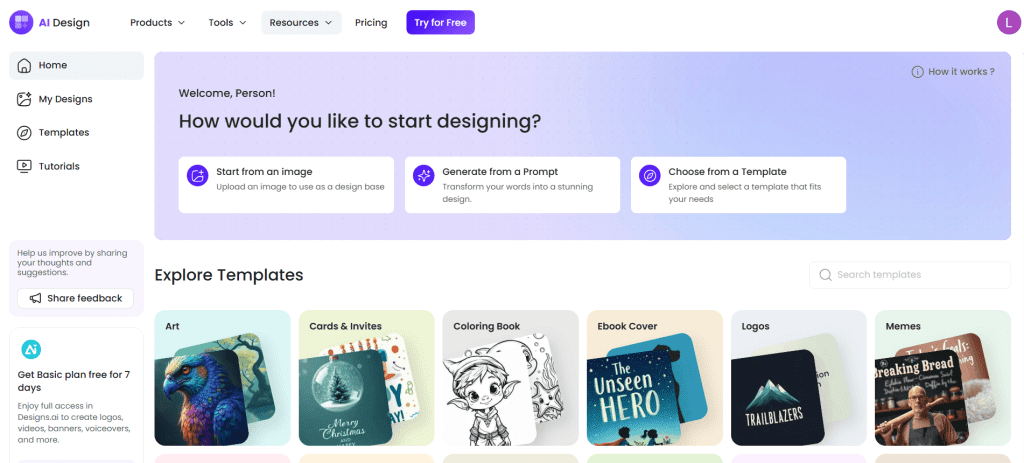
Designs.ai is an all-in-one AI design suite that automates branding, logo creation, video production, and more. Unlike tools that focus on a single output, Designs.ai combines logo generation, image creation, video editing, and brand tools into one ecosystem.
The platform positions itself as an all-in-one solution for entrepreneurs, marketers, and teams looking to manage multiple design projects without switching between tools. While it comes at a higher price point than some competitors, it offers a broader range of AI features beyond simple image generation.
Key unique features
- AI-powered suite that supports logo design, image generation, and video editing
- Integrated brand tools that centralize assets across design projects
- Automated content creation for marketing campaigns
- Text-to-image capabilities to generate images for digital use
- Voiceover and video creation tools for multimedia content
- Centralized dashboard for managing multiple creative assets
Who it’s best for
- Small to medium businesses running ongoing marketing campaigns
- Marketing teams that need both visual and video creation tools
- Entrepreneurs looking for an all-in-one AI-powered design platform
- Users who prefer a centralized creative process rather than separate tools
What users are saying
Users often appreciate the convenience of having multiple creative tools in one place. Many highlight that the ability to generate logos, videos, and other marketing materials from a single dashboard helps enhance the user experience.
“It’s a great tool for quick and easy design solutions, you can easily download your content and the user experience is good, beginners and experts can take advantage of the tools it provides,” notes one user.
Some reviewers mention that the higher price point may not suit newcomers or individuals who only need occasional design outputs.
Overall, users see Designs.ai as a comprehensive solution for businesses that prioritize efficiency and consolidation over minimal tooling.
Pricing and plans
Designs.ai offers three paid plans billed annually, with each tier increasing your monthly credits, user accounts, support level, and licensing coverage.
Plan | Cost/ Term | Plan inclusions |
|---|---|---|
Plus | $24.92/month (billed annually) | 2,500 credits per month, 2 user accounts, email and chat support, standard license, indemnity up to $5,000 |
Pro | $58.25/month (billed annually) | 10,000 credits per month, 5 user accounts, priority email and chat support, standard license, indemnity up to $5,000 |
Enterprise | $159.50/month (billed annually) | 25,000 credits per month, unlimited user accounts, 24/7 dedicated support, dedicated account manager, enterprise license, indemnity up to $25,000 |
Disclaimer: Pricing is accurate at the time of publication but may change without prior notice. Refer to Designs.ai’s official website for the latest pricing details.
Microsoft Designer
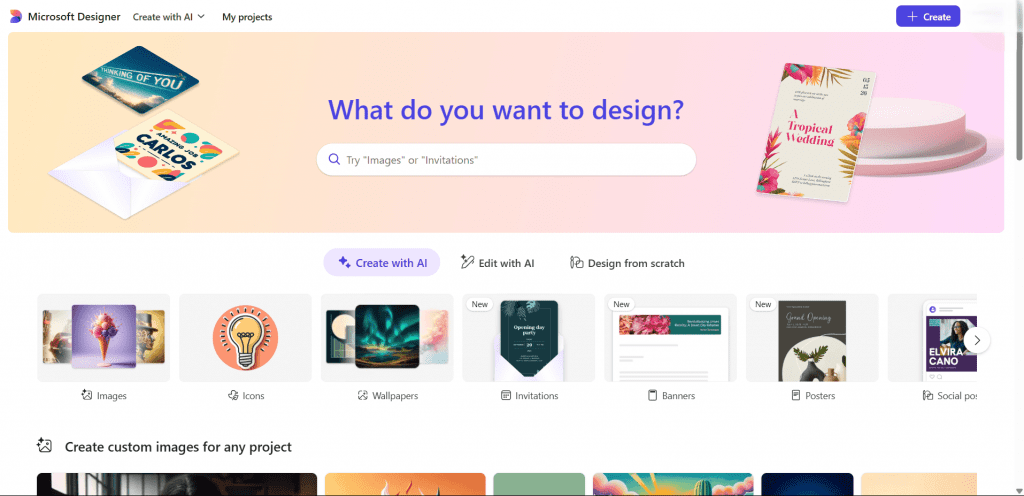
Microsoft Designer uses DALL·E-powered AI to help create stunning visual content from text prompts. Integrated with Microsoft 365 tools, which provide a comprehensive suite of productivity applications like Word, Excel, and PowerPoint, it’s perfect for users who need to quickly generate content such as images, icons, or wallpapers without the need for advanced design knowledge.
Key unique features
- AI-powered tools that generate images from text prompts
- Quick layout suggestions for social media and promotional materials
- Built-in templates for marketing, events, and business use
- Background removal and image editing features
- Integration with Microsoft products for smoother workflow continuity
Who it’s best for
- Small business owners who need quick marketing visuals
- Teams already using Microsoft products
- Non-designers looking for simple creative design tools
- Users who prioritize speed and ease over deep customization
What users are saying
Users often appreciate how easy it is to start creating designs without prior experience. Many mention that the text-to-image feature makes it simple to generate visuals for presentations and social media content. The straightforward layout and minimal setup are frequently cited as strong advantages.
“I value its natural UI, it permits me to effectively and proficiently plan manifestations like applications for my organization. Likewise, it incorporates well with other Microsoft Office items,” said one user in a G2 review.
On the downside, some users report that customization options are limited. One reviewer noted that “Customization is a bit limited compared to advanced design tools, and sometimes the AI needs a couple of tries to get the exact style right.”
Others note that while the AI performs well for basic marketing graphics, it may not deliver photo-realistic outputs compared to top-paid competitors.
Pricing and plans
Microsoft Designer operates on a freemium model—the core AI design experience is free, and additional capabilities are unlocked with a Microsoft 365 subscription. You don’t pay a separate Designer fee; instead, access and feature limits are tied to your Microsoft account and subscription status.
Plan | Cost/Term | Plan inclusions |
|---|---|---|
Free tier | $0 | Access to Designer’s web-based AI tools including templates, text-to-image generation, image editing (background removal, crop, resize), menus, invitations, and basic editing features with limited credits and exports |
Microsoft 365 Personal | $9.99/month | Includes Designer plus the full Microsoft 365 suite (Word, Excel, PowerPoint, Outlook, OneDrive, etc.), higher usage limits and deeper integration with other apps |
Microsoft 365 Family | $12.99/month or | Same as Personal but shared across multiple users, with broader access to Designer features and other M365 tools |
Microsoft 365 Premium | $19.99 | Includes Designer access for business users as part of broader Microsoft 365 business subscriptions |
Disclaimer: Pricing and features are accurate at the time of publication but may change without prior notice. Refer to Microsoft’s official website for the most up-to-date details.
Uizard
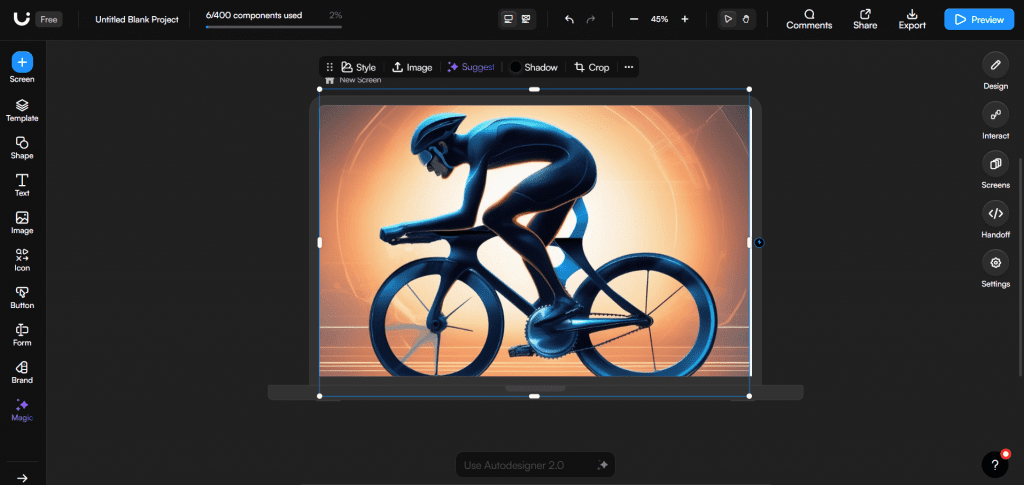
Uizard is an AI-powered design tool focused on UI and UX design. Unlike logo generators or social media design platforms, Uizard is built specifically for wireframing, app design, and product prototyping. It helps teams to quickly turn ideas into interactive mockups.
What sets Uizard apart is how it shortens the early stages of the design process. Instead of starting from a blank canvas, users can generate layouts from text prompts, screenshots, or hand-drawn sketches. For startups and product teams working on digital products, this makes it a practical tool for moving from concept to prototype faster.
Key unique features
- AI-powered wireframe generator that converts text prompts into editable UI layouts
- Screenshot-to-design functionality that transforms images into mockups
- Drag-and-drop editor built for rapid prototyping
- Pre-built UI components and templates for web and mobile apps
- Real-time collaboration tools for team-based projects
Who it’s best for
- Product teams developing web or mobile applications
- Startups building MVP prototypes
- UX designers testing layout ideas quickly
- Non-designers who need structured UI mockups for professional projects
What users are saying
Users often praise Uizard for speeding up early-stage product design. Many highlight how quickly they can turn ideas into functional prototypes without needing deep UI expertise. The AI-assisted wireframing is frequently described as helpful for brainstorming and rapid iteration.
Some users mention that while it’s excellent for prototyping, it may not fully replace advanced design software for high-fidelity, production-ready interfaces. One user commented that it’s “not a comprehensive tool like Figma” and “lacks the full range of features and functionalities needed for complete design projects.”
Overall, reviewers see Uizard as a strong tool for early creative projects
Pricing and plans
Uizard offers a free plan along with tiered paid subscriptions that expand collaboration features and AI usage limits.
Plan | Cost/Term | Plan inclusions |
|---|---|---|
Free | $0 | Limited projects, limited AI generations, basic templates, community access |
Pro | $12/month (billed annually) | Unlimited projects, increased AI generations, advanced templates, export options |
Business | $39/month (billed annually) | Everything in Pro plus team collaboration features, shared workspaces, and priority support |
Enterprise | Custom pricing | Advanced security, dedicated support, enterprise controls, and custom onboarding |
Disclaimer: Pricing is accurate at the time of publication but may change without prior notice. Refer to Uizard’s official website for the latest pricing details.
Frequently asked questions
Yes, for many businesses and creators, AI graphic design tools are worth the investment. They reduce time spent on repetitive tasks, speed up content production, and lower the cost of hiring external designers for basic assets. However, their value depends on your needs. They work well for frequent, repetitive marketing and branding tasks, but for complex or highly customized projects, professional designers may still be necessary.
No, AI design tools do not limit creativity, but they can influence how ideas are generated. These tools often offer ideas and suggestions that can spark inspiration. However, relying solely on automated outputs without customization may yield generic-looking results.
Yes, most modern AI tools include features that help maintain brand consistency. Many platforms offer brand kits, color palette controls, font management, and reusable templates. By setting clear brand guidelines and consistently applying these in your workflow, you can use AI-generated designs while preserving a cohesive visual identity.
No, graphic design is not dying because of AI. The technology is changing how designers work, but it is not replacing the need for creative thinking, strategy, or complex branding expertise. AI tools automate parts of the design process, but human designers remain essential for storytelling, brand development, and high-level creative direction.
In most cases, yes, but usage rights depend on the platform you use. Many AI tools offer commercial licenses for images generated within their systems, especially on paid plans. However, copyright laws surrounding AI-generated content are still evolving in some regions. It’s important to review each platform’s terms of service and licensing agreements before using AI-generated images for commercial purposes.
Why should you use AI tools for graphic design?
Artificial intelligence is rapidly reshaping creative industries. In fact, recent industry data indicates that about 70% of graphic designers incorporate AI into their monthly workflow, including ideation, image generation, and routine production work.
AI is no longer experimental. It’s rapidly becoming part of the modern design process.
AI design tools elevate the way you work, think, and create. From improving efficiency to maintaining consistency, here’s how AI tools support both professional designers and business owners:
- Speed up your workflow: AI handles repetitive tasks such as cropping, background removal, resizing, and image cleanup, helping you meet deadlines more efficiently.
- Jumpstart your creativity: AI tools can generate layouts and visuals from simple prompts, giving you a starting point when ideas feel stuck.
- Keep your branding consistent: AI-assisted suggestions help maintain cohesive color, font, and layout across platforms.
- Make design more accessible: AI allows users with minimal experience to create polished visuals without advanced technical skills.
- Gives you time to focus on strategy: By automating routine tasks, AI frees up time to concentrate on messaging, storytelling, and higher-level creative direction.
- Scale content production: AI tools make it easier to produce assets at volume without significantly increasing overhead costs.
How to choose the right AI design tool for your needs
With plenty of AI tools available, choosing the right one can feel overwhelming. The best option isn’t necessarily the most advanced or feature-heavy. It’s the one that fits your workflow, improves output quality, and saves meaningful time in your design process.
Here are key factors to consider before committing to a platform:
Define your primary use case
Different AI tools specialize in different outputs, from logo design to image editing and UI prototyping. Start by identifying the type of design work you produce most often and prioritize tools built for that purpose.
Match the tool to your skill level
Professional designers may prefer platforms with deeper customization and advanced AI features. Beginners or non-designers may benefit more from intuitive interfaces that guide the creative process without requiring technical expertise.
Evaluate output quality
Not all AI-generated visuals are equal. Review sample outputs and test the tool to determine whether the results meet your standards for design quality and brand presentation.
Consider time savings
The right AI tool should meaningfully reduce repetitive tasks such as resizing, background removal, or asset generation. If it doesn’t improve efficiency, it may not justify the investment.
Look for brand consistency features
If maintaining a cohesive identity is important, choose tools that allow you to store brand colors, fonts, logos, and templates for consistent application across projects.
Review licensing and commercial rights
Always check whether you retain ownership of AI-generated designs and whether you can legally use them for commercial purposes. Terms and usage rights vary between platforms.
Assess scalability
If you create content regularly or manage multiple platforms, select a tool that supports batch generation, easy resizing across formats, and collaborative workflows.
Test the user experience
A powerful platform loses value if it’s difficult to navigate. Take advantage of free trials or demo versions to confirm the interface aligns with your workflow.
Weigh cost against long-term value
Some AI tools offer generous free tiers, while others operate on subscription models. Instead of focusing only on price, consider how much time, effort, or outsourcing costs the tool could save over time.
What AI design tools can’t replace in the creative process?
AI is a powerful tool. It can generate impressive visuals, suggest layouts, and automate repetitive tasks. However, it does not understand nuance, emotion, or cultural context the way humans do. While AI can assist graphic designers, it cannot replicate their instinct for storytelling, strategic thinking, or audience insight.
When it comes to complex branding, AI lacks the ability to fully interpret a company’s history, values, or long-term vision. Strong branding requires intentional decisions about messaging and positioning—areas that still rely heavily on human judgment.
AI can accelerate production and support design quality at a technical level, but it cannot replace the creative direction behind meaningful work. It may help you design faster, but the vision and strategic intent that define impactful design still come from people.
Transform your creative journey with AI design tools
Design is no longer limited by time, budget, or technical barriers. AI design tools give you the ability to instantly test ideas and turn rough concepts into real assets. When used right, AI tools help you execute at a higher level without expanding your team.
This is your opportunity to work smarter. Experiment with the tools that align with your goals, and commit to the one that strengthens your workflow. The right platform will help you create visuals, launch campaigns faster, refine your brand with confidence, and scale your output without sacrificing quality.
If you’re building a website, choose a platform that integrates design tools directly into the experience. Network Solutions Website Builder combines professional templates with built-in AI capabilities so you can move from idea to launch without friction.
The tools are here. The technology is ready. The next move is yours.