Key takeaways:
- The best AI website builder helps small businesses launch a fully functional website without coding or design experience.
- AI site builders reduce setup time by generating layouts, design, and content in minutes.
- The right platform depends on your budget, customization needs, and tools like e-commerce or SEO.
Running a business, even small ones, is far from easy. It eats up your time and your mental bandwidth. Between customers, orders, and everything else on your list, the last thing you need is another project on your plate, especially one as intimidating as website building.
Let’s face it, unless you’re a designer, all that stuff about layouts, color schemes, and site structure just doesn’t make sense. It gets even more confusing when you start working on site content. In fact, 15% of small businesses don’t think they’re tech-savvy enough to build a website.
Good thing AI tools have become so popular that even non-technical users can now put together a beautiful, modern, and ready-to-go-live AI built website. But having more choices doesn’t always make things easier. You may need to pause for a moment, weigh your options, and ask yourself:
- Which one is actually easy to use?
- Which one gives you the best value?
- Which one works for your type of business?
That’s what we’ll break down in this guide.
We’ll walk through the best AI website builder options available today, including features, pricing, and what each platform does best. Whether you want a quick launch, a fully branded site, or even a free AI website builder to start with.
Here’s a quick snapshot before we go deep.
- Best overall: Network Solutions (a balanced all-in-one choice with AI setup, hosting, domain, SSL, and business tools built in).
- Best value: Hostinger AI Website Builder (one of the lowest starting prices with solid AI tools, hosting, and SEO features).
- Fastest simple site: Wix AI Website Builder (quick prompt-based setup that generates a ready-to-edit site in minutes).
- Best for designers: Framer AI (strong visual control, modern interactions, and clean code output).
- Best for e-commerce: Shopify Magic (built specifically for online stores with AI-assisted product and content tools).
- Best for marketing and branding: GoDaddy Airo (AI-powered domain, logo, SEO Wizard, and marketing features in one workflow).
How we developed this list
Finding the best AI website builder takes more than scanning a feature list. We wanted to understand how these platforms actually perform for real business owners.
So, we looked beyond marketing claims.
We evaluated each option based on reputation, overall value, and how well it supports small businesses. That includes ease of use, design quality, and the experience of building an AI-generated site.
We didn’t rely on a single source.
Instead, we reviewed feedback from everyday users across trusted platforms. We explored discussions, ratings, and reviews to see what people genuinely like and dislike about today’s AI site builders.
Our research included insights from Yelp, Sitejabber, Reddit, Quora, G2, Google Reviews, and the Better Business Bureau (BBB). This approach helped us identify consistent patterns, common complaints, standout strengths, and the platforms that deliver the best experience overall.
Disclaimer: This article is for informational purposes only. Pricing and specifications (where indicated) are current as of publication but may change. Please consult a product specialist for your specific use case.
Comparison of the best AI website builders in 2026 for businesses
Here are some of the best no-code AI website builders for small businesses and e-commerce sites:
- Network Solutions
- Wix Artificial Design Intelligence
- Go Daddy Airo
- Hostinger
- 10Web
- Squarespace Blueprint AI
- Framer AI
- Jimdo
- Shopify Magic
- IONOS
- Relume
Platform | Starting price | Key features | Best for |
|---|---|---|---|
Network Solutions | $4.99 per month (intro term) |
| Beginners wanting an all-in-one solution |
Wix ADI | $17 per month |
| Businesses who want design flexibility |
GoDaddy Airo | Included with domain (builder plans from $9.99 per month) |
| Quick website and branding setup |
Hostinger AI Builder | $1.99 per month (promo) |
| Budget-friendly AI site creation |
10Web AI Builder | $13 per month |
| WordPress users and agencies |
Squarespace Blueprint AI | $16 per month |
| Brand-focused businesses |
Framer AI |
|
| Designers and interactive sites |
Jimdo Dolphin |
|
| Simple business websites |
Shopify Magic | Included with Shopify plans (from $29 per month) |
| E-commerce businesses |
IONOS AI Builder | From $1 per month (intro offers) |
| Cost-conscious businesses |
Relume |
|
| Planning and structure-first workflows |
What to check before choosing an AI website builder
Before you commit, it helps to run through a few basics.
- Check if you can connect your own domain name.
- See whether hosting is included or billed separately.
- Confirm how long you can actually stay free on a free-trial basis.
- Check for extra costs, especially for apps, e-commerce tools, or email.
- Make sure you have editing freedom so you can tweak the design after the AI build.
- Verify that you have SEO tools to edit titles, descriptions, and URLs.
Spending a minute here can prevent bigger headaches down the road, so you might as well do it.
Free plans, trials, and hidden costs
Free sounds great, but it rarely means everything is included. Remember:
- Free plans have limits, so expect branding, storage caps, or feature restrictions.
- Trials expire, which means you may need to upgrade to keep your site live.
- Custom domains often cost extra, since many builders require a paid plan.
- Important features may be locked, especially e-commerce, SEO tools, or integrations.
- Add-ons increase your total spend, including apps, email, and premium templates.
So, be cautious and treat this as a reminder that upgrades are often part of the journey.
Find the perfect domain
Ready to register a domain name? Check domain availability and get started with Network Solutions today.
Network Solutions Website Builder

Network Solutions Website Builder is for business owners who don’t want to wrestle with web design. Just answer a few questions, and you’ll get a complete website ready to customize. Everything you need, like your domain, hosting, and security, is already set up together.
Key unique features
Here are some of the main tools Network Solutions Website Builder is built with:
- AI site creation that asks a few questions and generates a site based on your answers
- Drag-and-drop editor so you can easily tweak layouts and sections
- Customizable templates you can style to match your brand
- AI tools like an AI writer, logo builder, and domain name generator
- Built-in web hosting and SSL certificate so your site stays secure
- Professional email that matches your custom domain
- FREE tools including a Link in Bio page, Coming Soon Page, Customers App, Social App, and Marketing Calendar
Who it’s best for
- Small business owners who just want a finished site without dealing with technical setup
- Beginners who’d rather use an AI-powered website builder than figure everything out from scratch
- Anyone who needs a simple site with essentials like hosting, SSL, and email already included
- Users who like getting AI suggestions but still want to tweak the design themselves
- Businesses that prefer fewer apps, fewer moving parts, and more predictable pricing
What users are saying
User comments and reviews indicate that the Network Solutions Website Builder is beginner-friendly and easy to set up. It’s recommended for small businesses or simple e-commerce setups. Although it’s also worth noting that the platform might not be suitable for growing businesses looking for advanced capabilities.
As for the design quality, it’s praised for its available designs and how responsive they are, despite some users wanting more design flexibility and features.
Plus, many users highlight Network Solutions’ responsive customer support.
“My experience was very quick and good. They resolved my issue in less than 10 minutes. They set the standard and tone for business and customer service,” one customer review from Trust Pilot says.
Pricing and plans
Network Solutions has plans for whatever stage you’re at, whether you just need a basic website or you’re ready to sell online. Here’s what you can choose from:
Plan | Cost/term | Plan inclusions |
|---|---|---|
Website | $4.99 per month (1-year term) Renews at $15.99 per month |
|
Website + Marketing | $7.99 per month (1-year term) Renews at $20.99 per month |
|
E-commerce | $13.99 per month (1-year term) Renews at $28.99 per month |
|
Note: Pricing is current at the time of writing. Promotional rates and renewal prices may change. Please check Network Solutions for the latest details.
Wix Artificial Design Intelligence
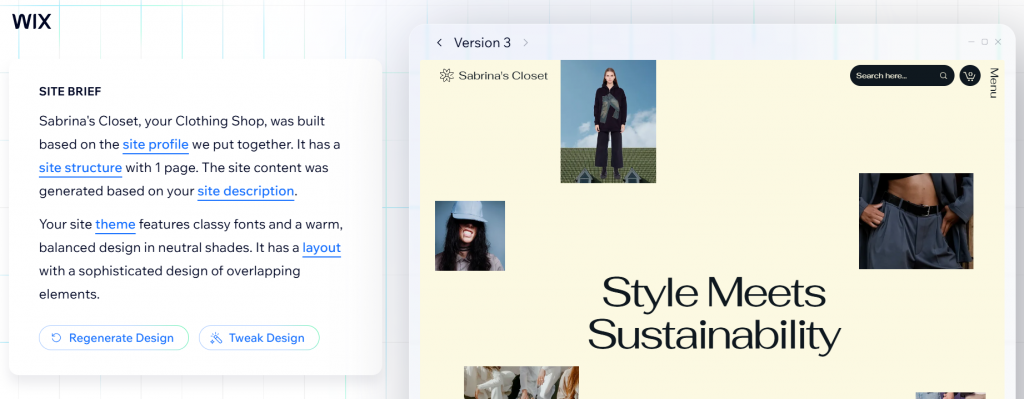
Wix’s AI Website Builder helps you launch a professional website by guiding you through a short chat-style setup. You also answer a few questions about your business here, and the builder generates a personalized site with suggested layouts, text, and design elements. After that, you can jump into Wix’s visual editor to fine-tune pages, adjust layout options, and customize everything based on your design preferences. You can start with Wix’s free website builder experience, then upgrade later if you want a custom domain, advanced features, or extra tools.
Key unique features
Here’s what the platform offers:
- AI-generated site creation that builds your website after a few simple questions
- Start for free with the AI builder before upgrading for a custom domain or extra features
- Smart suggestions for layout options, fonts, colors, and site structure
- A visual editor that lets you adjust and personalize every detail
- Built-in business solutions like scheduling, stores, and forms
- Extra AI tools for content, including text and image generation
- Full access to Wix’s drag-and-drop editor any time after setup
Who it’s best for
- People who want a full site fast without starting from scratch
- Beginners and non-technical users who want AI to handle the heavy lifting
- Small business owners who want flexible layout options without complex tools
- Users who like to fine-tune design details in a visual editor
- Anyone who wants to try a free AI website builder before upgrading
What users are saying
Based on aggregated reviews from multiple platforms, many business owners praise Wix’s design quality and responsive templates. They find the platform easy to use. Although some customers think that many of the useful features are locked behind higher-tier plans.
A G2 reviewer says, “It allows me to design, build, and launch websites quickly without sacrificing control. Wix Studio gives me strong design freedom, while Velo lets me add custom logic and advanced functionality when needed. I also appreciate how everything (hosting, security, payments, and CMS) is integrated in one place, which saves time and reduces complexity for both me and my clients.”
Pricing and plans
Wix offers different plans based on where you are in your journey. You can try the free version first, then upgrade when you’re ready for extra tools, storage, or smoother use of third-party apps.
Here’s what each plan gives you:
Plan | Cost/Term | Plan inclusions |
|---|---|---|
Light | $17 per month |
|
Core | $29 per month |
|
Business | $39 per month |
|
Business Elite | $159 per month |
|
Note: Pricing is current at the time of writing. Plans, features, and promotional offers may change. Please check Wix directly for the latest details.
GoDaddy Airo

GoDaddy’s Airo AI Website Builder is part of GoDaddy’s AI experience that starts when you register your domain. You tell it a bit about your business, and it can whip up a starter site (or even just a “coming soon” page) with layout, content, and branding suggestions already in place. On top of that, Airo can help you with things like a logo and domain ideas, and even AI-suggested marketing content like emails and social posts.
Key unique features
Here are the main AI tools and capabilities you get with GoDaddy Airo:
- AI domain search that suggests available business and domain names based on your idea
- AI logo generator that creates a custom logo you can adjust for branding
- AI-generated full site content including text and layout suggestions you can customize
- SEO Wizard that suggests keywords and optimization ideas to help your site get found
- Marketing tools, including email content, social media post suggestions, and a marketing calendar
- Customer insights dashboard to track site performance and audience behavior
- Support for additional business steps, including LLC registration guidance via partner services
Who it’s best for
- Business owners with no technical skills but who want a polished website quickly
- Users who want a head start from AI and the freedom to adjust later
- Beginners who want a single place for domain, branding, content, and basic marketing tools
- Owners who plan to grow over time and might upgrade to complex features or business tools
What users are saying
Most GoDaddy users praise the platform’s ease of use and strong customer support. A Capterra reviewer writes, “GoDaddy has the best customer service of them all and helped us set up our website, hosting, and domain. It is so easy to explain to others how to use it.”
However, some users find the builder limited in customization options and note that setting up payments for selling can be confusing, with the verification process being particularly difficult.
Pricing and plans
GoDaddy Airo is included when you register a domain, which means you can play around with the AI builder at no extra cost. If you decide to upgrade to the full website and premium tools, here are the plans to look at:
Plan | Cost/Term | Plan inclusions |
|---|---|---|
Basic | About $9.99 per month (first term) |
|
Premium | About $14.99 per month (first term) |
|
Commerce | About $20.99 per month (first term) |
|
Note: Pricing varies by billing cycle, region, and ongoing promos. Extra features such as professional email beyond initial offers and advanced marketing tools can add to your monthly cost. Check GoDaddy for current terms and pricing specific to your account.
Hostinger AI Website Builder
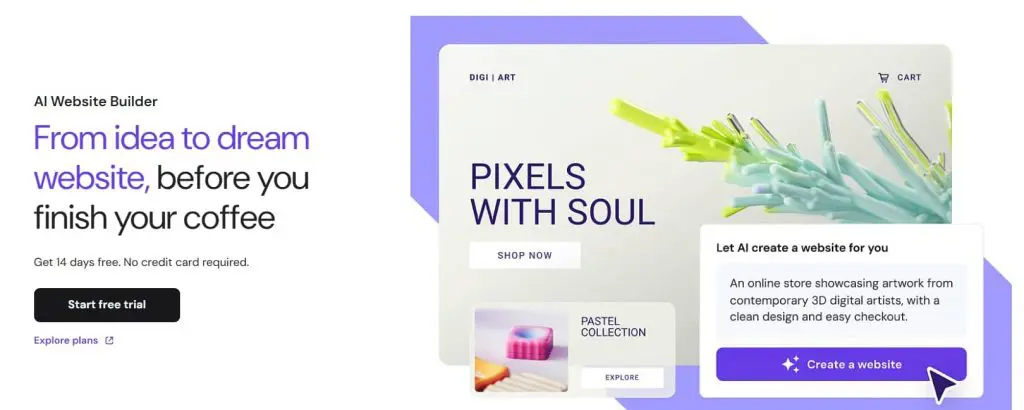
Hostinger is mostly known for their web hosting services, but they also have their own AI website builder. Their site builder’s unique strength lies in its strong AI analytics, which is great for businesses that prioritize content generation and data-driven optimization.
Key unique features
Here are the specific capabilities of Hostinger’s AI Website Builder:
- AI site generation that creates layouts and site content based on your description
- Drag-and-drop editor for adjusting pages and design elements
- AI writer for generating text, headlines, and AI-generated copy
- AI image generator for creating custom visuals
- AI logo maker for quick branding
- AI SEO assistant for basic optimization suggestions
- Mobile editing so you can update your site on the go
Who it’s best for
- Small business owners who want a polished website quickly
- Beginners who prefer AI that generates a ready-made layout
- Users who want a simple site with guided design support
- Entrepreneurs who want full control after the AI builds the first draft
- Business owners who don’t need highly complex features
What users are saying
Based on various online reviews, Hostinger’s Website Builder excels in its ease of use, customer support, and affordability. A particular feature that is frequently mentioned is the one-click installation.
On the flipside, some users have issues with pricing in terms of renewal and slow response time. Some also noted that advanced server configurations and integrations are limited.
A G2 review says, “Hostinger had things which I did not know even existing at a killer price. It was extremely easy to use, and their website builder was too good.”
Pricing and plans
Hostinger doesn’t overcomplicate pricing. The AI builder is bundled into their website builder plans, which means no separate AI fee. While there isn’t a forever-free version, you can still test the platform through a free trial. Here’s a quick look at the current pricing options.
Plan | Cost/Term | Plan inclusions |
|---|---|---|
Premium + AI |
|
|
Business + AI |
|
|
Cloud Startup + AI |
|
|
Note: These are promo rates shown on Hostinger’s pricing page. Actual renewal prices are higher after the initial term.
10Web’s AI Website Builder
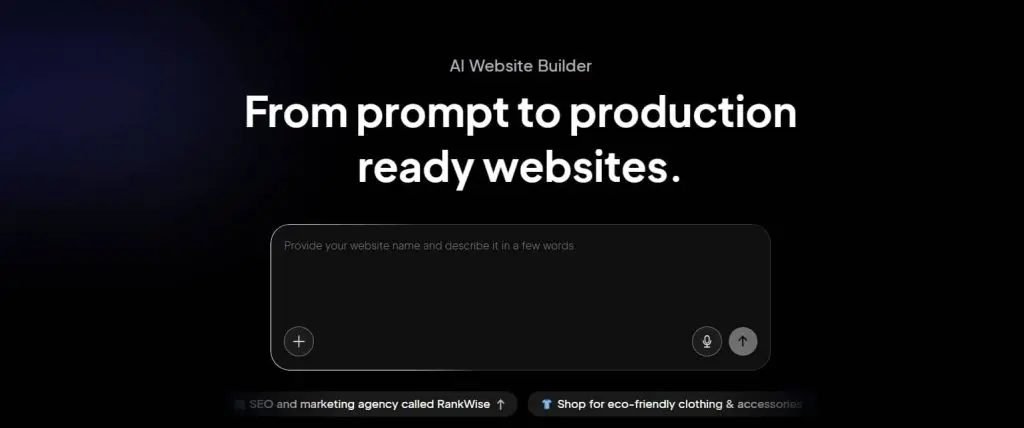
10Web is best known for bringing AI-powered automation into the WordPress world. One of its biggest wins? Solving a problem every WordPress user dreads: site migration. Instead of rebuilding everything from scratch, you just paste in a URL, and 10Web’s AI recreates your entire site in minutes. From there, you can tweak your design style, adjust layouts, and build out your brand story without starting over.
Key unique features
Here’s what you get with 10Web’s AI toolkit:
- AI website generation that builds a complete WordPress site from your description, with content, layouts, and structure all done for you
- AI Co-Pilot for chatting with the AI to quickly update text, images, or layout changes
- Drag-and-drop editor based on Elementor for deeper web design edits
- Recreate or migrate an existing site using just a URL
- SEO optimization tools and analytics for performance insights
- E-commerce support with WooCommerce so you can build online stores with checkout and product pages
- WordPress foundation that gives you access to plugins and design flexibility beyond basic builders
Who it’s best for
- Business owners who want a conversion-focused site without coding
- Users who plan to build multiple projects, including landing pages and full sites, from the same dashboard
- Owners who want more creative control over site design after AI builds the first draft
- WordPress users or agencies who need AI assistance but prefer full customization later
- Those who want a WordPress base with SEO and performance tools built in
What users are saying
User reviews positively described 10Web’s platform as easy to use and reliable.
A G2 review says, “The AI Website generator isn’t going to win you any awards, but right out of the box, it’ll give you a decent site. If you need to build complex web applications or include a lot of custom functionality, it’ll get more pricey, but for most small businesses or nonprofits, it creates an adequate web presence with very little effort.”
However, some users also think that the learning curve might be difficult. In fact, others think that the platform has more limited customization and is a bit expensive for small businesses. Others also thought the results often need refinements.
As one G2 review says “While the AI builder is powerful, the results often require manual refinement, especially for more custom or brand-specific designs.”
Pricing and plans
10Web’s pricing is simple and mostly billed annually. Plans bundle hosting, AI site creation, and Elementor editing tools. Most options include a free trial, so you can test things before committing.
Here’s a quick breakdown of what each plan offers:
Plan | Cost/Term | Plan inclusions |
|---|---|---|
AI Starter | $13 per month |
|
AI Premium | $18 per month |
|
AI Ultimate | $28 per month |
|
Note: Pricing is current at the time of writing. Promotional rates, features, and renewal pricing may change. Please check 10Web directly for the latest details.
Squarespace AI Website Builder
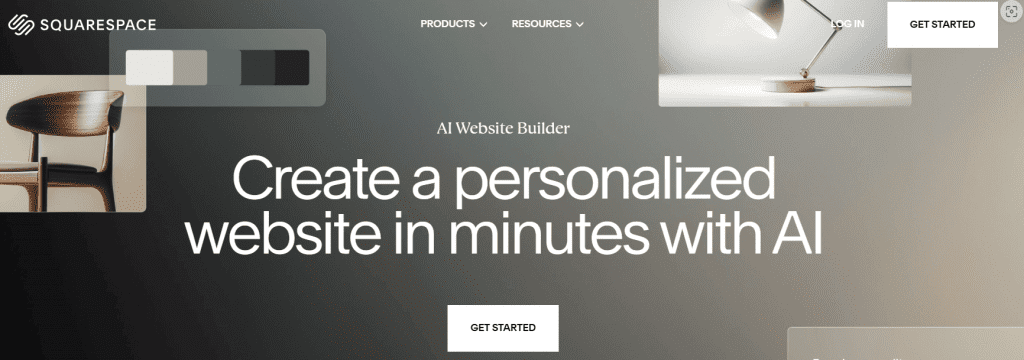
Squarespace’s Blueprint AI Website Builder uses artificial intelligence to guide you through setup instead of throwing you into a blank canvas. You answer a few smart prompts, and the AI suggests layouts, styling, and content that match your business. It’s a strong fit for brands that want something polished without relying on cookie-cutter templates.
Key unique features
Here’s what Squarespace’s AI Website Builder includes:
- AI-generated website suggestions based on your business and goals, from pages to branding content
- Personalized design recommendations so your site matches your brand identity and style
- High-quality images and AI-generated copy created as part of the draft site
- A guided experience with detailed prompt responses instead of forcing choices from templates
- Full access to Squarespace’s Fluid Engine editor so you can customize layout options and design details
- Built-in SEO and analytics tools to support site performance
- Access to Squarespace’s drag-and-drop interface for fine-tuning style and structure
Who it’s best for
- Small business owners who want a polished website quickly without starting from scratch
- Users who prefer AI that helps shape their site early but still gives creative control afterward
- Brand builders who want initial suggestions that reflect their identity, not generic layouts
- Users who like built-in design guidance rather than manually picking and customizing every block
- Those who want both AI help and access to Squarespace’s full editing and marketing features
What users are saying
Most users think of Squarespace’s Blueprint AI site builder as intuitive. They think it’s easy to use and has plenty of customizable templates. Many users also positively mentioned the platform’s no-coding benefit.
A user says on G2, “It is easy to customize my website, and the many features help make it unique. They offer email campaigns, which I use and like a lot, too.”
On the other hand, a few users think the design process can be difficult because of the limited customization options. Especially the platform’s limitation with photos and video integration and its lack of option for using animation or effects.
Pricing and plans
Squarespace’s Blueprint AI Builder is included as part of every Squarespace website plan. You can start building with AI while using the platform’s 14-day free trial and then select a plan that matches your goals.
Here’s a complete list of the paid plans in annual payment terms:
Plan | Cost/Term (billed annually) | Plan inclusions |
|---|---|---|
Basic | $16 per month |
|
Core | $23 per month |
|
Plus | $39 per month |
|
Advanced | $99 per month |
|
Note: Prices shown here are current now but subject to change. It’s best to confirm with Squarespace before committing.
Framer AI Website Builder
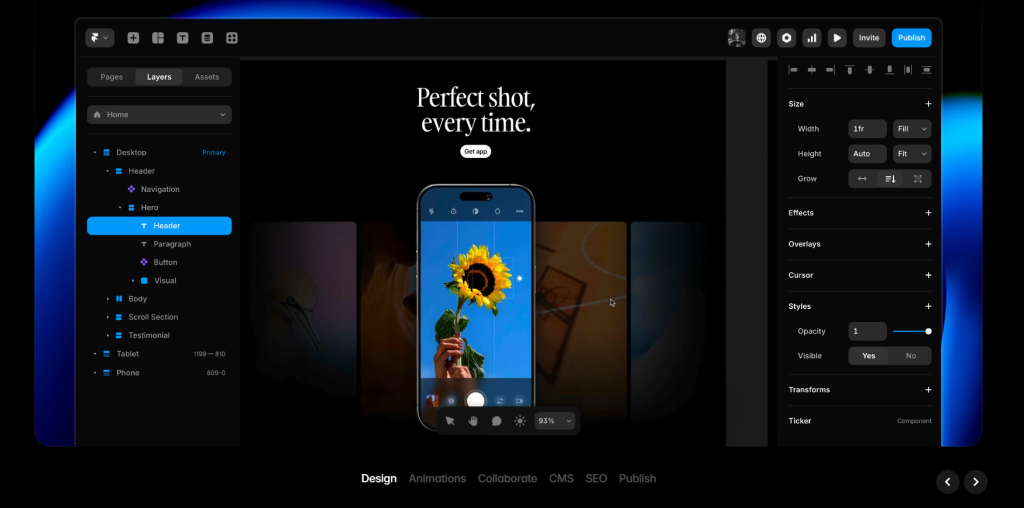
Framer is a design-first AI website builder that blends powerful visual editing with modern publishing tools. You can start with a simple prompt to generate layouts and components, then customize everything with the built-in editor, including typography, animations, and responsive layouts, without needing to write code. Framer also lets you manage content, optimize for performance, and build landing pages or full sites with clean, efficient code that’s ready to scale as your business grows.
Key unique features
Here are some of the standout capabilities Framer offers:
- AI-assisted site creation where you generate layouts, pages, or sections from natural language prompts
- Visual drag-and-drop editor with interactive design tools for full creative control
- AI Translate and AI Style tools to localize content and keep your brand tone consistent
- Text rewrite and refinement to polish your copy and match your brand voice
- Built-in CMS and hosting so you can publish professional sites without extra infrastructure
- Responsive design and advanced interactions that help you move beyond cookie-cutter templates
Who it’s best for
- Designers, freelancers, and solopreneurs who want a conversion-focused site with refined visuals
- Small business owners and marketing agency teams who need both design freedom and structural tools
- Users who like starting with AI but want creative control during final design
- Anyone who values clean code output and a platform that scales beyond simple landing pages
- Teams that work on multiple projects and need collaboration and content tools
What users are saying
Framer users appreciate the platform’s clean interface, which makes setting up modern websites quick and easy. They also think the website builder gives them enough design freedom and flexibility.
“Framer gives me the perfect blend of design freedom and development power. I can build fully responsive, interactive websites without touching a single line of backend code. The speed, flexibility, and clean UI make it ideal for delivering high-converting websites fast.” A Framer user says via G2
Although they also mention that it can be expensive to set up multilingual websites and add extra features. Some also note performance issues in terms of loading speed and responsiveness.
“They have changed the localization policies, and now it is very expensive to have websites in multiple languages. You can have them, but with a workaround and making some technical adjustments so SEO doesn’t get damaged,” one user via G2 says.
Pricing and plans
Framer lets you design and prototype for free, and you only pay when you’re ready to publish on a custom domain or unlock advanced features. The Free plan includes unlimited projects, pages, and editors. Your live site will use a Framer subdomain until you upgrade.
Plan | Cost/Term | Plan inclusions |
|---|---|---|
Free | $0 per month |
|
Basic | $10 per month |
|
Pro | $30 per month |
|
Scale | $100 per month |
|
Note: Pricing reflects entry tiers and typical plans. The exact costs may vary based on billing cycle, workspace size, custom limits, and add-ons such as additional editors or locales.
Jimdo Dolphin AI Website Builder
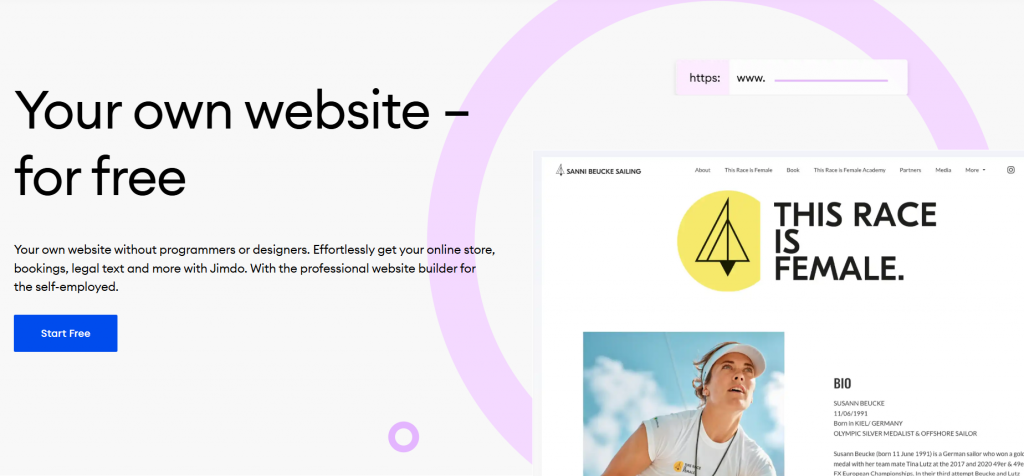
Jimdo is known as one of the longest-running AI website builders designed for small businesses. It combines a simple drag-and-drop editor with an array of customizable AI-generated templates. Jimdo more effectively solves the problem for small business owners who need to create a professional and good-looking site quickly and easily.
Key unique features
Here’s what Jimdo’s AI builder brings to the table:
- AI-powered site suggestions that generate your layout and content from a quick set of questions
- Drag-and-drop editor that’s beginner-friendly and doesn’t require custom coding
- Built-in SEO tools that make it easier for people to find you online
- E-commerce support so you can sell products without paying transaction fees
- Mobile-optimized designs that automatically adapt to phones and tablets
Who it’s best for
- Business owners, solopreneurs, and freelancers who want to launch a real website quickly.
- Users who prefer the convenience of the same prompt-based setup, rather than configuring every detail manually
- Small brands that need a simple online presence without a heavy learning curve
- Creators who want SEO and e-commerce tools included right in their plan
What users are saying
User opinions on Jimdo are mixed when it comes to the website builder, service, and customer service quality. On the positive side, many users praise the platform’s ease of use and personalized customer assistance.
A TrustPilot review says, “Jimdo has been an absolute game-changer for managing my websites. Their platform is intuitive, even for someone who isn’t a tech expert. I appreciate how easy it is to customize the layout, add content, and maintain a professional look without spending hours on it.”
However, some users point out that the number of available templates is limited and basic.
As a user from G2 says, “The number of templates available is limited, and the customization options for these templates are quite basic. This made it difficult for me to create a unique website that stood out from my competitors.”
Pricing and plans
Jimdo has a free plan you can use to try things out and publish on a Jimdo subdomain. When you’re ready to go professional with a custom domain, more pages, and better support, you can upgrade to paid plans.
Here’s the pricing list for online stores on a 12-month contract basis:
Plan | Cost/Term | Plan inclusions |
|---|---|---|
Free | $0 per month |
|
Start | About $11 per month |
|
Grow | About $17 per month |
|
Unlimited | About $45 per month |
|
Note: Not all regions show exactly the same price tags, and Jimdo changes plans from time to time. So, check the live pricing page for your location.
Shopify Magic

Shopify Magic isn’t a standalone website builder. It’s Shopify’s built-in AI assistant that helps you create content, edit images, and manage store tasks inside your Shopify dashboard. Instead of generating a full site from a prompt, it supports your existing store by speeding up product descriptions, emails, and other everyday updates.
Key unique features
Here’s what Shopify Magic helps you with:
- AI-generated product descriptions based on your inputs
- Text generation tools for emails, blog posts, and marketing copy
- AI image editing for background removal and enhancements
- Shopify Sidekick for AI-powered assistance and guidance
- FAQ and content suggestions to improve store pages
- Built-in workflow support directly inside Shopify Admin
Who it’s best for
- Store owners already using Shopify
- E-commerce businesses that update products often
- Beginners who want help writing content
- Teams that want faster marketing and product copy
- Merchants who prefer AI assistance without switching platforms
What users are saying
Many Shopify users appreciate the platform’s modern and mobile-friendly templates that are easy to modify using the intuitive AI site builder. They also commend the responsive customer service and affordable pricing for its features.
On the other hand, there are some users who think that the templates look and feel outdated. Some also note that the platform lacks advanced tools fit for growing businesses.
Pricing and plans
Shopify Magic is free for all Shopify users with all plans, but the special features may vary. Here’s a complete list of Shopify’s subscription plans (billed annually):
Plan | Cost/Term | Plan inclusions |
|---|---|---|
Basic | $29 per month |
|
Shopify | $79–$105 per month |
|
Advanced | Up to $399 per month |
|
Note: Pricing is current at the time of writing but can change without prior notice. Please check Shopify directly for the latest details and plan inclusions.
IONOS AI Website Builder
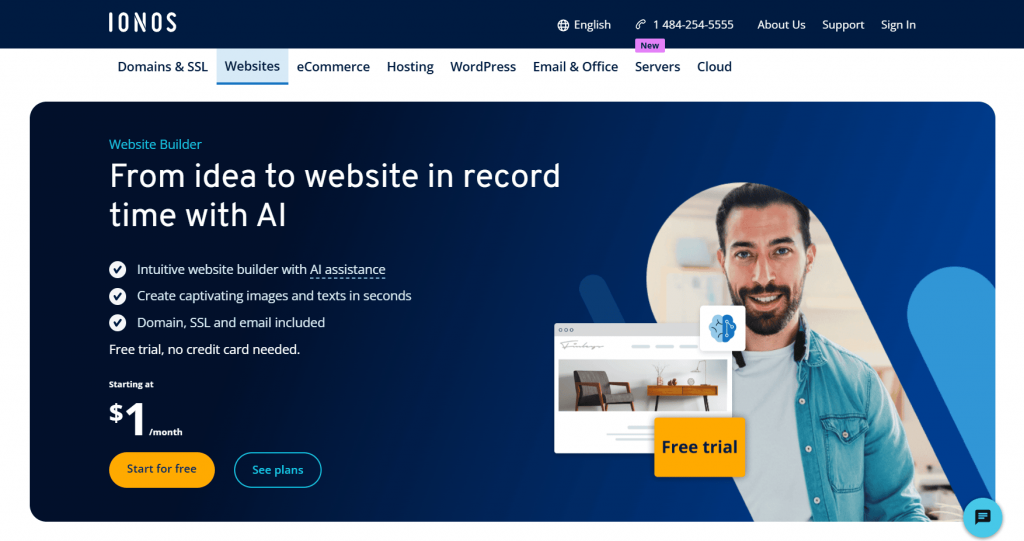
IONOS is a popular AI website builder for businesses that want a polished, professional online presence. It’s designed for brands that prefer a more formal look and structured layouts. The platform also supports SEO-friendly pages and gives you access to a code editor if you want deeper customization.
Key unique features
Here are the main tools and capabilities inside IONOS’s AI Website Builder:
- AI text generator that writes website copy, product descriptions, and more based on your topics and keywords
- AI text improver that refines existing content, so it reads better and stays consistent
- AI SEO text generator to help make your site more visible in search results
- AI section generator for pre-designed content blocks like About or Contact pages
- AI image generator that creates visuals based on your descriptions instead of stock photos
- AI color palette generator to keep your brand colors consistent across pages
Who it’s best for
- Small business owners who want an easy, affordable way to create a professional website
- Users who want SEO-friendly pages without writing all the content themselves
- Creators who prefer a visual editor instead of diving into code
- Anyone who likes a simple step-by-step setup with helpful suggestions
What users are saying
IONOS users positively highlight the platform’s very affordable pricing and cost-effectiveness. They also note that its interface is very user-friendly.
On the other hand, some users also pointed out frequent connection issues, downtimes, and outdated interfaces.
Pricing and plans
IONOS’s AI Website Builder is available as part of their website plans, so you don’t need to pay separately for the AI tools themselves. Here’s a snapshot of the official pricing when billed on a 12-month term:
Plan | Cost/Term | Plan inclusions |
|---|---|---|
Starter | $6 per month |
|
Plus | $1 per month (intro offer) |
|
Pro | $17 per month | All Plus features plus 50 GB inbox with active sync
|
Note: Pricing is current at the time of writing but can change without prior notice. Please check with IONOS directly for the most accurate and up-to-date details.
Relume AI Website Builder

Relume is built for the planning stage of web design. Instead of jumping straight into visuals, it helps you map out your site’s structure first. It’s a favorite among designers and teams who want a clear layout before opening their visual editor.
Key unique features
Here’s what you can do with Relume’s AI-powered tools:
- AI-generated sitemaps that quickly turn a short brief into a full website structure
- Wireframe generator that creates ready-to-edit page layouts
- Component library filled with pre-made, human-designed sections
- Figma, Webflow, and React integration for smooth code export and handoff
- Style guides to keep typography, spacing, and design consistent
- Collaboration tools for sharing, commenting, and team workflows
Who it’s best for
- Designers who want to plan layouts before designing
- Freelancers handling multiple client projects
- Teams and a marketing agency working on structured site builds
- Users who prefer wireframes over starting from a blank canvas
What users are saying
Most Relume users think the platform is easy to use and works well in multiple screen sizes (mobile, desktop, and tablet). They also praised the wireframe creation feature, which helps non-visual people plan a website before going to the design aspect.
However, some users say that the platform’s AI output is often generic and requires a very precise prompt to generate a unique design.
Pricing and plans
Relume’s site builder’s pricing plans are straightforward and tiered according to the number of pages and projects users might need. They also offer a free plan but with limited features and capabilities.
Here’s a complete list of their paid plans:
Plan | Cost/Term | Plan inclusions |
|---|---|---|
Free | $0 per month (per user) |
|
Starter | $18 per month (per user) |
|
Pro | $40 per month (per user) |
|
Team | $36 per month (per user, min 3 users) |
|
Note: Prices shown here are current as of writing but subject to change. Double-check with Relume before signing up.
How to create a website with AI in four simple steps
Most AI website builders follow a similar flow. You answer a few questions, the AI creates a draft, and you adjust things before going live. Here’s what the process usually looks like:
- Start with a goal
- Share your brief
- Refine the design
- Publish your website
1. Start with a goal
You begin by telling the AI what you want to build.
- Type of website (business site, portfolio, online store)
- Industry or niche
- Website name or brand
This gives the AI a clear direction before it starts generating anything.
2. Share your brief
Next, you describe your needs.
- What your business does
- Your target audience
- Preferred style or mood
- Key pages (Home, About, Services, Shop)
This acts like a mini questionnaire. So, be sure to give the best answers for a better first draft.
3. Refine the design
Once the AI generates your site, you step in.
- Adjust layouts and sections
- Change colors, fonts, and images
- Edit text and headlines
- Add or remove features
This is where you fine-tune the website, so it matches your brand and design preferences.
4. Publish your website
When everything looks right, you go live. By then, you can:
- Connect your domain
- Preview desktop and mobile views
- Hit publish
Your AI-generated website is now accessible to visitors.
With this flow, you can skip the whole “staring at a blank screen wondering what to do” thing and instead, start with something already built. And that’s way easier, especially if you’re doing this for the first time.
Frequently asked questions
Yes. Many AI website builders offer a free plan, usually with limits like a subdomain, ads, or capped features. These plans work well for testing ideas or creating a simple site before upgrading.
ChatGPT cannot publish or host a website on its own. It can help you plan pages, write code, and support content generation. You still need a website builder or hosting platform to launch your site, especially if you want to build a website with ChatGPT.
Yes. AI website builders work well for simple sites, tight budgets, and fast launches.
For custom design, complex features, or a strong brand identity, hiring a professional web designer is still a smart choice.
Look for context-aware AI generation, an intuitive drag-and-drop editor, and automatic mobile responsiveness so you can build and adjust your site quickly. The best AI website builders should also include strong SEO tools, plus built-in content and image generation.
The best AI website builder typically costs between $12 and $50 per month, depending on features and plan level. Many small business plans fall in the $15 to $30 per month range, while advanced e-commerce or pro plans cost more.
Start building your website with AI
Not all AI website builders are built for the same type of user. Wix and Squarespace lean toward design flexibility. Shopify Magic fits e-commerce-focused businesses. Framer and Relume work well for users who want more advanced control and planning features.
For small businesses that want a balance of simplicity, essential tools, and affordability, Network Solutions checks those boxes. It covers what most people care about: easy to navigate, solid features, and good value. Plus, every domain comes with FREE tools now, including a Link in Bio page, Coming Soon Page, Customers App, Social App, and Marketing Calendar.
So, if you’re ready to launch your site, try our Website Builder and start building today!