Key takeaways:
- The best AI website builder helps small businesses launch a fully functional website without coding or design experience.
- AI website builders can reduce setup time by generating layouts, design suggestions, images, and draft content in just a few minutes.
- The right platform depends on your budget, preferred AI features, customization needs, and tools like e-commerce or SEO.
Running a business, even small ones, is far from easy. It eats up your time and your mental bandwidth. Between customers, orders, and everything else on your list, the last thing you need is another project on your plate, especially one as intimidating as building websites.
Let’s face it, unless you’re a designer, all that stuff about layouts, color schemes, and site structure just doesn’t make sense. It gets even more confusing when you start working on site content. In fact, 42% of small business owners say they’re not at all familiar with AI technologies for business.
And that’s where AI website builders can come in handy. They can give you a starting design, help with your content, and get the basic pieces of your site in place. You still have choices to make, though, so it helps to ask yourself:
- Which one is actually easy to use?
- Which one gives you the best value?
- Which one works for your type of business?
We’ll cover all of that in this guide.
Let’s break down the best AI website builder options available today, including features, pricing, and what each platform does best, whether you want a quick launch, a fully branded site, or even a free AI website builder to start with.
How we developed this list
Finding the best AI website builder takes more than scanning a feature list. We wanted to understand how these platforms actually perform for real business owners.
So, we looked beyond marketing claims.
We evaluated each option based on reputation, overall value, and how well it supports small businesses, helping us identify the best AI tools for different needs. That includes ease of use, design quality, and the experience of building an AI-generated site.
We didn’t rely on a single source.
Instead, we reviewed feedback from everyday users across trusted platforms. We explored discussions, ratings, and reviews to see what people genuinely like and dislike about today’s AI site builders.
Our research included insights from Yelp, Sitejabber, Reddit, Quora, G2, Google Reviews, and the Better Business Bureau (BBB). This approach helped us identify consistent patterns, common complaints, standout strengths, and the platforms that deliver the best experience overall.
Disclaimer: This article is for informational purposes only. Listed third-party prices (or pricing estimates), product specifications and package inclusions may change without prior notice. Terms and conditions may apply per brand/provider. Please check with them directly for real-time information.
Stop staring at the blank page. Start building.
Let Network Solutions create your starting point, then customize your site and get your business online with the tools you need.

The top AI site builders in 2026 compared: At a glance
Here are some of the best no-code AI website builders for small businesses and e-commerce sites:
- Network Solutions Website Builder
- Wix AI Website Builder
- GoDaddy Airo
- Hostinger
- 10Web
- Squarespace Blueprint AI
- Framer AI
- Jimdo
- Shopify Magic
- IONOS
- Relume
Platform | Starting price | Key features | Best for |
|---|---|---|---|
Network Solutions Website Builder | $4.99 per month (intro term) |
| Beginners who want an all-in-one solution |
Wix AI Website Builder (powered by Wix Harmony and Aria) | $17 per month |
| Businesses who want design flexibility |
GoDaddy Airo AI Builder | Free; paid plans from $9.99 per month |
| Small businesses that want to build and launch quickly |
Hostinger AI Website Builder | $2.99 per month |
| Budget-friendly AI site creation |
10Web AI Website Builder | $10 per month |
| WordPress users and businesses that want AI plus customization |
Squarespace Blueprint AI | $19 per month |
| Brand-focused businesses |
Framer AI | Free; paid plans from $10/month |
| Designers and interactive sites |
Jimdo AI Website Builder | Free; paid plans vary by plan and billing term |
| Simple business websites |
Shopify Magic | Included with Shopify plans (from $29 per month billed yearly) |
| E-commerce businesses |
IONOS AI Website Builder | $1 per month with a 1-year term |
| Beginners and small businesses |
Relume | Free; paid plans start from $18 per month |
| Designers and teams planning websites |
Network Solutions Website Builder
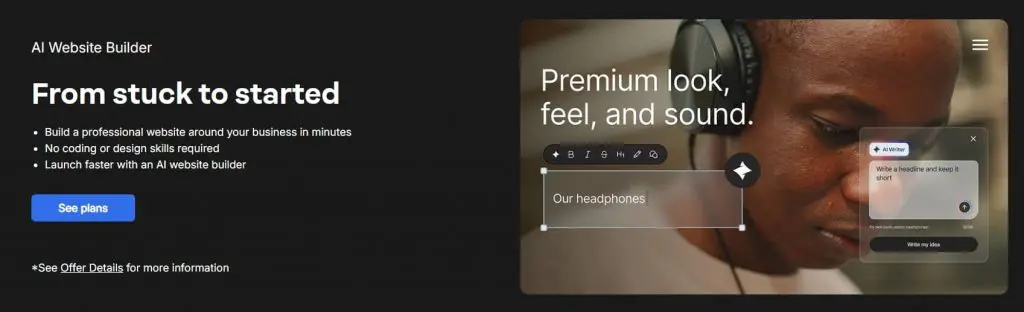
Network Solutions Website Builder is for business owners who don’t want to wrestle with web design. Just answer a few questions, and you’ll get a complete website ready to customize. Everything you need, like your domain, hosting, and security, is already set up together.
Key unique features
Here are some of the main tools Network Solutions Website Builder is built with:
- AI site creation that asks a few questions and generates a site based on your answers
- Drag-and-drop editor so you can easily tweak layouts and sections
- Customizable templates you can style to match your brand
- AI tools like an AI writer, logo builder, and domain name generator
- Built-in hosting and an SSL certificate to enable an encrypted HTTPS connection
- Professional email free for the first three months, subject to current offer terms
- FREE tools including a Link in Bio page, Coming Soon Page, Customers App, Social App, and Marketing Calendar
Who it’s best for
- Small business owners who just want a finished site without dealing with technical setup
- Beginners who’d rather use an AI-powered website builder than figure everything out from scratch
- Anyone who needs a simple site with essentials like hosting, SSL, and email already included
- Users who like getting AI suggestions but still want to tweak the design themselves
- Businesses that prefer fewer apps, fewer moving parts, and more predictable pricing
What users are saying
User comments and reviews indicate that the Network Solutions Website Builder is beginner-friendly and easy to set up. It’s recommended for small businesses or simple e-commerce setups. Although it’s also worth noting that the platform might not be suitable for growing businesses looking for advanced capabilities.
As for the design quality, it’s praised for its available designs and how responsive they are, despite some users wanting more design flexibility and features.
Plus, many users highlight Network Solutions’ responsive customer support.
“My experience was very quick and good. They resolved my issue in less than 10 minutes. They set the standard and tone for business and customer service,” one customer review from Trustpilot says.
Pricing and plans
Network Solutions has plans for whatever stage you’re at, whether you just need a basic website or you’re ready to sell online. Here’s what you can choose from:
Plan | Cost/Term | Plan inclusions |
|---|---|---|
Website |
|
|
Website + Marketing |
|
|
E-commerce |
|
|
Wix AI Website Builder

Wix’s AI Website Builder helps you create a professional business site by describing what you want in natural language. Its AI agent, Aria, can generate your site layout and help refine the content and design, while Wix Harmony gives you precise drag-and-drop control when you want to make changes yourself.
Key unique features
Here’s what the platform offers:
- AI site creation based on your business, goals, style, and preferred features
- Aria AI agent that helps create, edit, and refine your site
- Drag-and-drop editing for detailed design changes
- AI Element Generator for creating custom site elements
- AI tools for text, images, sections, and meta tags
- Built-in business tools for scheduling, stores, forms, and more
- SEO tools including an SEO Assistant and structured data support
Who it’s best for
- People who want a full website fast without starting from scratch
- Beginners and non-technical users who want AI to handle the heavy lifting
- Small business owners who want flexible layout options without complex tools
- Users who like to fine-tune design details in a visual editor
- Anyone who wants to try a free AI website builder before upgrading
What users are saying
Based on aggregated reviews from multiple platforms, many business owners praise Wix’s design quality and responsive templates. They find the platform easy to use. Although some customers think that many of the useful features are locked behind higher-tier plans.
A G2 reviewer says, “It allows me to design, build, and launch websites quickly without sacrificing control. Wix Studio gives me strong design freedom, while Velo lets me add custom logic and advanced functionality when needed. I also appreciate how everything (hosting, security, payments, and CMS) is integrated in one place, which saves time and reduces complexity for both me and my clients.”
Pricing and plans
Wix offers different plans based on where you are in your journey. You can try the free version first, then upgrade when you’re ready for extra tools, storage, or smoother use of third-party apps.
Here’s what each plan gives you:
Plan | Cost/Term | Plan inclusions |
|---|---|---|
Free | $0 per month |
|
Light | $17 per month |
|
Core | $29 per month |
|
Business | $39 per month |
|
Business Elite | $159 per month |
|
GoDaddy Airo AI builder

GoDaddy’s Airo AI Builder turns a simple conversation into a website, web app, online store, or other custom tool. Describe what you want, and the builder generates pages, sections, starter copy, and images that you can refine yourself or with AI.
Key unique features
Here are the main AI tools and capabilities you get with GoDaddy Airo AI builder:
- Conversational AI builder that turns prompts into websites, web apps, stores, and custom tools
- AI-generated pages, sections, copy, and images to give you a starting point quickly
- AI-assisted editing for refining layouts, tone, and visuals
- Built-in backend capabilities for databases, users, and app logic
- Hosting, SSL, forms, and analytics included for publishing
- Code download so you can take your generated code with you
- Custom domain support for published projects
- AI credits that power generation and other building tasks
Who it’s best for
- Small business owners who want to get online without coding
- Beginners who want AI to handle the initial build
- Businesses that need more than a basic website, such as booking systems or online stores
- Creators who want to customize the design and content after AI generates the first version
- Users who want the option to view or edit the generated code later
Not sure between GoDaddy and Network Solutions? This GoDaddy vs. Network Solutions comparison breaks down the differences in pricing, website builders, domains, hosting, and support.
What users are saying
Most GoDaddy users praise the platform’s ease of use and strong customer support. A Capterra reviewer writes, “GoDaddy has the best customer service of them all and helped us set up our website, hosting, and domain. It is so easy to explain to others how to use it.”
However, some users find the builder limited in customization options and note that setting up payments for selling can be confusing, with the verification process being particularly difficult.
Pricing and plans
GoDaddy Airo has a free plan, while paid plans add more AI credits and features for building and publishing sites and apps. AI credits reset each billing cycle and don’t roll over. Here are the plans to look at:
Plan | Cost/Term | Plan inclusions |
|---|---|---|
Free | $0 per month |
|
Starter | $9.99 per month (billed annually) |
|
Professional | $24.99 per month (billed annually) |
|
Ultimate | $99.99 per month (billed annually) |
|
Hostinger AI Website Builder
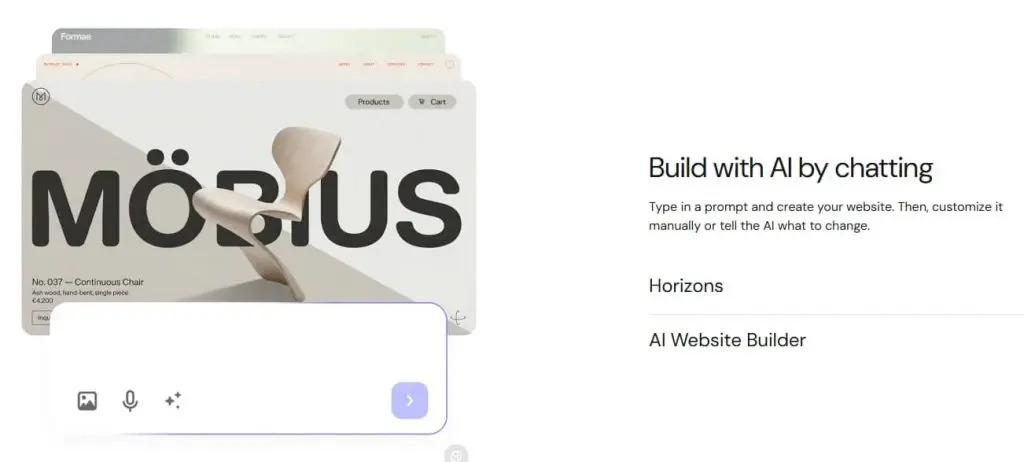
Hostinger is best known for web hosting, but its AI Website Builder also gives beginners a quick way to create new sites without starting from a blank page. Their site builder’s unique strength lies in its strong AI analytics, which is great for businesses that prioritize content generation and data-driven optimization.
Key unique features
Here are the specific capabilities of Hostinger’s AI Website Builder:
- AI website creation that generates a site based on your description
- AI-assisted editing for refining your website
- Drag-and-drop editor for adjusting pages and design elements
- AI text and image tools for creating and editing content
- AI SEO tools for basic optimization
- Website creation from a URL to help recreate an existing site’s structure
- Test environment for making changes before publishing
- AI credits for website-building actions
Who it’s best for
- Small businesses that want an affordable way to get online
- Beginners who want AI to create the first draft
- Users who want to fine-tune the site with a visual editor
- Businesses that want hosting, domain, and website tools in one place
- Anyone looking for a budget-friendly AI website builder
What users are saying
Based on various online reviews, Hostinger’s Website Builder excels in its ease of use, customer support, and affordability. A particular feature that is frequently mentioned is the one-click installation.
On the flipside, some users have issues with pricing in terms of renewal and slow response time. Some also noted that advanced server configurations and integrations are limited.
A G2 review says, “Hostinger had things which I did not know even existing at a killer price. It was extremely easy to use, and their website builder was too good.”
Pricing and plans
Hostinger includes its AI Website Builder with its website plans, so there’s no separate AI-builder fee. Current plans start at $2.99/month when billed for 48 months, with higher tiers adding more resources and AI features.
Plan | Cost/Term | Plan inclusions |
|---|---|---|
Premium | $2.99 per month for 48 months |
|
Unlimited | $3.79 per month for 48 months |
|
Cloud Startup | $7.99 per month for 48 months |
|
10Web’s AI Website Builder
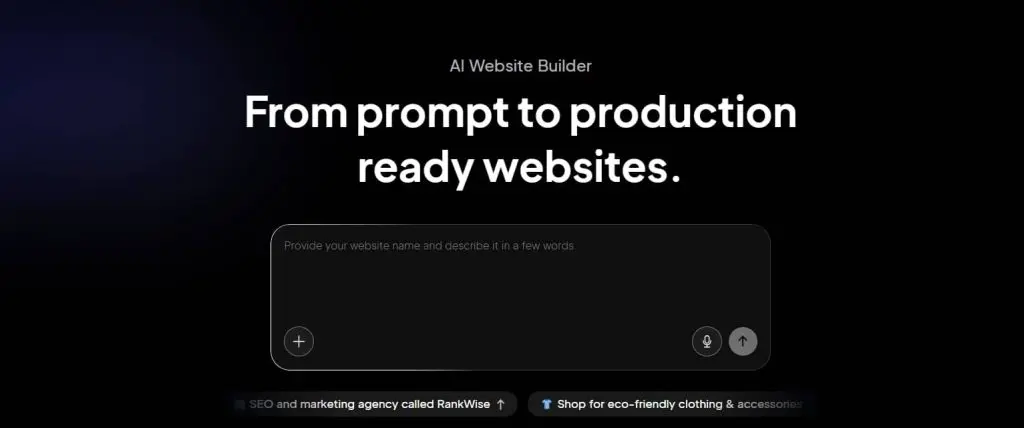
10Web brings AI-powered website creation to WordPress, so you can generate a site from a simple prompt and then customize it with familiar WordPress tools. You can also recreate or redesign an existing site from a URL, import a Figma design, or migrate an existing WordPress site.
Key unique features
Here’s what you get with 10Web’s AI toolkit:
- AI website generation from a prompt
- AI editing for refining design and content
- Drag-and-drop editing for hands-on customization
- Website cloning and redesign from a URL
- Figma import for turning designs into webpages
- WordPress CMS and plugin support
- Built-in WooCommerce e-commerce
- Managed Google Cloud hosting
- SEO and performance optimization
Who it’s best for
- WordPress users who want AI to speed up site creation
- Businesses that want AI without giving up WordPress
- Users who need to recreate, redesign, or migrate a site
- Businesses that want built-in e-commerce
- Freelancers and agencies managing multiple websites
What users are saying
User reviews positively described 10Web’s platform as easy to use and reliable.
A G2 review says, “The AI website generator isn’t going to win you any awards, but right out of the box, it’ll give you a decent site. If you need to build complex web applications or include a lot of custom functionality, it’ll get more pricey, but for most small businesses or nonprofits, it creates an adequate web presence with very little effort.”
However, some users also think that the learning curve might be difficult. In fact, others think that the platform has more limited customization and is a bit expensive for small businesses. Others also thought the results often need refinements.
As one G2 review says, “While the AI builder is powerful, the results often require manual refinement, especially for more custom or brand-specific designs.”
Pricing and plans
10Web’s pricing is simple and mostly billed annually. Plans bundle hosting, AI site creation, and Elementor editing tools. Most options include a free trial, so you can test things before committing.
Here’s a quick breakdown of what each plan offers:
Plan | Cost/Term | Plan inclusions |
|---|---|---|
AI Starter | $10 per month for 12 months |
|
AI Premium | $15 per month for 12 months |
|
AI Ultimate | $23 per month for 12 months |
|
Squarespace AI Website Builder
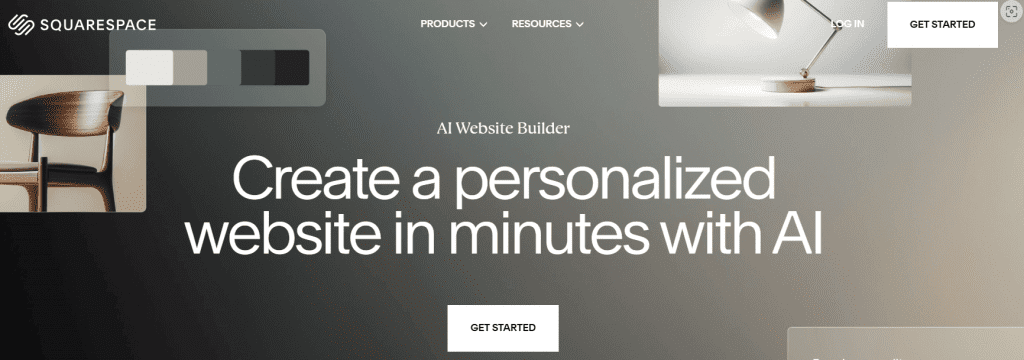
Squarespace’s Blueprint AI Builder guides you through a few questions about your business, goals, and brand details, then creates a personalized website with suggested pages, layouts, colors, fonts, copy, and images. You can preview and refine those choices before publishing.
Key unique features
Here’s what Squarespace’s AI Website Builder includes:
- AI-generated website based on your business and goals
- Personalized design recommendations for layouts, colors, and fonts
- AI-generated copy and images
- Brand personality controls
- Fluid Engine editor for detailed customization
- AI writing tools for generating and refining copy
- Built-in SEO and AI visibility tools
Who it’s best for
- Small business owners who want a polished website quickly without starting from scratch
- Users who prefer AI that helps shape their site early but still gives creative control afterward
- Brand builders who want initial suggestions that reflect their identity, not generic layouts
- Users who like built-in design guidance rather than manually picking and customizing every block
- Those who want both AI help and access to Squarespace’s full editing and marketing features
What users are saying
Most users think of Squarespace’s Blueprint AI site builder as intuitive. They think it’s easy to use and has plenty of customizable templates. Many users also positively mentioned the platform’s no-coding benefit.
A user says on G2, “It is easy to customize my website, and the many features help make it unique. They offer email campaigns, which I use and like a lot, too.”
On the other hand, a few users think the design process can be difficult because of the limited customization options. The platform also has some limitations with photo and video integration, as well as animation and effects. If you need more flexibility, it’s worth looking at a few Squarespace alternatives before you decide.
Pricing and plans
Squarespace doesn’t offer a free plan, but you can try any website plan for 14 days without a credit card. Paid plans currently start at $19/month when billed annually, with higher tiers adding more customization, analytics, and commerce features.
Here’s a complete list of the paid plans in annual payment terms:
Plan | Cost/Term | Plan inclusions |
|---|---|---|
Basic | $19 per month |
|
Core | $29 per month |
|
Plus | $49 per month |
|
Advanced | $99 per month |
|
Framer AI Website Builder
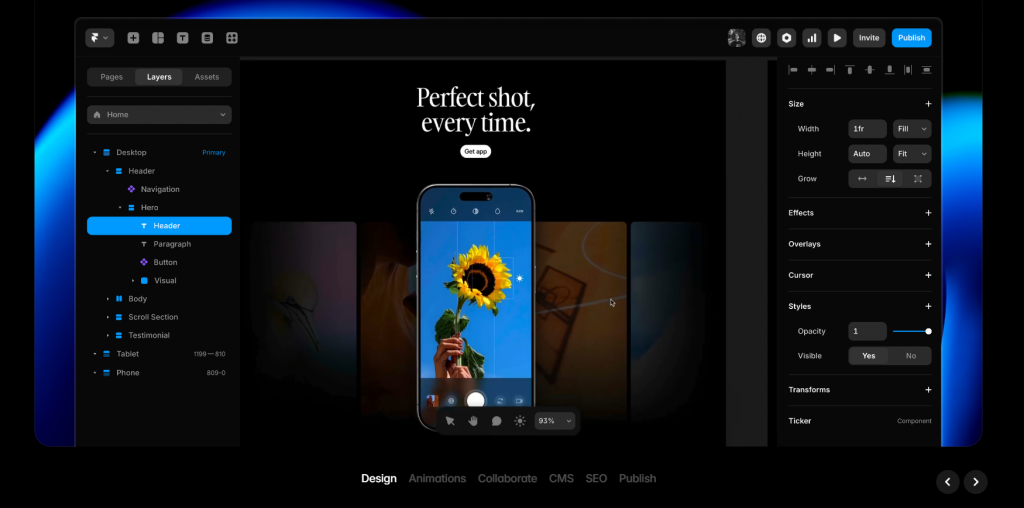
Framer combines AI website generation with a powerful visual editor, so you can start with a prompt and then take full control of the design. Its AI agents can create pages, content, and visuals, while you can fine-tune layouts, typography, animations, and responsive designs directly on the canvas.
Key unique features
Here are some of the standout capabilities Framer offers:
- AI agents for creating and editing pages, copy, and visuals
- Visual editor with detailed layout and responsive controls
- AI-assisted CMS for creating and organizing content
- AI-generated custom code components for interactive features
- SEO and performance tools
- Localization and AI translation
- Built-in hosting and publishing
Who it’s best for
- Designers, freelancers, and solopreneurs who want a conversion-focused site with refined visuals
- Small business owners and marketing agency teams who need both design freedom and structural tools
- Users who like starting with AI but want creative control during final design
- Anyone who values clean code output and a platform that scales beyond simple landing pages
- Teams that work on multiple projects and need collaboration and content tools
What users are saying
Framer users appreciate the platform’s clean interface, which makes setting up modern websites quick and easy. They also think the website builder gives them enough design freedom and flexibility.
“Framer gives me the perfect blend of design freedom and development power. I can build fully responsive, interactive websites without touching a single line of backend code. The speed, flexibility, and clean UI make it ideal for delivering high-converting websites fast,” a Framer user says via G2.
Although they also mention that it can be expensive to set up multilingual websites and add extra features. Some also note performance issues in terms of loading speed and responsiveness.
“They have changed the localization policies, and now it is very expensive to have websites in multiple languages. You can have them, but with a workaround and making some technical adjustments so SEO doesn’t get damaged,” one user via G2 says.
Pricing and plans
Framer has a free plan for exploring the builder, while paid plans start at $10/month and add custom domains, more CMS capacity, and additional business features.
Plan | Cost/Term | Plan inclusions |
|---|---|---|
Free | $0 per month |
|
Basic | $10 per month |
|
Pro | $30 per month |
|
Enterprise | Custom pricing |
|
Jimdo AI Website Builder
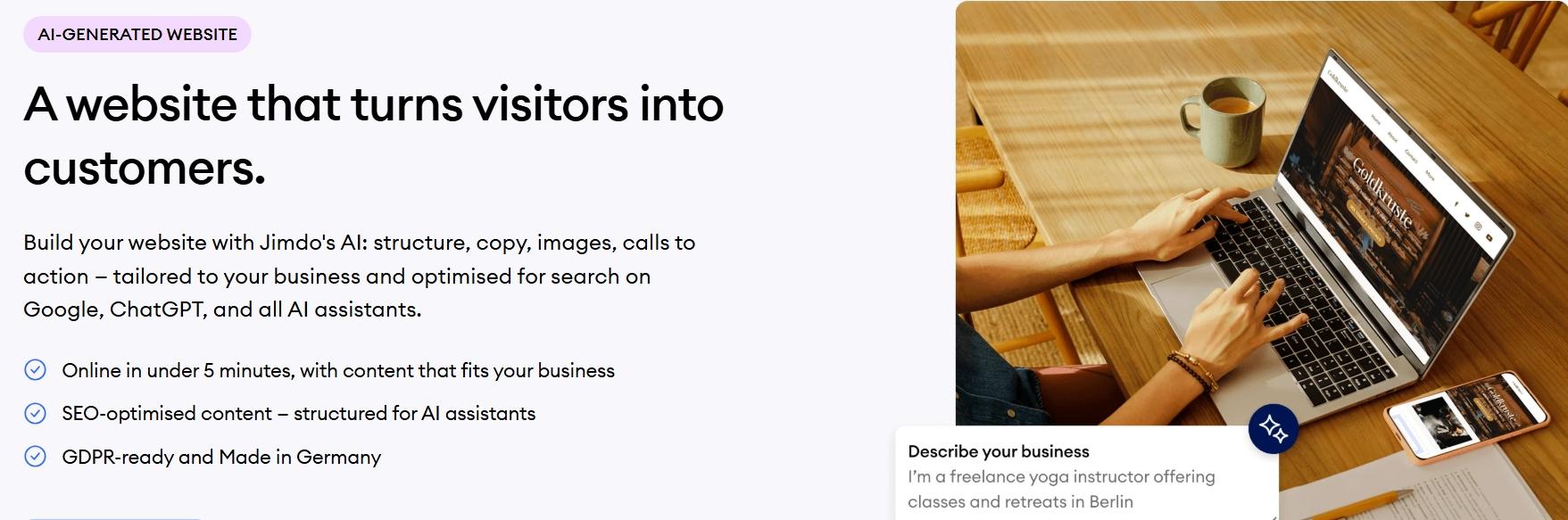
Jimdo is known as one of the longest-running AI website builders designed for small businesses. It combines a simple drag-and-drop editor with an array of customizable AI-generated templates. Jimdo more effectively solves the problem for small business owners who need to create a professional and good-looking site quickly and easily.
Key unique features
Here’s what Jimdo’s AI builder brings to the table:
- AI website creation based on your business information
- Drag-and-drop editing for customizing the result
- Companion AI assistant for content, SEO, and business recommendations
- SEO tools designed to help businesses get found online
- Online store and booking tools
- Mobile-optimized designs
- Business tools for inquiries, payments, and invoices
Who it’s best for
- Solopreneurs and small businesses
- Beginners who want AI to handle the first draft
- Local businesses that need bookings or customer inquiries
- Businesses that want website and business tools in one place
- Users who want ongoing AI help after their site is live
What users are saying
User opinions on Jimdo are mixed when it comes to the website builder, service, and customer service quality. On the positive side, many users praise the platform’s ease of use and personalized customer assistance.
A TrustPilot review says, “Jimdo has been an absolute game-changer for managing my websites. Their platform is intuitive, even for someone who isn’t a tech expert. I appreciate how easy it is to customize the layout, add content, and maintain a professional look without spending hours on it.”
However, some users point out that the number of available templates is limited and basic.
As a user from G2 says, “The number of templates available is limited, and the customization options for these templates are quite basic. This made it difficult for me to create a unique website that stood out from my competitors.”
Pricing and plans
Jimdo has a free tier with no credit card required, while paid plans add features such as a custom domain, more pages and storage, SEO tools, and business features.
Here’s the pricing list for online stores on a 12-month contract basis:
Plan | Cost/Term | Plan inclusions |
|---|---|---|
Free | $0 per month |
|
Start | From $11 per month |
|
Grow | From $17 per month |
|
Unlimited | From $45 per month |
|
Shopify Magic

Unlike most tools on this list, Shopify Magic is not a standalone AI website builder. It’s Shopify’s built-in AI assistant that helps you create content, edit images, and manage store tasks inside your Shopify dashboard. Instead of generating a full site from a prompt, it supports your existing store by speeding up product descriptions, emails, and other everyday updates.
Key unique features
Here’s what Shopify Magic helps you with:
- AI store design that generates personalized themes from a business description
- AI-generated product descriptions and marketing copy
- AI image editing for product photos and store visuals
- Sidekick AI assistant for store management, content, and business tasks
- AI-generated theme blocks for adding custom sections without coding
- AI-generated content for blogs, pages, emails, and other store text
- Built-in ecommerce tools for products, checkout, payments, and selling channels
Who it’s best for
- E-commerce businesses that want AI help built into their store
- Shopify merchants who regularly add products or update content
- Beginners who want help to write copy for products and marketing
- Store owners who want AI help with everyday tasks
- Teams that want to manage their store and AI tools in one place
Not sure Shopify is the right fit? Check out these Shopify alternatives to compare other options for your online store.
What users are saying
Many Shopify users appreciate the platform’s modern and mobile-friendly templates that are easy to modify using the intuitive AI site builder. They also commend the responsive customer service and affordable pricing for its features.
On the other hand, there are some users who think that the templates look and feel outdated. Some also note that the platform lacks advanced tools fit for growing businesses.
Pricing and plans
Shopify Magic is available at no additional cost across Shopify plans, although specific features can vary. Shopify’s AI Store Builder is also free to try, but you’ll need a Shopify subscription to run your store.
Plan | Cost/Term | Plan inclusions |
|---|---|---|
Basic | $29 per month (billed yearly) |
|
Grow | $79 per month (billed yearly) |
|
Advanced | $299 per month (billed yearly) |
|
Plus | From $2,300/month (billed yearly) |
|
IONOS AI Website Builder
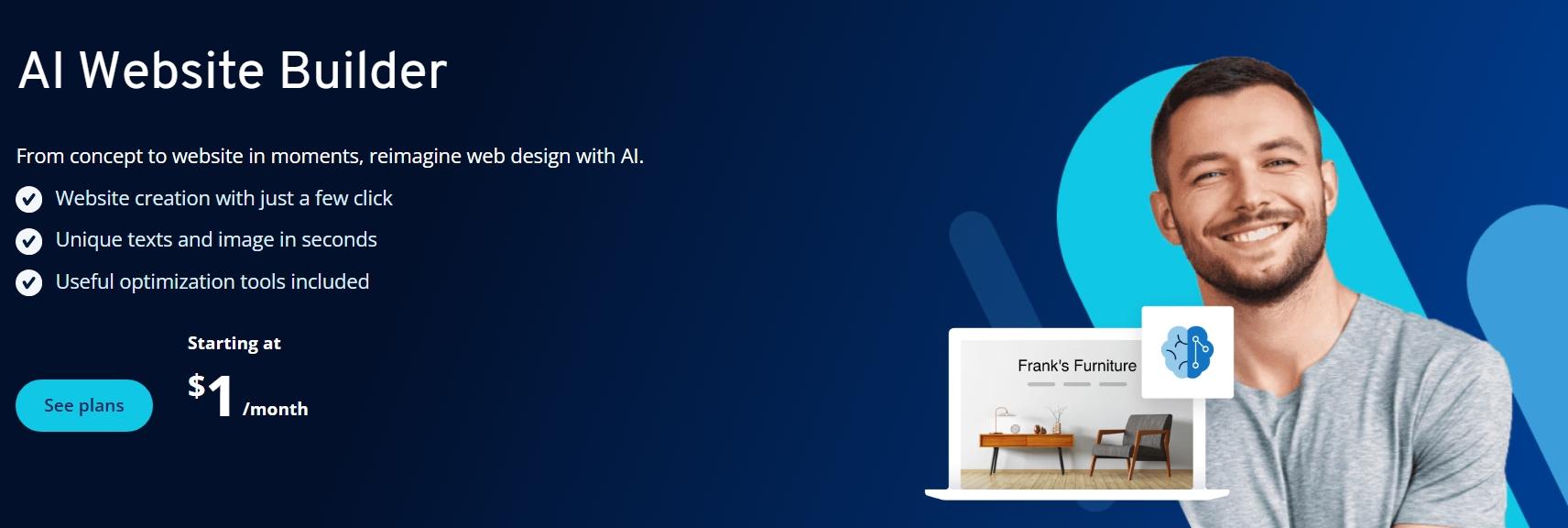
IONOS AI Website Builder helps you create a website from a few basic details about your business. It generates the design, text, and images, then lets you customize the result with a visual editor and built-in AI tools.
Key unique features
Here are the main tools and capabilities inside IONOS’s AI Website Builder:
- AI website builder that generates your site’s design, text, and images
- AI text generator and improver for creating or refining website copy
- AI SEO text generator for generating SEO metadata
- AI section generator for creating new website sections
- AI image generator for creating custom visuals
- AI color palette generator for choosing a coordinated color scheme
- AI logo generator for creating a basic brand logo
- Online booking tools for businesses that take appointments
- SiteAnalytics for tracking website performance
Who it’s best for
- Beginners who want to create a website without coding
- Small businesses that want a professional site quickly
- Users who want AI help with writing, images, SEO, and design
- Businesses that need online booking built into their website
- Users who want a visual editor with room to customize the AI-generated site
What users are saying
IONOS users positively highlight the platform’s very affordable pricing and cost-effectiveness. They also note that its interface is very user-friendly.
On the other hand, some users have pointed out connection issues, downtime, and an outdated interface. If those are concerns for you, you may want to compare IONOS with a few alternatives before deciding.
Pricing and plans
IONOS includes its AI Website Builder with its MyWebsite Now plans. Current promotional pricing starts at $1/month for a 1-year term, with regular pricing applying after the introductory period.
Plan | Cost/Term | Plan inclusions |
|---|---|---|
Starter | $6 per month for 1 year (then $14 per month) |
|
Plus | $1 per month for 1 year (then $20 per month) |
|
Pro | $17 per month for 1 year |
|
Relume AI Website Planning and Wireframing Tool
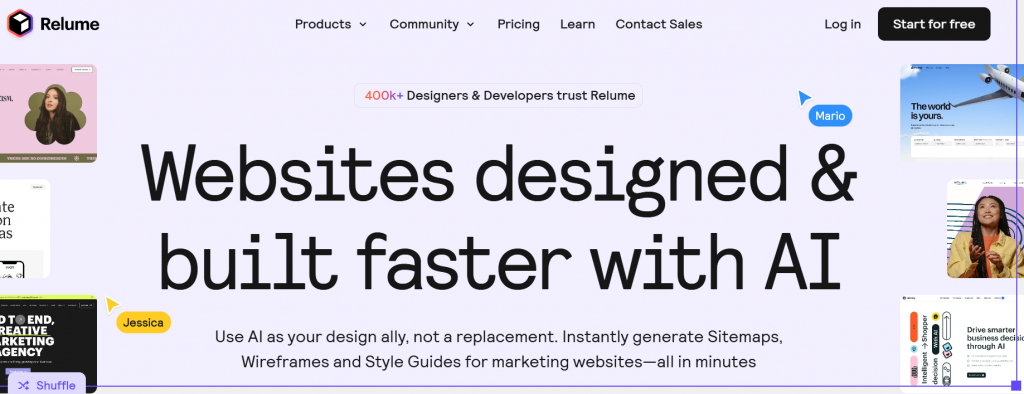
Relume is built for the planning stage of web design. Instead of jumping straight into visuals, it helps you map out your site’s structure first. It’s a favorite among designers and teams who want a clear layout before opening their visual editor.
Key unique features
Here’s what you can do with Relume’s AI-powered tools:
- AI-generated sitemaps that map out your website’s key pages from a short description
- AI-generated wireframes that turn your sitemap into page layouts
- AI copywriting to generate and refine text for your wireframes
- 1,000+ website components for building out pages
- Style guides for keeping colors, typography, and spacing consistent
- Figma, Webflow, and React exports for moving your designs into your preferred workflow
- Project sharing and commenting for working with clients or teammates
Who it’s best for
- Web designers and developers who want to speed up the planning stage
- Freelancers and agencies handling multiple client websites
- Teams that need to agree on a site’s structure before designing
- Figma and Webflow users who want ready-made components
- Users who want AI to handle the first draft while they control the final design
What users are saying
Most Relume users think the platform is easy to use and works well in multiple screen sizes (mobile, desktop, and tablet). They also praised the wireframe creation feature, which helps non-visual people plan a website before going to the design aspect.
However, some users say that the platform’s AI output is often generic and requires a detailed prompt to generate a unique design.
Pricing and plans
Relume’s site builder’s pricing plans are straightforward and tiered according to the number of pages and projects users might need. They also offer a free plan but with limited features and capabilities.
Here’s a complete list of their paid plans:
Plan | Cost/Term | Plan inclusions |
|---|---|---|
Free | $0 per month |
|
Starter | $18 per month per user |
|
Pro | $40 per month per user |
|
Team | $36 per month per user (3-user minimum) |
|
The realities of using an AI website builder: Breaking the illusion
AI can get a website moving fast. But let’s be real: the marketing hype can make it sound like you type a prompt, click a button, and suddenly have a finished site.
That’s not quite how it works.
Your first version is usually something you’ll want to look over and tweak. Here’s where you may need to spend a little extra time:
- The site may look a little too familiar: AI creates layouts, images, and copy based on patterns it has learned. You may get generic templates, familiar designs, or stock images that make your site look like the same template you’ve seen elsewhere.
- You’ll probably want to rewrite some things: AI can generate content quickly, but it doesn’t know your business the way you do. Take a closer look at the headlines, service descriptions, calls to action, and other AI-produced copy before you publish. A few personal touches can make the difference between a generic site and a professional website that actually sounds like your business.
- Some builders give you more room to play than others: You may be able to change colors, fonts, sections, and layouts with ease. With other platforms, you might hit a wall when you want something very specific. But if your website needs more advanced features or customization than a builder can handle, custom website development may be worth considering.
- SEO still needs a human check: AI can help with page content and other SEO basics, but you’ll still want to review your titles, descriptions, headings, URLs, images, and copy.
The final call is still yours. As Jacqueline Galison, Product Manager for Website Builder, puts it nicely:
“Our Website Builder is feature-rich but easy to use. We support both customers who are looking for a quick and convenient way to get online and customers who are looking to extensively customize a website to represent them or their brand.”
And that’s really the point. Not every tool will work the same way for every person. Think about what you actually need, then check the user reviews for each builder before you pick one.
What to check before choosing an AI website builder
Before you commit, it helps to run through a few basics.
- Check if you can connect your own domain name.
- See whether hosting is included or billed separately.
- Confirm how long you can actually stay free on a free-trial basis.
- Check for extra costs, especially for apps, e-commerce tools, or email.
- Make sure you have editing freedom so you can tweak the design after the AI build.
- Verify that you have SEO tools to edit titles, descriptions, and URLs.
Spending a minute here can prevent bigger headaches down the road, so you might as well do it.
Free plans, trials, and hidden costs
Free sounds great, but it rarely means everything is included. Remember:
- Free plans have limits, so expect branding, storage caps, or feature restrictions.
- Trials expire, which means you may need to upgrade to keep your site live.
- Custom domains often cost extra, since many builders require a paid plan.
- Important features may be locked, especially e-commerce, SEO tools, or integrations.
- Add-ons increase your total spend, including apps, email, and premium templates.
So, be cautious and treat this as a reminder that upgrades are often part of the journey.
Frequently asked questions
Yes, especially for simple websites or landing pages when you want a quick, no-code starting point. They can work well for SEO-focused websites, but you’ll still need to review keywords, metadata, site structure, and content quality manually.
Yes. Many AI website builders offer a free plan, usually with limits like a subdomain, ads, or capped features. These plans work well for testing ideas or creating a simple site before upgrading.
ChatGPT cannot publish or host a website on its own. It can help you plan pages, write code, and support content generation. You still need domain and hosting to launch your site, especially if you want to build a website with ChatGPT.
Yes. AI website builders work well for simple sites, tight budgets, and fast launches.
For custom design, complex features, or a strong brand identity, hiring a professional web designer is still a smart choice.
Look for context-aware AI generation, an intuitive drag-and-drop editor, and automatic mobile responsiveness so you can build and adjust your site quickly. The best AI website builders should also include strong SEO tools, plus built-in content and image generation.
AI website builders range from free plans to more than $100 per month. Entry-level small-business plans commonly cost around $10–$30 per month, but e-commerce features, AI usage, apps, email, and renewal prices can increase the total cost.
Start building your website with AI
Not sure which is the best AI website builder for you? That’s fair. Wix and Squarespace give you plenty of design freedom, while Shopify Magic makes more sense if you’re running an online store. Framer and Relume are better picks if you want more control than you’d typically get from traditional website builders.
For small businesses that want a balance of simplicity, essential tools, and affordability, Network Solutions checks those boxes. It covers what most people care about: easy to navigate, solid features, and good value. Plus, every domain comes with free tools including a Link in Bio page, Coming Soon Page, Customers App, Social App, and Marketing Calendar.
So, if you’re ready to launch your site, try our Website Builder and start building today!