Key takeaways:
- HTTP status codes impact your website’s user experience (UX) and search engine optimization (SEO).
- Common errors like 404 Not Found and 503 Service Unavailable can hurt your site’s performance.
- Monitoring tools such as Google Search Console (GSC) help catch status code issues before they impact traffic.
Hypertext Transfer Protocol Secure (HTTP) status codes are short, blunt notes from your website telling visitors what’s happening behind the scenes. Sometimes it’s a cheerful “All good!” message (even if you never see it). Other times, it’s a frustrating “Something’s wrong, try again later.”
For example, a 404 Not Found or 503 Service Unavailable indicates a problem with your site. These codes are helpful; they tell you when something is broken, overloaded, or just not where it’s supposed to be. And while they might seem random numbers, understanding them can help you fix problems faster, keep your site healthy, and even protect your search rankings.
Here, we’ll explore the different types of status codes, how they affect your site’s performance and SEO, and what to do when they show up at the worst possible time.
What are HTTP status codes?
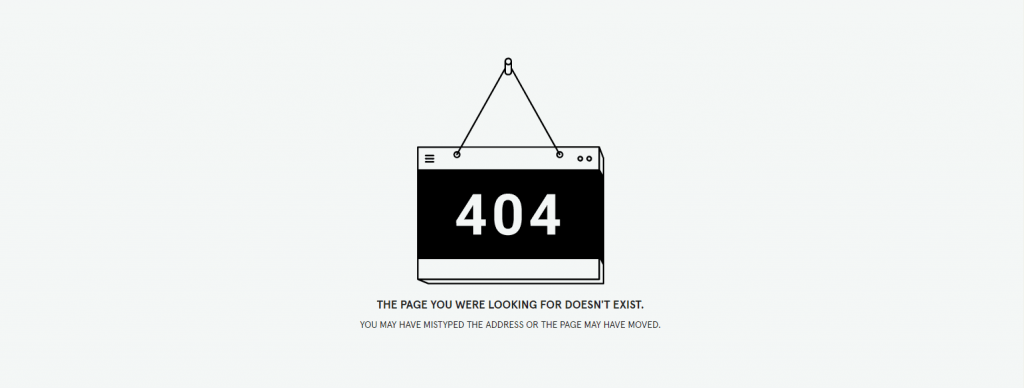
HTTP status codes are three-digit messages sent from a website’s server to a browser to indicate the result of a request.
They tell you whether a page loaded successfully, was redirected, or encountered an error. These codes are part of every interaction between a browser and a server, even if visitors don’t always see them.
Behind the scenes, systems like the Domain Name System (DNS) help route these requests correctly. You can learn more about this in our guide on DNS port 53.
When something goes wrong, like a missing page or a server issue, the browser displays the status code to explain what happened. For website owners, you can use these codes to help identify problems and ensure pages are accessible to users and search engines.
5 categories of HTTP status codes
There are five main categories of status codes, each starting with a different number. Think of them as traffic signals: some mean “all clear,” others say, “go another way,” and a few are flashing warning lights that need attention.
Let’s break down the five main types of status codes you’ll likely encounter:
- 1xx—Informational responses: The server has received the request and is continuing to process it. These are interim responses, meaning the final response will follow.
- 2xx—Success: The request was successfully received, understood, and completed by the server.
- 3xx—Redirects: The request requires further action. The client must follow a different URL to complete the request.
- 4xx—Client errors: The request contains an issue from the client side. This could be due to an invalid request, a missing resource, or a lack of proper access.
- 5xx—Server errors: The server encountered an issue while processing a valid request and was unable to complete it.
Most common HTTP status codes
When working with websites, you’ll often encounter a set of common HTTP status codes that signal whether a request was successful or if there’s a client error or server error that needs attention. Understanding these codes helps you quickly identify and resolve issues that affect your site’s performance.
- 200 OK: The request went through successfully, and the server delivered the content as expected.
- 301 Moved Permanently: The resource has been permanently relocated, and all future requests should point to the new URL.
- 302 Found: The resource is temporarily available at a different location, but the original URL may still be used later.
- 304 Not Modified: Nothing has changed since the previous request, so the browser can load the cached version instead.
- 400 Bad Request: The server can’t process the request due to invalid input or malformed request syntax.
- 401 Unauthorized: Access requires authentication, but the request didn’t include valid credentials.
- 403 Forbidden: The request is understood, but the server refuses to grant access to the resource.
- 404 Not Found: The server can’t locate the requested resource.
- 500 Internal Server Error: The server encountered an unexpected issue and couldn’t complete the request.
- 503 Service Unavailable: The server is temporarily unable to respond, usually due to maintenance or high traffic.
HTTP status codes: Full list and what each one means
Every HTTP status code comes with a short message that helps explain what’s happening between your website and a visitor’s browser. Some let you know everything’s working fine, while others give you a heads-up that something needs fixing.
Here’s a full list of status codes, what each one says, and what it means:
1xx: Informational
Status code | Description |
|---|---|
100 Continue | The server received the initial request and expects the client to continue sending the remaining requests as interim responses. |
101 Switching Protocols | The server agrees to switch protocols based on the request. |
102 Processing | The server has received and is processing the request, but no response is ready yet. |
103 Early Hints | The server sends preliminary headers to help preload resources before the final response. |
2xx: Successful
Status code | Description |
|---|---|
200 Ok | The request was successfully completed. |
201 Created | A new resource was successfully created as a result of the request. |
202 Accepted | The request was accepted for processing, but not yet completed. |
203 Non-authoritative Information | The response is based on a modified version from a third party. |
204 No Content | The request succeeded, but there is no content to return. |
205 Reset Content | The request succeeded, and the client should reset its view or form. |
206 Partial Content | The server returned only part of the requested resource. |
207 Multi-status | The response contains multiple status codes for different resources (WebDAV). |
208 Already Reported | The server has already reported the status of this resource (WebDAV). |
226 IM Used | The server completed a request using instance manipulation. |
3xx: Redirection
Status code | Description |
|---|---|
300 Multiple Choices | Multiple options are available for the requested resource. |
301 Moved Permanently | The resource has been permanently moved to a new URL, and subsequent requests should use the updated location. |
302 Found | The resource is temporarily available at a different URL. |
303 See Other | The response can be found at another URL using a GET request. |
304 Not Modified | The resource has not changed since the prior request. |
305 Use Proxy | The requested resource must be accessed through a proxy. |
306 Switch Proxy | Deprecated and no longer used. |
307 Temporary Redirect | The resource is temporarily redirected, and the same method should be used. |
308 Permanent Redirect | The resource is permanently redirected, and the same method should be used. |
4xx: Client Error
Status code | Description |
|---|---|
The server cannot process the request due to malformed request syntax or invalid request message framing. | |
Authentication is required, and valid credentials were not provided. | |
402 Payment Required | Originally proposed for digital payment systems; currently reserved. |
The server understands the request but refuses to authorize it. | |
The requested resource could not be found on the server. | |
405 Method Not Allowed | The request method is not supported for the requested resource. |
406 Not Acceptable | The resource cannot generate a response matching the request headers. |
407 Proxy Authentication Required | Authentication is required through a proxy server. |
408 Request Timeout | The server timed out waiting for the request. |
409 Conflict | The request conflicts with the current state of the resource. |
410 Gone | The resource has been permanently removed. |
411 Length Required | The request must include a valid Content-Length header. |
412 Precondition Failed | The server does not meet the conditions specified in the request. |
413 Payload Too Large | The request entity is too large for the server to process. |
414 URI Too Long | The requested URI exceeds the server’s limits. |
415 Unsupported Media Type | The server does not support the request’s media type. |
416 Range Not Satisfiable | The requested range cannot be fulfilled. |
417 Expectation Failed | The server cannot meet the requirements of the Expect header. |
418 I’m a teapot | A humorous, non-standard response code. |
421 Misdirected Request | The request was sent to a server that cannot produce a response. |
422 Unprocessable Entity | The server understands the request but cannot process it. |
423 Locked | The resource is locked and cannot be accessed. |
424 Failed Dependency | The request failed due to a previous request failure. |
425 Too Early | The server is unwilling to process the request due to possible replay. |
426 Upgrade Required | The client must switch to a different protocol. |
428 Precondition Required | The server requires the request to be conditional. |
The client has sent too many requests in a given time frame. | |
431 Request Header Fields Too Large | The request headers are too large to process. |
451 Unavailable For Legal Reasons | The resource is unavailable due to legal restrictions. |
5xx: Server Error
Status code | Description |
|---|---|
500 Internal Server Error | The server encountered an unexpected condition. |
501 Not Implemented | The server refuses to support the functionality required to fulfill the request. |
502 Bad Gateway | The server received an invalid response from an upstream server. |
The server is temporarily unable to handle the request due to overload or maintenance. | |
The server did not receive a timely response from an upstream server. | |
505 HTTP Version Not Supported | The server does not support the HTTP version used in the request. |
506 Variant Also Negotiates | A configuration error occurred during content negotiation. |
507 Insufficient Storage | The server cannot store the representation needed to complete the request. |
508 Loop Detected | The server detected an infinite loop while processing the request. |
510 Not Extended | Additional extensions are required for the server to fulfill the request. |
511 Network Authentication Required | The client must authenticate to gain network access. |
How do HTTP status codes affect SEO?
Google and other search engines use status codes to determine whether your pages are available and functioning properly. These codes help crawlers (automated programs that browse web content) decide whether to keep indexing your content, try again later, or stop visiting altogether.
As a result, the status codes your site returns can either support your SEO efforts or quietly limit your visibility in search results.
2xx codes (Success) help keep your site healthy
When your site returns a 200 OK, that’s a clear signal to search engines that the page is accessible and working as intended. Whether it’s a GET request to load a page or a POST request to submit data, a successful response indicates the server completed the request without issues.
This is exactly what you want across your key pages. Consistent 2xx responses indicate that your content is reliable, which helps search engines crawl and index your site.
3xx codes (Redirects) can pass SEO value
Redirects tell search engines that a page has moved and guide them to the correct location through a redirected request.
A 301 Moved Permanently, a common ‘permanently’ HTTP response code, passes most of the original page’s ranking value to the new URL. A 302 redirect, however, signals a temporary move and may not transfer the same value if used incorrectly.
Some redirects, like 307 and 308, require the browser to use the same method when repeating the request.
Pro tip: Use 301 redirects for permanent changes such as updating URLs. Also, avoid redirect chains, as they slow down crawling and weaken ranking signals.
4xx codes (Client errors) can block indexing
Errors like 404 Not Found or 410 Gone signal that a page isn’t available. This can happen due to broken links, a missing request entity, or even malformed request syntax that prevents the server from understanding the request.
A few client errors aren’t a major concern. But if they pile up, they create an invalid response pattern that search engines may interpret as poor site quality.
Search engines work within a crawl budget. If crawlers keep hitting dead ends, such resources may not be spent on discovering valuable pages. For users, it also leads to frustration when expected content isn’t available.
5xx codes (Server errors) may damage trust and crawlability
When your site returns a 500 Internal Server Error or 503 Service Unavailable, the issue is on the server side. These errors suggest that the origin server requires attention before it can process requests properly.
In some cases, server issues can also be tied to security misconfigurations. Learn more in our guide on SSL certificate errors.
If search engines encounter repeated server errors, they may reduce crawl activity or delay indexing updates. Over time, this can limit how often your content appears in search results.
Frequent server issues also affect users. When pages fail to load, visitors are more likely to leave, which can impact engagement and overall site performance.
If your site breaks, your rankings follow.
Search engines notice every error. Clean up your site, strengthen your performance, and stay visible where it matters.

How to troubleshoot common HTTP status codes
Seeing an error code pop up on your website isn’t ideal, but it’s not the end of the world either. Most HTTP status codes give you a clear clue about what’s wrong and what steps to take next, whether you need to repeat the request or check if users can properly gain network access.
Here’s how to handle some of the most common ones:
404 Not Found
The requested resource doesn’t exist on the server. This usually happens when the URL is incorrect or the target resource has been removed without updating internal or external links. In some cases, the browser may try to send the same request again, but it will still return the same error if the page is no longer available.
What you can do:
- Double-check the URL for typos.
- If the page was moved, set up a 301 redirect to the new URL.
- Use Google Search Console (GSC) to find broken links pointing to it.
- Create a custom 404 page that guides visitors back to key pages on your site.
403 Forbidden
This response code means visitors are blocked from accessing a page.
What you can do:
- Make sure file permissions on your server are correct.
- Check your .htaccess file (or ask your service provider) to see if access is being restricted.
- If using a firewall or security plugin, make sure it’s not blocking access to certain pages.
500 Internal Server Error
Something went wrong on the server, but the server isn’t saying exactly what caused it. This type of error is often linked to an internal configuration error, a faulty script, or a problem with server settings that prevent the request from completing.
What you can do:
- Deactivate new plugins or themes if you’re using WordPress.
- Clear your website’s cache. You can ask your host to do this for you if an option on your end is not available.
- Contact your hosting provider. They can check the error logs and help resolve this problem.
503 Service Unavailable
The server is temporarily down, perhaps due to maintenance or due to too many requests.
What you can do:
- Wait a few minutes and try again. It might be temporary.
- If it keeps happening, check if your hosting plan needs an upgrade.
- Ask your host to check for a traffic spike, a DDoS attack, or a server misconfiguration.
429 Too Many Requests
Your site, or a visitor, is sending too many requests in a short amount of time.
What you can do:
- Limit bot activity. You can implement this with the use of captcha, bot managers, or rate limiters.
- Set or adjust rate limits in your API or server settings. Ask a developer for help if you find this process too advanced.
- Use caching tools to reduce server load, such as browser caching, content delivery networks (CDNs), or site-level caching.
Tools for checking HTTP status codes
Whether you’re debugging a broken link or just trying to make sure Google sees your pages correctly, these tools can help you check the status codes returned by your website:
Note: Prices mentioned in this section are accurate at the time of writing and are subject to change. Please visit the product’s official website for the most current information.
1. Browser developer tool
This tool is built into browsers such as Chrome and Firefox. It lets you peek under the hood of any web page.
What it does:
- It shows the HTTP status code of any page or file in real time, helping you understand the requested response from the server.
- It checks how each page or resource is loaded, including details like request headers, encryption settings, and negotiated cipher suites.
To open the developer tool on your browser:
- Right-click the page.
- Select Inspect.
- Go to the Network tab.
- Reload the page and check the codes under the Status column.
2. Google Search Console
This is Google’s free tool that shows how your website is performing in search results.
What it does:
- It flags crawl issues like 404 errors and server issues.
- The tool lets you inspect live URLs and view HTTP status responses.
- It helps monitor indexed pages and redirects.
You can connect your website to Google Search Console for free using a Google account.
Here’s our more detailed guide on how to use GSC.
3. HTTP Status Checker
This is a simple, free online tool that lets you check one or more URLs for their HTTP responses.
What it does:
- The site instantly shows the HTTP status code for each URL.
- It identifies redirect chains and destination URLs.
- This tool can check whether redirects are set up properly.
HTTP Status Checker is great for quick fixes—no need to sign up.
4. Screaming Frog SEO Spider
This tool is a powerful desktop-based app that analyzes your website’s structure. It gives detailed SEO insights, including HTTP status codes. It’s available in both a free version and a paid version priced at $271.42.
What it does:
- It scans every link and page on your website.
- It reports on all HTTP status codes.
- The tool highlights broken links, redirects, and server errors.
Since it’s desktop-based, you need to download and install the app first on your device before you can use it.
5. Ahrefs Site Audit
It is a website auditing tool that checks for technical SEO issues, including HTTP status code problems.
What it does:
- The tool crawls your entire website and reports on broken links, redirect chains, and server errors.
- It groups issues by severity, so you can prioritize fixes.
- It helps you spot crawl waste, orphaned pages, and unnecessary redirects that could affect your SEO and crawl budget.
Site Audit is part of the full Ahref’s toolkit, so you’ll need a subscription (starts at $129.00 per month) to use it. However, if you value SEO as part of your overall strategy, then it’s worth the investment.
Best practices for managing status codes
HTTP status codes are signals that affect how users interact with your site, and how search engines crawl and rank it. Managing these codes properly helps you avoid traffic losses, broken links, and SEO setbacks.
Here are a few best practices to stay on top of them:
- Keep your URLs clean and up to date: Use clear, consistent URL structures and update internal links whenever you move or remove pages. If a page is removed for good, set up a 301 redirect to the closest relevant page to avoid broken links and traffic loss.
- Monitor your site for 4xx and 5xx errors: Tools like Google Search Console, Ahrefs, and Screaming Frog can help you spot 404 Not Found or 500 Internal Server Errors. Fix the errors on the affected pages to keep both users and search engines happy.
- Avoid soft 404s: A soft 404 is when a page looks like it’s missing (displays a “Page not found” error) but returns a 200 OK code instead of a real 404. Ensure these pages return a proper 404 or 410 status code so Google doesn’t treat them as real content worth indexing.
- Test status codes after major changes: Whenever you update or redesign your site, run a full crawl to make sure important pages return the correct status codes. Test high-traffic pages manually with tools like the HTTP Status Checker to double-check.
Frequently asked questions
A 301 redirect is permanent. It tells search engines that the page has moved permanently and that any SEO value should be transferred to the new page. A 302 redirect, on the other hand, is temporary. This means the move isn’t permanent, and the original page may come back. If you want to keep your SEO rankings intact when redirecting a page, use a 301 redirect.
Too many 404 errors can hurt your SEO. They create a poor user experience and can waste your crawl budget, or the time search engines spend exploring your site. If important pages return 404 errors, they won’t show up in search results. This means missed opportunities for traffic.
HTTP status codes signal to users and search engines whether a page is working, missing, redirected, or facing issues. Clean, properly managed status codes keep your site running smoothly and help search engines better understand your content.
HTTP status codes are grouped by category. Codes in the 200–299 range are successful responses, meaning the request was completed. Codes in the 400–499 range indicate client errors and an issue with the request. Codes in the 500–599 range are server errors, meaning the server failed to process a valid request.
Both are successful responses, but they serve different purposes. A 202 Accepted means the request has been received but not yet completed, often used for background processing. A 204 No Content indicates that the request was successfully processed, but that there is no content to return in the response.
Both are server errors, but they happen for different reasons. A 503 Service Unavailable means the server is temporarily unable to handle the request, often due to maintenance or overload. A 504 Gateway Timeout means the server did not receive a timely response from another server it depends on.
Boost your site with the right tools
HTTP status codes play a huge role in how your website functions, how users experience it, and how search engines rank it. Keeping your status codes in check is one of the simplest ways to keep your site running smoothly and support your long-term SEO goals.
But great performance doesn’t stop at fixing status codes. It also comes from choosing the right hosting, using a website builder that fits your needs, and having SEO tools that push your site forward.
We give you the tools to build, optimize, and grow a website that’s ready to perform at every stage. Explore our services and turn your site into something that works harder for your business.
If you need technical assistance, our IT experts are ready to help you.
Find the perfect domain
Ready to register a domain name? Check domain availability and get started with Network Solutions today.