
Key takeaways:
- The Network Solutions Website Builder helps you create a professional site fast without coding.
- You can start with an AI-generated layout, then customize your pages with a drag-and-drop editor.
- It brings decades of experience to the platform, so you get a website builder backed by a trusted provider.
If you’re looking for a practical tool that helps you build a website without coding complexity, then you’re in the right place. In this guide, you’ll learn about the Network Solutions Website Builder, how it works, and why it fits the needs of beginners and growing small businesses looking for a site that’s professional and easy to manage.
The builder allows you to select from ready-made templates and customize each page using drag-and-drop tools. You also get helpful tools like marketing features, built-in SEO support, and mobile-responsive designs. These features come in handy when you have limited time and minimal tech knowledge but want to build a website you can rely on every day.
What is the Network Solutions website builder?
The Network Solutions website builder is an AI-powered, no-code platform that enables you to quickly build a professional website without requiring any technical skills. It creates your first layout with AI and gives you simple tools to customize every page.
Here’s what it helps you do:
- Get a first draft of your website with AI, including your layout, images, and starter copy
- Adjust every part of your site inside the drag-and-drop editor
- Pick responsive templates made for business, blog, services, health, beauty, restaurant, and portfolio sites
- Launch a site that supports full mobile responsiveness on phones, tablets, and desktops
- Use hosting, domain, and security that are integrated into your plan
- Easily optimize for search engines with built-in features like meta tagging
All of this comes together in one platform, so you can build your site and focus on your business instead of managing multiple tools.
Key features of the Network Solutions Website Builder
A website builder project should be easy to start, even with limited time. With the tools inside the Network Solutions Website Builder, you’ll find tools that help you build a clean, modern site that supports full mobile responsiveness and adapts as your business grows.
Here’s what helps you get your business online:
- AI-powered website creation
- Drag-and-drop editor
- Mobile-friendly, professional templates
AI-powered website creation
The Network Solutions AI-powered builder helps you start the website creation process faster by preparing the basics for you. After you enter a few details about your business, the AI creates a full draft you can personalize inside the Network Solutions editor.
What the AI prepares for you:
- A first layout based on your business type and goals
- Color palette suggestions that match your brand
- Placeholder images, sections, and sample content
- AI-written text you can refine anytime
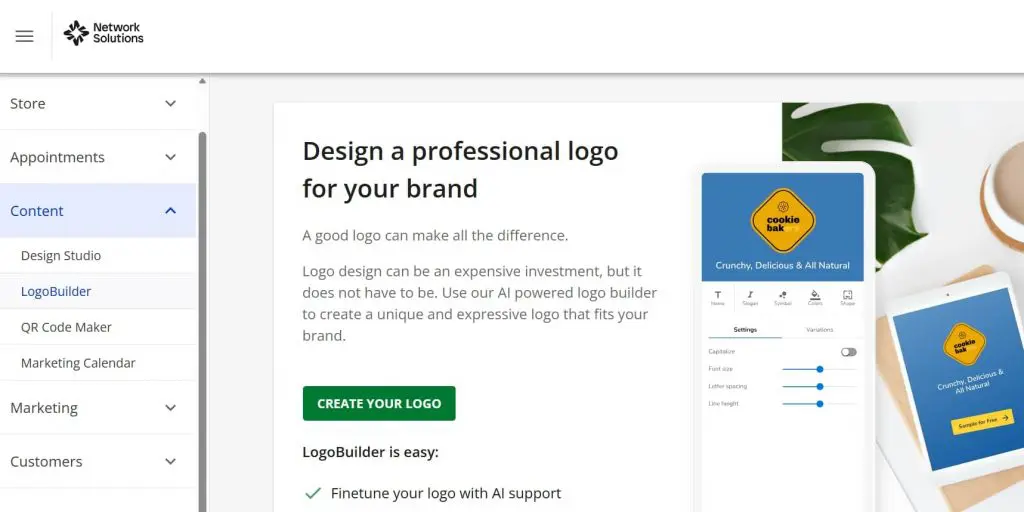
- An AI-assisted Logo Builder inside the editor to help you generate simple logo idea
Why it works well for beginners:
- You avoid blank-page stress.
- You move directly into customizing your business site.
- You get a strong starting point with less effort.
Drag-and-drop editor

The builder includes a simple drag-and-drop editor that makes website building easy for beginners.
It helps you:
- Update any section through the Network Solutions editor with a few clicks
- See your changes in real time while editing
- Adjust images, buttons, layout blocks, and text at your own pace
- Create custom website design through flexible layout options
- Build pages that fit your brand, whether you use a basic website plan or a more advanced setup.
Why small business owners like it:
- You stay in control
- You can make updates anytime without a complex workflow
Mobile-friendly, professional templates
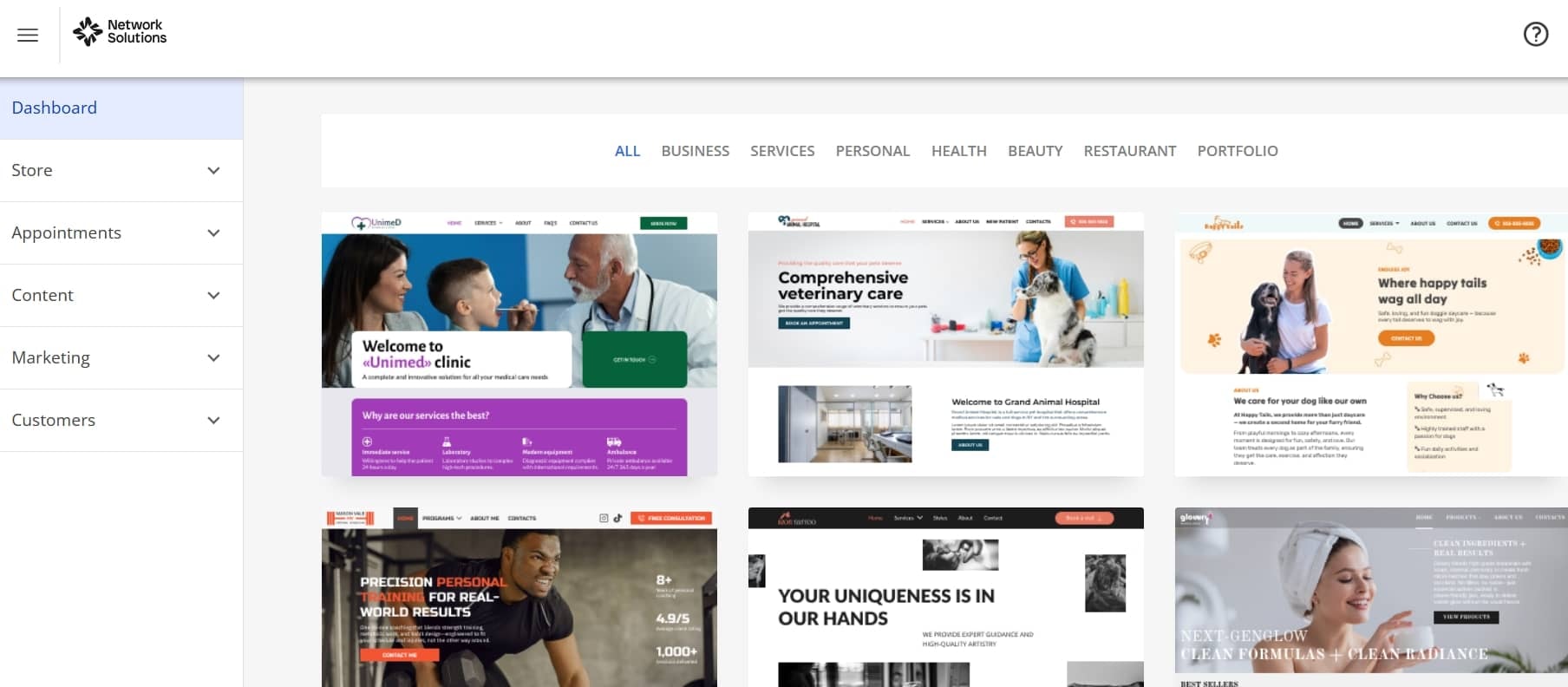
You can choose from modern Network Solutions templates that adapt to any screen size. Every layout supports full mobile responsiveness, so your site looks good whether someone’s browsing on their phone or sitting at a desk. The templates are flexible enough to tweak without running into anything too technical.
Template categories available:
- Business
- Blog
- Services
- Personal
- Health
- Beauty
- Restaurant
- Portfolio
What you can customize:
- Colors
- Fonts
- Images
- Layout blocks
Why templates help you move faster:
- They give your website builder project an instant visual structure.
- They reduce design confusion.
- They work with SEO tools, AI tools, and social media integrations.
How to customize your site
Customizing your website within the Network Solutions Website Builder is easy, even if you have no coding knowledge. The editor keeps all tools in one clean workspace, allowing you to update your entire site at your own pace without needing outside help.
Here’s how you can personalize your site with the AI website builder and AI tools:
- Add pages to your site
- Add sections to build your layout faster
- Add elements for total design control
Add pages to your site
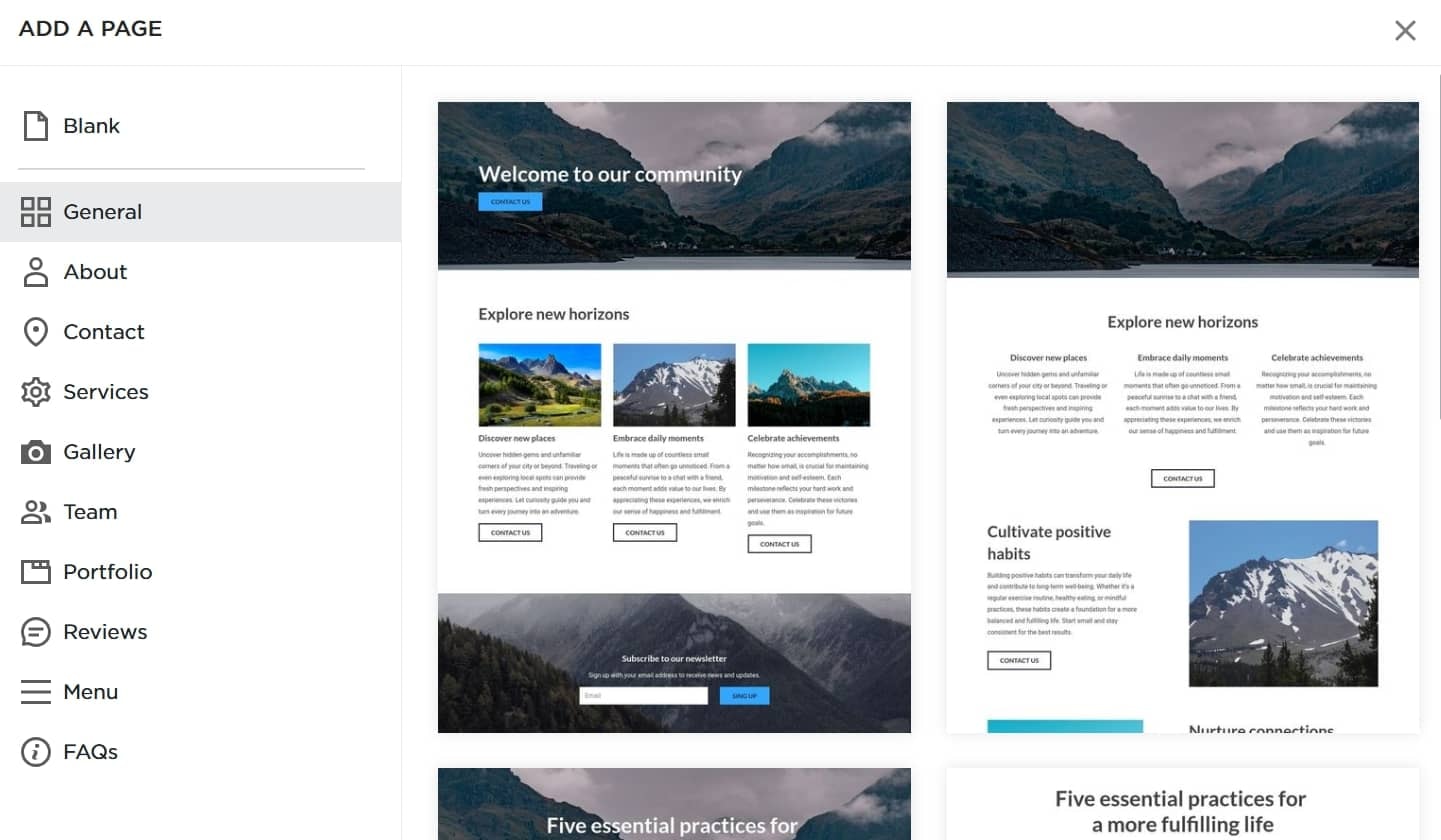
The builder includes an “Add Page” button that allows you to create new pages in seconds. With it, you can build:
- Main pages
- Nested pages
- Hidden pages (published but not shown in navigation)
Hidden pages are useful for landing pages, promotions, and private content. Nested pages, on the other hand, help you keep your online store, service pages, or blog categories organized.
All pages open inside the Network Solutions editor, so you can adjust layouts, update content, and use SEO tools that help search engines understand your message.
Add sections to build your layout faster
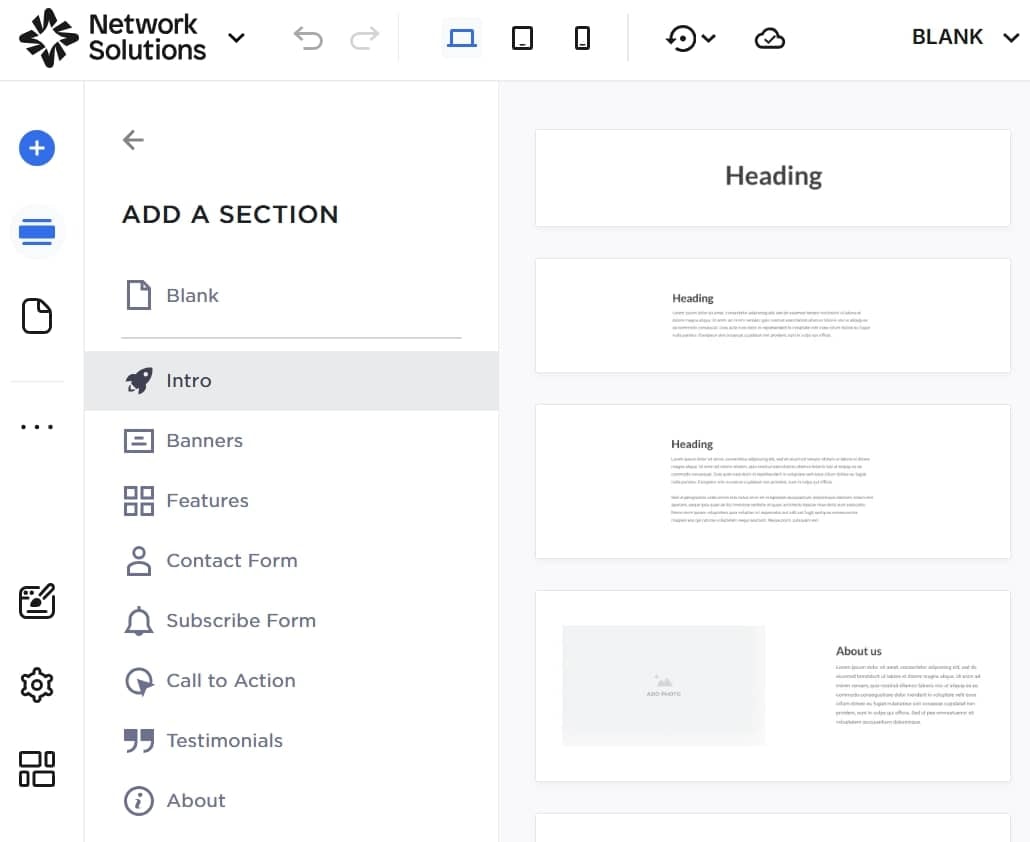
Sections help you design pages faster, especially if you want a smoother path to going live. You pick a section, drop it onto the page, and update the text or images.
You can choose from templates and section designs like:
- Intro/hero
- Banners
- Features/services
- Contact form
- Subscribe form
- CTA blocks
- Testimonials
- About
- People
- Portfolios
- Events
- Progress bars
- Countdown timers
- FAQs
- Logos
- Navigation header
- Gallery
- Videos
- Menus
- Maps
- Footer
Each layout works well on mobile and fits smoothly with your builder plans, whichever plan you choose.
Add elements for total design control
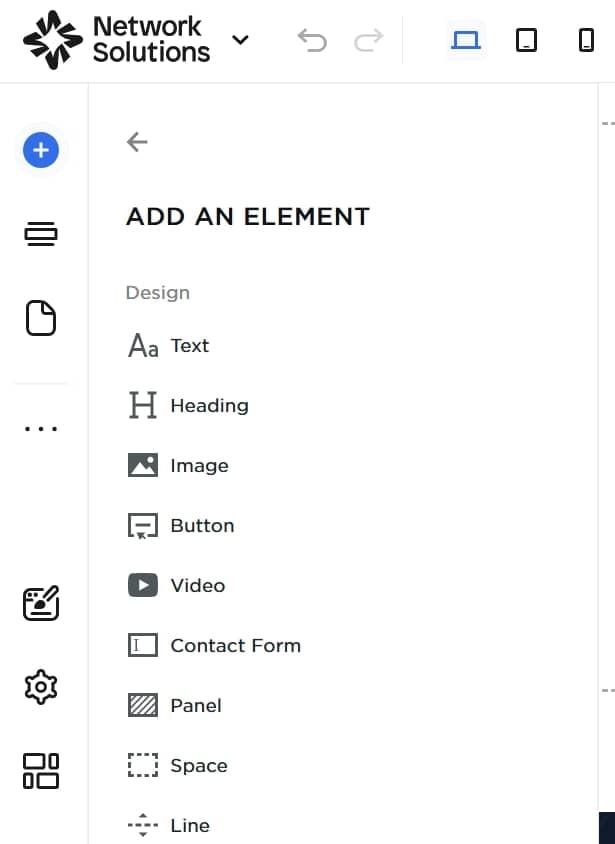
Elements help you adjust each page to your liking. These tools provide you with plenty of control while keeping things simple for beginners.
You can add:
- Text
- Headings
- Images
- Buttons
- Video
- Contact Forms
- Panels
- Lines & Spacers
- Icons
- Galleries
- Sliders
- Tables
- Progress indicators
- Countdown
- Timeline
- Embed (HTML snippets)
- Social elements (Instagram, Facebook Like or Comments, Twitter)
Each item is easy to place on your page. You can adjust spacing, change colors, and preview updates instantly. These options work well for anyone who prefers a good website builder that offers practical tools without complexity.
Build and run your business with built-in tools
Once your pages are set, the website builder gives you not just design tools. It also helps small business owners run daily tasks that support sales, bookings, and customer engagement.
Here’s what you can manage directly from your dashboard:
- E-commerce tools (store dashboard
- Appointment scheduling tools
- Customer management tools
- Built-in marketing tools
E-commerce tools (store dashboard)
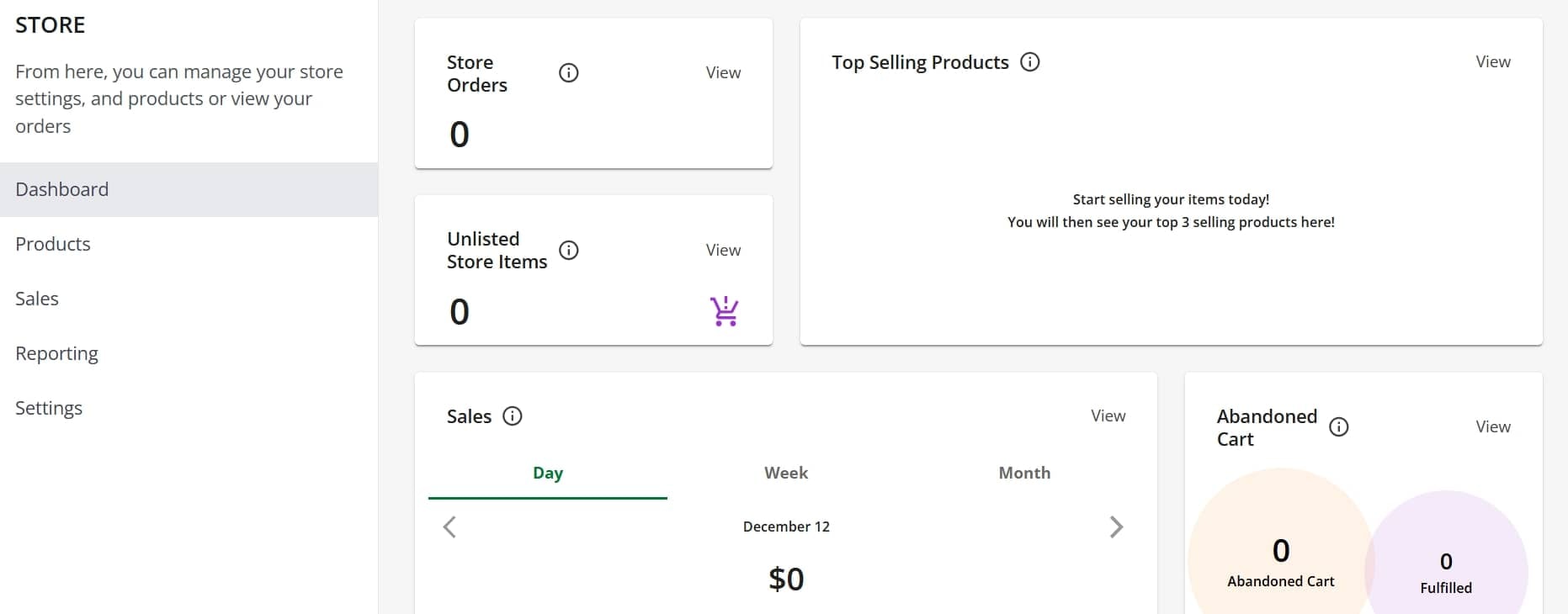
If you plan to sell online, you can set up an online store inside the editor without extra steps. The AI website builder keeps the setup quick and helps you manage your shop even if you’re new to website building.
From the dashboard, you can:
- Manage your products, inventory, and categories
- Track sales, revenue, and customer activity
- Adjust store settings for tax, shipping, and other details tied to your e-commerce plan
These tools help you build a website that grows with you, whether you’re selling a few items or expanding your catalog. They also work smoothly with your domain registrar setup and your main website.
Appointment scheduling tools
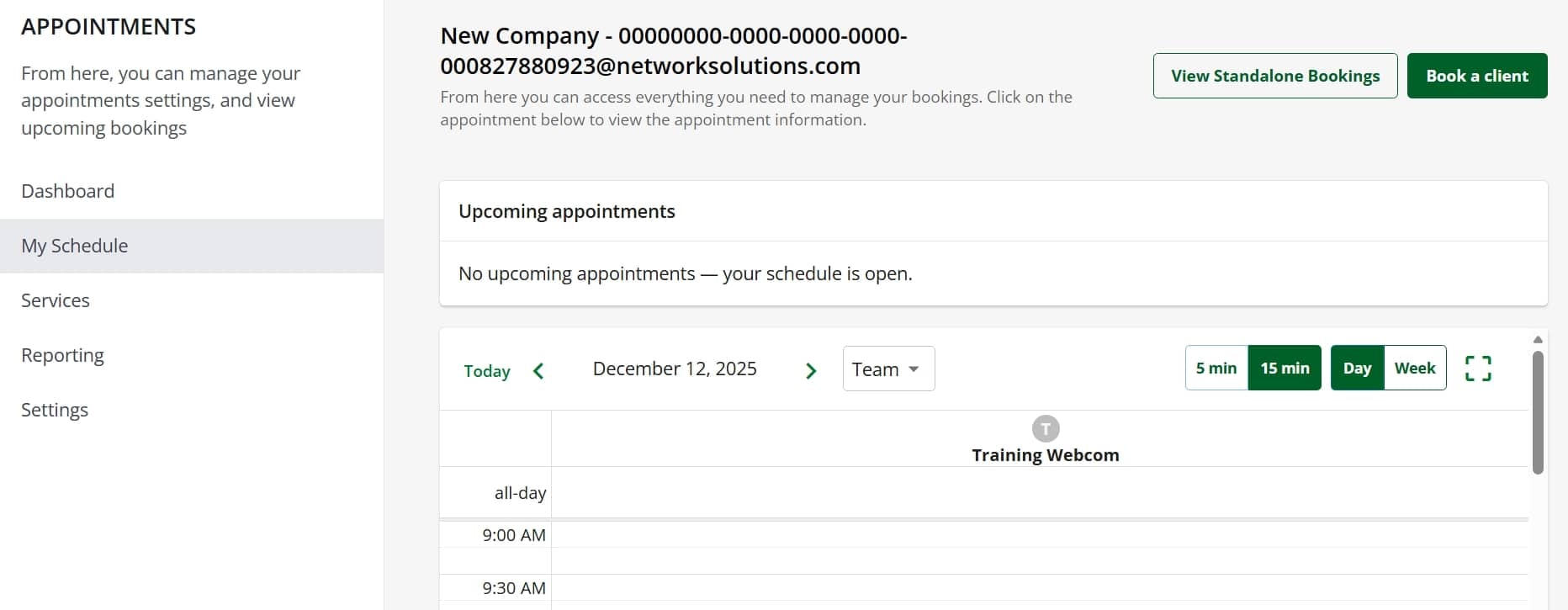
If your work relies on bookings, Network Solutions offers easy scheduling features that you can use right away.
The scheduling tools include:
- A simple schedule dashboard to manage your week
- Service creation tools for clear offerings
- Automated booking so customers can reserve a spot anytime
Service businesses like salons, spas, coaches, trainers, and wellness providers can use this to cut back on manual follow-ups and give customers a smoother online experience.
CRM and customer management tools
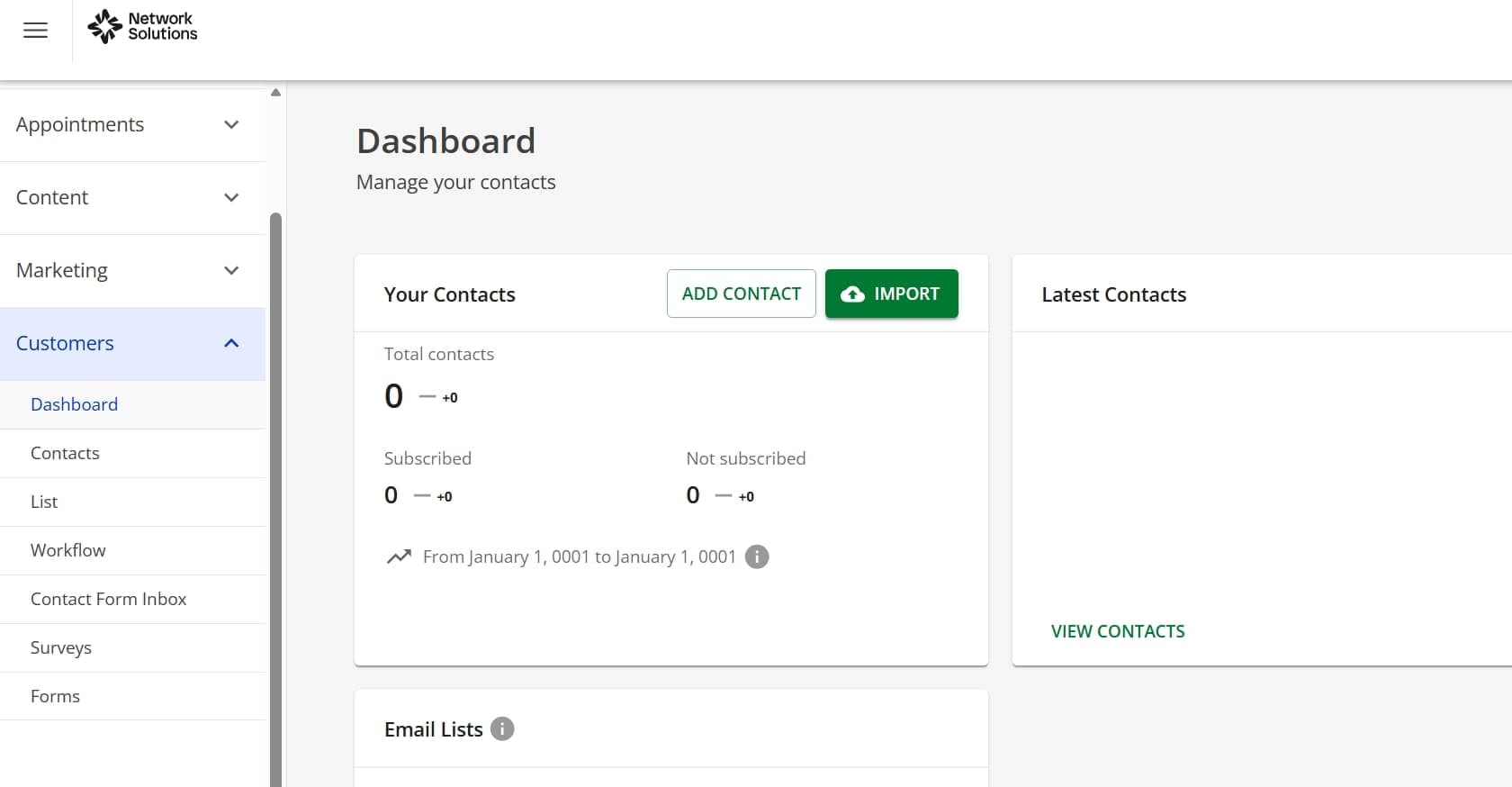
Your website builder also includes tools that help you connect with your customers and keep your information organized.
You get control over:
- Contacts database that grows with your business
- Lists and segmentation for targeted outreach
- Surveys and forms to collect feedback
- Contact form inbox for all form submissions
- Automated workflows that help you stay consistent without extra work
These features help with online marketing because they give you the ability to reach the right people at the right time. They also support your SEO tools strategy, since engaged users tend to visit again and interact more with your site.
Built-in marketing tools
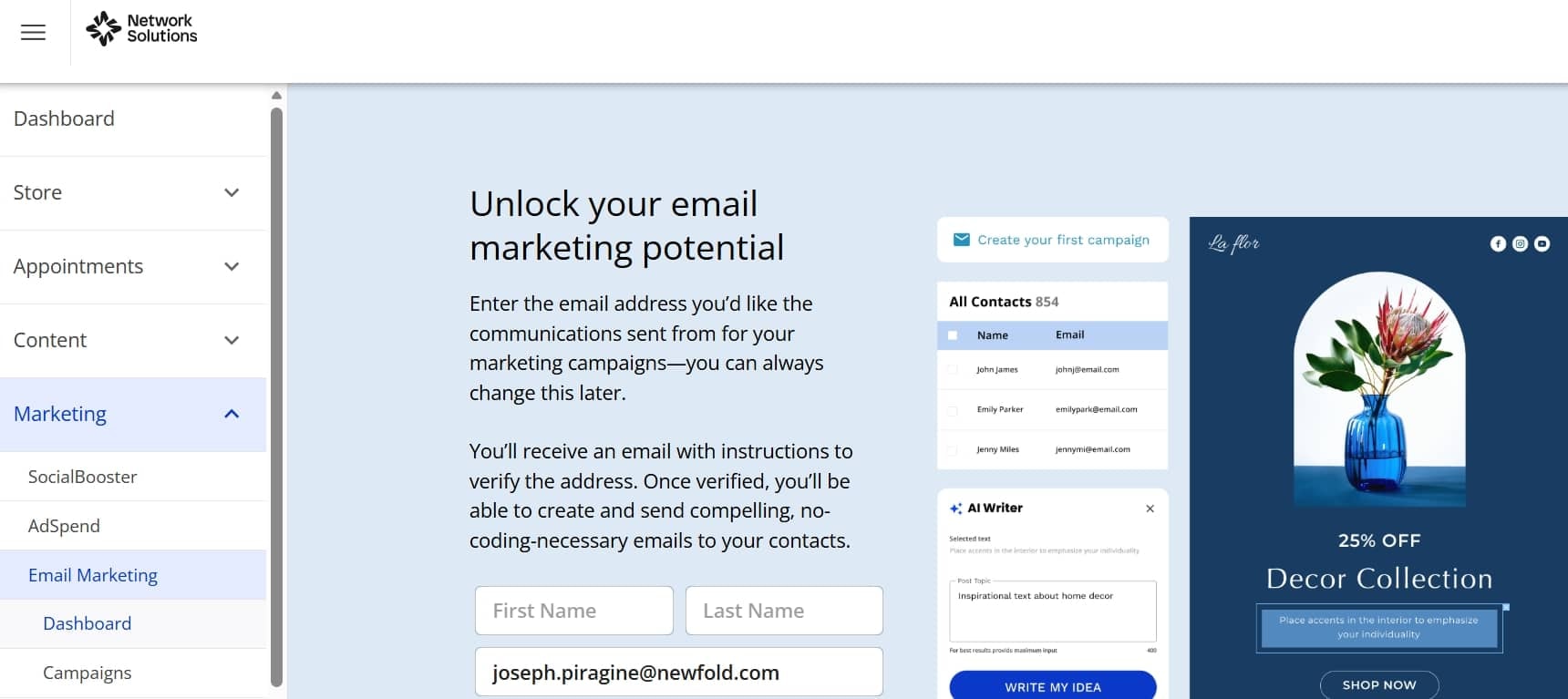
The builder offers simple ways to promote your business without having to use third-party tools. These support emails, social posts, and everyday marketing activities help bring people back to your site.
What’s available for you:
- Email marketing tools for updates, newsletters, and promotions
- Social media tools that help you share posts more easily
- Ad planning tools to support your broader campaigns
- A marketing calendar to stay organized
- A QR code maker for print materials
- MyLinks for sharing multiple links from one profile
These tools work well alongside your free* professional email, free domain, and other features that may be part of your builder plans. They also connect with options like business listing, automatic malware removal, and daily malware scan, which help keep your site secure and visible.
And if you ever need help, we offer a comprehensive knowledge base and access to group services that support your site, your store, and your overall professional design goals.
*Terms and conditions apply.
Is Network Solutions a good website builder?
Yes, Network Solutions is a good website builder for small business owners who need a straightforward setup. It’s built for people who want to get online quickly without hiring a developer or spending weeks learning complicated software.
The Network Solutions Website Builder generates your first layout based on your input, then gives you full control to customize it. You get domain registration, web hosting, an SSL certificate, and a free domain on select annual plans. And since all are bundled together, you’ll not be piecing together services from different providers.
It works well if you need templates, basic SEO tools, and an online store through the e-commerce plan. The builder also includes email marketing tools for staying in touch with customers without paying for separate software.
So, if you want a simple way to get started, the Network Solutions Website Builder gives you that easy path forward along with phone support and contact support when you need help.
What is the best website builder for beginners?
For beginners, the best website builder is one that helps you get online quickly without complicated steps. Of course, you’ll want tools that are easy to understand and make the whole process manageable on your own.
A beginner-friendly builder often includes:
- AI setup that starts your layout for you
- A drag-and-drop editor
- Pre-designed sections you can add in seconds
- Mobile-friendly templates
- Basic SEO tools so search engines can understand your pages
- The option to sell services or products later through an e-commerce plan
These features keep your early steps smooth, especially if the builder simplifies page creation and offers tools you can grow into as your business expands.
How much should I pay for someone to build my website?
Most people pay between $300 and $5,000 or more for someone to handle their website building, and the price depends on the size of the site and the features you want. Simple business sites fall on the lower end. Sites with custom design, an e-commerce plan, or extra tools cost more.
If you want to save money, an AI-powered website builder can help. The Network Solutions Website Builder is a good option for anyone who wants an affordable start with AI support, ready templates, an SSL certificate, and simple editing tools. You can also choose monthly plans or hosting packages with budget-friendly pricing.
If you prefer a done-for-you setup, our web design services team can build your website for you.
Disclaimer: Pricing is subject to change without notice. Please check with providers for the most up-to-date rates.
Frequently asked questions
No, you don’t need to buy separate hosting. The Network Solutions AI website builder includes hosting in your plan, so your site runs on the same platform. Network Solutions also provides a domain option, templates, and editing tools in one place to keep your setup easy
You can build a basic site with the Network Solutions AI-powered website builder in a few minutes since the system prepares your first layout for you. You only need to add your text and images, so most simple sites are finished within the same day. Bigger sites may take longer, but the AI gives you an early layout that helps you move forward faster.
Yes, you can sell both products and services through the website builder. You can list what you offer, set your prices, and accept payments once your store or service page is active. This setup works for handmade items, digital goods, classes, coaching, or local services.
Yes, your website will be mobile-friendly because the builder uses mobile-responsive templates that adjust to any screen size. Your pages, images, and buttons will resize automatically, so visitors can browse comfortably on phones or tablets. You don’t need extra configuration to make this work.
Yes, you can edit your site without coding. The builder uses a visual drag-and-drop editor that allows you change text, update images, and rearrange sections with just a couple of steps. This keeps updates easy even if you have no technical experience.
Yes, you can optimize your site for SEO with tools that help you improve meta titles, meta descriptions, and on-page content. You can add keywords, adjust your meta tags, and make sure your pages load fast on all devices. These steps help search engines understand your site and make it easier for people to find your business.
Take the next step with a trusted AI-powered website builder
The Network Solutions Website Builder gives you a simple way to create a professional site without anything technical to figure out. You can start fast with AI, personalize every page with easy tools, and use built-in features that support your growth as your business expands.
If you want to build your site today, you can try our Website Builder and see how quickly you can get your first layout ready. You can also search for a domain that matches your brand, so your business has a unified and memorable online identity from the start.