
Key takeaways:
- A/B testing helps small businesses make data-driven decisions by comparing two versions of a page, email, ad, or other digital asset instead of relying on assumptions.
- Split testing works best when the test focuses on one clear variable, such as a headline, CTA, image, form, or layout, so the test results are easier to understand.
- Strong tests reveal how user behavior affects clicks, sign-ups, purchases, and conversion rate, giving you clearer direction for future marketing decisions.
When you change a website page, email, or landing page based on assumptions, you may feel efficient, but you’re often left guessing how customers actually respond. You might write a clearer headline, create a shorter form that feels easier to complete, or select a more polished image, but those choices do not always deliver better results. That is where A/B testing comes in.
If you have ever wondered what is A/B testing, think of it as a practical way to compare two versions of a digital asset and see which one performs better. Also called split testing, it tests changes to a call to action, headline, form, image, or page layout using real customer behavior instead of opinion alone.
A/B testing lets small businesses improve digital marketing decisions across websites, emails, ads, and landing pages. Even simple website A/B tests show what encourages more clicks, sign-ups, inquiries, or purchases.
This article shows why A/B testing matters, when to use it, what to test, how analytics work, and which metrics to track, including conversion rate.
Find the perfect domain
Ready to register a domain name? Check domain availability and get started with Network Solutions today.
What A/B testing means
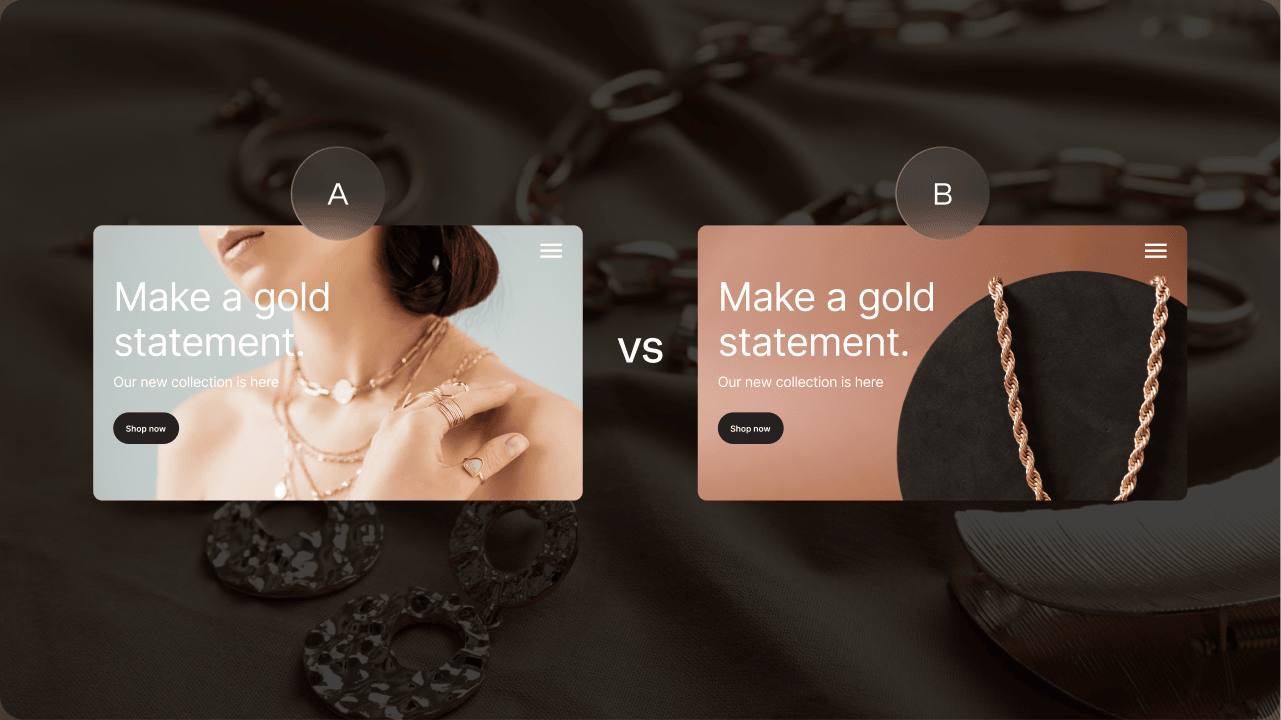
A/B testing is a controlled experiment that compares two versions of a digital asset to see which one performs better. It is also known as split testing or bucket testing. In a typical test, version A is the control, or the original version, while version B is the variation with one specific change.
The audience or traffic is split between the two variants, so some people see version A and others see version B. Their actions are then measured against a clear goal, such as clicks or email opens. The results show which version is more effective based on actual data rather than guesswork.
Small businesses can use A/B testing across many digital assets, including web pages, landing pages, email subject lines, forms, and ad copy. For example, you might test two headlines on a landing page or two calls to action on a product page.
When possible, each test should focus on one element at a time. Testing a single element makes it easier to understand what caused the performance difference. This keeps your test results clearer and more useful for future decisions.
Why use A/B testing?
A/B testing helps businesses make decisions based on user behavior instead of opinions, assumptions, or personal preferences. Rather than guessing whether a new headline, button, form, or page layout will work better, you can compare two versions and see how real visitors respond.
This makes testing useful for many business goals. For instance, you might want more leads from a contact form or stronger email engagement. A/B testing gives you a practical way to connect those goals to actual customer behavior.
It also supports conversion rate optimization by showing whether a change has a positive impact, no meaningful effect, or even a negative impact. Sometimes a test hypothesis turns out to be wrong, but that is still useful. It can stop you from rolling out a change that would have wasted time, reduced performance, or created friction for customers.
For small business owners, this can be especially valuable. Time, traffic, and budget are often limited, so every website update or marketing change needs to count. A/B testing helps you make smarter improvements instead of relying on what looks good or feels right.
So, do I need A/B testing? If you regularly make changes to your website, emails, ads, or landing pages and want clearer proof of what works, it is worth considering. Just keep in mind that you need sufficient traffic to produce meaningful results.
You can learn more about how a professional-looking email can help you convert more customers from our guide on the topic.
When should you run an A/B test?
A/B testing works best when you have a clear goal, a measurable primary metric, and sufficient traffic or audience volume to support reliable results. In other words, you should know what you want to improve before you start testing.
So, when should I do A/B testing? A test makes sense when you want to make a specific change tied to your business goals, such as:
- Updating a landing page headline, layout, image, or offer
- Changing a call to action to see which version gets more clicks
- Improving form submissions by testing form length, fields, or placement
- Testing email subject lines to improve opens or engagement
- Comparing design variations before committing to a wider update
- Launching a new feature and monitoring user response
- Improving checkout flow or increasing average order value
The key is to focus on one primary metric or single metric at a time. If you want more form submissions, measure submissions. If you want more purchases, measure completed orders. This helps you understand whether the change had a clear impact.
There are also times when it is better not to test yet. Hold off if:
- You do not have a clear goal.
- You have too little traffic to reach reliable results.
- You are changing too many variables at once.
- The test running period is too short.
- The results are likely affected by random chance.
You do not need a large company budget to run a useful A/B test, but you do need enough data to reach statistical significance. A statistically significant result gives you more confidence that the winning version performed better for a real reason, not by accident.
How to perform A/B testing
A/B testing works best when each test has one clear goal, one controlled change, and enough data to fairly compare results. The process starts with a test hypothesis, then moves into choosing primary success metrics, setting the right sample size, collecting data, and analyzing results.
The goal is to understand whether your test results are statistically significant, not just which version looks better at first glance. The next steps outline how to plan, run, and evaluate A/B testing with greater confidence:
- Define your goal and primary metric
- Create a test hypothesis
- Build version A and version B
- Spilt your audience or traffic
- Run the test long enough
- Analyze the results and apply what you learn
Define your goal and primary metric
Every A/B test should start with one clear business goal. Focus on targets like:
- Improving conversion rate
- Increasing click-through rate
- Reducing bounce rate
- Growing revenue
- Raising average order value
- Acquiring more form submissions
The goal should reflect what matters most to your business, not just what is easiest to measure.
Once the goal is clear, choose one primary metric that will determine whether the test succeeds. This keeps the test focused and helps you avoid reading too much into unrelated numbers. For example, if your goal is to increase quote requests, form submissions should be one of your primary success metrics.
You can still monitor other metrics, such as time on page or scroll depth, to understand broader user behavior. Just make sure they do not distract from the main result you are testing.
Create a test hypothesis
A test hypothesis is a clear prediction about what change may improve performance and why. It gives your A/B test direction before you build the variation or start collecting results.
A strong hypothesis connects one element to one expected outcome. For example, you might say: Changing the CTA text from ‘Submit’ to ‘Get my free quote’ will increase form submissions because the new wording makes the offer clearer and more specific.
This keeps the test focused on user behavior instead of personal preference. You’re testing whether a specific change leads people to take the action you want.
Your hypothesis may also turn out to be wrong, and that is still useful. A result that disproves your idea can provide valuable insights and help you avoid changes that do not support your goals.
Build version A and version B
In an A/B test, version A is usually the control, or the original asset you already have. Version B is the variation, or the updated version, you want to compare against. These two versions should be similar except for the specific change you want to measure.
For cleaner results, test a single variable at a time. You might change the headline, call to action, image, form fields, page layout, or ad copy. For example, you could compare two variants of a product page with different button text, or test design variations with different hero images.
Testing multiple variables at once can make results harder to interpret. If version B performs better, you may not know whether the headline, layout, image, or call to action caused the improvement. Multiple versions can be useful later, but simple tests are often better for small businesses.
Split your audience or traffic
In split testing, your audience should be randomly divided between the control and the variation. One group sees version A, while the other sees version B. This random selection helps make the comparison fair because each version has a similar chance of reaching different types of visitors.
Website testing tools can usually split traffic automatically, so you do not have to manage the process manually. Some tools also support bucket testing or split URL testing, depending on how your pages or campaigns are set up.
Balanced audience groups help reduce biased test results. You also need a large enough sample size and sufficient traffic to avoid decisions based on random chance instead of real user behavior.
Our guide on how to improve website traffic can help you understand how to improve and leverage webpage traffic.
Run the test long enough
Stopping a test too early can lead to misleading results. One version may look like the winner at first, but that can change as more people interact with the page, email, or ad. Keep the test running long enough to capture typical traffic patterns, such as weekday and weekend behavior or differences between new and returning visitors.
The right duration depends on your traffic volume, sample size, and the expected change. A small change usually needs more data to show meaningful results, while a larger difference may become clear sooner.
It also helps to set an end date before the test starts, so you do not stop the test based solely on early performance. Ideally, the test should reach statistical significance. In simple terms, a statistically significant result means you have enough confidence that the outcome results from the variations rather than chance.
Analyze the results and apply what you learn
After collecting data, focus on analyzing results against the primary metric you chose at the start. The winning version should be based on that metric, not on which version performed better across every possible number.
Your test results may produce:
- A clear winner
- No meaningful difference
- An outcome that needs more tests
If you get a statistically significant result, you can feel more confident that the difference was likely caused by the change you tested. If the results are unclear, treat that as useful information rather than a failed test.
Document what you tested, what happened, and what you should test next. Over time, these notes can help you spot patterns in customer behavior and avoid repeating the same assumptions.
A/B testing shouldn’t be a one-time project. Treat it as an ongoing, data-driven process that helps you continually improve your website, campaigns, and customer experience.
What should you test?
The best thing to test depends on the goal you want to improve. If you want more people to click, your call to action may be the right place to start. If visitors leave a page too quickly, your headline, page layout, or opening message may need attention. If leads are low, your form fields, offer, or landing page copy may be worth testing.
For small businesses, it is usually better to start with visible, high-impact elements that directly affect customer action.
The next sections break down common A/B testing ideas you can use across your website, emails, ads, and landing pages. Each one focuses on simple, practical changes that can help you understand what your audience responds to without overwhelming your team or testing too many variables at once.
- Calls to action
- Landing pages and page layout
- Forms, copy, and images
- Email campaigns and ads
Our guide on website metrics will help you learn which analytics will help your page performance and audience reception.
Calls to action
A call to action is one of the most useful elements to test because it tells visitors what to do next. You can test CTA text, color, placement, and button size to see which version gets more people to act.
For example, you might compare “Get started” with “Book now,” “Request a quote,” or “Download the guide.” You can also test whether the button works better near the top of the page, after a product explanation, or at the end of a landing page.
CTA testing can help improve click-through rate and conversion rate because small wording or design changes can encourage customers to take the next step.
Our guide on the best practices for CTA writing can help you optimize yours.
Landing pages and page layout
Landing pages are useful for A/B testing because they usually have a clear goal, such as generating a lead, making a sale, booking, or signing up. You can test each section of the overall page layout to see what keeps visitors engaged.
For example, you might test whether a customer review works better near the top of a single page or closer to the call to action. You can also compare a shorter layout against a longer one with more details, FAQs, or product benefits.
If your business manages multiple landing pages, you can test similar pages to understand which structure performs best. Layout testing can improve user experience and lower bounce rate by making the page easier to follow and act on.
Our guide to landing pages that convert can help you learn the details you need to create an effective landing page.
Forms, copy, and images
Forms, copy, and images can all influence whether visitors stay interested or take action. For forms, you can test shorter versus longer versions, different form fields, field order, required fields, or where the form appears on the page.
Shorter forms may increase lead volume because they ask for less upfront effort. Longer forms may reduce submissions but improve lead quality because visitors provide more details before reaching out.
You can also test headline copy, body copy, ad copy, and image choices to see which version creates stronger user engagement. For example, one image might make the offer feel more personal, while another might explain the product more clearly.
The important part is alignment. Your copy, images, and design variations should all support the same business goal, whether that is improving conversion rate, getting more inquiries, or increasing sales.
Email campaigns and ads
Email campaigns and ads are strong candidates for A/B testing because small changes can affect how people respond. For emails, you can test items like:
- Subject lines
- Preview text
- Send times
- Sender names
- Main content offer
For ads, you can compare elements such as:
- Ad copy
- Headlines
- Images
- Offers
- Calls to action
For example, one ad might promote a discount, while another highlights convenience or trust.
These tests give marketing teams practical feedback they can use to improve campaign performance over time. Instead of guessing which message will work best, digital marketing decisions become easier to refine based on how your audience actually responds.
Our guides on topics such as writing compelling subject lines can help you craft emails that convert.
A/B testing examples
Seeing A/B testing in action makes it easier to understand how small changes can create meaningful results. Here are some practical ways businesses can run a website A/B test, email test, e-commerce test, or campaign test:
- Testing two homepage headlines: One might focus on affordability, while the other highlights speed, convenience, or expertise. This type of ab test on website pages can show which message gets visitors to keep reading.
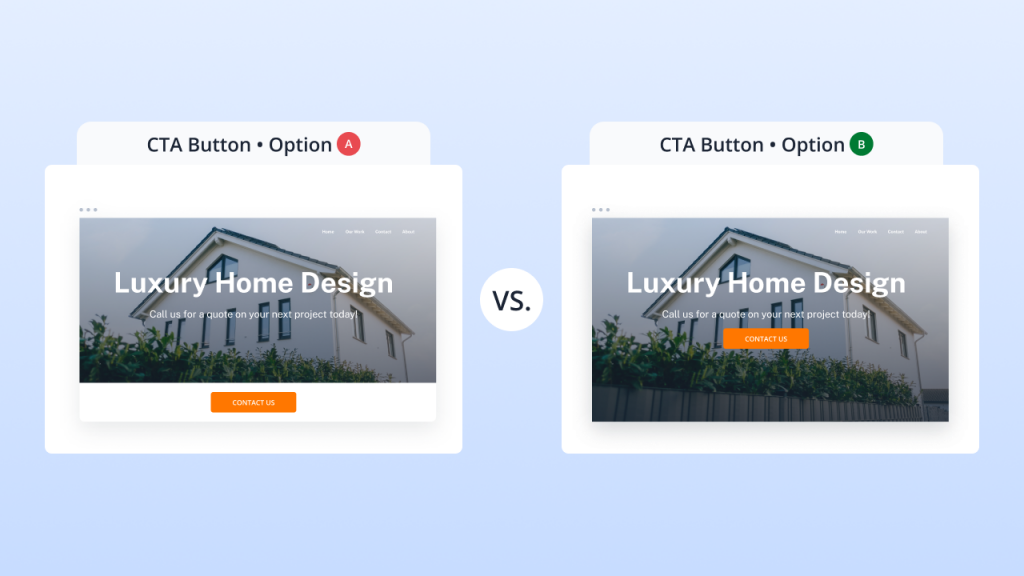
- Testing CTA button text or placement: One version might place the CTA at the bottom of the hero image, while another places it prominently at the center. You can also test wording like “Get started” against “Request a quote” to see which earns more clicks.
- Testing a shorter contact form against a longer one: Fewer form fields may increase submissions, while a longer form may attract more qualified leads. Testing both helps you balance lead volume and lead quality.
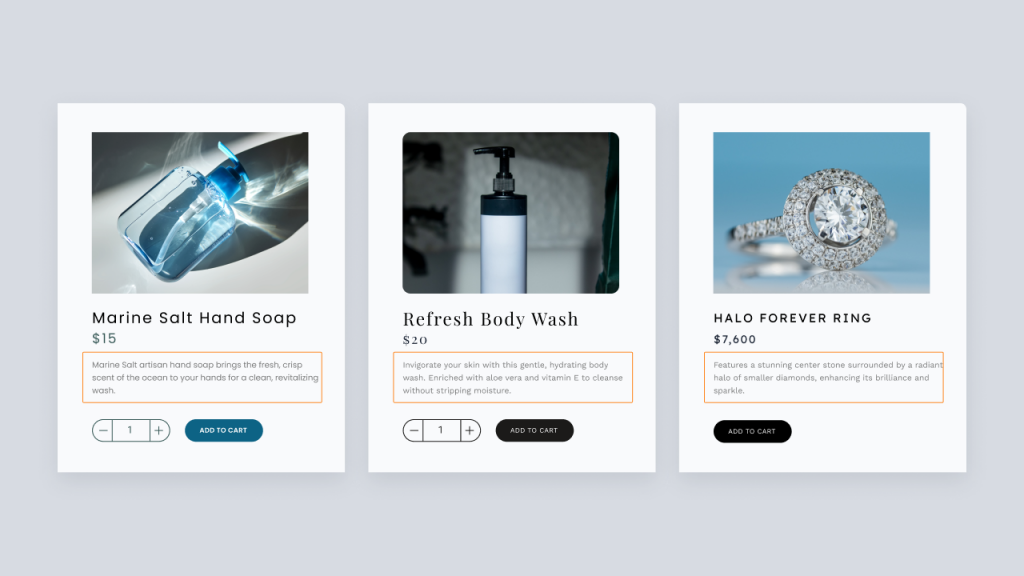
- Testing product images on an e-commerce page: A might show the product by itself, while B shows it in use. This can help you understand which image helps shoppers feel more confident about making a purchase.
- Testing free shipping messaging against discount messaging: The control might promote “Free shipping on orders over $50,” while the test sample highlights “10% off your first order.” This can show which offer improves the average order value or average order size.
- Testing email subject lines: Email subject lines can affect open rates and campaign engagement. You might compare a benefit-focused subject line with one that creates urgency.
- Testing landing pages and pricing page copy: Businesses can compare shorter landing pages against more detailed layouts, or test pricing page copy that focuses on savings, flexibility, or included features.
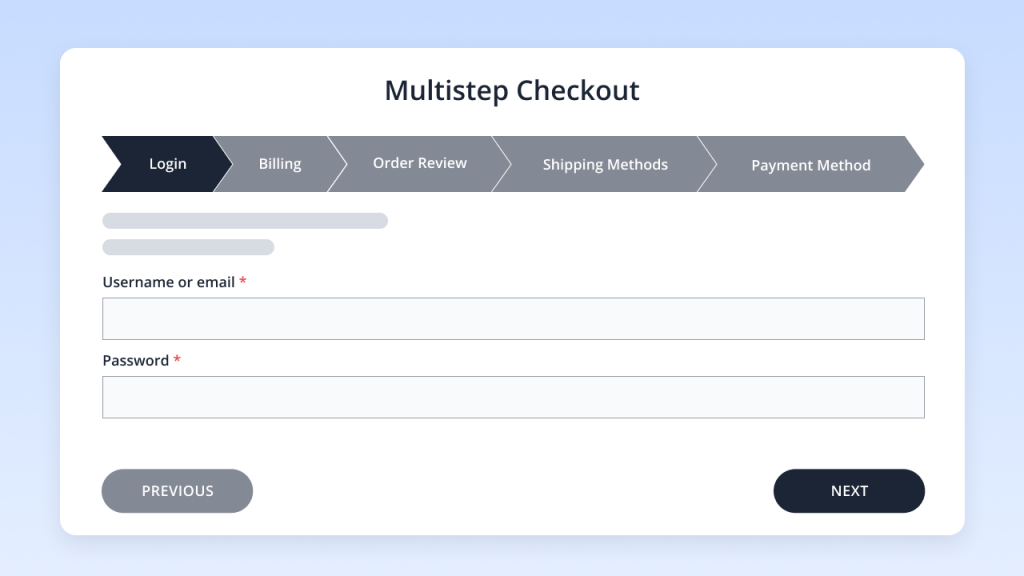
- Testing checkout flow changes or user onboarding steps: A one-page checkout may work better for some customers, while a multi-step checkout may feel easier for others. The same applies when introducing a new feature through user onboarding.
Types of A/B testing
A/B testing can take different forms depending on how many variations you want to compare and how complex the change is. For small businesses, it is usually best to start with simple A/B testing before moving into more advanced methods that require a larger sample size, more traffic, and deeper analysis.
A/B testing
A/B testing compares two versions of one page, email, or campaign element. For example, you might test one homepage headline against another or compare two call-to-action buttons. This is the best starting point for simple, focused changes because you are only testing one main difference.
A/B/n testing
This type compares more variants against a control. Instead of testing version A against version B, you might compare version A against versions B, C, and D. This can be useful when you have multiple versions of a headline, offer, or landing page concept, but it requires more traffic and a larger sample size to get reliable results.
Split URL testing
Split URL testing sends traffic to different URLs. This is helpful when you want to test larger page redesigns, different landing page structures, or major layout changes that are easier to build as separate pages.
Multivariate testing
Multivariate testing examines multiple variables and combinations simultaneously, such as a headline, image, and button working together. It can show how different elements interact, but it usually requires significant traffic and more advanced analysis. Some tools may use machine learning to help manage these experiments, but this approach is often more than a small business needs at the start.
Mobile app testing
Here, the comparative analysis applies similar testing principles to mobile apps. Businesses can test onboarding screens, button placement, new feature flows, or screen layouts. Since this article focuses on websites, the key takeaway is simple: choose the testing type that matches your traffic, goal, and available resources.
The role of analytics in A/B testing
Analytics play an important role before, during, and after an A/B test. Before the experiment begins, analytics help you decide what to test by showing where visitors struggle, pause, or leave. Instead of choosing a test idea based on opinion, you can use data to find areas that may need improvement.
For example, your Google Analytics data can show which pages have high bounce rates, where users drop off, and which traffic sources attract visitors more likely to convert. Heatmaps can reveal where people click, scroll, or stop paying attention. Form analytics can show which form fields cause users to abandon the process. Email campaign reports can show open rates, click patterns, and subject line performance. Sales or revenue data can also help connect test results to actual business outcomes.
Analytics also support collecting data during the test and reviewing test results afterward. They help you compare how each version performed against your primary metric, such as clicks, submissions, purchases, or revenue.
That said, analytics show what happened, but they may not always explain why. A page may have a high exit rate, but the data alone might not reveal whether the problem is unclear copy, weak design, pricing concerns, or missing information.
When possible, combine analytics with customer feedback, surveys, reviews, or support questions. Together, these sources provide valuable insights into user behavior and customer behavior, giving your business stronger empirical evidence for more data-driven decisions.
What metrics should you pay attention to when it comes to A/B testing?
The right metric depends on what you want the test to improve. Before your A/B test starts, choose one primary metric that matches your goal. This keeps the test focused and prevents you from changing the success criteria after the results appear. You can still review other metrics for context, but one single metric should guide the final decision.
- Conversion rate: Best for purchases, signups, downloads, quote requests, and lead generation. It shows how many visitors complete the action you want them to take.
- Click-through rate: Best for CTAs, links, ads, emails, and navigation changes. It shows which version gets more people to click.
- Bounce rate: Best for landing pages, homepage tests, and content relevance. It can show whether visitors are leaving before they take the next step.
- User engagement: Best for time on page, scroll depth, video views, and content interaction. It helps you see whether visitors are actually engaging with the page or campaign.
- Revenue: Best for e-commerce tests, pricing changes, and checkout updates. It connects your test results to actual sales.
- Average order value: Best for product bundles, upsells, discounts, and free shipping tests. It shows whether customers spend more per average order.
- Form submissions: Best for lead generation and contact page tests. You can also review form fields to see whether shorter or clearer forms improve completion.
- Other metrics: Page speed, returning visitors, unsubscribe rate, and support inquiries may matter depending on the test. Use them as supporting signals, but keep your primary metric as the main decision point.
Common A/B testing mistakes to avoid
Even with a solid idea, A/B testing can yield unreliable results if the setup is rushed. These common mistakes are normal, especially when you’re new to testing, but a simple testing plan can help you avoid misleading conclusions.
- Testing without a clear goal: A test needs one business goal and one primary metric. Without that, it becomes hard to know whether the change actually worked.
- Changing too many variables at once: A/B testing works best when you isolate a single variable. If you change the headline, image, button color, and form at the same time, other variables can make the results harder to interpret.
- Ending a test too early: Early numbers can be misleading. Version B may appear to be winning after 100 visits, but that lead may disappear later. Run the test long enough to reach meaningful results.
- Ignoring sample size or traffic volume: If too few people see each version, the outcome may reflect random chance rather than real behavior. Make sure you have enough traffic and sample size before trusting the result.
- Treating random chance as proof: A small difference does not always mean one version is better. Aim for statistical significance so you have more confidence that the result is not just a temporary spike.
- Measuring too many metrics: You can track supporting data, but do not let every number compete for attention. Pick one main metric before the test starts.
- Not documenting what was tested: Record the goal, hypothesis, change, timeline, sample size, and outcome. This helps you learn from each test and avoid repeating the same assumptions.
- Making broad decisions from one test: One test can guide your next move, but it should not define your entire strategy. Use each result as one piece of evidence.
- Forgetting about user experience: A version may get more clicks but create confusion later. Always consider whether the change helps customers move forward more easily.
Build a website that lasts!
Launch your website and engage with customers in minutes with our DIY Website Builder.

Frequently asked questions
A/B testing, also called split testing, compares two versions of a page, email, ad, or campaign to see which performs better. Version A is usually the original, while version B includes one change. The goal is to use real results to guide decisions.
It can help if your business has clear business goals, sufficient traffic, and a measurable action to improve, such as clicks, signups, purchases, or form submissions. Very low-traffic websites may need to collect more data before running a useful test.
Run a test before making major changes to calls to action, landing pages, emails, forms, or campaigns. Testing works best when you change one element at a time, so you can clearly see what affected the result.
An ab test on website pages can compare headlines, images, navigation, product pages, landing pages, page layout, a call to action, or form fields. An A/B test on a website works best when the change is specific and tied to a single measurable goal.
A/B testing compares two versions of one asset or element. Multivariate testing compares multiple variables or combinations at once, such as headline, image, and button changes together. Because it spreads traffic across more variations, multivariate testing usually needs more traffic and a larger sample size.
The right length depends on your traffic, sample size, and the metric you are measuring. A test should run long enough to reach statistical significance and reduce the risk of choosing a winner based on random chance rather than real performance.
Stay in control of your website performance
A/B testing does not need to be complicated. When you start with a clear goal, test one change at a time, and measure the right data, even small updates can lead to smarter decisions.
A focused website A/B test can help you understand what supports your business goals, whether that means improving conversion rate, getting more leads, increasing sales, or creating a better user experience. Over time, these data-driven insights give you more control over how your website, emails, landing pages, and campaigns perform.
As you improve what customers see and experience online, make sure your foundation supports that growth with our Website Builder and SEO Tool.