

Key takeaways:
- GoDaddy is accessible, but other website builders offer better pricing and provide additional tools and functionality.
- When considering other options, consider your business needs and the provider’s performance, features, pricing, and reviews.
- Website security can be a make-or-break feature for website builders. Platforms with robust services can protect your website and customers from data breaches.
GoDaddy is a popular choice for businesses looking to create a website. However, finding website builders that match your needs is more important than popularity. Fortunately, there are many GoDaddy alternatives that offer tools and services you won’t find on GoDaddy. Whether you’re starting a small business or expanding your company, you need a website builder that matches your needs.
This article will look at some great alternatives to GoDaddy’s website builder. These options offer easy-to-use design tools, flexible templates, and reliable customer support. Our goal is to help you find the right platform to build a professional, effective website for your business.
Find the perfect domain
Ready to register a domain name? Check domain availability and get started with Network Solutions today.
How we developed this list
Because GoDaddy is one of the most recognizable names in domains, hosting, and website building, we wanted to look beyond brand familiarity and focus on real user experience. To create a balanced list of GoDaddy alternatives, we analyzed aggregate review platforms and customer discussions across Trustpilot, Reddit, Quora, and G2. Our goal was to understand what people actively compare when considering a switch from GoDaddy to another provider.
Across these sources, several recurring themes stood out. Most users evaluating alternatives consistently focused on the following qualities:
- Price to feature ratio: What tools and capabilities are included at each pricing tier, and whether the overall value justifies the long-term cost
- Ease of use: How intuitive the dashboard, setup process, and site management tools are, especially for small business owners without technical backgrounds
- Billing transparency: Whether pricing is clearly presented upfront, including renewal rates, add-ons, and potential upsells
- Customer support: How responsive and knowledgeable the support team is, particularly during urgent situations like downtime, domain issues, or billing concerns
- Performance and reliability: How stable the hosting environment is, how quickly websites load, and whether performance remains consistent during traffic spikes
- Scalability and flexibility: Whether the platform can grow with a business, from a simple website to e-commerce, marketing tools, or advanced integrations
- Cancellation and migration process: How easy it is to transfer domains, move hosting, or close an account without unnecessary friction
Our evaluation is grounded in reviewing more than 80 real user experiences to ensure this list reflects practical, firsthand insights from customers who have used GoDaddy and its competitors. Rather than relying solely on feature checklists, we prioritized patterns in user satisfaction, common complaints, and long-term usability.
Disclaimer: This article is for informational purposes only. Pricing and specifications, where mentioned, are accurate at the time of publication but may change without notice. Always consult a product specialist to determine the best fit for your specific needs.
Comparison of the best GoDaddy alternatives:
- Network Solutions
- Bluehost
- HostGator
- Squarespace
- Wix
- Namecheap
- Weebly
- DreamHost
- Shopify
Note: Pricing information and plan inclusions are current at the time of writing but may change over time without prior notice. For up-to-date rates, please check the service provider’s official website.
1. Network Solutions

With over 40 years of experience, Network Solutions is one of the most established names in the website services industry. It’s an all-in-one platform for website-building, hosting, domain registration and more.
Whether you want to create a simple business site or a complex online store, we provide comprehensive solutions.
Our website builder lets you launch a professional website quickly with easy drag-and-drop tools and customizable templates. The e-commerce website builder makes setting up an online store and managing products, payments, and orders simple for businesses aiming to sell online.
Network Solutions uses AI to help you build a website in a few minutes. You’ll also love its built-in AI copywriting tool to help you write content.
No time to DIY? We can build your site and launch digital marketing campaigns for you.
Beyond website building and online marketing, we also offer domain registration, web hosting, email services, and domain and cybersecurity solutions.
Key unique features
- AI website builder: Launch a professional website in minutes using AI-powered tools. No coding required, with guided setup and pre-built layouts tailored to your industry.
- All-in-one business platform: Manage your domain, hosting, SSL, email, and marketing tools from a centralized dashboard designed for simplicity.
- Domain expertise and brand protection: As one of the earliest domain registrars, Network Solutions offers domain management, transfers, premium domains, and trademark services to help protect your brand.
- Security features built in: SSL certificates, daily malware scans, and secure hosting infrastructure help safeguard your website and customer data.
- Professional marketing services: Access SEO, pay-per-click advertising, local listings management, and other marketing solutions if you prefer expert support instead of a DIY approach.
- Custom web design and copy services: Businesses can upgrade to professionally designed websites with tailored messaging to strengthen their brand presence.
- Professional email solutions: Create branded email addresses that match your domain to maintain credibility and consistency across communications.
Who it’s best for
- First-time website owners: Entrepreneurs and small business owners who want a straightforward setup process without technical complexity
- Small to mid-sized businesses: Companies that need an integrated solution combining website building, hosting, domain management, and marketing tools
- Brand-focused businesses: Business owners who want domain protection, trademark services, and professional email under one provider
- Businesses planning long-term growth: Users who may start with a website builder but later expand into SEO, PPC, or professional design services
What users are saying
Network Solutions receives mixed but generally positive feedback across major review platforms. On Trustpilot, many small business owners highlight the convenience of managing domains, hosting, and email in one place and praise helpful customer support that simplifies account and service management.
G2 reviewers highlight the platform’s domain management capabilities and its longstanding industry reputation. Several users appreciate that centralized services (domain, hosting, email, builder) eliminate the hassle of juggling multiple providers when launching or managing websites.
Professional reviewers such as TechRadar note Network Solutions’ broad service portfolio and its strength as an all-in-one web services provider, particularly for domain registration, hosting, and builder tools. While some reviewers note that certain interfaces and features feel more traditional than those of newer competitors, they still acknowledge the provider’s reliability and depth of offerings.
Overall, feedback tends to emphasize convenience, brand protection services, and access to live customer support as key advantages for business users, while noting that some aspects (like pricing or platform modernity) may not suit everyone.
Pricing and plans
Network Solutions offers tiered website builder plans designed for different business needs. Plans typically include a free domain for the first year, professional email options, SSL security, and hosting.
Website builder plans start at competitive introductory rates, making it accessible for new businesses establishing their online presence. As needs grow, users can upgrade to higher-tier plans with expanded e-commerce features, marketing tools, and additional customization options.
For businesses that prefer expert involvement, professional web design and digital marketing services are available as add-ons. This allows you to start with a DIY builder and later transition to a more hands-on, professionally managed solution without switching providers.
Website | Website + Marketing | E-commerce |
|---|---|---|
$4.99/mo | $7.99/mo | $13.99/mo |
2. Bluehost

Bluehost is one of the leading web hosting providers that powers over 2 million websites.
It’s an official WordPress-recommended web hosting provider. Known for its reliable hosting services, including shared, dedicated, WordPress, and VPS hosting plans.
Bluehost also offers an AI-powered website builder. Its website builder helps create a personalized website based on a few simple questions. They also offer a WordPress block editor with a range of design templates.
If you prefer a professional touch, Bluehost also has a team that can design your website.
For enhanced website speed and security, Bluehost includes features such as a pre-installed SSL certificate, web application firewall (WAF), and free content delivery network (CDN). Their cloud hosting plans come with a 100% uptime guarantee, ensuring your website is always accessible even during high-traffic periods.
Bluehost also offers PPC support and SEO services to enhance your website’s marketing efforts. With their customer support and professional services, Bluehost aims to support various aspects of your online presence.
Key unique features
- Official WordPress.org recommendation: Bluehost is one of the hosting providers recommended by WordPress.org, making it a popular choice for WordPress users.
- Beginner-friendly dashboard: A custom dashboard combined with cPanel makes it easier to manage websites, domains, and hosting settings in one place.
- Free domain for the first year: Most plans include a free domain for the first year, which helps reduce upfront costs for new website owners.
- One-click WordPress installation: Simplifies setup for blogs, business websites, and content-driven platforms.
- Built-in marketing credits: Select plans include advertising credits to help promote your website after launch.
- 24/7 customer support: Phone and live chat support are available around the clock for technical assistance.
- Scalable hosting options: Users can begin with shared hosting and upgrade to VPS or dedicated hosting as their traffic grows.
Who it’s best for
- WordPress users: Bloggers, content creators, and small businesses planning to build their site on WordPress
- Beginners launching their first site: Users who want a guided setup process with bundled domain and hosting
- Budget-conscious entrepreneurs: Small business owners looking for competitive introductory pricing
- Growing websites: Businesses that anticipate scaling and may need higher-tier hosting plans later
What users are saying
Bluehost receives a wide range of feedback across review platforms. On Trustpilot, users frequently mention ease of setup and helpful support representatives, especially when resolving WordPress-related issues. At the same time, some reviewers raise concerns about renewal pricing and upsells.
On G2, reviewers often highlight Bluehost’s straightforward WordPress integration and beginner-friendly interface. Many appreciate the onboarding process, while others note performance limitations on entry-level shared plans.
Professional reviewers such as PCMag highlight Bluehost’s strong WordPress hosting features and its broad plan selection. However, they also note that performance and value can vary depending on the selected hosting tier.
Overall, feedback tends to emphasize accessibility for first-time website owners and WordPress users, while advising careful review of renewal rates and included features.
Pricing and plans
Bluehost offers multiple hosting tiers to accommodate different needs. Shared hosting plans start at competitive introductory rates and typically include a free domain for the first year, free SSL, and WordPress installation.
As traffic increases, users can upgrade to VPS or dedicated hosting for more performance and control. Bluehost also offers specialized WordPress hosting and e-commerce store plans.
While entry-level pricing is attractive, renewal rates are higher than the promotional price, so reviewing long-term costs is important when selecting a plan.
Basic | Choice Plus | E-commerce Premium |
|---|---|---|
$ 2.95/mo | $5.45/mo | $9.95/mo |
3. Hostinger

Hostinger provides a seamless and efficient site creation process with over 150 responsive, designer-made templates.
Its drag-and-drop editor also lets you customize and add elements such as text boxes, images, and videos without any coding knowledge. Plus, its mobile editing capabilities allow you to update and refine your website while on the go.
Like the majority in this list, Hostinger also offers AI-powered tools.
If you’re looking to sell online, Hostinger’s e-commerce supports selling up to 500 products without transaction fees. It also provides various payment methods, which enhances customers’ shopping experience.
Hostinger’s website plans include:
- Free domain
- 50 to 100 mailboxes
- Google Ads app
Key unique features
- Affordable introductory pricing: Hostinger is widely known for its low starting prices, making it attractive for new website owners and small businesses.
- hPanel custom dashboard: Instead of traditional cPanel, Hostinger uses its own custom control panel designed to simplify website, domain, and hosting management.
- Optimized WordPress hosting: Managed WordPress features such as one-click installation, automatic updates, and performance optimization tools.
- LiteSpeed-powered performance: Many plans use LiteSpeed web servers and built-in caching to improve page load times.
- Global data centers: Multiple server locations allow users to choose a region closer to their audience for improved speed.
- Free SSL and domain (on select plans): Higher-tier plans include a free domain for the first year and SSL certificates for security.
- AI website builder tools: Hostinger offers AI-assisted website creation, content generation, and logo design features.
Who it’s best for
- Budget-conscious beginners: Individuals and small businesses looking for one of the most affordable entry points into hosting
- WordPress users seeking value: Bloggers and content creators who want managed WordPress features at a lower cost
- International businesses: Brands targeting global audiences that benefit from multiple data center locations
- Growing websites with moderate traffic: Businesses that need performance-focused hosting without jumping immediately to higher-cost VPS or dedicated plans
What users are saying
Hostinger generally receives strong ratings across major review platforms. On Trustpilot, many users highlight the platform’s affordability, ease of setup, and responsive live chat support. Some reviews note that pricing transparency around renewals requires attention, but overall satisfaction is often tied to value for money.
On G2, reviewers frequently mention Hostinger’s user-friendly hPanel and competitive pricing. Users often appreciate the performance-to-price ratio, though some advanced users point out limitations compared to more premium hosting providers.
Overall, feedback emphasizes affordability, performance, and ease of use, with the main caution being to review renewal pricing and feature limits carefully.
Pricing and plans
Hostinger offers tiered shared hosting plans that start at very low introductory rates, making it one of the most budget-friendly providers. Entry-level plans typically include free SSL and managed WordPress support, while higher-tier plans add a free domain for the first year and increased resources.
For growing websites, Hostinger also offers cloud hosting and VPS options that provide enhanced performance and scalability.
While promotional pricing is highly competitive, renewal rates are higher than the initial offer, so long-term costs should be factored into your decision.
Premium Website Builder | Business Website Builder |
|---|---|
$2.99/mo | $3.99/mo |
4. Squarespace

Squarespace is known for its design-focused website-building platform. Squarespace offers various website designs that cater to different needs, whether personal, portfolio, business website, or online store.
One of Squarespace’s key features is its user-friendly interface. Users can easily customize their ideal templates to reflect their brand identity without coding or professional skills.
If you plan to open an online store, Squarespace also includes built-in e-commerce features, such as payment processing, appointment schedulers, and an AI-powered product description generator.
In terms of marketing, Squarespace has integrated social media platforms and built-in SEO tools in all its websites and online stores, helping you optimize your website for better search ranking.
Squarespace also offers 24/7 customer support through email and live chat. In addition, it provides resources like detailed guides and video tutorials for further support.
Key unique features
- Design-focused templates: Squarespace is known for professionally designed, mobile-responsive templates that prioritize visual appeal and clean layouts.
- All-in-one platform: Hosting, security, templates, and built-in features are included, so users do not need to manage separate hosting providers.
- Drag-and-drop editor: A visual editor allows users to customize pages without coding, while maintaining structured design consistency.
- Built-in e-commerce tools: Integrated online store features include product management, inventory tracking, digital downloads, and subscription selling.
- Content and blogging tools: Strong blogging functionality with scheduling, tagging, and built-in analytics.
- Integrated marketing features: Email campaigns, social media integrations, and basic SEO controls are available directly within the platform.
- Built-in security and SSL: SSL certificates and security features are included with all plans.
Who it’s best for
- Creatives and portfolio sites: Designers, photographers, artists, and agencies who prioritize strong visual presentation
- Small businesses wanting design simplicity: Business owners who prefer an all-in-one solution without managing separate hosting
- Entrepreneurs selling online: Users launching small to medium-sized online stores with built-in commerce tools
- Content-driven brands: Bloggers and personal brands that value clean layouts and integrated publishing tools
What users are saying
Squarespace generally receives positive feedback for its design quality and ease of use. On Trustpilot, users often highlight the platform’s professional templates and intuitive editing experience, while some reviewers mention limitations in advanced customization and pricing concerns.
On G2, reviewers frequently praise Squarespace’s sleek interface and all-in-one convenience. Many users appreciate not having to manage separate hosting, though some note that third-party integrations and advanced functionality can be more limited compared to open-source platforms.
Professional reviewers such as PCMag have noted Squarespace’s strong design capabilities and polished templates, particularly for portfolios and small online stores. However, reviews also note that the platform can feel less flexible for users who need deep customization.
Overall, feedback consistently emphasizes design quality, ease of setup, and the convenience of having everything bundled into one platform, with trade-offs in flexibility and pricing compared to some competitors.
Pricing and plans
Squarespace offers tiered plans based on website functionality. Personal plans are designed for basic websites and portfolios, while Business and Commerce plans unlock advanced features such as e-commerce tools, promotional pop-ups, and advanced analytics.
All plans include hosting, SSL security, and access to templates. There is no separate hosting fee since everything is bundled into the subscription.
While pricing is generally higher than some entry-level hosting providers, the all-in-one model appeals to users who value simplicity and built-in design tools over technical flexibility.
Personal | Business | Commerce Basic | Commerce Advanced |
|---|---|---|---|
$10/mo | $14/mo | $17/mo | $30/mo |
5. Wix
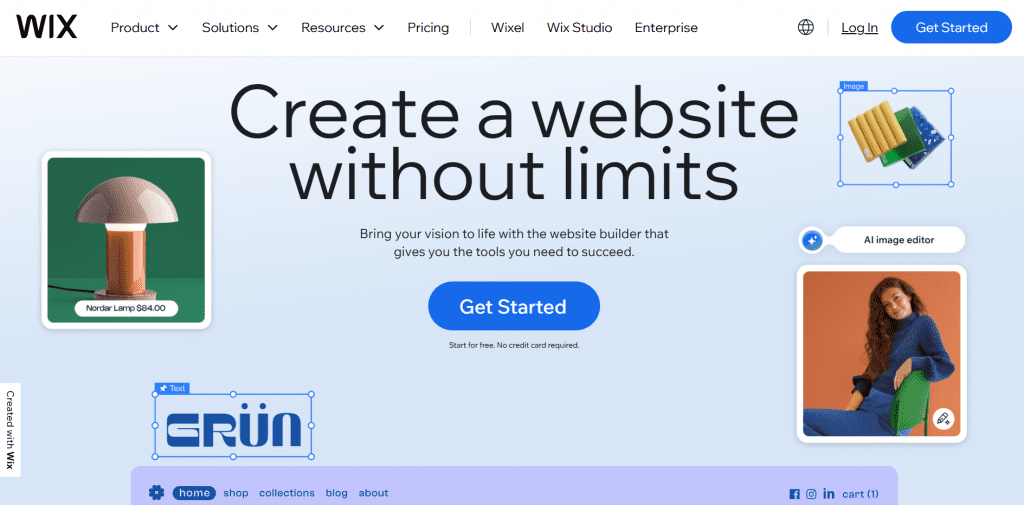
Wix is another leading website builder on this list. It’s known for its flexibility in customization, user-friendly interface, and set of website templates.
Wix provides professionally designed templates for different kinds of websites, such as online stores, portfolios, and blogs. These templates are also customizable and interactive, allowing you to create a unique and engaging site.
Wix also features an AI-powered website builder with tools like an AI content generator and an AI image generator.
Its all-in-one scheduling software allows users to manage bookings, payments, and activities. Wix also supports social media integration to increase your website’s interactions.
For support, Wix provides a comprehensive help center with tutorials and articles and 24/7 customer support via live chat.
Key unique features
- Drag-and-drop editor: Wix offers a highly flexible visual editor that allows users to place elements anywhere on the page without coding.
- Wix ADI (Artificial Design Intelligence): An AI-powered setup tool that creates a personalized website based on user responses to a few guided questions.
- Extensive template library: Hundreds of industry-specific templates covering business, e-commerce, portfolio, blog, and service-based websites.
- App Market integrations: Access to a large marketplace of apps and add-ons for bookings, events, marketing, chat, and more.
- Built-in business tools: Features such as appointment scheduling, invoicing, email marketing, and CRM tools are available within the platform.
- E-commerce functionality: Online store capabilities include product management, abandoned cart recovery (on higher plans), and multiple payment options.
- Hosting and security included: All plans include hosting and SSL certificates, removing the need for third-party hosting management.
Who it’s best for
- Beginners who want design flexibility: Users who want more creative control over layout without needing technical skills
- Small businesses and service providers: Companies that need booking systems, contact forms, and integrated marketing tools
- Entrepreneurs launching online stores: Businesses looking for built-in e-commerce functionality without managing separate hosting
- Creative professionals: Freelancers, consultants, and personal brands that want visually customized websites
What users are saying
Wix receives largely positive feedback for its ease of use and design flexibility. On Trustpilot, many users praise the drag-and-drop editor and beginner-friendly experience, though some reviews mention pricing increases on renewal and limitations when scaling larger sites.
On G2, reviewers frequently highlight Wix’s intuitive interface and wide template selection. Many appreciate the App Market and built-in business tools, while some advanced users note that deep customization and migration options can be limited compared to open-source platforms.
Professional reviewers such as PCMag have noted Wix’s strong feature set, particularly for small businesses and online stores. However, some reviews note that once a template is selected, switching later can be restrictive.
Overall, feedback commonly emphasizes ease of use, flexibility, and built-in tools, with trade-offs in long-term scalability and pricing transparency.
Pricing and plans
Wix offers multiple pricing tiers based on website type and functionality. Basic website plans support portfolios and informational sites, while Business and e-commerce plans unlock online store features and advanced tools.
All paid plans include hosting and SSL security. Higher-tier plans add features such as increased storage, advanced analytics, and marketing tools.
Introductory pricing is competitive, but renewal costs and premium app add-ons should be considered when evaluating long-term value.
Light | Core | Business | Business Elite |
|---|---|---|---|
$17/mo | $29/mo | $36/mo | $159/mo |
6. Namecheap

Namecheap is an excellent choice for domain registration services. They offer various domain services, from domain transfer to domain registration, including country code TLDs.
Security is one of Namecheap’s priorities. Like Network Solutions, they also offer SiteLock security, which adds an extra layer of protection for your website. They also provide Domain Vault for premium domain security, which stops hackers and cybercriminals from hijacking your domain.
Aside from its domain services and protection tools, Namecheap also offers a website builder tool. Their Site Maker tool can also be purchased as a stand-alone feature and comes with a 14-day free trial.
The platform ensures that websites built on its platform are mobile-friendly to accommodate the high volume of mobile traffic.
For customer support, Namecheap provides resources like Guru Guides with courses and masterclasses, and 24/7 live chat for immediate assistance.
Key unique features
- Affordable domain registration: Namecheap is widely recognized for competitive domain pricing, frequent promotions, and transparent renewal rates.
- Free Whois privacy protection: Domain privacy protection is included for free with eligible domains, helping users keep personal information secure.
- Beginner-friendly dashboard: A clean, straightforward interface makes it easy to manage domains, hosting, email, and SSL certificates in one place.
- Shared, WordPress, and VPS hosting options: Users can start with shared hosting and upgrade to managed WordPress, VPS, or dedicated servers as their needs grow.
- Free website builder: Hosting plans include access to a basic website builder for users who want a simple setup without installing WordPress.
- Security tools and SSL certificates: Namecheap offers SSL certificates, premium DNS, and additional security services to protect websites and domains.
- Transparent pricing structure: Compared to some competitors, Namecheap is often noted for clearer renewal pricing and fewer aggressive upsells.
Who it’s best for
- Domain-focused users: Entrepreneurs and investors who prioritize affordable domain registration and management
- Budget-conscious website owners: Individuals and small businesses looking for low-cost hosting and domain bundles
- Tech-savvy users: Users comfortable managing hosting environments who want flexibility without paying for bundled extras they may not need
- Small projects and startups: Businesses launching simple websites or early-stage projects that require affordable infrastructure
What users are saying
Namecheap generally receives positive feedback for its domain pricing and transparency. On Trustpilot, many users highlight the affordability of domains and the inclusion of free Whois privacy, while some reviews mention occasional delays in support response times.
On G2, reviewers frequently mention the ease of domain management and the straightforward dashboard. Many appreciate the pricing structure and the lack of aggressive upselling, though some note that hosting performance on lower-tier plans may not match that of premium providers.
Professional reviewers such as TechRadar have noted Namecheap’s strong value proposition, particularly for domain services and budget hosting. However, some reviews note that advanced features and performance may be more limited than at higher-end hosting providers.
Overall, feedback commonly emphasizes affordability, domain management strength, and pricing transparency, with trade-offs in premium performance and advanced hosting features.
Pricing and plans
Namecheap offers competitive pricing across domains and hosting services. Domain registrations are often available at discounted introductory rates, with free Whois privacy included for eligible domains.
Shared hosting plans start at low monthly rates and include a free website builder, unmetered bandwidth (on select plans), and SSL certificates. Users can upgrade to managed WordPress hosting, VPS, or dedicated servers as their needs expand.
While introductory pricing is attractive, users should review renewal rates and hosting resource limits to ensure the plan aligns with long-term goals.
Stellar | Stellar Plus | Stellar Business |
|---|---|---|
$1.98/mo | $2.98/mo | $4.98/mo |
7. Weebly

Weebly is known for its user-friendly interface, which includes a drag-and-drop feature that simplifies the process of creating a professional-looking website. This makes Weebly a great alternative for beginners.
The platform integrates essential features directly, so you can easily add blogs, e-commerce functions, and multimedia elements without needing third-party plugins.
Another feature Weebly offers is its image editor, which lets users edit website images without using a separate tool.
With its responsive website designs, Weebly ensures that your website looks great on any device.
Additionally, Weebly offers e-commerce features like inventory management, secure checkout, and various payment options.
Key unique features
- Simple drag-and-drop builder: Weebly offers an easy-to-use editor that allows users to build pages by dragging elements into place without coding.
- Square-powered e-commerce: Since its acquisition by Square, Weebly integrates tightly with Square’s payment processing and point-of-sale tools.
- All-in-one hosting included: Hosting, security, and SSL certificates are included with paid plans, eliminating the need for third-party providers.
- Built-in marketing tools: Features such as email marketing, pop-ups, and basic SEO controls are available directly within the platform.
- App Center integrations: Users can extend functionality with third-party apps for bookings, forms, and additional business tools.
- Mobile-responsive templates: Themes automatically adapt across desktop and mobile devices.
Who it’s best for
- Small local businesses: Brick-and-mortar stores that want to connect their website with Square POS systems
- Beginners who want simplicity: Users looking for a straightforward builder without complex customization
- Entrepreneurs launching small online stores: Businesses selling a limited number of products and who want integrated payment processing
- Personal projects and side businesses: Individuals building simple websites, portfolios, or small business pages.
What users are saying
Weebly has received mixed feedback about the new UI. On Trustpilot, many users highlight the platform’s simplicity and suitability for small projects, while some reviewers mention limitations in advanced customization and feature depth.
On G2, reviewers often praise Weebly’s intuitive drag-and-drop interface and smooth integration with Square for e-commerce. At the same time, some users note that the platform feels more basic compared to newer website builders.
Professional reviewers such as PCMag have noted Weebly’s strong beginner focus and practical e-commerce features for small sellers, while also noting that design flexibility and scalability can be more limited than those of competitors.
Overall, feedback tends to emphasize ease of setup, straightforward e-commerce integration, and suitability for small businesses, with trade-offs in customization and long-term scalability.
Pricing and plans
Weebly offers free and paid plans. The free plan includes basic website functionality with Weebly branding, while paid plans remove ads and unlock additional features.
Professional and Performance plans add advanced e-commerce tools, payment processing integrations, and marketing features. Since hosting and SSL are included, users do not need to purchase these separately.
Pricing is generally affordable for small businesses, though users looking for advanced customization or high-growth scalability may need to evaluate whether the platform meets their long-term needs.
Free | Personal | Professional | Performance |
|---|---|---|---|
$0/mo | $10/mo | $12/mo | $26/mo |
8. DreamHost

Known for its hosting services, DreamHost offers a simplified WordPress site builder. Its drag-and-drop functionality allows users to design their websites even without coding skills.
For those who prefer a professionally designed website, DreamHost provides a web design service that delivers a unique, brand-specific design created from scratch.
In addition to its user-friendly interface, DreamHost also provides responsive designs for your website, ensuring that it looks good on any device.
Key unique features
- Independently owned hosting provider: DreamHost is an independent company that appeals to users seeking a long-standing hosting provider outside large corporate ownership structures.
- WordPress.org recommended host: DreamHost is officially recommended by WordPress.org, making it a popular choice for WordPress websites.
- Custom control panel: Instead of cPanel, DreamHost uses its own custom-built dashboard to manage domains, hosting, databases, and email accounts.
- Free domain and SSL (on select plans): Many shared hosting plans include a free domain for the first year and free SSL certificates.
- Unlimited traffic on shared plans: DreamHost advertises unmetered bandwidth on shared hosting tiers, suitable for growing websites.
- Automated daily backups: Built-in backup options help protect website data without requiring third-party tools.
- 97-day money-back guarantee: One of the longer refund windows in the hosting industry for shared hosting plans.
Who it’s best for
- WordPress users: Bloggers, publishers, and businesses planning to build content-driven websites
- Privacy-conscious users: Individuals who value domain privacy options and an independently owned hosting provider
- Developers and technical users: Users who prefer flexibility and access to custom hosting configurations
- Growing websites with steady traffic: Businesses that expect moderate growth and want unmetered bandwidth without upgrading immediately
What users are saying
DreamHost receives generally positive feedback for reliability and WordPress hosting. On Trustpilot, many users mention stable uptime and helpful support interactions, while some reviewers note occasional delays in response times or billing-related concerns.
On G2, reviewers frequently highlight DreamHost’s ease of WordPress setup and transparent pricing. Users often appreciate the custom control panel and unlimited traffic on shared plans, though some advanced users mention that the interface may feel less modern than competitors.
Professional reviewers such as PCMag have noted DreamHost’s strong WordPress hosting features, long refund policy, and competitive pricing. However, some reviews note that phone support is not included in all plans.
Overall, feedback emphasizes reliability, WordPress compatibility, and value for money, with trade-offs related to support channels and interface design.
Pricing and plans
DreamHost offers shared hosting plans with competitive introductory pricing. These plans often include a free domain for the first year, free SSL certificates, and unmetered bandwidth.
For growing websites, DreamHost provides managed WordPress hosting, VPS hosting, and dedicated servers. Higher-tier plans offer increased resources and performance.
While promotional pricing is competitive, renewal rates are higher than introductory offers. Reviewing long-term pricing and including support options is important before committing to a plan.
Shared Starter | Shared Unlimited | DreamPress |
|---|---|---|
$2.95/mo | $3.95/mo | $16.95/mo |
9. Shopify

Managing an online store is easy with Shopify. It specializes in e-commerce, providing customizable and responsive templates for business websites.
Shopify is a no-code website builder. Its straightforward dashboard makes tasks like adding products and tracking inventory a few-click process.
As your business grows, Shopify can scale with you. Its app integration tools can enhance and automate your store as your business expands.
Aside from its tools and integrations, Shopify supports marketing efforts. It includes SEO tools for editing title tags, meta descriptions, product details, and built-in blogging features. Shopify also integrates with Facebook Ads to help target potential customers.
Key unique features
- E-commerce-first platform: Shopify is built specifically for online selling, with product management, inventory tracking, and order processing at its core.
- Hosted and fully managed: Hosting, security, and software updates are handled by Shopify, so users do not need to manage technical infrastructure.
- Extensive app ecosystem: The Shopify App Store offers thousands of integrations for marketing, shipping, accounting, and customer support.
- Multi-channel selling: Sell across online stores, social media platforms, marketplaces, and in-person using Shopify POS.
- Built-in payment processing: Shopify Payments integrates directly with the platform, while also supporting third-party gateways.
- Scalable infrastructure: Designed to handle everything from small stores to enterprise-level e-commerce operations.
- Professional themes: Mobile-responsive themes tailored for online stores, with customization options for branding.
Who it’s best for
- Entrepreneurs launching online stores: Businesses focused primarily on selling physical or digital products
- Growing e-commerce brands: Companies expecting higher transaction volumes and needing scalable infrastructure
- Multi-channel sellers: Businesses that want to sell across social platforms, marketplaces, and physical retail locations
- Brands prioritizing inventory management: Merchants who need structured product catalogs and fulfillment tools
What users are saying
Shopify generally receives strong but mixed feedback for its e-commerce capabilities. On Trustpilot, many users highlight the ease of launching an online store and the convenience of having hosting and security managed on a single platform. Some reviewers note concerns around transaction fees and additional app costs.
On G2, reviewers frequently praise Shopify’s scalability, app ecosystem, and intuitive product management tools. However, some users mention that monthly costs can increase as more apps and premium themes are added.
Professional reviewers such as PCMag have noted Shopify’s strong e-commerce feature set, particularly for growing businesses and multi-channel selling. At the same time, some reviews point out that customization beyond themes may require development knowledge.
Overall, feedback consistently emphasizes Shopify’s strengths as a dedicated e-commerce platform, while trade-offs include transaction fees and rising costs as businesses scale.
Pricing and plans
Shopify offers tiered pricing plans based on business size and feature needs. Entry-level plans support small online stores, while higher-tier plans reduce transaction fees and unlock advanced reporting tools.
All plans include hosting, SSL security, and access to the Shopify App Store. Shopify also offers Shopify Plus for enterprise-level businesses requiring advanced customization and high-volume sales support.
While Shopify’s base pricing is competitive for e-commerce platforms, additional app subscriptions, premium themes, and payment processing fees should be factored in when evaluating the total cost.
Basic | Grow | Advanced | Plus |
|---|---|---|---|
$29/mo | $79/mo | $299/mo | $2,300/mo |
Why consider a GoDaddy alternative?
While GoDaddy is a well-known website provider, it has also been involved in several issues, like payment and security issues, that have caused business owners to refuse to work with it.
In addition to that, here are several other concerns and specific needs that might cause you to consider alternatives to GoDaddy.
- Pricing concerns: GoDaddy is also known for its upselling tactics. Pricing is often only affordable on your initial purchase, but upon renewal and purchasing additional features, costs can significantly rise higher than expected.
- Customer support: Customers have reported issues with support quality and long wait times, especially during peak periods.
- Feature limitations: GoDaddy offers various services, but some users find its features lacking in some areas. Whether it’s enhanced security features, specialized hosting environments, or specific developer tools, other providers might be able to offer these than GoDaddy.
Comparing different services will help you make a more informed decision. Considering GoDaddy alternatives can help you find a website provider with better value and one that is more aligned with your online needs.
5 effective tips for choosing the right website provider
As you start building your website, remember that the best platform is the one that aligns with your goals, budgets, and technical comforts. While GoDaddy is a popular choice, other platforms might offer features that better meet your specific needs.
When choosing a website provider, consider things like:
- Your needs: Identify features you’ll need from your service provider first.
- Performance: Ensure your service provider offers great deals that improve user experience and boost your search engine rankings.
- Features: Look for a service provider that has all the features you need to avoid needing a third-party plugin.
- Pricing: Ensure that your website provider offers affordable pricing that fits comfortably within your budget.
- Reviews: Read reviews about the provider to know more about their services and how they handle issues. After all, you wouldn’t want to work in a stressful environment.
Frequently asked questions
The best alternatives to GoDaddy are platforms that offer clearer pricing, stronger performance, and more streamlined website or hosting management. These alternatives often focus on specific needs such as small business websites, e-commerce, managed WordPress hosting, or design flexibility, making it easier to choose a solution aligned with your long-term goals rather than paying for add-ons later.
Many users look for GoDaddy alternatives due to renewal price increases, reliance on paid add-ons, or limitations in entry-level plans. Others want more modern tools, stronger support, or a platform that offers better value and control as their website or business grows.
Some GoDaddy alternatives offer a stronger SEO foundation through faster load times, better technical optimization, and built-in SEO tools. While no platform guarantees rankings, providers that prioritize performance, clean site structure, and flexibility can make SEO implementation easier and more effective over time.
GoDaddy alternatives often emphasize transparent pricing and bundled features such as SSL certificates, domain privacy, and email hosting. This can result in lower total ownership costs over time, especially when compared to platforms that rely heavily on paid upgrades after the first year.
When evaluating GoDaddy alternatives, consider ease of use, performance reliability, pricing transparency, security features, scalability, and quality of customer support. It’s also important to assess how much control you’ll have over your website and whether the platform can grow as your business needs evolve.
Yes, domains registered with GoDaddy can be transferred to another provider. The process typically involves unlocking the domain, requesting an authorization code, and completing the transfer with the new registrar. Most transfers include an additional year added to the domain’s registration period.
Many GoDaddy alternatives differentiate themselves through more accessible and knowledgeable customer support. This may include faster response times, specialized technical assistance, and clearer onboarding guidance, which can be especially valuable for small businesses or non-technical users.
Some GoDaddy alternatives offer free plans or trials, though these may come with limitations, such as branded domains or restricted features. While these options can be useful for testing, businesses typically benefit more from paid plans that provide greater reliability, customization, and professional credibility.
For small businesses, the best GoDaddy alternatives are platforms that balance simplicity, performance, and predictable pricing. These solutions often include built-in security, SEO tools, and website management features designed to support growth without unnecessary complexity.
Many GoDaddy alternatives focus on long-term value by bundling essential features upfront and avoiding steep renewal increases. This approach can reduce ongoing costs and make it easier to plan for growth without unexpected expenses.
Which GoDaddy alternative is best for you?
Choosing the right GoDaddy alternative comes down to finding the right partner that fits your business needs. There are plenty of alternatives to GoDaddy, each offering its own unique benefits, but the right choice depends on what matters most to you.
If you’re looking for a partner that combines decades of industry experience with reliable solutions and services, then Network Solutions is a smart option to consider. Our Website Builder can help you launch a website in minutes, rather than hours, helping kickstart your online presence and brand awareness.
Whether launching your first website or growing your current one, we can provide the support you need for a successful online journey.