
Key takeaways
- Your domain expiring can affect your website, email, and brand credibility, so it’s essential for small business owners to track it regularly.
- You can check when a domain expires using WHOIS tools, your domain registrar account, or a domain expiry checker.
- Knowing where and how to check your domain’s expiration date helps you stay in control, avoid disruptions, and protect your online presence.
A domain name connects your website, email, and brand identity in one place. It’s the foundation of a business’s online presence. When a domain expires, that foundation can quickly break down. Websites can go offline, business emails may stop working, and your brand reputation can take a hit if customers can’t find or trust your site.
The good news is that keeping track of a domain’s expiration date doesn’t have to be complicated. There are several simple ways to check when a domain expires, whether you own the domain or you’re researching one that’s already registered. Knowing where to look helps you stay ahead of renewals and avoid unnecessary disruptions to your website and business.
Below, we break down how to find out when a domain expires, using a few straightforward methods.
Find the perfect domain
Ready to register a domain name? Check domain availability and get started with Network Solutions today.
What it means when a domain expires
A domain expires when its registration reaches the end of its set term and is not renewed. Domains aren’t owned permanently, but they’re registered for a specific period, usually one to several years at a time.
Once that expiry date passes, the domain is no longer considered actively registered to the owner unless it’s renewed. While the exact process varies, an expired domain can eventually result to you losing ownership and becoming available for other interested parties to buy again.
Need to learn more about a domain’s lifecycle? Check out our article that covers everything you need to know about domain name expiration.
How to check your domain’s expiration date
There are several ways to find a domain’s expiration date. The best option depends on whether you own the domain, remember where it’s registered, or just need a quick check.
- Use a WHOIS lookup tool
- Check your domain registrar account
- Use a domain expiry checker
Method 1: Use a WHOIS lookup tool
If you’re not sure which registrar you used, the WHOIS lookup is the fastest way to check your domain’s expiration date.
WHOIS is a public lookup system that pulls registration details from domain registries. It works for domains you own and domains you don’t, making it a common starting point for beginners. WHOIS tools access databases maintained by registries and Internet Corporation for Assigned Names and Numbers (ICANN) to display key registration information.
Keep in mind that WHOIS is designed for viewing information—not managing your domain.
Steps to do a domain expiration check using WHOIS
- Go to a WHOIS lookup. This is ICANN’s look up tool.
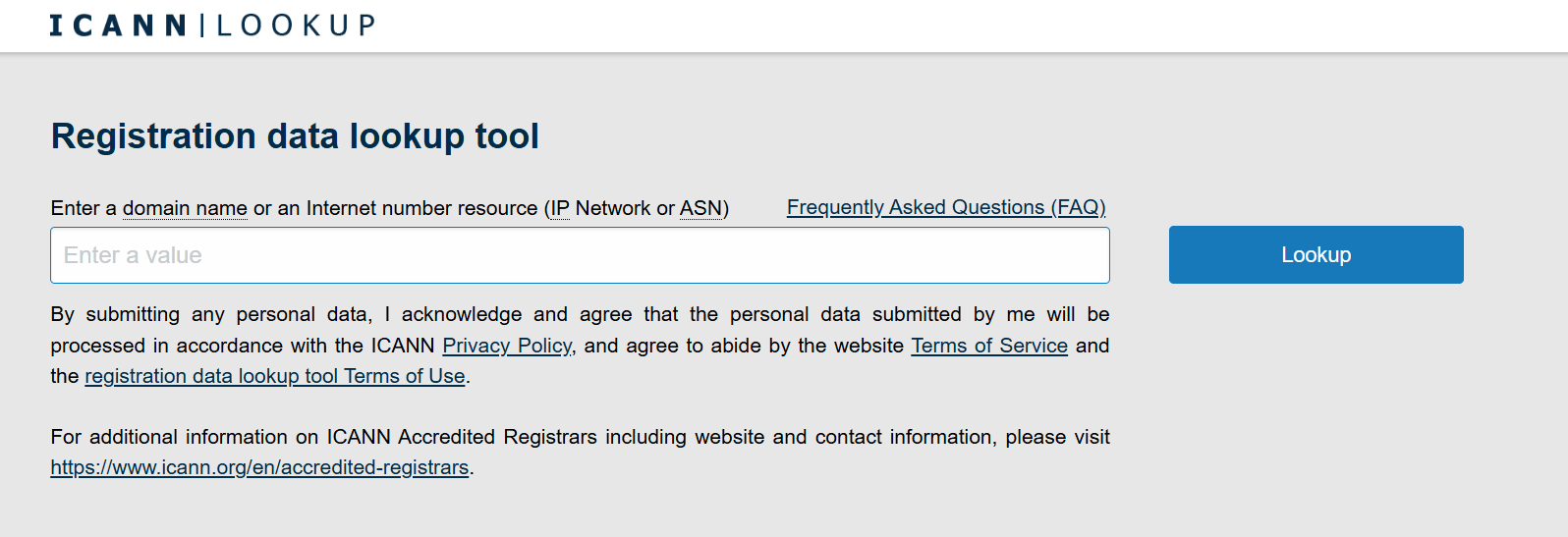
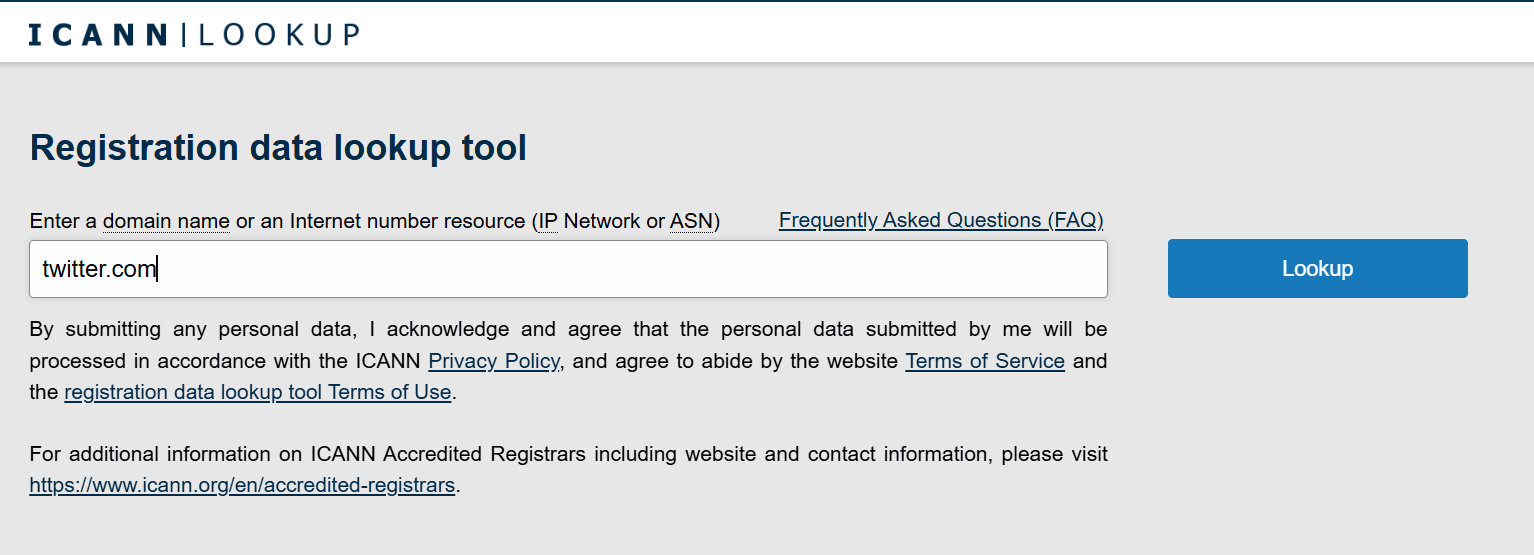
- Enter the domain name you want to check. Click Lookup and wait for the information to appear.
- Review the WHOIS data for the registry expiry date. For ICANN, go to the Dates section and look at the Registry and Registrar Expiration.
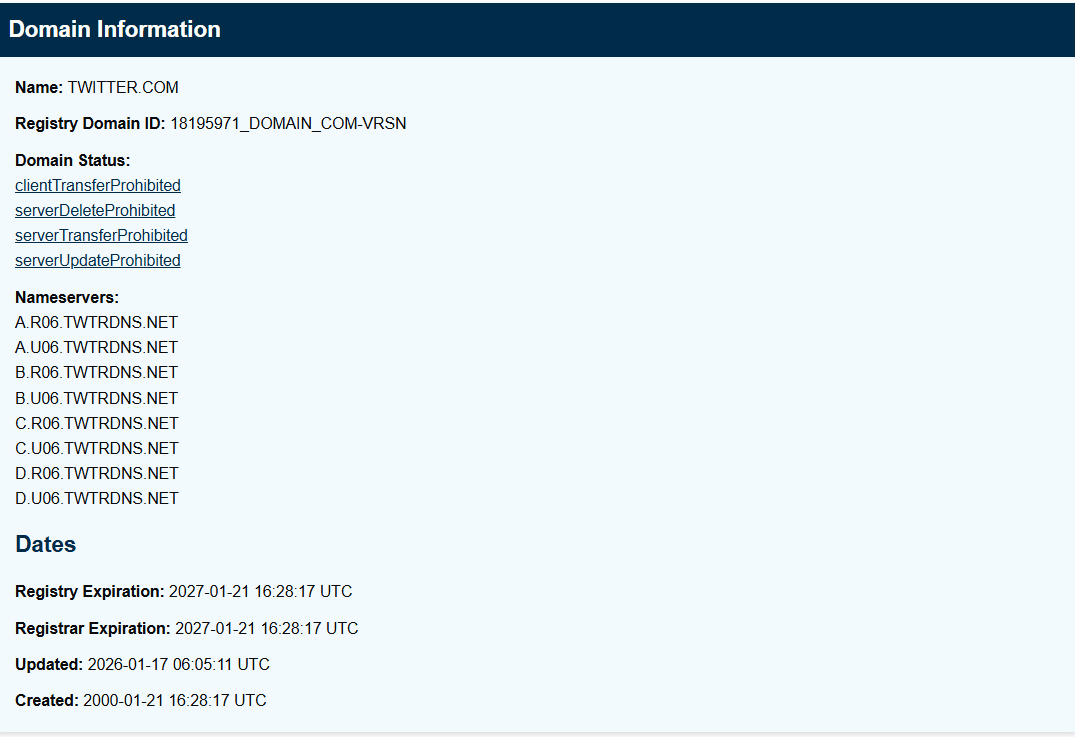
Note: Labels may vary by registry.
When WHOIS is the best choice for checking your domain’s expiration
WHOIS is especially useful when you need fast access to a domain’s registration details but don’t have immediate access to a specific registrar account. It gives domain owners a quick way to confirm expiration information before taking next steps.
WHOIS works well when:
- You don’t remember where your domain is registered and need to confirm its expiration date or ownership details.
- You manage multiple domains across different registrar accounts and want a simple way to track expiration dates without logging into each one.
- You’ve inherited a domain from a previous owner, developer, or agency and need to verify its registration status before renewing or transferring it.
Limitation of using WHOIS for checking your domain’s expiration
WHOIS shows ownership and expiration details, but it doesn’t let you renew a domain, enable auto-renew, or manage email notifications. To take action on renewals or ownership settings, you’ll need access to your registrar account.
Method 2: Check your domain registrar account
A domain registrar is the company where your domain is registered. This is different from your hosting provider, which stores your website files. For domains you own, your registrar account is the most reliable place to check expiration details.
Logging into your registrar account gives you direct access to your domain’s current status, settings, and renewal options.
How to check domain expiration using your domain registrar account
- Simply log in to your registrar account. In this case, we’ll use Network Solutions as an example.

- Navigate to your domain management dashboard.

- Locate your domain and view the listed expiration date. But if you have auto-renew enabled, you’ll see the renewal date instead. It’s usually set on the day before the expiration date.

- Confirm your email notifications and payment method are up to date. This makes it easier to track expiration dates and take action immediately if needed.
Why Network Solutions makes domain management easier
Network Solutions helps customers manage domains with clarity and control. With centralized domain registration services, customers can view expiration dates at a glance, renew domains, or enable auto-renew from one account. These essential features are designed to support peace of mind—especially for business owners who want reliable visibility into their domains without added complexity.
Method 3: Use a domain expiry checker
A domain expiry checker is a simple online tool that aggregates WHOIS data and registry expiry date information into one place. Instead of checking multiple sources, it pulls this information into a single interface, making it easy to view a domain’s expiration status at a glance. These tools emphasize speed and simplicity, which makes them ideal for quick checks.
Steps to do a domain expiration check using a domain expiry checker
- Open a domain expiry checker tool. These tools are free and don’t require account access.
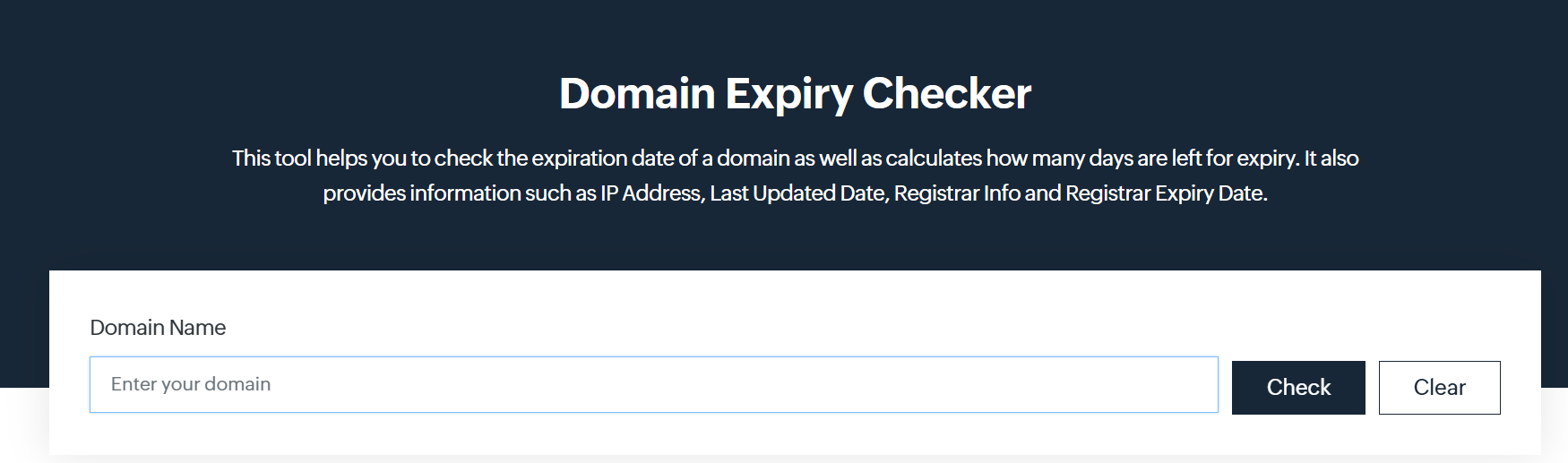
- Enter the domain name.

- Review the displayed registry expiry date.
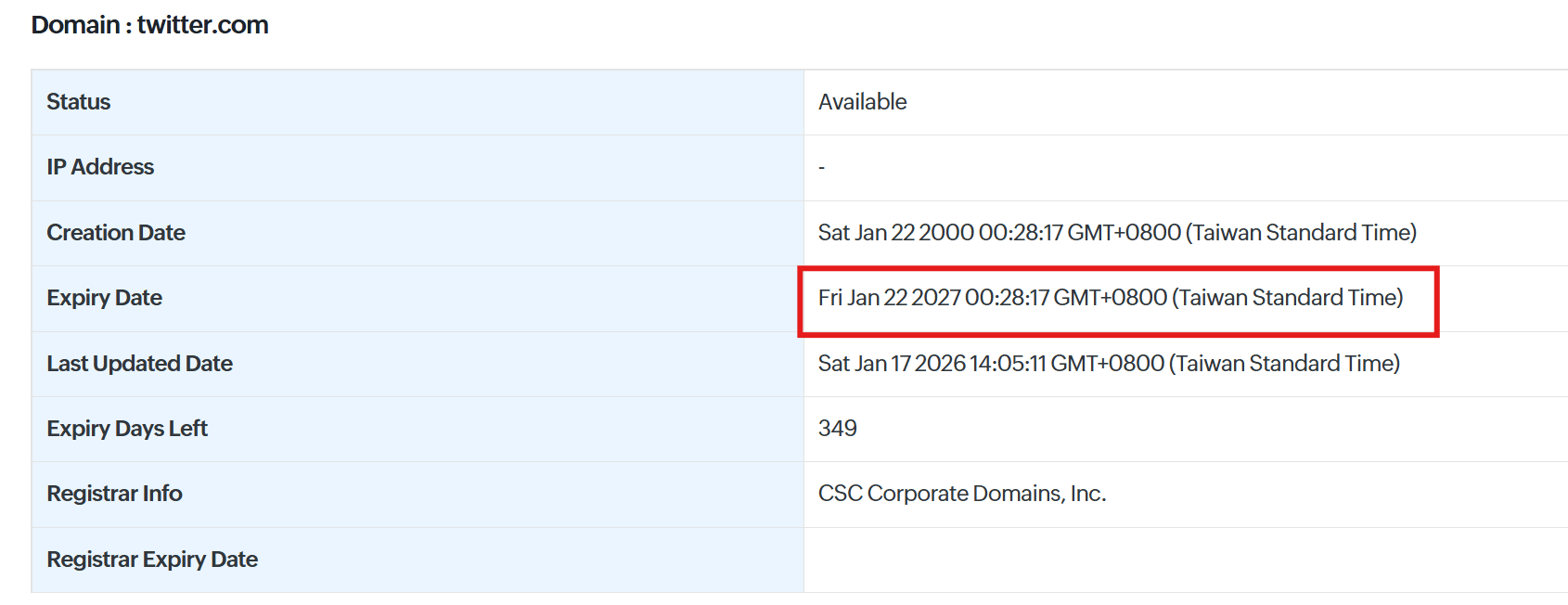
When a domain expiry checker is the best choice for checking your domain’s expiration
A domain expiry checker is a convenient option when you need quick information and don’t want to sign in to a registrar account. These tools are designed for speed, making them useful for research and one-off checks rather than ongoing domain management.
A domain expiry checker works best for:
- Quick verification without logging into an account, especially when you just need to confirm whether a domain is active or expired
- Researching an expired domain name to see if it may become available again
- Comparing availability on the open market, including premium domains that may already be registered or listed for resale
Limitation of using a domain expiry checker for checking your domain’s expiration
Like WHOIS, a domain expiry checker only provides visibility into a domain’s expiration details. While it’s useful for checking dates, you can’t manage renewals, update ownership settings, or enable auto-renew using these tools—you’ll need to access your domain registrar account to take action.
Why it’s important to check when your domain expires
Knowing when your domain expires helps you avoid problems that can affect your website, email, and brand. According to Network Solution’s Senior Director of Domain Operations, Michael Chattan, “If you’re building a business, your domain should be yours. Clear, credible, and customer-friendly.”
A missed renewal can create issues quickly, which is why keeping track of your domain’s expiration date matters. Checking your domain’s expiration date can help you:
- Avoid website and email downtime
- Protect your brand and reputation
- Prevent extra fees and recovery issues
Avoid website and email downtime
When a domain expires, your website can stop loading, and business email addresses tied to that domain may stop working or be redirected elsewhere. This can disrupt customer communication, delay sales, and confuse anyone trying to reach your business. Even brief outages can impact daily operations and weaken customer trust if your site or email appears unreliable.
Protect your brand and reputation
Expired domains can be purchased by others on the open market, which puts your brand reputation at risk. Michael adds that “With scams and AI-generated sites flooding the web, your domain also plays a critical role in building trust.”
In some cases, domains are held for resale, redirected to unrelated content, or misused in ways that reflect poorly on your business. Losing ownership of your domain, even temporarily, can break brand continuity and make it harder for customers to recognize or trust your online presence.
Prevent extra fees and recovery issues
Letting a domain lapse can lead to added costs, such as a redemption fee, if you try to recover it after expiration. In more serious cases, the domain may move closer to deletion, making recovery more difficult or impossible. Staying aware of your expiration date helps you avoid unnecessary fees and the stress of trying to regain control later.
How Network Solutions helps your domain stay protected
As your business grows, managing domain renewals and ownership details can become easier to overlook. We provide built-in safeguards that help reduce that risk by keeping important domain information visible and actionable in one place.
Domain Expiration Protection
Domain Expiration Protection adds an extra layer of security to your domain by helping you track expiration dates, receive timely notifications, and stay ahead of renewals. This protection is designed to minimize the chance of accidental lapses that could affect your website, email, or domain ownership. For business owners, it offers added confidence that their domain stays active and under their control.
Frequently asked questions
You can check a domain’s expiration date by using a WHOIS lookup tool, a domain expiry checker, or by logging into your domain registrar account if you own the domain. Look for fields labeled “expiration date” or “registry expiry date.”
Use a WHOIS lookup to see the domain’s registration date and expiration date. The time between those two dates shows how long the domain is registered for.
Expired domains can be found through domain marketplaces, auction platforms, or by searching for domains that are no longer registered and available on the open market.
A domain is still active if it has a future expiration date listed in WHOIS data or your registrar account and continues to resolve to a website or email service.
Yes. You can use a WHOIS lookup or a domain expiry checker to view public registration data, including the expiration date, even if the domain isn’t yours.
Some domains use WHOIS privacy protection or have registry restrictions, especially country-code TLDs. In these cases, expiration details may be limited or unavailable.
It’s best to check at least once a year or whenever you make changes to your domain, such as updating contact details or transferring registrars.
In most cases, renewing a domain extends its expiration date right away, though updates may take some time to appear in WHOIS records.
Stay in control of your domain
Checking when your domain expires is quick and easy, and it can save you from bigger problems later. A few simple checks help keep your website and email running smoothly and your brand where customers expect to find it.
Staying on top of your domain gives you one less thing to worry about, so you can focus on running your business with confidence.
If you’re still choosing where to register and manage your domain, having everything in one place can make a big difference. We offer tools that help you register domains, see expiration dates clearly, and manage renewals without added complexity. That kind of visibility makes it easier to stay organized and avoid missed deadlines as your online presence grows.