
Key takeaways
- Check availability early to avoid delays or conflicts when launching your site.
- Use domain tools and variations to find a name that fits and is still available.
- Secure your domain fast so no one else grabs it before you do.
Your domain name is your online address where people find you on the web. A good custom domain name builds trust, makes people remember you, and makes you discoverable on Google. But picking the right one is a challenge—what if the name you want is already taken, how do you keep it safe online, and how do you know if it’s available?
If you’re struggling with these questions, this guide will walk you through everything you need to know. By the end, you’ll know exactly how to check if a domain name is available and feel confident in choosing one that helps you stand out and succeed online.
Find the perfect domain
Ready to register a domain name? Check domain availability and get started with Network Solutions today.
Why a domain name matters for your business
A domain name is often the first impression visitors get when they visit your site. It sets the tone for your brand and can make you more memorable online. When it’s short, relevant, and easy to remember, it builds trust and encourages users to explore further.
To make the best impact, your domain name should have these characteristics:
- Relevance: Your domain should clearly reflect your brand or what you offer. This also helps your website look more professional and trustworthy.
- Memorability: A simple, catchy name helps people remember you. Avoid using complex characters or symbols makes your domain harder to remember.
- Keywords: Using relevant keywords can improve your visibility in search engines. This makes it easier for people to find you when they search for something related to your products or services.
- Uniqueness: A distinct name helps you stand out from competitors.
Why checking domain name availability is important
Checking if your domain is available is one thing, but knowing the reason behind it is another. Here’s why it’s an essential step in establishing your online presence.
- It helps avoid legal and trademark conflicts.
- It builds brand identity.
- It helps avoid delays in launching your website.
It helps avoid legal and trademark conflicts
It’s important to check whether your chosen domain is available online, as it might already be taken. Registering a domain that’s already in use or trademarked could lead you to face legal penalties. This could harm your business and cause damage to the trademark owner.
It builds brand identity
Your domain name is one of the first things people notice about your brand. If it’s simple, easy to remember, and matches your business name, it makes your brand look more professional and trustworthy. A strong domain sets the tone for how people see your business online.
It helps avoid delays in launching your website
Finding out your domain name isn’t available after building your brand around it can slow everything down. You might have to change your name, redesign your logo, or even start from scratch. Checking availability early on saves time and keeps your launch on track.
How to check if the domain name is available
If you have a name for your website, make sure it’s available. Follow these steps to check the availability of your chosen domain name.
- Brainstorm domain name ideas.
- Use domain search tools.
- Explore alternative domain extensions.
- Consider registering domain variations.
- Conduct a WHOIS lookup.
Step 1: Brainstorm domain name ideas
Start by writing down a few name ideas that match your brand or what your website is about. Think about what’s easy to remember, easy to type, and sounds professional. If your top choice is already taken, it’s a good idea to come up with a few options. Try combining keywords, using your brand name, or keeping it short and catchy.
You may avoid special characters or numbers if you can, since they’re harder to remember and can make your site look less credible.
Step 2: Use domain name search tools
Once you have a domain name in mind, use a domain search tool to see if the name is available or already taken. Just type the name into the search bar and hit enter.
Many domain registrars, like Network Solutions, allow you to check a domain’s availability. Here’s how you can do it:
- Enter your desired domain name.
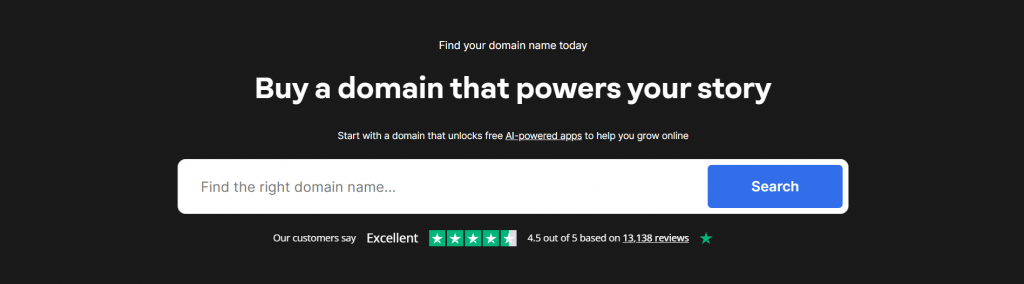
- Our tool will automatically check domain availability.
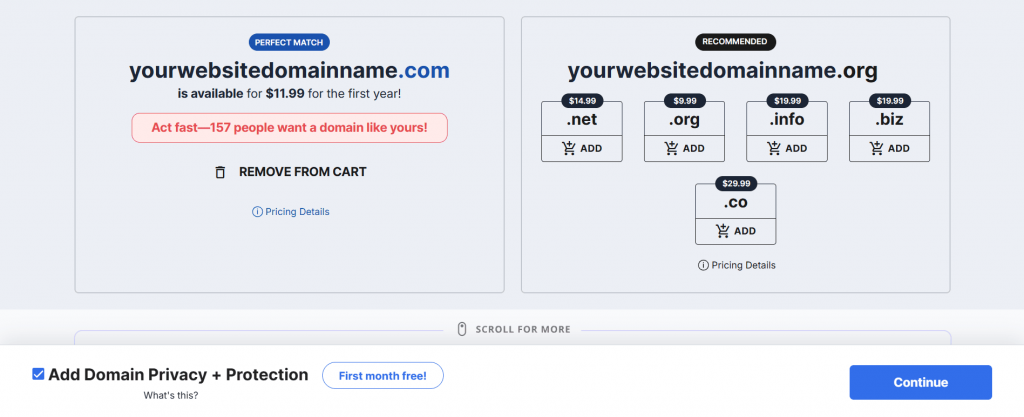
- If you’ve checked multiple domains you prefer, and they’re already taken, we’ll suggest alternatives, including different extensions (like .net,.shop, .store, .io) or slight variations of your original name.
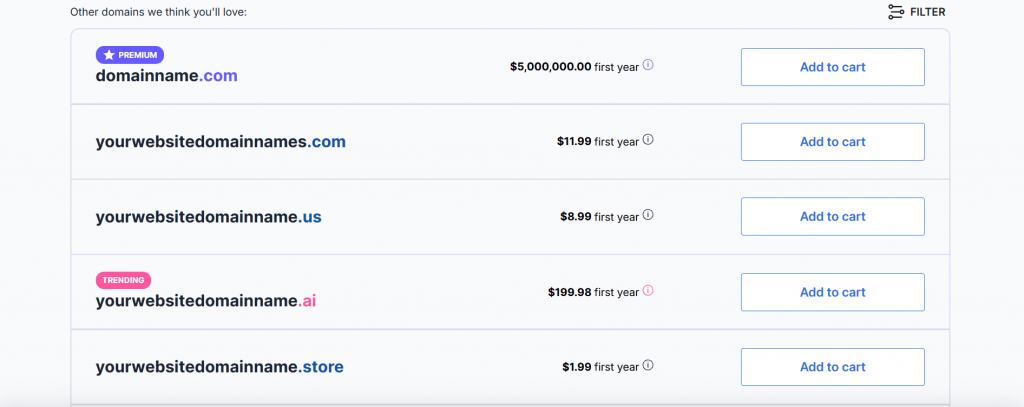
If it’s available, you can buy it right away. If it’s already taken, you can browse the tool’s suggested domains to see if anything piques your interest.
Step 3: Explore alternative domain extensions
Most businesses aim for a .com domain because it’s familiar and trusted. But if your .com is taken, tons of other top-level domains or domain extensions could be more relevant, like:
Domain extension | Best for | Why it works |
|---|---|---|
Technology and networking brands | It’s commonly associated with tech, infrastructure, and online services. Still feels credible and established. | |
Startups and modern businesses | The extension is short, flexible, and brand-friendly. Works well when .com is taken, but you want a similar feel. | |
Tech startups and SaaS companies | .io is popular in the tech space and often linked to innovation and software products. | |
Niche or specialized businesses | It immediately signals what your business does and can help your domain feel more relevant to your audience. |
If you want to explore your options further, these guides break down what each extension offers. Learn how .com compares to .net and whether buying a .io domain is the right move for your site.
When choosing a domain name, just make sure the extension makes sense for your site. The goal is to find something that feels right and still clearly represents your brand.
Step 4: Consider registering domain variations
Even if your domain is available, it’s smart to think about related names people might accidentally enter into their browsers.
For example, if your domain is yourcookshop.com, someone might type cookshop.com or thecookshop.net by mistake.
Claiming multiple extensions or variations of the domain name can help protect your brand. It also prevents others from registering a similar name that could confuse your audience or compete with your site.
Step 5: Conduct a WHOIS lookup
A WHOIS lookup lets you see who owns the domain and, sometimes, their contact info. You can use tools like whois.domaintools.com, or many registrars have this built in.
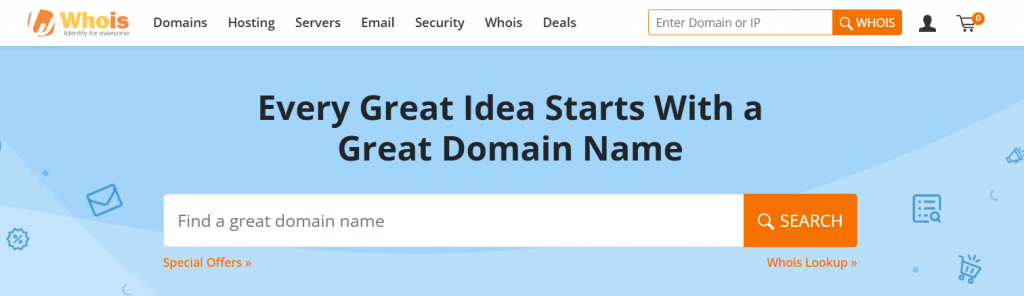
- Go to a WHOIS lookup site like Whois.com.
- Enter your desired domain name into the search field.
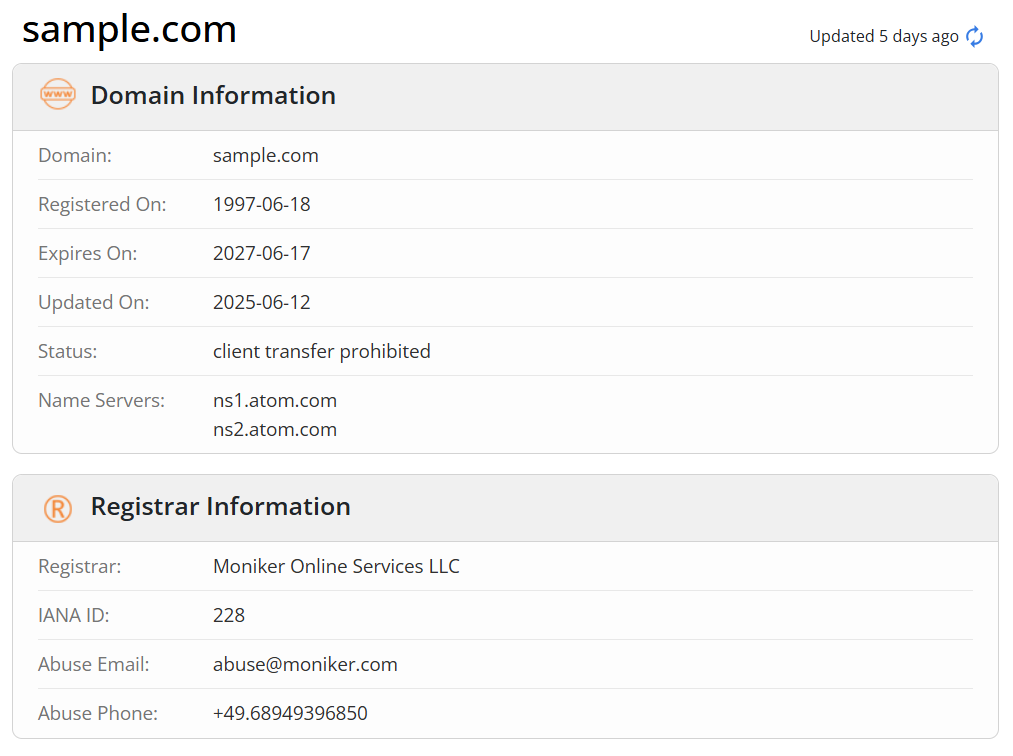
- If the domain is registered, you’ll see details like the owner’s name (if not protected by privacy settings), the registrar, and the domain’s expiration date.
- If the domain is unregistered, it means you can purchase it.
If the owner’s information is public, you can contact them to make an offer. Be aware that some owners may not be willing to sell the domain, or they may ask for a price significantly higher than the standard registration.
What to do if your domain name is taken?
If the domain name you want is already taken, you still have a few practical options to work with.
- Adjust the name slightly
- Use a domain name generator
- Check if the domain is for sale
Adjust the name slightly
You can modify the domain by adding a relevant word, such as your business type, location, or something descriptive. For example, if greenhouse.com is taken, you could try greenhouseplants.com or greenhouseboston.com.
These kinds of changes help keep the name close to your brand while making it available to register.
Use a domain name generator
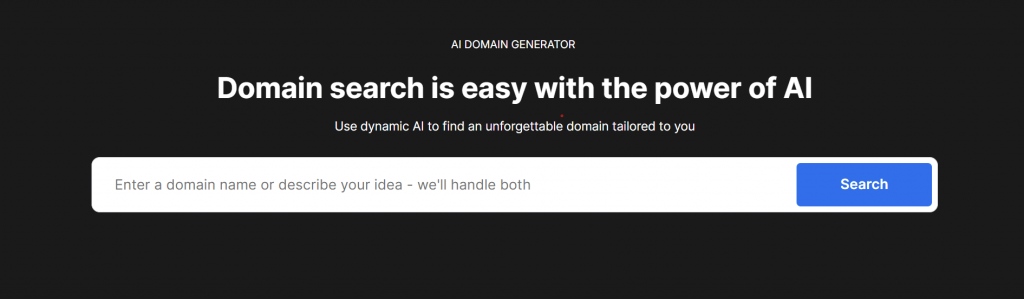
There are tools online that generate domain name suggestions based on keywords. They’re helpful when you’re out of ideas or want to see what variations are available. Most tools will also tell you right away whether the names are available for registration.
Check if the domain is for sale
You can run a WHOIS lookup to see who owns the domain and whether it’s for sale. If it is, it may be listed on a domain marketplace or auction platform like NameJet. You can contact the owner directly or place a bid if it’s listed. Just be prepared for the possibility of a higher price than a standard domain registration.
If the domain you want is already owned, our guide to buying a taken domain explains your options in more detail and walks you through the process step by step.
Find the perfect domain
Ready to register a domain name? Check domain availability and get started with Network Solutions today.
How to monitor and secure your domain
Registering your domain is one thing, and protecting and keeping it secure over time is another. Here’s how to stay on top of domain management and security:
- Set up domain monitoring
- Enable auto-renewal
- Activate privacy protection
- Use strong security measures
- Regularly check your domain settings
- Consider domain insurance
Set up domain monitoring
Domain monitoring tools help you track your domain’s status and alert you to potential risks, such as expiration dates or unauthorized changes. Through their features, you can:
Monitor expiration
Use tools like NameSilo to track when your domain is about to expire. These ensure you don’t miss the renewal date. Many registrars also provide expiration alerts and offer grace periods for domain renewal. Also consider auto-renewal, which will keep your domain active before it expires.
Track ownership changes
Some services can detect unauthorized changes to your WHOIS information or domain settings, helping keep your domain secure over time. Additionally, enable email notifications for updates to your WHOIS data, so you can act quickly if anything suspicious happens. This is especially critical for high-value domains that you want to keep secure.
Monitor keywords and competitors
You can monitor similar domains that competitors might register. Use your trusted domain name search tool to track availability in real-time, ensuring that no one else registers important names related to your business before you.
Enable auto-renewal
The simplest way to avoid losing your domain is by enabling auto-renewal with your registrar. When you activate auto-renewal, you gain benefits like:
- Automatic domain renewal before expiry
- Payment processing through secure and stored payment methods
- Domain auto-renewal eliminates the risk of accidental lapses and secures your ownership
Activate privacy protection
When you register a domain, your contact information, like your email and phone number, is often made public. To keep this private and avoid spam or potential security risks, opt for WHOIS privacy protection.
This service replaces your personal details with proxy information, keeping your data safe and your inbox clean. Most registrars offer it for a small fee, and it’s an easy way to add an extra layer of security.
Use strong security measures
Your domain is an asset, so make sure your account is as secure by employing best practices like:
- Set strong passwords: Use unique, complex passwords for your registrar account and update them regularly.
- Enable two-factor authentication (2FA): Many registrars offer 2FA for added security. It provides secondary verification by requesting an external code sent via text message or an authenticator app.
- Lock your domain: Domain locking prevents unauthorized transfers by requiring a specific code for domain changes. Most registrars allow you to lock your domain directly from your account dashboard.
Regularly check your domain settings
It’s important to check your domain settings regularly to ensure everything runs smoothly and securely. Here’s how you will do it:
- Review your DNS records: Always review your records to make sure no one has changed them without your permission. This helps ensure your website continues to work properly and isn’t redirected elsewhere.
- Make sure your WHOIS information is up to date: Keeping it updated is important in case you need to recover your domain or be contacted about any issues.
- Check that domain locking and privacy protection are enabled: Domain locking makes it harder for someone to steal or transfer your domain without your consent. This also helps hide your personal contact details, reducing spam and potential security risks.
Consider domain insurance
If you have a valuable domain, you might want to investigate domain insurance or additional security options offered by some registrars.
These services can give you extra peace of mind, including monitoring unusual activities. This helps you recover your domain if it’s lost or stolen and offers legal protection in case there’s a dispute over ownership.
You now have a complete roadmap for finding, registering, and protecting the perfect domain name. This is the first and most important step in building your online identity. The final piece is choosing a trusted registrar to help you secure your digital asset and make the process as simple as possible.
Frequently asked questions
You can check if a domain is available by using any free domain search tool online. Just type the domain name you want into the search bar, including the ending like “.ad”, and the tool will tell you if it’s available to register or already owned by someone else. If it’s available, you’ll usually have the option to register right away. If it’s taken, you might be able to see who owns it or look for other similar names.
The easiest way is to enter the domain into your web browser and see if anything loads. If you see a website, the domain is active. If you get an error or a blank page, the domain might not be in use. You can also look it up using a WHOIS lookup tool to check if it’s registered and when it was last updated.
A domain is valid if it follows the proper format. It should include a name followed by a domain extension, like .com, .net, or .ad. It shouldn’t have any spaces, symbols, or strange characters. If you’re unsure, you can enter the name into a domain name checker to see if the format is acceptable.
A domain name is your website’s address and one of the first signals people use to judge your brand’s credibility. A clear, relevant domain helps users remember you and makes it easier for them to find and trust your site.
You can buy a domain by checking its availability with a domain registrar and completing the registration if it’s available. Some providers offer a free domain name with hosting plans, while others sell premium domain names at higher prices based on demand.
Domain name registration is the process of securing the rights to use a domain name for a set period, usually one year. Once registered, that domain is associated with your information and cannot be used by someone else during the registration term.
Look for a registrar that offers transparent pricing, reliable support, and basic features like domain management and renewal options. It also helps to choose one that makes it easy to manage DNS settings if you plan to build or grow your site.
A domain name must be at least one character long and no more than 63 characters, excluding the extension. Shorter names are usually easier to remember, while longer ones may work if they are clear and readable.
Secure your domain name today with Network Solutions
If the domain name you want is available, act on it. Waiting only creates room for someone else to take it. Securing your domain now gives you control over your online presence from the start.
The right domain makes your brand easier to find, easier to trust, and easier to grow. Register your domain with us and move forward knowing your idea has a solid foundation to build on. Your domain comes with a free Link-In-Bio and Coming Soon apps in case you’re not yet ready to build your website.