

Key takeaways:
- The best no-code website builder can help you create a professional site with drag-and-drop tools and customizable templates.
- No-code website builders let beginners choose a layout, personalize it for their brand, and get a site online without coding.
- The best no-code website builders offer different features, prices, and tools, so the right choice depends on what you need for your site.
So, you’ve decided to take your business online. Like any big move, it starts with creating your own website. And that can feel like a lot to take on if you don’t have the technical expertise.
But….
You’ll be glad to know that no-code website builders now exist to help anyone put together a professional-looking website.
That’s why we’ve rounded up the best no-code website builders in 2026, including the easiest website builder for beginners, so you can focus on creating your brand.
Build your website without the code
Create a professional website with AI-powered tools and simple editing features. Start building today, even if you’ve never made a website before.

What is a no-code website builder?
A no-code website builder is an all-in-one tool made for small business owners and solo entrepreneurs who want to create websites without dealing with custom code. This no-code platform lets you build personal or eCommerce websites using drag-and-drop interfaces and customizable templates, so you can focus on your business instead of the tech side.
Most builders work like this. You pick a layout, add text and images, and move sections around on the page. Everything happens visually, which gives you real creative freedom when building your website, even if you’ve never built one before.
And that’s really the appeal. You can get a professional-looking site up and running without having to become a web developer first. As Chris Day, VP of Customer Fulfillment, puts it, “For most small businesses, website builders offer the fastest path to launch, combining beautiful design, guided content creation, and increasingly AI-powered setup with little to no technical effort.”
While many no-code builders focus on ease of use, some also offer features that support more complex sites as your business grows. That flexibility is a big reason more small businesses are turning to these tools. The no-code website builder market is also growing quickly, with a projected 15.6% annual growth rate from 2025 to 2031. Many owners use them for everything from a small project, like a portfolio, to a full online store.
With no code to worry about, you can pour your effort into content and design for something that truly represents your vision.
Now that you know how a no-code website builder works and why small business owners rely on these tools, here’s how we reviewed and compared the best options for this list.
How we developed this list
We compared these platforms using their official product information, current US pricing, independent user reviews, and hands-on testing where a free plan or trial was available. Pricing and features reviewed may change.
That meant:
- Reading reviews from users and small business owners who’ve already built sites using no-code website builders
- Checking feedback on third-party review sites like Capterra, G2, and Trustpilot
- Looking through forums and online groups where users talk honestly about what worked and what didn’t
- Trying the setup ourselves when a free trial was available, just to see how fast a site could go live
We focused on the factors most relevant to small business owners: ease of use, starting and renewal costs, included hosting and security, e-commerce options, support, and room to grow. We did not test every feature or independently benchmark uptime and performance.
Disclaimer: This article is for informational purposes only. Listed third-party prices (or pricing estimates), product specifications and package inclusions may change without prior notice. Terms and conditions may apply per brand/provider. Please check with them directly for real-time information.
12 popular no-code website builders
Here are 12 popular no-code website builders and what they offer. Some of these builders come with free plans or trials, so it’ll be easier for you to match and compare your options.
- Network Solutions
- Wix
- Webflow
- HubSpot
- Shopify
- Squarespace
- Weebly
- Hostinger
- Dorik
- Google Sites
- Appy Pie
- Duda
Platform | Pricing (starts at) | Key features | Best for |
|---|---|---|---|
Network Solutions | $4.99/month |
|
|
Wix | $17/month |
|
|
Webflow | $15/month |
|
|
HubSpot | $0 |
|
|
Shopify | $29/month |
|
|
Squarespace | $16/month |
|
|
Weebly | $0 |
|
|
Hostinger | $2.99/month |
|
|
Dorik | $20.75/month |
|
|
Google Sites | $0 |
|
|
Appy Pie | $36/month |
|
|
Duda | $19/month |
|
|
Now, let’s get into the details of each one.
Network Solutions
Best for: Small businesses that want an AI-powered, all-in-one website builder
Difficulty: Beginner-friendly
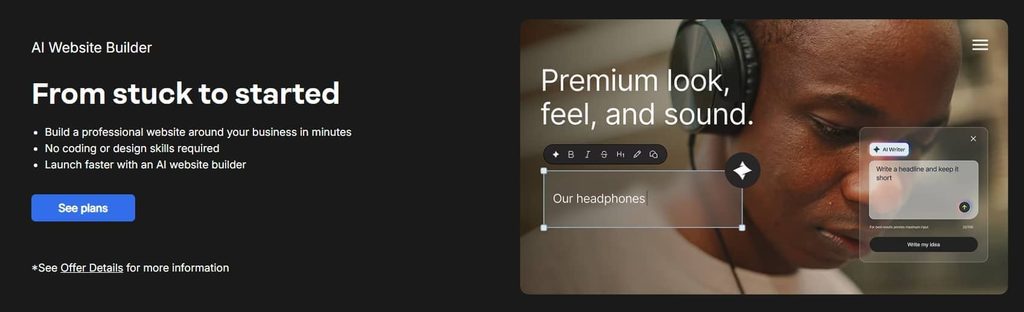
Network Solutions offers an AI-powered, no-code website builder designed for small business owners and personal websites. It asks a few simple questions about your business, then automatically builds a site you can customize using drag-and-drop tools. You can also start with one of the ready-made customizable templates and adjust it to match your brand.
Since your website needs a domain to go live, Network Solutions lets you search for and register a domain during setup. It also includes an AI Domain Name Generator that suggests available domain names based on your business idea, making it easier to choose a name before publishing.
Find the perfect domain
Ready to register a domain name? Check domain availability and get started with Network Solutions today.
Key unique features
- AI-generated website setup from a few business prompts
- Drag-and-drop editor with mobile-responsive templates
- Built-in domain, hosting, and SSL
- AI tools for website copy, domains, and logos
- Appointment scheduling software and marketing tools on higher plans
- E-commerce with multichannel selling on the E-commerce plan
Pros
- AI gives beginners a head start instead of a blank page
- Website, domain, hosting, and other tools work together
- Higher plans add marketing, booking, and e-commerce features
- No coding skills required
Cons
- Introductory pricing increases at renewal
- Some business features require higher-tier plans
- One-hour expert design support is a limited offer
What users are saying
Many users highlight the convenience of Network Solutions’ no-code website builder, especially for getting a site online without juggling multiple tools. One reviewer shared, “I managed to set up my site and achieve a professional look without much trouble at all.” Reviews often mention that having the domain, hosting, email, and website builder in one place makes the setup process easier to manage, which naturally leads some users to lean on support when questions come up.
Opinions on developer support vary, too. Some people like the friendly staff, while others note slower replies at times. One reviewer also said that the builder takes getting used to, but the support team helped them move forward without too much trouble.
Pricing and plans
Network Solutions plans start at $4.99/month for the first year when billed annually. The Website plan covers the core builder, while higher tiers add marketing, appointment scheduling, and e-commerce tools. Promotional pricing applies to the initial term, so check the current renewal price before you buy.
Plan | Cost/term | Plan inclusions |
|---|---|---|
Website |
|
|
Website + Marketing |
|
|
eCommerce |
|
|
Wix

Best for: Users who want extensive design flexibility and a wide choice of templates
Difficulty: Beginner-friendly
Wix serves small business owners, bloggers, and creatives who want creative freedom in design without touching code. It offers hundreds of modern templates and built-in eCommerce tools that can grow with your site. You can start free, but you’ll need a paid plan if you want your own custom domain, more storage, or advanced features.
Key unique features
- AI website builder that creates a site from a prompt
- 2,000+ customizable templates
- Drag-and-drop editor for detailed design control
- Built-in SEO tools and AI-powered content features
- eCommerce, bookings, marketing, and business management tools
- Built-in hosting and website security
- Free plan for building and publishing a Wix site
Pros
- AI can create a business-ready site quickly
- Large selection of customizable templates
- Strong design flexibility without coding
- Built-in tools support e-commerce, bookings, SEO, and marketing
- Free plan lets you build and publish a site before upgrading
Cons
- Custom domains require a paid plan
- eCommerce and online payments start with the Core plan
- Premium pricing varies by location and billing period
What users are saying
Users often say Wix makes it easy to get a website live fast, even if it’s their first time building one. One reviewer shared, “Wix makes it incredibly easy to build a website without needing any coding background.” Many mention that the drag-and-drop interface helps them put pages together in just a few hours, using ready-made templates that already look professional.
Others appreciate that Wix includes SEO features out of the box, with options that grow as your site does. While beginners tend to stick with the basics, more experienced users note that Wix also offers advanced SEO tools for page settings and optimization as their business needs become more complex.
Pricing and plans
Wix offers a free plan, while Premium plans range from $17 to $159 per month when billed annually. Prices can vary by location and applicable taxes. Higher-tier plans add payments, e-commerce, marketing, scheduling, storage, and collaboration features.
Plan | Cost/term | Plan inclusions |
|---|---|---|
Light | $17/month, billed annually |
|
Core | $29/month, billed annually |
|
Business | $39/month, billed annually |
|
Business Elite | $159/month, billed annually |
|
Webflow

Best for: Designers and advanced users who want deep control over website design
Difficulty: Intermediate to advanced
Webflow puts you in charge of every part of your site design. It’s popular with web designers because it offers more creative freedom than most website builders. The learning curve is steeper, though. But once you get comfortable, you can create a site that looks like a professional website and is dynamic.
Key unique features
- AI site builder that generates a functional, multi-page website from a prompt
- Visual editor for detailed layout and style control
- Reusable design system with customizable styles and components
- Advanced animations and interactions, including GSAP-powered interactions
- Built-in SEO controls and AI-powered SEO and AEO tools
- CMS for content-rich websites
- Custom code and code components for advanced customization
Pros
- Deep control over layouts, styles, and interactions
- AI can create a strong starting point quickly
- Powerful CMS for content-rich sites
- Advanced SEO and AEO controls
- Supports custom code and reusable components
- Can grow from an AI-generated starting point into a highly customized site
Cons
- Steeper learning curve than simpler website builders
- Advanced features may require a paid plan
- Site and Workspace plans can make pricing more complex to understand
What users are saying
Users often point to Webflow for the creative freedom it gives them in design. They like that they can build and adjust layouts without leaning on a developer. The editor helps them control fonts, spacing, and animations. Many say it works well for portfolios, content sites, and projects that need a professional website look.
On the flip side, some find Webflow overwhelming at first. Learning layout systems like grid or flexbox is a hurdle for beginners. Price is also a concern, especially for freelancers managing multiple sites. A reviewer shared that although Webflow made it easy to build a polished site without coding knowledge, costs started to add up as their project grew, so they upgraded to a higher plan for more advanced features.
Pricing and plans
Webflow offers a free Starter plan for experimenting with the platform. Paid Site plans start at $15/month when billed annually. The Basic plan is designed for simple sites without a CMS, while the Premium plan adds CMS capabilities and other features for content-rich websites. Prices are charged per site and may be subject to applicable taxes.
Plan | Cost/term | Plan inclusions |
|---|---|---|
Starter | Free |
|
Basic | $15/month, billed yearly |
|
Premium | $25/month, billed yearly |
|
Business | $39/month (billed yearly) |
|
HubSpot
Best for: Businesses that want a website connected to their CRM, marketing, and other business tools
Difficulty: Beginner-friendly
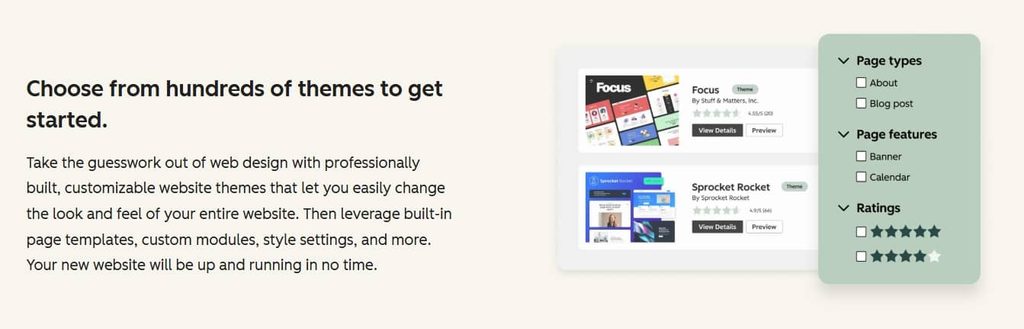
HubSpot offers a forever-free website builder via its content management system (CMS) tools. You get a drag-and-drop editor, flexible themes, and publishing options, so you can create web pages without dealing with code. When you’re ready for more, HubSpot has premium plans that remove HubSpot branding and unlock additional content, marketing, and website-management features
Key unique features
- AI website generator that creates a site from business prompts
- No-code, drag-and-drop website editor
- Built-in CRM for capturing and managing leads
- SEO tools and website analytics
- Forms, calls-to-action, live chat, and meeting tools
- AI content creation through Breeze
- Marketing and personalization tools connected to website activity
Pros
- AI creates a website from a few business prompts
- Free plan lets businesses get started without a subscription
- Website connects directly to HubSpot’s CRM
- Built-in tools support SEO, lead generation, and marketing
- No-code editor makes website changes accessible to beginners
Cons
- Advanced marketing and content features can become expensive
- Some of the platform’s most powerful features require higher-tier plans
- More focused on marketing and lead generation than traditional e-commerce
What users are saying
Many users like how HubSpot CMS ties everything together. The integration capabilities with HubSpot CRM, the built-in SEO tools, and the reporting features receive frequent praise. One user said, “The seamless integration with HubSpot’s CRM and marketing tools makes everything work together, including website, email, automation, and customer data. This lets you personalize experiences and scale faster without piecing together different systems.” Others mention it speeds up their workflow and helps them do more without juggling multiple tools.
On the other hand, cost is a common concern. Some users also note that customizing beyond templates often requires coding knowledge or developer support.
Pricing and plans
HubSpot offers a free plan for basic website and content needs. Content Hub Starter starts at $7/month per seat when billed annually, while Professional and Enterprise are designed for businesses with more advanced content, marketing, and governance needs. Professional starts at $450/month with three Core Seats, and Enterprise starts at $1,500/month with five Core Seats.
Plan | Cost/term | Plan inclusions |
|---|---|---|
Free | $0 |
|
Starter | Starts at $7/month/seat, billed annually |
|
Professional | Starts at $800/month, billed annually |
|
Enterprise | Starts at $3,600/month |
|
Shopify
Best for: Businesses that want a website built around e-commerce
Difficulty: Beginner-friendly
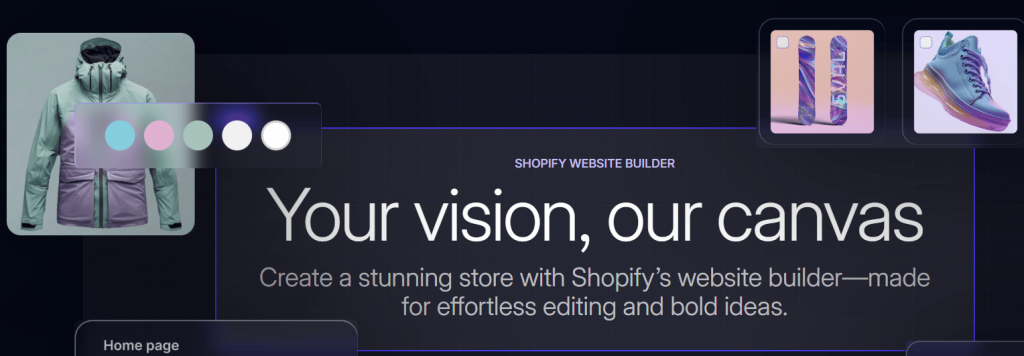
Shopify is a no-code website builder made for eCommerce. It helps you create online stores quickly with drag-and-drop tools, custom themes, and built-in sales features. Beginners can use it for simple sites, while growing brands can leverage its scalable features.
Key unique features
- AI-powered website builder that generates a store from a business description
- Customizable themes and visual store editor
- Unlimited products and built-in inventory management
- Built-in checkout and payment processing
- Multichannel selling across social platforms and marketplaces
- Shopify POS for in-person sales
- Built-in analytics, SEO, and marketing tools
- Sidekick AI assistant for store tasks, content, and insights
Pros
- Built specifically for eCommerce
- AI can generate a store quickly
- No coding required for basic store setup
- Strong inventory, checkout, shipping, and payment tools
- Supports online, social, marketplace, and in-person selling
- Large app ecosystem for extending store functionality
Cons
- More expensive than many general-purpose website builders
- Additional transaction fees may apply if you use a third-party payment provider instead of Shopify Payments
- Advanced features and higher staff limits require more expensive plans
What users are saying
Shopify is known for being easy to set up and reliable. Users like that products, payments, and shipping tools are all in one place, and many point to the App Store for its wide range of add-ons. Around-the-clock support is another highlight. One reviewer summed it up: “It just works. I didn’t have any background in e-commerce or web design, but Shopify made it really easy to get my store up and running.”
The flip side is that some users find that costs can add up when using premium plans and extra apps.
Pricing and plans
Shopify’s full online-store plans start at $29/month when billed annually. Basic is designed for solo entrepreneurs, Grow adds staff accounts and other tools for small teams, and Advanced adds features for businesses selling globally. Plus is designed for complex businesses and starts at $2,300/month on a three-year term.
Plan | Cost/term | v |
|---|---|---|
Basic | $29/month, billed yearly |
|
Grow | $79/month, billed yearly |
|
Advanced | $299/month, billed yearly |
|
Plus | From $2,300/month on a 3-year term |
|
Squarespace
Best for: Creatives and small businesses that want polished design with minimal setup
Difficulty: Beginner-friendly
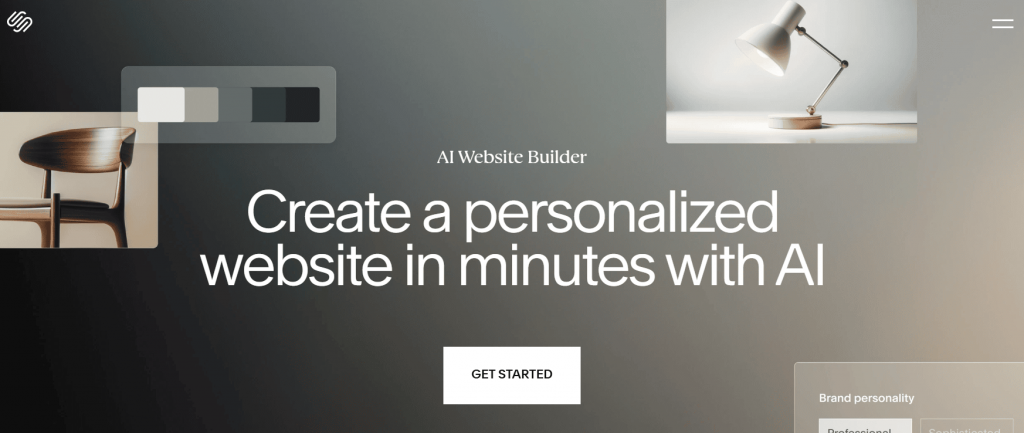
Squarespace is a no-code website builder that helps you create a professional website without the usual hassle. The templates are ready to use and simple to adjust, so you can launch quickly. It also includes built-in tools for online selling and SEO, giving your business an extra push.
Key unique features
- Blueprint AI Builder for creating a personalized website from guided prompts
- Professionally designed, responsive templates
- Fluid Engine visual editor for flexible page layouts
- Built-in SEO and marketing tools
- eCommerce, memberships, subscriptions, and appointment tools
- Built-in hosting, SSL, and content management
- AI tools for website copy, images, and other content
Pros
- Blueprint AI can create a personalized starting point
- Strong visual design and professionally designed templates
- Beginner-friendly editing without coding
- Website, hosting, SEO, and commerce tools work together
- Supports products, memberships, and subscriptions
Cons
- Less suited to users who want highly technical or developer-focused control
- Commerce fees vary by plan
- Advanced selling features require higher-tier plans
What users are saying
Many people say Squarespace helps them build a site that looks polished right from the start. One user shared, “I can easily create a personal brand and an online destination to sell my digital products. Squarespace brings my brand to life in a way my audience can connect with.” Reviews often mention the templates, layouts, and built-in tools that help sites look put together without a long setup.
Some users do note a few limits. Squarespace’s current editor allows broad design changes within one main template system, but some users may still find its layout and extension options more limited than highly customizable platforms such as Webflow.
Pricing and plans
Squarespace plans start at $16/month when billed annually. Basic covers core website and selling needs, while Core adds advanced customization and analytics. Plus and Advanced are designed for businesses with more extensive commerce needs and lower transaction fees.
Plan | Cost/term | Plan inclusions |
|---|---|---|
Basic | $16/month, billed annually |
|
Core | $29/month, billed annually |
|
Plus | $49/month, billed annually |
|
Advanced | $99/month, billed annually |
|
Weebly
Best for: Budget-conscious beginners who want a simple website or small online store
Difficulty: Beginner-friendly
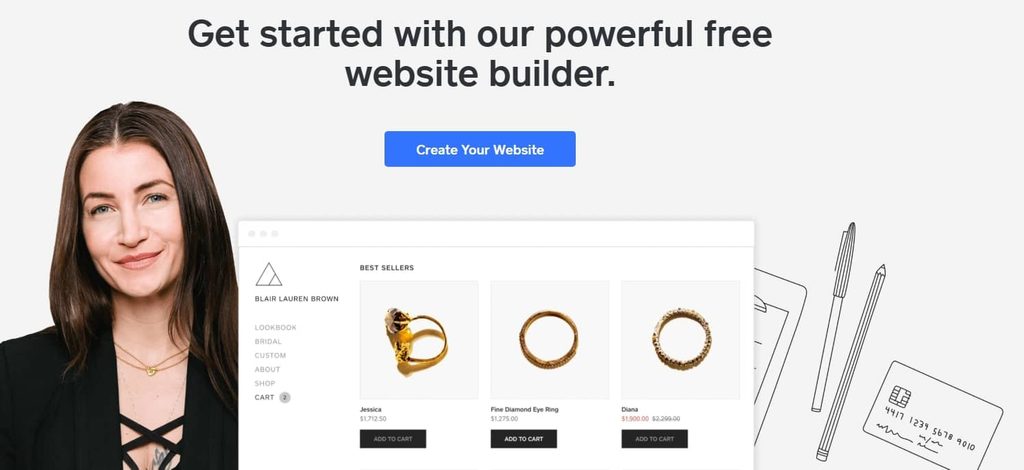
Weebly, owned by Block, the company behind Square Online, gives small businesses a budget-friendly way to build professional websites and online stores using easy drag-and-drop tools. You can start with a free plan, then move to a paid option as your site or store grows.
Key unique features
- Drag-and-drop editor that requires no coding
- Guided setup and pre-designed responsive layouts
- Built-in eCommerce with unlimited products
- Square tools for payments, inventory, and in-person selling
- Built-in SEO and site statistics
- 200+ apps for adding features such as appointments, accounting, and live chat
- Custom HTML, CSS, and JavaScript options
Pros
- Simple drag-and-drop editor for beginners
- Free plan available
- Built-in eCommerce tools
- Unlimited products on all plans
- Square integration can connect online and in-person selling
- 200+ apps extend the platform’s functionality
Cons
- Advanced eCommerce features require a higher-tier plan
- Custom domains require a paid plan
- Some features are tied to the Square ecosystem
What users are saying
Many users describe Weebly as easy to pick up and simple to manage. One reviewer summed it up clearly, “Easy and well organized. Features work smoothly and the overall experience is good.” Reviews often highlight the drag-and-drop interface, clean templates, and the ability to quickly put together a functional site. The free plan is also mentioned as a helpful starting point for simple projects or early testing.
That said, some users point out limits around customization. Reviews frequently mention basic SEO tools and fewer advanced features, which can make it harder to fine-tune designs or scale as a site grows.
Pricing and plans
Weebly offers a free plan, while paid plans start at $13/month when billed annually. Personal adds a custom domain, Professional adds features such as advanced site stats and ad removal, and Performance adds advanced e-commerce tools and priority support. Monthly billing costs more.
Plan | Cost/term | Plan inclusions |
|---|---|---|
Free | $0/month |
|
Personal | $13/month, billed annually |
|
Professional | $15/month, billed annually |
|
Performance | $32/month, billed annually |
|
Hostinger
Best for: Budget-conscious beginners who want AI website building and hosting in one place
Difficulty: Beginner-friendly
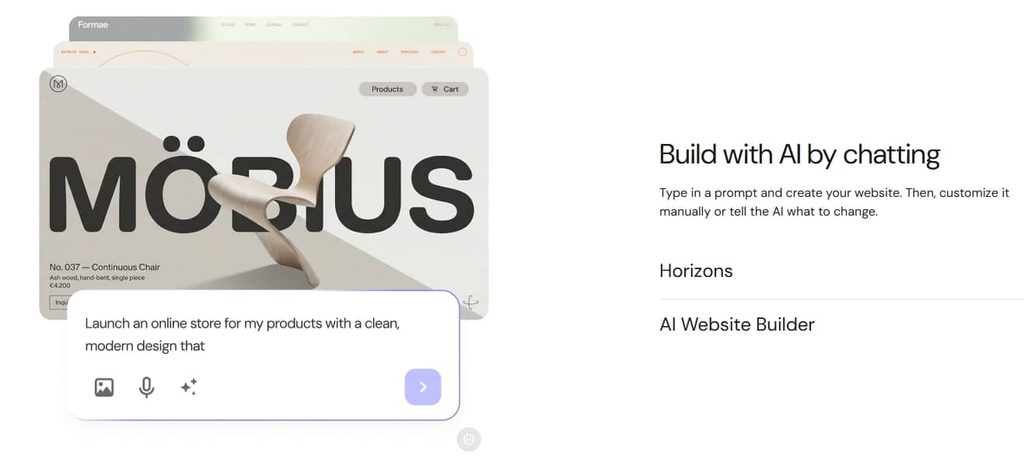
The Hostinger website builder gives you a budget-friendly way to build and host your site in one place. Small business owners like that it saves them from juggling different providers. The service is steady, easy to use, and backed by reliable uptime. It also offers tools that can grow with your business.
Key unique features
- AI Website Builder that creates a site from a plain-language description
- Drag-and-drop editor for visual customization
- 400+ website templates
- AI tools for writing, images, SEO, and website creation
- Built-in e-commerce on eligible plans
- Free domain for 1 year on eligible plans
- Free SSL and hosting
- AI-assisted and vibe-coding website creation for more advanced projects
Pros
- AI can generate a website from a simple description
- Hosting and website building are bundled together
- Low introductory pricing
- Drag-and-drop editing requires no coding
- Built-in AI tools can help with content and SEO
- eCommerce is available on eligible plans
- 24/7 support is available on current plans
Cons
- Promotional pricing requires a long-term upfront commitment
- Renewal prices are considerably higher
- Entry-level plans have fewer resources than higher tiers
- Some advanced AI and eCommerce capabilities require higher-tier plans
What users are saying
Most people say Hostinger is reliable and intuitive. The AI website builder, in particular, is noted for helping beginners create functional sites in minutes without needing prior technical knowledge. Users also note that performance remains strong even as traffic grows.
However, some users report a few rough edges, such as occasional glitches with image uploads or bulk actions. Others note that advanced customizations can take extra patience or technical know-how. A few also point out that lower-cost plans come with limits that become more noticeable as the site grows.
Pricing and plans
Hostinger’s AI Website Builder plans start at $2.99/month on a 48-month term. Premium is designed for smaller sites, Unlimited adds resources for growing businesses, and Cloud Startup provides more performance and resources for higher-traffic projects. Hostinger bills these plans upfront, and the promotional rates increase at renewal.
Plan | Cost/term | Plan inclusions |
|---|---|---|
Premium |
|
|
Unlimited |
|
|
Cloud Startup |
|
|
Dorik
Best for: Freelancers, agencies, and small businesses that want AI website creation with white-label options
Difficulty: Beginner-friendly
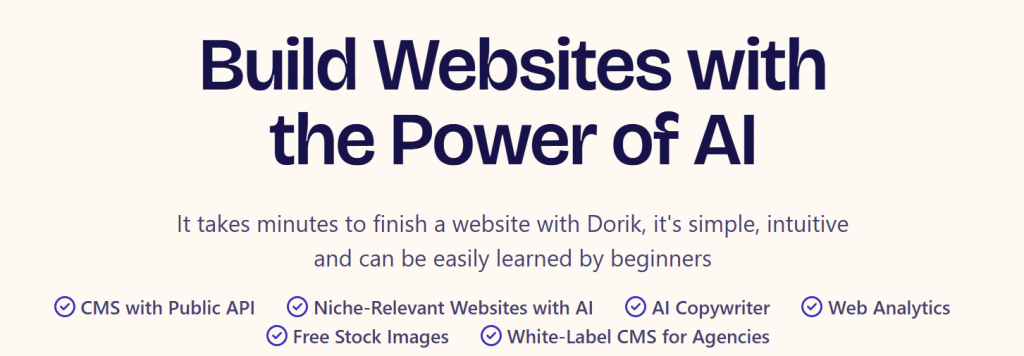
Dorik is designed for users who want clean, professional websites without a steep learning curve. It combines a simple drag-and-drop editor with customizable templates that make it easy for individuals and small businesses.
Dorik also offers hosting, SSL certificates, and built-in tools so you can launch a professional website securely.
Key unique features
- AI website generation from a description
- No-code drag-and-drop editor with templates and UI blocks
- Built-in CMS and blogging tools
- Custom fields and CMS collections
- Built-in SEO controls
- Unlimited storage and bandwidth on paid plans
- Code export
- White-label dashboard and documentation
- Client billing and agency tools
Pros
- AI can generate a full website quickly
- Beginner-friendly no-code editor
- Unlimited storage and bandwidth on paid plans
- Strong built-in SEO controls
- CMS and blogging features
- Code export gives users more control over the finished site
- White-label and client-management features support freelancers and agencies
Cons
- Advanced agency features require higher-tier plans
- E-commerce is less comprehensive than dedicated platforms such as Shopify
- Multiple billing options can make pricing harder to compare
- The free trial should not be confused with a permanent free plan
What users are saying
Many users say Dorik is refreshingly simple and well-designed. They like that the drag-and-drop builder works smoothly even without coding skills. Templates often get praise for being clean and modern, while support is described as quick to respond and helpful when needed. One reviewer on Capterra called it a “superb WordPress alternative that delivers simplicity, robust support, and full capabilities for professional website construction without the need for coding.”
On the flip side, a few users mention that the free vs paid plan setup can feel confusing, especially when trial content becomes locked. Others note that integrations and advanced features are more limited than in larger platforms. Even so, most agree that the trade-off is worth it if you want a fast, straightforward way to build a site.
Pricing and plans
Dorik’s standard annual plans start at $20.75/month for Personal, billed at $249 annually. Business costs $41.50/month when billed annually, while Agency costs $79/month. Monthly billing is higher at $29, $59, and $99, respectively. Dorik also offers a discounted two-year option and a 7-day free trial.
Plan | Cost/term | Plan inclusions |
|---|---|---|
Free trial | 7 days, free |
|
Personal | $20.75/month, billed annually |
|
Business | $41.50/month, billed annually |
|
Agency | $79/month, billed annually |
|
Google Sites
Best for: Simple collaborative websites, portfolios, and internal team sites
Difficulty: Beginner-friendly
Google Sites is a no-code website builder that’s free to use, made for people who want to build simple sites quickly. It works well for website creation tasks that don’t need heavy customization options or complex SEO tools.
Key unique features
- Real-time co-editing for collaborative website creation
- No-code editor with pre-made templates
- Deep integration with Google Workspace apps
- Easy embedding of Google Docs, Sheets, Forms, Calendar, Drive files, and other content
- Responsive layouts that adapt across devices
- Built-in publishing and sharing controls
- Google Analytics integration for basic site data
Pros
- Completely free to use with a Google account
- Very easy to learn
- Multiple people can edit a site in real time
- Excellent integration with Google Workspace
- Useful for internal team sites and simple information websites
- No separate hosting subscription is required for basic use
Cons
- Limited design and customization compared with Wix, Squarespace, or Webflow
- Not designed for complex eCommerce
- Advanced developer-level customization isn’t available
- Custom-domain setup requires additional configuration
What users are saying
Users describe Google Sites as a simple way to quickly put together a website. They like that it’s free, easy to use, and works well for basic projects or internal pages.
Some point out that design and customization are limited, but most agree it’s a good fit when you need something fast and reliable.
Pricing and plans
Google Sites is free to use with a personal Google account. Google Workspace also includes Sites as one of its applications, but Workspace is a broader productivity subscription rather than a separate Google Sites plan.
Plan | Cost/term | Plan inclusions |
|---|---|---|
Free | $0 |
|
Appy Pie

Best for: Businesses that want an AI-built website they can also turn into a mobile app
Difficulty: Beginner-friendly
Appy Pie is a beginner-friendly no-code website builder that keeps things simple. You can choose from mobile-friendly templates, arrange pages with a few clicks, and go live without much hassle. It lets you create and preview a website for free, but publishing requirements and access to premium features may require a paid subscription.
Key unique features
- AI website generator that creates a complete site from a text prompt
- Visual drag-and-drop editor for customizing the generated website
- Built-in SEO tools, including meta tags and sitemaps
- Built-in hosting and SSL
- eCommerce tools with product catalogs, payments, and inventory
- 21-language website support
- Ability to convert a website into a native Android and iOS app
- Google Analytics and other marketing integrations
Pros
- AI can generate a website from a simple prompt
- No coding required
- Website can be converted into a native mobile app
- Built-in hosting and SSL
- Built-in SEO and analytics tools
- Supports eCommerce and online payments
- Supports multiple languages
Cons
- Paid website plans are more expensive than some beginner-focused builders
- Advanced eCommerce features require the higher-tier plan
- Appy Pie branding remains unless you use the appropriate paid/add-on option
- Its broader app capabilities may be unnecessary for users who only need a basic website
What users are saying
Most users praise Appy Pie for how easy it is to use and learn. They like that very few technical skills are needed. You can drag, drop, and pick templates without worrying about code, while also adding functions like forms, media, or payment options along the way.
Many also say the developer support team is helpful, fast, and patient when guiding them through building issues. On the flip side, a handful report frustrations around refunds or billing during the trial period.
Pricing and plans
Appy Pie lets you create and preview a website for free. Paid Website Builder plans start at $36/month for Starter, while Grow costs $60/month and adds more advanced business and e-commerce features. Appy Pie also offers a website-to-mobile-app option, which can add value for businesses that want both a website and an app.
Plan | Cost/term | Plan inclusions |
|---|---|---|
Free | $0 |
|
Starter | $36/month |
|
Grow | $60/month |
|
Duda
Best for: Agencies and freelance web professionals managing multiple client websites
Difficulty: Intermediate
Duda is built for agencies and teams that manage multiple client projects. It combines collaborative interface tools, white-labeling options, and scalable features to keep website creation efficient and organized.
Key unique features
- Drag-and-drop editor with responsive design controls
- Reusable templates, sections, and widgets across client sites
- Centralized client and team management
- Role-based permissions for clients and team members
- White-label website builder, dashboard, client communications, and support portal
- AI tools for website building, content creation, SEO, and content collection
- Code access and custom widget building
- API and MCP integrations for advanced workflows
Pros
- Built specifically for agencies and web professionals
- Strong client management and collaboration tools
- Reusable assets can speed up multi-site work
- White-label options help agencies maintain their own brand
- AI tools support site building, content, and SEO workflows
- Hosting, SSL, and maintenance are handled by Duda
- Advanced code, widget, API, and MCP capabilities
Cons
- More expensive than beginner-focused website builders
- Better suited to professional workflows than simple personal websites
- Advanced white-label and API capabilities require higher-tier plans
- Additional websites cost extra
- eCommerce and bookings may require separate subscriptions
What users are saying
Many users say Duda makes website building feel much easier than expected. New users like that the platform simplifies setup with ready-to-use customizable templates, while the drag-and-drop editor makes customizing sections straightforward. One reviewer shared, “Even though I am new to building a website Duda did a great job of making it easy for me. Made me realize what I thought was a daunting task was actually pretty easy.”
That said, some users report that certain features, like the AI website builder help bot, can be repetitive or unhelpful at times. A few also note that advanced features feel limited compared to larger platforms, though most agree it’s still a solid choice for quick, responsive site creation.
Pricing and plans
Duda offers a 14-day free trial with no credit card required. Annual plans start at $19/month for Basic, $29/month for Team, $52/month for Agency, and $149/month for White Label. Monthly billing costs more. Duda separates account features from website hosting, so additional sites cost extra.
Plan | Cost/term | Plan inclusions |
|---|---|---|
Free trial | 14 days, free |
|
Basic | $19/month, billed annually |
|
Team | $29/month, billed annually |
|
Agency | $52/month, billed annually |
|
White Label | $149/month, billed annually |
|
Custom | Contact sales | Custom site packages
|
How to choose a website builder with the features you need
Picking the easiest website builder depends on what matters most for your project. These criteria can help you compare no-code builders side by side and choose the right fit.
- Ease of use: Look for drag-and-drop editors, customizable templates, and pre-built components that have intuitive design tools to reduce the learning curve.
- Design options: Pick a builder that lets you adjust layouts and styles. This way, you can create a site with complete control over how your site fits your brand.
- Pricing: Compare free trials and starter plans. Weigh them against long-term costs to get the best deal.
- SEO tools: Built-in SEO controls can help search engines understand and index your pages. They don’t guarantee higher rankings or more visitors because content quality, competition, reputation, performance, and other factors also matter.
- Scalability: Consider whether the platform supports the features you may need later, such as e-commerce, bookings, additional pages, multiple staff accounts, integrations, and higher traffic. Also check the cost of upgrading.
- Support: Reliable 24/7 support is very important. Learning resources, as well. These will guide beginners in troubleshooting and achieving results.
With these factors in mind, you can pick the best no-code website builder that balances usability, affordability, and growth potential.
Frequently asked questions
Yes. No-code website builders work well for eCommerce. They let you build an online store without writing code and include built-in tools for payments, shipping, and inventory management.
If you’re curious about how a no-code builder works in a real setup, this guide explains what the Network Solutions Website Builder is, how it’s structured, and what features are included.
Building a website can provide greater control over its design and functionality, but the result still depends on the chosen technology, budget, developer skills, hosting, and project requirements. But it also takes more time and solid technical skills. For most people who want to launch fast, websites with customizable templates are a more practical choice. You can get a site live sooner without having to handle everything yourself.
Website builders make it easier to get a website online without a long setup process. You can choose from customizable templates, use drag-and-drop tools, and add built-in features such as SEO and eCcommerce. This helps you publish faster and keep costs more manageable.
No-code builders are built for people who want simple tools, such as drag-and-drop editors and ready-made templates. Low-code builders support some custom code, which provides greater flexibility. These are usually a better fit for developers or advanced users who need more flexibility for complex websites.
Create your website with a no-code website builder
Building a website used to mean hiring help or learning new skills. A no-code website builder changes that. You can put pages together using drag-and-drop tools, choose from customizable templates, and add SEO features to help your site show up in search results. If you plan to sell, e-commerce options are there when you need them.
Your site still needs the basics, such as SSL, web hosting, and a domain. The best no-code website builders bring many of these tools together, so you can launch and manage your site without juggling different services. Network Solutions takes that one step further with tools like an AI Domain Name Generator and Logo Maker to help you get your domain and branding sorted, too.
Ready to build? Try our Website Builder and create your site without the code.