

Key takeaways:
- Network Solutions is popular among user reviews because it lets you build a branded bio link page under your own domain, including website, hosting, SSL, and email.
- Pallyy is a good choice for creators and social media managers for an all-in-one tool with scheduling, analytics, and inbox management.
- Replug is worth considering for marketers and agencies that need advanced features like retargeting pixels, link rotation, and in-depth campaign analytics.
More than 73% of small businesses in the U.S. have a website, but some still struggle to turn social traffic into actual leads or sales. Having unorganized links is one of the main reasons; your social media bio can get cluttered as you add multiple links, and that can easily confuse people about what to click. You can solve this with a single, organized bio link that guides your followers to the right places.
While Linktree is one of the most recognized tools for this, it won’t always be the best fit for your goals or budget; that’s where alternatives come in. This article lists the best Linktree alternatives for 2026, including details on each tool’s unique features, cost, and best use cases to help you make more informed decisions.
Find the perfect domain
Ready to register a domain name? Check domain availability and get started with Network Solutions today.
How we developed this list
To help you find alternatives to Linktree, we examined popular bio link tools based on reputation, user adoption, and overall value for money. Instead of relying solely on product claims, we reviewed 106 customer feedback across trusted platforms for an objective, user-centric perspective, including G2, Capterra, Trustpilot, Reddit, and Quora.
From there, we evaluated each option using a clear set of criteria:
- Core features (link customization, analytics, and integrations)
- Pricing transparency (free plan availability or hidden fees)
- Ease of use (how quickly you can set up and manage your page)
- Flexibility (ex., support for custom domains, e-commerce, or unique layouts)
Disclaimer: This article is for informational purposes only. Pricing and specifications are current as of publication but may change; consult a product specialist for your specific use case.
Comparison of the best Linktree alternatives in 2026
The table below lists the top Linktree alternatives we’ve curated. Each tool offers unique features, pricing, and its best use cases.
Platform | Pricing (starts at) | Key features | Best for |
|---|---|---|---|
Network Solutions | $4.99/month | All-in-one platform with website builder, domain, hosting, SSL, and email | Businesses that want a full, branded, and professional website to link in bio and drive followers |
Pallyy | Free | Bio link pages (list or grid), social scheduling, inbox management, analytics | Social media managers and businesses who want an all-in-one solution |
Shorby | $12/month | Custom domains, messenger integration, RSS feed blocks, simple page builder | Influencers and small brands that need branded links and contact options |
Replug | Free | Link rotation, retargeting pixels, deep analytics, and custom domains | Marketers and agencies running campaigns that require tracking & targeting |
Lnk.bio | Free | Unlimited links, 400+ customizable templates, music/video embeds, engagement reports | Creators who need fast setup and customization at low cost |
Beacons | Free | E-commerce support, tipping, email capture, strong customization | Creators and entrepreneurs who want to monetize their audience |
Carrd | $9/year | Simple drag-and-drop editor, mobile-optimized layouts, custom domains, flexible designs | Users who want affordable, customizable, and well-designed bio sites |
Network Solutions
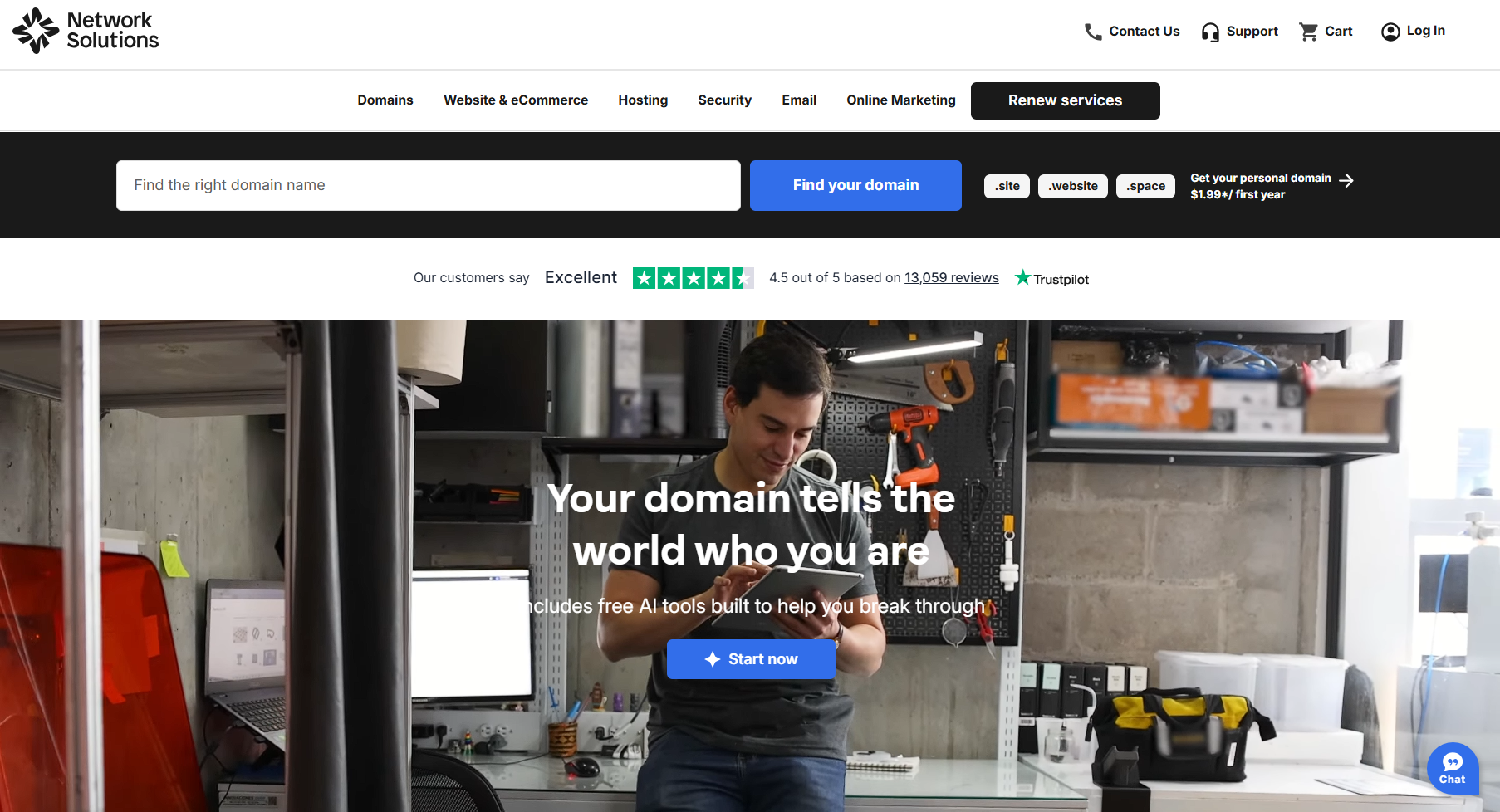
Founded in 1979, Network Solutions is recognized as the pioneering .com domain registrar. Today, it offers an all-in-one solution that combines domain registration, hosting, SSL, and business email.
You can expand into e-commerce, services, or a portfolio later within the platform. If all you need for now is a lightweight bio link page, you can use our Link-In-Bio app for free when you buy a domain.
These features let you get more than just a lightweight link page from a single provider.
Our blog about our link-in-bio features can help you learn more about its benefits.
Key unique features
- All-in-one platform: Manage your own website, domain, hosting, SSL, and email in one place.
- Branded link-in-bio page: Use your own custom domain instead of a third-party URL, so your link looks more professional.
- Mobile-ready templates: Get customizable designs that are responsive across devices.
- Built-in reliability: Included are security, backups, and uptime guarantees so your site stays accessible.
- Room to grow: Expand beyond a simple link page into services, online stores, or a full business site.
Who it’s best for
- Small businesses that want a professional link hub under their own domain
- Entrepreneurs who prefer one provider for website, hosting, and email
- Professionals who see a bio link as part of a long-term digital/social media presence, not just a temporary tool
What users are saying
Users value Network Solutions for our reliability and professional support, reflecting how we are a better fit for businesses that want more flexibility than Linktree. While some wish for more modern templates and greater design flexibility, a majority of reviews across different review sites highlight its stability and business-focused features.
One user shared: “I love the new way it looks and how it works. I like dropping the attachments if I don’t feel like looking for it. The portal is great, I like being able to customize it! I use the calendar a lot more now with the upgrade.”
Another customer said, “What I like best about Network Solutions is that it’s easy to access the user profile online.”
Pros and cons
Network Solutions is a strong Linktree alternative for small businesses that want their link-in-bio page to support a broader, branded online presence.
Pros
- Included with a domain: The Link in Bio tool is included with eligible Network Solutions domain registrations, reducing the need for a separate link-in-bio subscription.
- Stronger brand consistency: Businesses can connect their link page to their brand identity and customize elements such as colors, fonts, images, and buttons.
- AI-powered personalization: The platform uses AI to help create a personalized starting layout based on your business information.
- Easy link management: Users can organize social profiles, products, promotions, blog posts, and other important pages in one place.
- Supports long-term growth: Network Solutions also offers domains, websites, hosting, professional email, social media tools, and other business services, making it easier to manage multiple aspects of an online presence from a single provider.
Cons
- Requires a Network Solutions domain: You need a domain registered through Network Solutions to access the Link in Bio tool.
- Fewer creator-focused features: The platform is geared toward business presence and branding, so it may offer fewer creator-focused features, such as tipping or specialized monetization tools.
- Best within its own ecosystem: Businesses already using other Network Solutions products are likely to get the most value from the tool.
- May be more than some users need: Users looking for a simple or temporary link-in-bio page may prefer a standalone solution with fewer business-oriented features.
Pricing and plans
Plan | Cost/Term | Plan inclusions |
|---|---|---|
Website | $4.99 per month (renews at $15.99/mo) |
|
Website + Marketing (recommended) | $7.99 per month (renews at $20.99/mo) | Everything in Website and:
|
E-commerce | $13.99 per month (renews at $28.99/mo) | Everything in Website + Marketing and:
|
Note: Pricing is current as of the time of writing, but is subject to change without prior notice. Renewal rates apply after the promotional period has ended. Please check with us directly for the most up-to-date information.
Pallyy
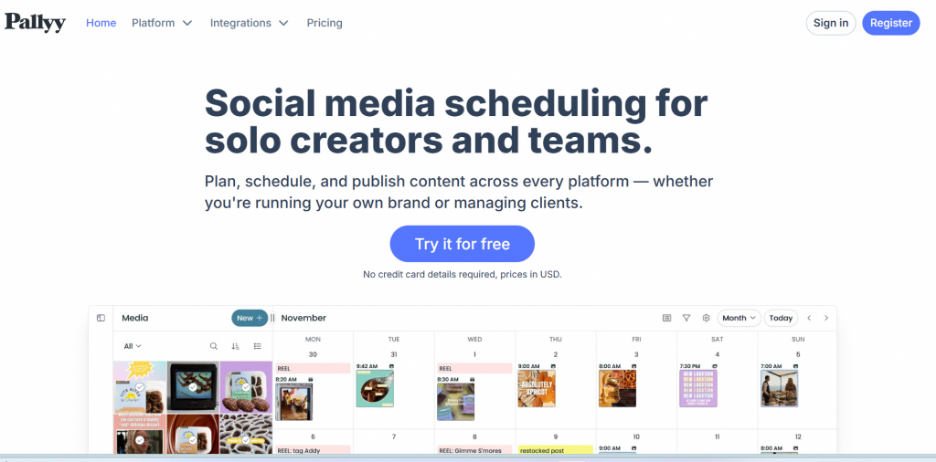
Pallyy is another Linktree alternative with more than simple bio link page features only. It combines a link-in-bio tool with full social media management features, including scheduling, analytics, and an inbox for managing comments and DMs.
It lets you build a simple link page with tools for scheduling posts, replying to DMs, and analyzing social media performance. These tools make it Pallyy valuable if you’re looking for an all-in-one tool instead of multiple tools.
Key unique features
- Two-page layouts: Build a standard list-style page with clickable buttons, or switch to a grid layout that mirrors your Instagram feed.
- Post-scheduling: Draft, schedule, and automatically publish content across different social media platforms.
- Detailed analytics: Get insights into click rates, visitor demographics, and overall social performance.
- Link scheduling: Control when certain links go live on your bio page. For example, you can time product launches or campaigns so links only appear during active promotions.
Who it’s best for
- Creators who want one tool for both bio links and scheduling content
- Small businesses that need analytics and link control without paying for several tools
What users are saying
Pallyy users appreciate the clean and simple design, considering it a great value for the price. Many highlight the scheduler as a standout feature, with some describing it as “good, growing software” with a calendar for managing multiple brands.
Others point to the flexible pricing model, noting that it keeps costs manageable when managing multiple social accounts. However, some users wish for more design options; a few mentioned support wasn’t always helpful.
Overall, users agree that Pallyy offers a good balance of price and features. It’s especially strong if you want both bio links and social media scheduling in one tool.
Pros and cons
Pallyy is a practical Linktree alternative for businesses that want to manage their link-in-bio page alongside their broader social media workflow. Its bio link tool is integrated with Pallyy’s scheduling, analytics, planning, inbox, and content management features.
Pros
- Generous link capacity: Users can add up to 100 link buttons, along with image-grid links for products, posts, promotions, and other content.
- Useful customization options: You can customize colors, button styles, image appearance, shadows, profile images, descriptions, and your page’s URL slug.
- Built-in performance insights: Pallyy tracks impressions, clicks, and individual link performance, helping businesses understand which content attracts the most engagement.
- Instagram grid links: Businesses can turn Instagram posts into clickable destinations, making it easier for visitors to find products, services, or content featured in specific posts.
- Integrated social media management: The bio page works alongside Pallyy’s scheduling, analytics, inbox, approval, and planning tools, reducing the need to manage multiple platforms separately.
- Free starting option: Businesses can try Pallyy before upgrading to a paid plan, making it accessible to entrepreneurs and small businesses with limited budgets.
Cons
- May include more tools than needed: Businesses that only need a simple link-in-bio page may not benefit from Pallyy’s broader social media management platform.
- Uses a Pallyy-hosted URL: Users receive a customizable pallyy.bio URL rather than a page hosted directly on their own business domain.
- Some branding controls require an eligible plan: Removing Pallyy branding is limited to supported paid plans.
- Paid features may increase costs: Businesses may need to upgrade as they add more social accounts, team members, scheduled posts, or advanced platform capabilities.
- Less suited to broader website building: Pallyy focuses primarily on social media management rather than domains, website hosting, or professional email services.
- Best for social-first businesses: Companies that do not rely heavily on social media may get more value from a website-focused link-in-bio provider.
Pricing and plans
Plan | Cost/Term | Plan inclusions |
|---|---|---|
Starter | $15 per month (free 14-day trial) |
|
Pro | $25 per month (free 14-day trial) | Everything in Starter and:
|
Agency | $99 per month (free 14-day trial) | Everything in Pro and:
|
Scale | $199 per month (free 14-day trial) | Everything in Agency and:
|
Note: Pricing is current at the time of writing, but can change without prior notice. Please check with the provider directly for the most up-to-date pricing.
Shorby
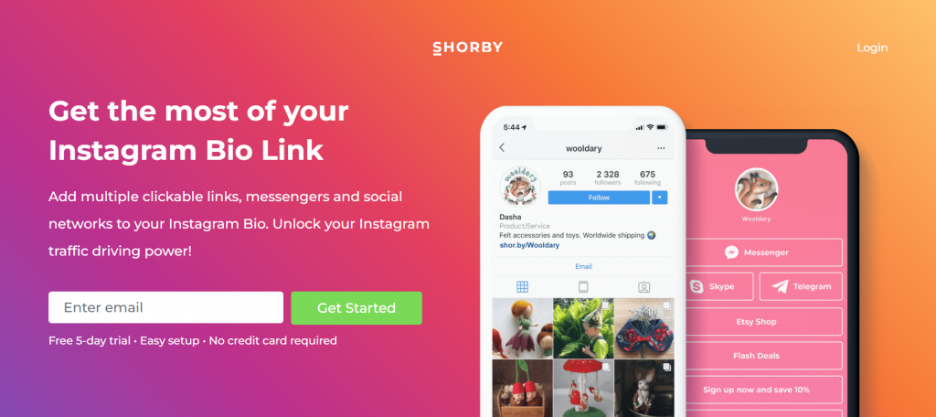
Shorby is a Linktree alternative for users who want ownership and flexibility. Unlike Linktree, it lets you connect to a custom domain name, so all traffic goes to your brand instead of a third-party URL. It also features direct messenger links and content feeds that update automatically.
Key unique features
- Custom domain support: Use your branded URL instead of Shorby’s default short link.
- Messenger integrations: Add WhatsApp, Telegram, Facebook Messenger, email, or phone for direct communication.
- Drag-and-drop builder: Customize layouts, buttons, and themes with ease.
- Dynamic content feeds: Sync WordPress posts, YouTube videos, Shopify categories, or podcasts automatically.
- Visual previews: Generate sleek thumbnails automatically for any links you add.
Who it’s best for
- Influencers and creators who want to combine social links with direct messaging options
- Small businesses and affiliates looking to retarget visitors through ad pixels
- Agencies managing multiple client accounts under one platform
What users are saying
Shorby earns mixed but generally positive reviews across platforms. Many users praise its sleek, mobile-first designs and the ability to add messengers and feeds.
One user noted: “You can create a sleek, mobile-optimized page with multiple links, social icons, and contact options all in one place. The built-in analytics help refine your strategy over time.” Users also like the custom domain feature; a big step up from Linktree for owning traffic.
On the downside, some reviewers found design options a bit basic; others mentioned customer support could be more helpful when issues arise. A few noted that while it’s feature-rich, pricing feels high compared to simpler tools.
Pros and cons
Shorby is a Linktree alternative designed for businesses that want to turn their link-in-bio page into a focused micro landing page. It supports rich content, direct contact options, automated content feeds, and audience tracking.
Pros
- Supports different content formats: Businesses can add standard links, images, videos, text, products, other media content, and social media profiles to a single page.
- Makes customer contact easier: Direct buttons can connect visitors to WhatsApp, email, phone, and other messaging channels, helping businesses streamline customer communication.
- Offers automated content feeds: Shorby can automatically pull new content from RSS feeds, YouTube, Apple Podcasts, and Shopify catalogs, reducing the need for manual updates.
- Provides marketing and tracking tools: Businesses can monitor clicks and connect tracking pixels from platforms such as Meta Ads, Google Ads, LinkedIn, Pinterest, and Snapchat to support audience tracking and retargeting.
- Supports stronger branding: Users can customize themes, colors, backgrounds, button images, link aliases, and other visual elements to better match their brand.
Cons
- Requires a paid subscription: New users receive a five-day trial before choosing from one of Shorby’s paid subscription plans.
- Advanced tools require higher-tier plans: Features such as custom domains and Google Analytics integration are available on the Pro plan, while team collaboration features are intended for Agency users.
- Feature limits depend on the plan: The number of pages, content blocks, rich links, and tracked clicks available varies by subscription level.
- May feel complex for basic needs: Businesses that only want to display a few links may not need features such as tracking pixels, automated feeds, and advanced analytics.
- Does not replace a complete website: Shorby is primarily a micro landing page platform, so businesses may still need separate solutions for a full website, professional email, hosting, and other online business needs.
Pricing and plans
Plan | Cost/Term | Plan inclusions |
|---|---|---|
Rocket | $12 per month (billed annually with $36 discount) |
|
Pro | $24 per month (billed annually with $60 discount) | Everything in Rocket and:
|
Agency | $82 per month (billed annually with $204 discount) | Everything in Pro and:
|
Note: Pricing is current at the time of writing, but can change without prior notice. Please check with the provider directly for the most up-to-date pricing.
Replug
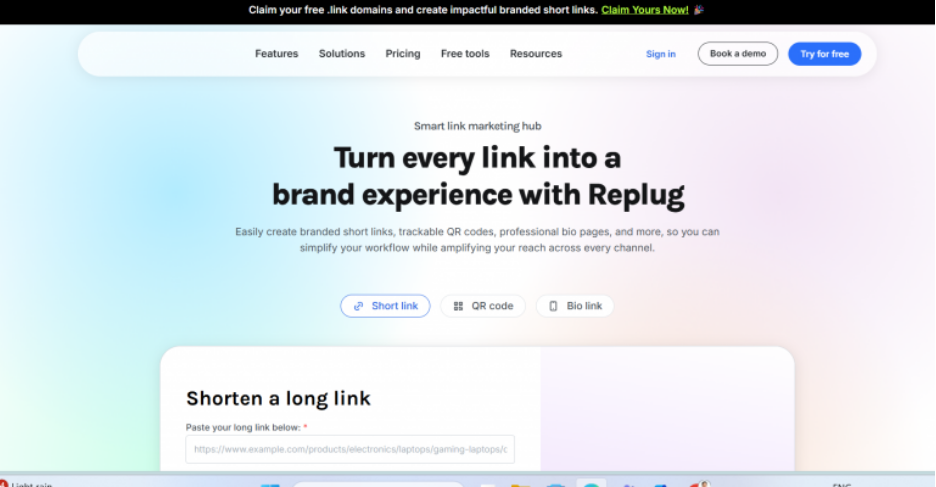
Replug offers a link management platform for marketers, agencies, and brands that need advanced tracking and campaign tools. Compared to Linktree, Replug combines bio links with branded short links, retargeting, and deep analytics. These features are especially useful when running ads or managing multiple campaigns.
Key unique features
- Customizable bio pages: Use the drag-and-drop builder to add links, videos, images, and buttons.
- Link rotation: Route visitors to different landing pages based on filters like country, time, or device.
- Deep analytics: Track clicks, conversions, demographics, devices, and more.
- Retargeting pixels: Re-engage anyone who clicks your bio links across channels, such as Facebook and LinkedIn.
- Extra tools: QR codes, custom CTAs, password-protected links, link expiry dates, and RSS automation.
Who it’s best for
- Marketers who need advanced tracking and retargeting
- Agencies managing multiple campaigns for clients
What users are saying
Some users described Replug as a “Swiss army knife of link management,” while others praise its branded links, retargeting, and deep analytics, saying it helps them run smarter campaigns. Several highlight integrations with tools like ContentStudio and Zapier, which save time.
However, some find the interface outdated and less intuitive than simpler tools. Customer support feedback is mixed, with a few reporting frustration when advanced features like Bridge Page Campaigns didn’t work as expected.
Overall, reviews show Replug is a strong Linktree alternative for marketers who want advanced campaign tools, not a quick, basic bio link page.
Pros and cons
Replug is a Linktree alternative built for businesses that want more control over link tracking, branding, and campaign performance. Along with bio pages, it offers short links, QR codes, retargeting, and other link management tools.
Pros
- Offers a free plan: Businesses can create up to two bio pages, manage 100 shortened links, and track up to 1,000 clicks per month without paying for a subscription.
- Provides flexible customization: Users can adjust themes, colors, typography, backgrounds, layouts, social previews, and other page elements to reflect their branding.
- Includes detailed link analytics: Replug tracks clicks, traffic sources, locations, devices, browsers, and other performance data to help businesses better understand visitor behavior and campaign performance.
- Supports broader marketing campaigns: Businesses can create branded short links, QR codes, calls to action, deep links, and retargeting campaigns from the same platform.
- Allows different content blocks: Bio pages can include website links, social icons, RSS feeds, videos, calls to action, products, and other content in one place.
- Supports custom domains: Businesses can connect a custom domain to create a more recognizable and professional bio-page address.
Cons
- The free plan has limits: Growing businesses may quickly exceed the monthly click, campaign, or bio-page allowances and need to upgrade.
- Some customization requires a paid plan: Features such as custom themes, background images, block scheduling, animations, and removing Replug branding are not available on every plan.
- Analytics history varies by plan: Lower-tier users receive access to a limited reporting period, while longer or unlimited historical data is reserved for higher subscription levels.
- May be complex for basic users: Entrepreneurs who only want to share a few links may not need its campaign management, retargeting, traffic-routing, and optimization features.
- Does not replace a full business website: Replug is primarily a link management and campaign platform, so businesses may still need separate services for website building, hosting, email, and other online business operations.
Pricing and plans
Plan | Cost/Term | Plan inclusions |
|---|---|---|
Free | $0 per month |
|
Essentials | $9 per month (billed annually at $108) | Everything in Free and:
|
Scale (most popular) | $23 per month (billed annually at $276) | Everything in Essentials and:
|
Agency | $79 per month (billed annually at $948) | Everything in Scale and:
|
Note: Pricing is current at the time of writing, but can change without prior notice. Please check with the provider directly for the most up-to-date details.
Lnk.Bio
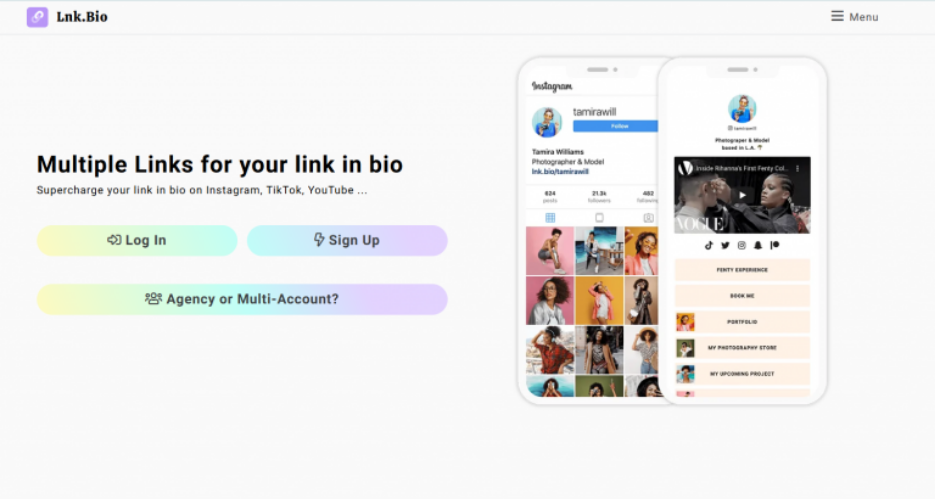
Lnk.Bio, one of the simplest Linktree alternatives, focuses on ease of use and quick setup. It’s a favorite among creators, musicians, and small businesses that don’t want to spend much time customizing.
Lnk.Bio doesn’t overload you with features, helping it get recognized for its affordability and clean layouts. It gives you a straightforward page where you can share unlimited links, media, and content in minutes.
Key unique features
- Unlimited links: Add as many links as you need without restrictions.
- 400+ templates: Choose from a wide range of designs to match your brand.
- Embed media: Showcase music, YouTube videos, or podcasts directly on your page.
- Engagement reports: Track clicks and visitor data to measure performance.
- Simple editor: Set up pages with a minimal learning curve required.
Who it’s best for
- Creators and influencers who want a no-fuss link page
- Musicians, podcasters, or YouTubers looking to embed content directly
- Small businesses that value affordability and speed over more advanced features
What users are saying
Lnk.Bio users appreciate how quick it is to set up and publish a page. Many highlight their good experience with the free version and unlimited link option as the main reasons for choosing it.
Positive reviews often mention that the templates are simple but effective, saying “you can’t beat the ease of using it, has the essentials you need“. On the flip side, some users wish it offered deeper analytics or more customization to match modern alternatives.
Overall, sentiment is that Lnk.Bio is best if you want something fast, cheap, and reliable—not a full marketing suite.
Pros and cons
Lnk.Bio is a Linktree alternative for small businesses that want a flexible, social-first page without committing to an expensive monthly subscription. It offers unlimited links on its free plan, alongside paid options for advanced customization, analytics, scheduling, and lead generation.
Pros
- Offers unlimited links for free: Businesses can add and update as many links as needed without paying for a subscription.
- Provides extensive design options: Users can choose from hundreds of templates, multiple page layouts, thousands of icons, and a large font library to customize their page’s appearance.
- Supports rich content and integrations: Pages can embed videos, music, maps, forms, booking tools, social content, and integrations with platforms such as Shopify, WordPress, and Zapier.
- Includes flexible payment options: Users can choose a free plan, a low-cost monthly plan, or a one-time lifetime payment instead of an ongoing subscription.
- Offers analytics and scheduling: Paid plans provide advanced statistics, tracking pixels, UTM presets, link scheduling, and social media synchronization.
- Supports lead generation and sales: Premium plans can include newsletter sign-up forms, contact forms, product sales features, and email marketing integrations.
- Can be managed across devices: Lnk.Bio offers web access as well as dedicated mobile apps for updating pages and monitoring performance.
Cons
- Free pages include Lnk.Bio branding: Businesses must upgrade to the Unique plan to remove Lnk.Bio branding and create a more fully branded experience.
- Advanced customization requires an upgrade: Custom colors, wallpapers, additional pages, carousels, and other design controls are limited to paid plans.
- The number of features may feel overwhelming: Businesses that only need a few basic links may not benefit from its wide range of layouts, embeds, integrations, and add-ons.
- Some business tools cost extra: Features such as custom domain options, appointment booking, translations, and verification may require add-ons or higher-tier plans.
- Free analytics are limited: The free plan provides basic statistics, while detailed visitor insights and external tracking tools require a paid plan.
- Does not replace a complete website: Lnk.Bio works well as a micro landing page, but businesses may still need separate services for a full website, hosting, professional email, and broader online operations.
- Support for free users may be limited: Lnk.Bio does not guarantee customer support for users on its free plan.
Pricing and plans
Plan | Cost/Term | Key inclusions |
|---|---|---|
Free | $0 per month |
|
Mini | $0.99 per month | Everything in Free and:
|
Unique | $24.99 one-time – no subscription | Everything in Mini and:
|
Ultra | $89.99 per year | Everything in Unique and:
|
Note: Pricing is current at the time of writing but may change. Also, pricing includes free and one-time payment options, and plans differ by features and level of customization. Check their site directly for the most up-to-date pricing.
Beacons
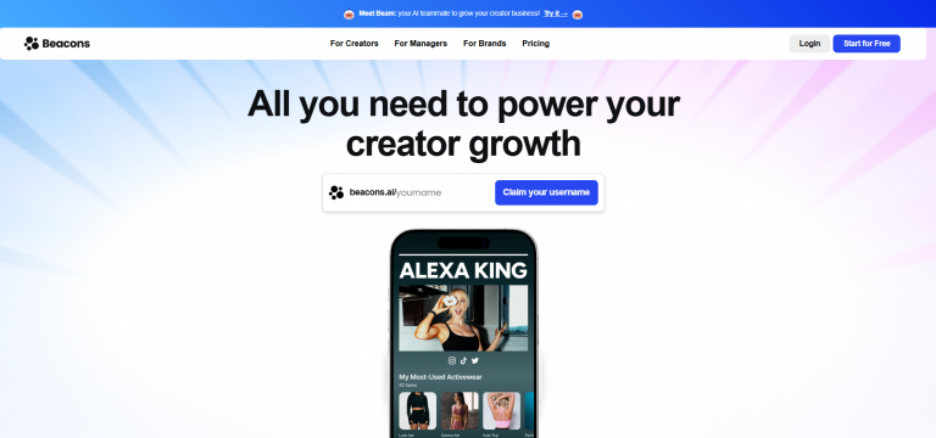
Beacons is a Linktree alternative for creators and entrepreneurs looking to monetize their audience. Aside from the usual bio link features, it offers built-in tools for selling products, accepting tips, and capturing email leads—all directly from your link page.
Key unique features
- Built-in e-commerce: Sell digital products or services directly from your bio page without needing a separate store.
- Tipping feature: Accept donations or tips from your audience, ideal for creators.
- Email capture: Collect email subscribers right from your landing page.
- Strong customization: Edit layouts, colors, and fonts to better reflect your brand.
- Analytics dashboard: Track clicks, conversions, and revenue performance.
Who it’s best for
- Creators and influencers who want to sell digital products without building a full website
- Entrepreneurs who need a bio page that doubles as a sales tool
- Small businesses looking for a cost-effective way to monetize an audience
What users are saying
User reviews for Beacons are mixed, showing a split between satisfied creators and frustrated users. Some praise its simplicity and pricing.
One reviewer said it was “easy to use, build, create and navigate… a lot of value for price.” Another shared that they’ve “not had any issues whatsoever” and liked receiving instant PayPal payouts for digital sales.
However, some users called support “nonexistent” and said, “They love taking your money but not helping their customers.” Another complained about domain transfers taking “absolutely ages,” while others reported being overcharged or blocked from sending emails despite paying for unlimited.
Overall, Beacons appeals to creators who want low-cost monetization tools, but reviews are mixed when it comes to customer service and reliability.
Pros and cons
Beacons is a Linktree alternative for entrepreneurs and social-first businesses that want to manage links, sell products, collect leads, and promote their brand from one platform. It combines a customizable link-in-bio page with e-commerce, email marketing, analytics, media kits, and other creator-focused tools.
Pros
- Offers a free starting plan: Businesses can create a customizable link-in-bio page with unlimited links, basic selling tools, AI credits, and real-time analytics without paying an upfront subscription fee.
- Supports different business goals: Pages can include links, products, affiliate offers, email signup forms, social profiles, videos, and other content designed to help drive conversions.
- Includes strong customization options: Users can personalize colors, fonts, layouts, styles, images, and video backgrounds to create a page that reflects their brand.
- Provides built-in selling tools: Businesses can sell digital products, courses, memberships, appointments, and affiliate products directly through their page.
- Combines several marketing tools: Beacons includes email marketing, Instagram automated replies, traffic analytics, media kits, affiliate links, and integrations with tools such as Zapier and Mailchimp.
- Offers AI-assisted page creation: Its AI Link in Bio Designer can generate page designs and content from a prompt, helping users create a polished starting point more quickly.
- Can expand beyond a bio page: Beacons offers website-style page-building capabilities in addition to its link-in-bio tools, giving businesses room to grow their online presence over time.
Cons
- Free sales include transaction fees: Beacons charges a 9% seller fee on its Free and Creator plans. Businesses need a Creator Plus or higher plan to reduce the platform seller fee to 0%.
- Custom domains require a paid plan: Free users receive a Beacons-hosted URL, while connecting or claiming a custom domain requires an eligible subscription.
- Removing Beacons branding costs more: Hiding the Beacons logo is reserved for Creator Plus and higher plans, which may limit brand control for users on lower tiers.
- Email limits vary by plan: The Free plan includes 50 email sends per month, while larger allowances and unlimited sending require paid upgrades.
- May feel complex for basic needs: Small businesses that only need a page containing a few links may not use its wider range of selling, partnership, AI, and audience-management tools.
- Primarily designed for creators: Features such as media kits, brand-deal support, affiliate tools, and creator analytics may be less relevant to traditional local or service-based businesses.
- Website limits depend on the plan: The Free plan supports a limited website experience, while additional website features, pages, and advanced capabilities require higher subscription tiers.
Pricing and plans
Plan | Cost / Term | Plan inclusions |
|---|---|---|
Free | $0 per month |
|
Creator Pro (most popular) | $8.33 per month | Everything in Free and:
|
Store Pro | $25 per month | Everything in Creator Pro and:
|
Business Pro | $75 per month | Everything in Store Pro and:
|
Note: Pricing is current at the time of writing but may change. Above pricing reflects annual billing discounts, and monthly billing is available at higher rates. Always check Beacons directly for the most up-to-date pricing.
Carrd
Carrd is a simple and affordable Linktree alternative that doubles as a lightweight website builder. It lets you create single-page sites that function as bio link hubs, where you can customize layouts, add media, and embed widgets.
Design options are limited compared to a full website builder, but it’s reliable for personal brands and small businesses that need an affordable, professional-looking bio link page.
Key unique features
- Affordable pricing: Pro Lite starts at $9 per year, making it the cheapest option on this list.
- Custom domains: Connect your own branded domain on paid plans.
- Mobile-ready templates: All pages are responsive and optimized for different devices.
- Flexible design: Add buttons, images, videos, forms, and widgets for a more personalized layout.
- Lead capture: Embed forms to collect emails or simple inquiries directly from your page.
Who it’s best for
- Freelancers and creators who want a branded bio page without ongoing monthly fees
- Users who want greater flexibility than Linktree but prefer simplicity over a full website builder
What users are saying
Carrd is often praised for its affordability and ease of use. Many reviews mentioned how fast it is to set up a professional-looking page.
One user wrote: “I like how well designed it is. It’s easy to add your links in and have a link page that is beautiful without having to do any design work. It is still customizable though, choosing your own colors for the links and can add a bio and your own photo.”
On the downside, some say the design options are limited compared to full website builders, and advanced features require upgrading to higher tiers. But still, positive reviews show that Carrd is another Linktree alternative to consider.
Pros and cons
Carrd is a flexible Linktree alternative for small businesses that want more design control than a standard list of links. Rather than offering a dedicated link-in-bio tool, it lets users build a responsive one-page website for links, contact forms, promotions, portfolios, and other business content.
Pros
- Offers a free starting option: Users can build and publish up to three responsive one-page sites using Carrd’s core features.
- Provides greater design flexibility: Businesses can start with a template or build their own layout using text, images, buttons, videos, columns, and multiple content sections.
- Offers affordable annual plans: Paid plans start at $9 per year, while the $19-per-year Pro Standard plan includes many features useful for business and professional use.
- Supports custom domains: Pro Standard users can publish their page on a domain or subdomain they own, with SSL security included.
- Includes forms and integrations: Businesses can add contact forms, email signup forms, and embeds from services such as Stripe, PayPal, Gumroad, and Typeform.
- Allows advanced customization: Pro Standard users can embed custom HTML, CSS, JavaScript, widgets, and external content to create more specialized pages.
- Can support more than bio links: A Carrd page can function as a landing page, portfolio, lead-generation page, event page, or simple business website.
Cons
- Free sites have limited branding control: Removing the “Made with Carrd” branding requires a Pro plan.
- Requires more manual setup: Carrd is a general one-page website builder rather than a purpose-built link-in-bio platform, so arranging and maintaining the page may take more effort.
- Important business features require an upgrade: Custom domains, forms, analytics, widgets, and code embeds require Pro Standard or a higher plan.
- The domain must be purchased separately: Carrd does not provide domain registration, so businesses must obtain and configure a domain through another provider.
- Some functions rely on external services: Selling products, collecting subscribers, and monitoring performance may require separate payment, email marketing, or analytics tools.
- Advanced features may be technical: Custom code, integrations, DNS configuration, and third-party analytics can be challenging for users without prior website experience.
- Not suited to complex websites: Carrd primarily focuses on one-page sites, so growing businesses may eventually need a more robust website platform for extensive content, navigation, or functionality.
Pricing and plans
Plan | Cost/Term | Key inclusions |
|---|---|---|
Pro Lite | $9 per year |
|
Pro Standard (Recommended) | $19 per year | Everything in Pro Lite and:
|
Pro Plus | $49 per year | Everything in Pro Standard and:
|
Note: Pricing is current as of the time of writing, but is subject to change. Additionally, pricing is billed annually, with a free 7-day trial available, and no credit card is required. Check Carrd directly for up-to-date rates.
What features to look for in a Linktree alternative
Not all link-in-bio tools offer the same level of control or flexibility. When comparing Linktree alternatives, focus on these key features to find the option that fits your goals.
- Customization and branding: Choose a platform that supports custom layouts, colors, fonts, logos, and custom domains so your page matches your brand.
- Link management and layout options: Look for tools that let you organize links using buttons, cards, or sections, and make it easy to reorder or update them.
- Analytics and tracking: Prioritize platforms that provide link-level click data and traffic trends to help you measure performance over time.
- Monetization and conversion tools: Consider options with built-in forms, product links, or call-to-action buttons that support email signups, services, or sales.
- Integrations and compatibility: Make sure the platform connects with the social networks, email tools, or e-commerce platforms you already use.
- Mobile-friendly design: Select a solution that automatically adjusts for mobile users, since most visitors arrive from social apps.
- Ease of use and setup: A clear dashboard and simple editor make it easier to manage links and update content without technical work.
Frequently asked questions
A Linktree alternative is a bio link tool that lets you create a bio page or landing page with links for multiple social media profiles. These platforms often include customization, analytics features, and branding options that Linktree’s free tier doesn’t provide.
Yes. Options like Lnk. bio, Beacons, and Pallyy have a free version. Free plans typically cover a basic bio link landing page, while paid plans add features such as custom domains, built-in analytics, and integrations with third-party tools.
Network Solutions is a popular choice for small businesses. Unlike standalone bio tools, it provides a website builder, domain, hosting, and email. You can also build a dedicated link-in-bio page inside your main site, giving you complete control over your brand and ensuring scalability in the long term.
Pallyy and Beacons stand out for creators. Pallyy combines a link-in-bio tool with scheduling, allowing you to schedule posts across multiple social media accounts. Beacons supports tipping, payment links, and e-commerce, plus features like opt-in forms to collect emails. Both make it easier to monetize audiences.
Most tools include some level of analytics. For example, Replug provides detailed analytics like campaign tracking, Facebook Pixel integration, and A/B testing. Simpler options focus on link clicks and traffic data, while advanced tools include Google Analytics integration for deeper insights.
Lnk.bio offers the lowest-cost plan at $0.99 per month. Network Solutions is also affordable, starting at $4.99 per month for the first year. Both let you add multiple links and create micro landing pages without a big investment.
The best Linktree alternative depends on your needs. If you want more than a simple bio link page, Network Solutions is a strong choice. It lets you manage your domain, hosting, email, and website in one place, and build a custom link page with unlimited social media links.
You can use an all-in-one marketing tool such as Network Solutions to build a bio link landing page. This allows you to share multiple links, embed YouTube videos, or connect social media feeds on a single page. Unlike simple link-in-bio tools, it offers the flexibility to add opt-in forms, design a background image, and track performance with built-in analytics.
Grow your online presence with Network Solutions
There is no universal best Linktree alternative. The right choice depends on what matters most to your business, whether that is free access, stronger customization, built-in selling tools, detailed analytics, simplicity, or greater control over your brand.
Creators who want to sell products and manage partnerships may prefer Beacons. Marketers who need advanced tracking and retargeting may get more value from Replug. Businesses that want a highly customizable one-page site at a low cost can consider Carrd.
For small business owners focused on long-term brand ownership, we offer a more complete path forward. Our Link-in-Bio tool allows you to connect with and direct your audiences towards the content you want them to access. It comes free when you buy a domain, giving you a branded online destination without having to build a full website.
When you’re ready to grow, you can use our Website Builder to create a professional website on your own domain and bring more of your online presence under your control.