
Key takeaways:
- Staying updated with web design trends enhances user experience and competitiveness.
- Implementing these trends doesn’t have to be expensive or complex.
- Future-proofing your website requires adaptability and continuous optimization.
Web design is constantly evolving, and staying up-to-date with the latest website design trends is key to creating a modern, user-friendly website.
As Karissa Palmer, Senior Graphic Designer at Network Solutions, explains, “A website is a centralized location where customers can find everything they need about your business.” When that experience is clear and intuitive, design trends become tools for communication, not just decoration.
In 2026, modern design practices, including AI-powered design tools, immersive AR/VR experiences, voice user interfaces, neumorphism, interactive 3D elements, dark mode, custom illustrations, and micro-interactions, will redefine how users interact with websites.
The best part? You don’t need a big budget or advanced skills to apply these trends.
Whether you’re a new startup or an established brand, here’s how you can leverage the latest website design trends to enhance user experience and drive business growth.
Top web design trends for 2026
With so many advancements coming out, we’ve narrowed it down to eight (8) key modern web design trends that we believe will have a huge impact this year.
These eight UX design trends are all focused on enhancing user engagement, improving website performance, and modernizing your business, which can help you stay ahead without feeling overwhelmed.
Palmer reinforces this focus, noting that “The two main pillars of design are communication and usability.” Trends that enhance clarity, navigation, and interaction tend to have the greatest impact, particularly for growing businesses.
Businesses need to look out for these biggest web design trends:
- AI-powered design tools
- AR/VR experiences
- Voice user interfaces (VUI)
- Neumorphism
- Interactive 3D elements
- Dark mode
- Custom illustrations
- Micro-interactions
Let’s dive into each of these trends to explore how they can benefit your business.
1. AI-powered web design tools
Since the rise of artificial intelligence, AI-powered tools have steadily changed how websites are built. Instead of starting from scratch, small businesses can now rely on AI to simplify design decisions, personalize layouts, and create professional-looking websites faster.
That shift matters, especially for entrepreneurs who feel unsure about where to begin. As Brian McMullin, SVP of Product at Network Solutions, explains, “Many small business owners are curious about artificial intelligence, but they’re also skeptical. And more often than not, they’re held back by a simple knowledge gap: they don’t know what tools to use or where to begin.” AI website builders help close that gap by turning complex design tasks into guided, approachable steps.
With AI-powered website builders, you can create a site that looks good on any device, loads quickly, and stays aligned with your brand. These tools automatically adjust layouts, colors, and content based on your inputs, helping you save time without overspending. The goal is not to replace your ideas, but to take repetitive work off your plate. As McMullin puts it, “The best way to think about AI is not as a replacement, but as a reinforcer.”
Many small businesses are already using AI this way. Network Solutions’ Website Builder, for example, lets you create a custom site by answering a few simple questions. From there, it generates structured layouts, selects fonts and colors, and recommends relevant content tailored to your business. This approach reflects a broader shift McMullin highlights: “AI is most powerful when used as a collaborator, not a replacement.”
By handling the technical setup and design foundations, AI-powered web design tools give business owners more space to focus on what matters most: their voice, their values, and their customer relationships.
If you’re curious about how AI-generated design and copy actually look in practice, we also shared a short video walkthrough of its AI Website Builder, showing what the tool produces from simple inputs.
2. AR/VR web design
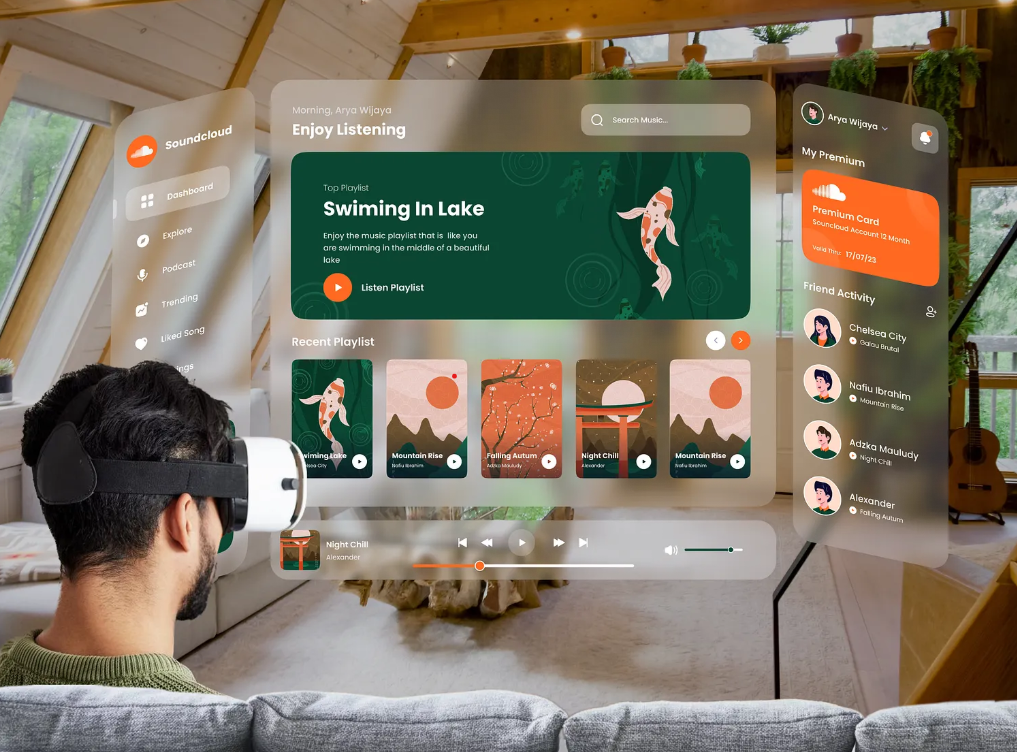
(Image credit: Arya Wijaya Kusuma via Dribbble)
Augmented reality (AR) overlays digital elements onto the real world, providing users with a more interactive experience. For example, AR lets you see how furniture would look in your living room before you buy it or adds digital effects to real-world locations in games. It’s used in gaming, education, navigation, healthcare, and advertising.
On the other hand, virtual reality (VR) creates a fully digital environment that feels real. With a VR headset, users can explore virtual worlds, making it ideal for virtual tours, education, concept visualization, and marketing.
While immersive experiences can feel experimental, they still need to support usability. As Palmer points out, “If your website is hard to navigate, users will click off. If they can’t find the information they’re looking for, they’re just going to give up.” Even advanced features like AR and VR should enhance clarity, not distract from it.
Since most people browse on their mobile devices, it’s important to ensure that AR/VR content works smoothly across various screen sizes.
Websites like crypt.art let you experience being in a digital museum. It transforms NFT viewing from flat displays to a multiplayer, virtual experience. This helps artists and brands showcase their work in creative, engaging ways.
3. Voice user interfaces (VUI)
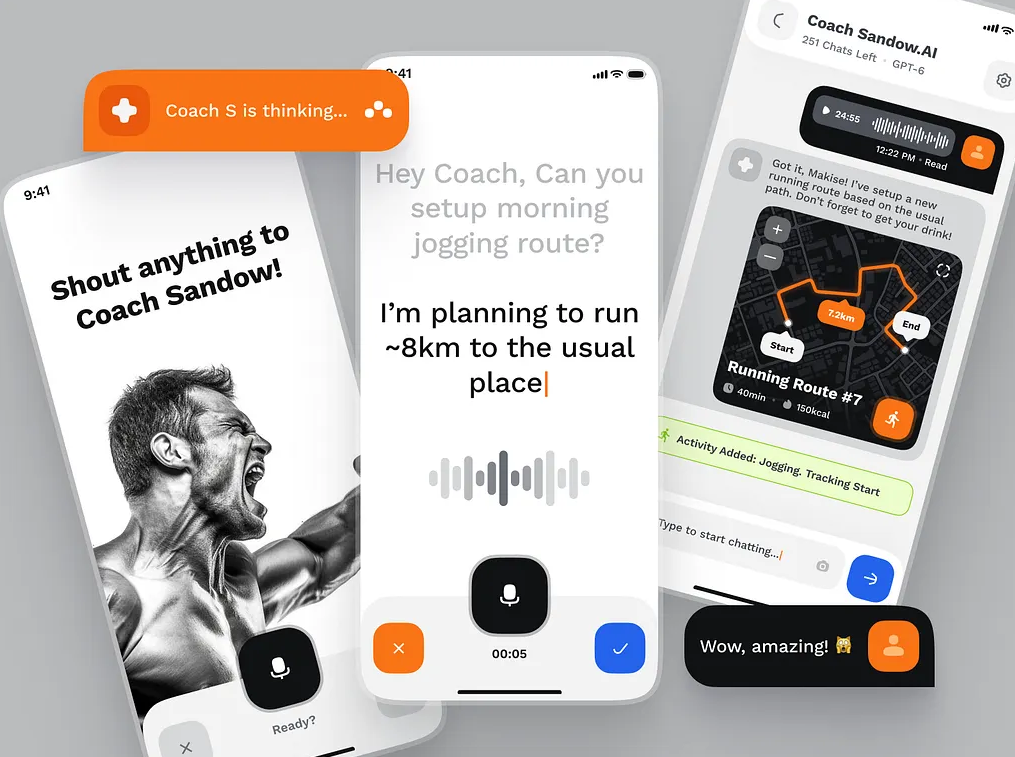
(Image credit: strangehelix via Dribbble)
The voice user interfaces (VUI) in web design allow users to interact with a website or application through voice commands. This uses technologies like speech recognition and natural language processing that offer a hands-free and conversational experience. Some examples of VUI are Siri, Google Assistant, and Alexa.
To add voice control to your website, you can follow these steps:
- Pinpoint where the voice would be most useful (search, navigation, etc.) and select a user-friendly tool like Dialogflow.
- Plan out the user’s conversational flow, including potential commands and website responses.
- Integrate a system that translates speech to actions within your site.
- Prioritize data security to protect user information.
- Rigorously test the voice interface to catch errors and refine the experience.
- Launch it continuously, monitor usage, and make improvements based on user feedback.
Websites like VUICS offer platforms for easy VUI integration. It utilizes tools such as a builder and APIs, with a focus on accessibility and convenience. This enables voice-controlled website interactions through speech recognition.
4. Neumorphism
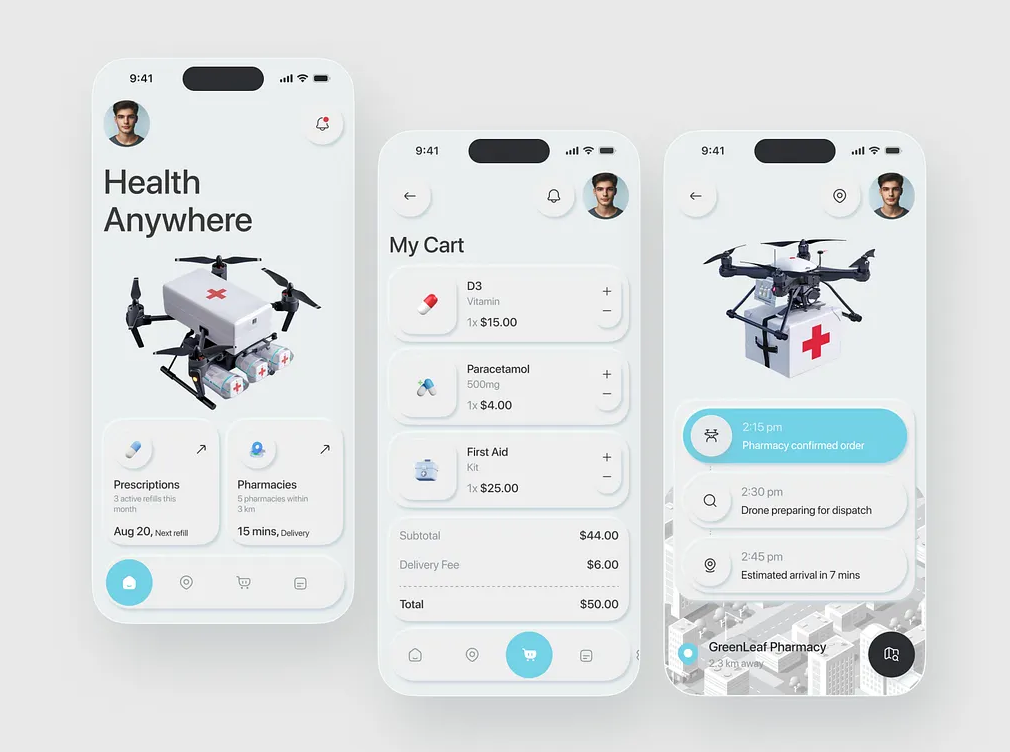
(Image credit: Sheikh Raihan via Dribbble)
Neumorphism is a UI design trend that combines minimalism with a subtle, almost 3D, tactile feel by using soft shadows and highlights to create the illusion of depth. This makes the elements look extruded or embedded.
This design trend works best when paired with minimalist designs, where subtle depth and soft shadows enhance usability without cluttering the interface. Although critics argue that neomorphism can lessen accessibility due to poor contrast and visibility, you can still reap its aesthetic benefits if you implement it mindfully into your design.
To add, maintaining consistency in lighting and color schemes will help your website have a polished and user-friendly design.
Follow these steps to apply neumorphism to your website:
- Choose a flat, neutral background color.
- Apply soft light and dark shadows using CSS (box-shadow)to create depth, giving elements a raised or pressed appearance against a flat background.
- Maintain consistent lighting direction and harmonious color palette.
- Apply the effect to interactive elements and include clear hover and click feedback.
- Prioritize accessibility and optimize CSS to maintain website performance.
One website that features numerous neuromorphic designs is Dribble. It showcases various designs from its users rather than uniformly implementing them site-wide. This strategy attracts clients who are seeking designers with current style expertise, as well as designers looking for inspiration and work.
5. Interactive 3D elements
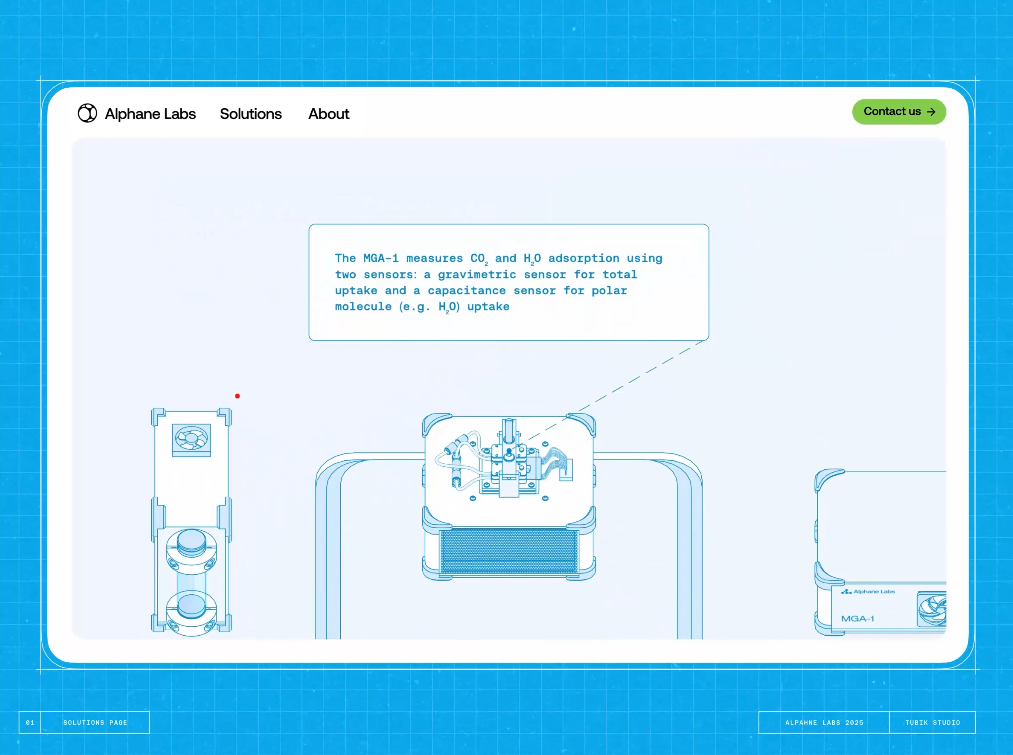
(Image credit: tubik via Dribbble)
Interactive 3D elements are among the latest UI/UX innovations that provide users with a more immersive browsing experience. Real-time user interaction with items or content is made possible by 3D interactive features.
These components provide websites with a more immersive and dynamic feel, which is particularly beneficial for e-commerce websites. It enables shoppers to explore products from multiple angles before making a purchase.
Interactive 3D elements can also support data visualization, making complex information easier to explore through charts, animations, or dynamic dashboards.
If you want to effectively implement 3D elements in your website, you can use inexpensive plugins or basic JavaScript libraries to incorporate 3D interactive components into your web page. This can increase engagement and conversions by providing an enjoyable and educational way for them to interact with your items.
Websites like Hypervsn display interactive, holographic-like 3D visuals that float in mid-air. Their technology supports dynamic content and touchless gesture control. When controlled commercially, it enables the creation of engaging 3D experiences for advertising events, making them a prime example of interactive 3D element technology.
6. Custom illustrations
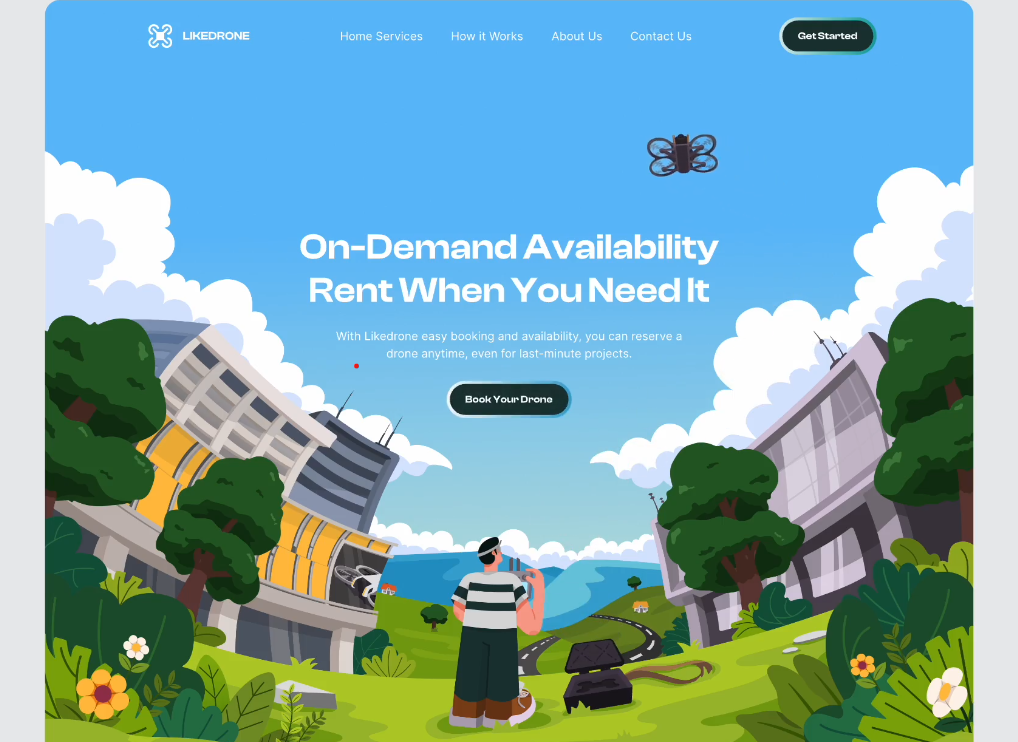
(Image credit: Hilmi Salim via Dribbble)
Another web design trend emerging this year is the use of custom illustrations. These web designs are distinct, original visual creations made from scratch by an artist or web designers.
An artist who creates custom illustrations based on their client’s specific needs and brand identity often uses their work to visually convey concepts, stories, or information. Using this web design will give your brand a visual appeal that makes your customers instantly recognize you amidst digital clutter.
If you want to effectively use custom illustrations on your website, you need to:
- Focus on their functionality and the impact they have on your brand.
- Ensure they enhance your website’s user experience.
- Convey your brand’s message.
- Make sure they are strategically placed to support content and navigation.
Strategic custom illustrations can elevate your website by enhancing user experience, reinforcing brand messages, and supporting content/navigation. Prioritize functionality and brand impact to ensure illustrations effectively contribute to your website goals.
A well-known feature of Mailchimp is its unique and humorous bespoke drawings. Their website and marketing materials are replete with these graphics, which strengthen their brand identity and simplify difficult ideas. Mailchimp’s graphics give its platform a human touch, making it a welcoming and interesting place to use. They successfully convey the character and principles of the brand.
7. Dark mode
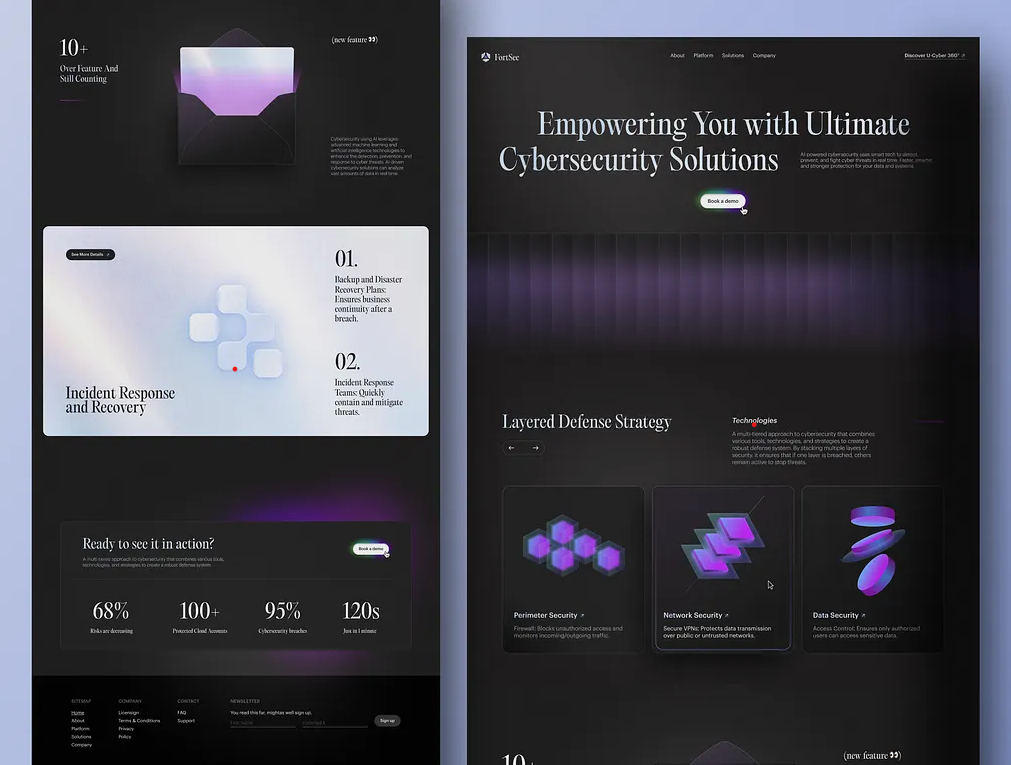
(Image credit: Odama via Dribbble)
Another popular website design trend of late is the dark mode. Dark mode is a design feature that changes an application or device’s interface from a light background to a darker one. It gained popularity due to its eye comfort, longer battery life for devices, and modern aesthetic.
Adding a dark mode feature to your website will undoubtedly enhance the user experience, particularly in low-light environments. Use the @media (prefers-color-scheme: dark) query to apply dark styles based on the user’s system settings. For greater control, include a user-facing toggle and optionally use JavaScript to store user preferences.
The website The Moody Doula combines an interactive 3D element with a dark mode feature that perfectly sets up the mood of the website. Upon visiting the website, you are greeted with an interactive image that resembles a person’s reflection in water. At the bottom left corner of the picture, you can find the “LIGHT/MOODY” option that helps you easily toggle between light and dark modes.
8. Micro-interactions
(Image credit: Pedro Aquino via Dribbble)
Micro-interactions are small animations or effects that occur when users interact with elements on your website (e.g., a hover effect or a button animation). They enhance the user experience by providing instant feedback, making the website feel more interactive and engaging.
Micro-interactions are especially effective on landing pages, where small visual cues can guide users toward a desired action.
Here’s a simple step-by-step process for adding micro-interactions to your website:
- Define interaction goals.
- Focus on key tasks for micro-interactions. Then, keep them simple with clear visual feedback. Additionally, use sound and haptics sparingly.
- Ensure smooth timing and consistent design.
- Test and iterate to achieve a seamless user experience.
The best example of this is Medium. This website uses subtle micro-animations to improve the reading experience. An example might be a small animation that indicates when a user’s activity has been recorded, such as when they clap for an article.
These micro-interactions, such as loading animations, the “clap” animation, or highlighting text when a user selects it, provide instant feedback and make the user interface more dynamic and engaging.
What makes these web design trends useful in 2026?
As people expect more personalized, immersive, and easy-to-use digital experiences, these trends will play a big role in 2026. AI-powered design tools will accelerate website building by automating repetitive tasks and streamlining design changes.
AR/VR and interactive 3D elements will create lifelike, engaging experiences that pull users in. With the growing use of voice assistants, VUI will make websites easier to navigate and more accessible.
Meanwhile, custom graphics and neumorphism will give websites a distinct, brand-focused look that helps them stand out in a crowded digital space.
Micro-interactions will enhance user engagement by providing a subtle, responsive web design, while dark mode will offer better visual comfort in different lighting conditions.
As web platforms become more integrated into everyday life, these trends will give businesses a competitive edge by delivering modern, user-friendly experiences that meet evolving user demands.
How to integrate website design trends with a small budget
Integrating all these best website design techniques at once may not be the best call for you to make, as it can be costly. Remember, each web design has its own characteristics, which you can use to maximize your business.
To make modern website design trends work on a small budget, focus on practical, flexible approaches like the following:
- Start small and scale gradually
- Use budget-friendly tools
- Explore free and low-cost AR/VR solutions
- Outsource where necessary
Tip 1: Start small and scale gradually
It’s not necessary to adopt every trend at once. Select one or two design trends that are most relevant to your business goals and audience, and then build upon them. Starting small helps you control costs while giving you room to test what actually resonates with visitors.
Ensure each update aligns with your brand identity and supports a clear purpose, such as enhancing usability, improving site speed, or increasing user engagement.
For example, AI-powered design tools can help you launch a polished website quickly, while features like AR, VR, or voice interfaces can be added later as your budget and technical needs grow. Tracking performance along the way also helps you decide which trends are worth expanding on.
Tip 2: Use budget-friendly tools
Many modern website builders and design platforms make it easier to apply advanced design techniques without a large upfront investment. Tools like our Website Builder include AI-powered features that help streamline layout choices, design consistency, and content creation, reducing the need for custom web development.
You can also supplement your main website tools with affordable or free platforms for specific design needs:
- Spline: This platform allows you to create interactive 3D elements that add depth and engagement to your site without requiring advanced 3D modeling skills. It’s useful for product showcases, hero sections, or interactive visuals. Spline offers a free basic plan, with paid options starting at approximately $15 per month for starters and $25 per month for more advanced features.
- Canva: Canva offers a user-friendly platform for creating visual assets, including website banners, icons, social media graphics, and simple animations, which can be particularly helpful when creating website visuals without a dedicated digital design team. Its free plan covers most basic needs, while Canva Pro, which costs $15 per month for one person, unlocks more templates, branding tools, and design elements for businesses that want a more consistent visual identity.
Using these graphic design tools together lets you enhance your website’s look and feel while keeping design costs predictable.
Prices mentioned in this article are accurate at the time of writing and are subject to change. Please refer to the official websites for the most up-to-date pricing information.
Tip 3: Explore free and low-cost AR/VR solutions
If you want to experiment with immersive design, start with lightweight AR or VR tools that don’t require custom development. Many platforms now offer drag-and-drop functionality or browser-based experiences that are easier to implement and maintain.
These tools can be used for simple product previews, interactive walkthroughs, or visual storytelling elements without committing to a full-scale VR experience. Starting with smaller, optional features allows you to gauge user interest and engagement before investing in more advanced immersive solutions.
Tip 4: Outsource where necessary
For complex design elements such as 3D modeling, AR, or VR features, outsourcing can often be more cost-effective than building an in-house web design team. Freelance platforms like Fiverr and Upwork make it easier to find web designers or developers with specialized skills for short-term or project-based work.
When outsourcing, clearly define your goals, scope, and budget upfront to avoid unnecessary revisions or costs. Combining outsourced expertise with in-house tools enables you to maintain control over your website while delivering high-quality, modern design elements where they matter most.
Frequently asked questions
The top trends include AI-powered design tools, AR/VR experiences, VUI, neumorphism, and interactive 3D elements.
Dark mode, AR/VR, micro-interactions, and AI-powered design can all enhance user experience, lower bounce rates, and raise SEO results. Sites that have voice search optimization and 3D features that load more quickly, for instance, are more search engine-friendly.
Absolutely! Numerous budget-friendly tools are available for AI-powered design, AR/VR features, and micro-interactions. Options like Webflow, Wix ADI, WebAR, and free 3D design plugins allow small businesses to stay competitive without a huge budget.
Pick trends based on your audience, budget, and goals. Start small with dark mode or micro-interactions, check what competitors are using, and test new features. Use analytics to see what works best for your site.
To keep your website modern, use flexible tools for updates and prioritize mobile users. Test new design trends with small changes first. Ensure fast loading by optimizing images and code for optimal performance. Analyze user behavior to understand which features are most popular and adapt your site accordingly. This approach allows for continuous improvement and relevance.
Step up your game by integrating the latest web design trends
Web design in 2026 will be defined by creativity, interactivity, and user-focused innovation. Adopting trends like AI-powered tools, custom illustrations, and dynamic micro-interactions can breathe new life into your website. The key is to start small, stay flexible, and continually refine your design to keep pace with evolving user expectations.
At the core of every trend is the same goal: clarity. When design supports communication and usability, it builds trust and keeps users engaged.
If you’re ready to turn these design trends into real progress for your business, we give you everything you need to build and grow with confidence. From AI-powered website creation to professional design support, our tools help you bring your ideas to life, strengthen your online presence, and set your site up for what’s next.