

Key takeaways:
- Start holiday marketing in September, not November.
- Focus on a strong foundation before launching promotions.
- Use AI to save time, but make the final decisions yourself.
The holiday season is a great time to be a small business owner. Most will agree that the late nights and extra effort are completely worth it.
But it’s also a terrible time to realize your website has outdated hours, your product pages are missing information, or your holiday offer still exists only in your head.
Holiday marketing in September can feel… not right. People are barely packing away their summer clothes, so planning for the winter rush feels highly premature. But the businesses that look effortless in November usually start preparing long before the holiday rush arrives. A little planning now can save a lot of scrambling later.
If you’ve read our 2026 Holiday Marketing guide, you know what’s changing this year. Now it’s time to act on those insights.
Start 90 days ahead to build a stronger foundation before holiday shopping picks up.
Get your holiday plans in motion
Access the 2026 Holiday Readiness Playbook to follow a month-by-month roadmap, stay ahead of key deadlines, and learn how to use AI as a tool without losing the human touch that makes your business memorable.
Why start holiday marketing 90 days out?
Many business owners only realize the sheer volume of holiday tasks once they’re drowning in them. The pressure often leads to burnout, which translates to missing out on critical early sales.
The rise of AI-assisted shopping adds another reason to start early. Basis found that 17% of consumers plan to use AI for holiday shopping or planning, while another 23% are unsure. Shoppers are asking generative AI tools such as ChatGPT and Google’s AI Overviews for gift ideas to compare products directly from the search results page.
These tools form responses from business information they can find and understand online. September gives you time to make your website, product or service pages, and local listings clear, accurate, and consistent before more shoppers start looking.
Strong digital visibility helps both people and AI tools find and understand your business.
The same study also found that 68% of consumers shop early specifically to avoid shipping delays. So preparing 90 days out gives you the time you need to correct the basics, confirm your shop’s capacity, and get ready before that early demand grows.
Starting early means making your business ready on the back end, not necessarily blasting out promotional emails today. Use September to get ready behind the scenes.
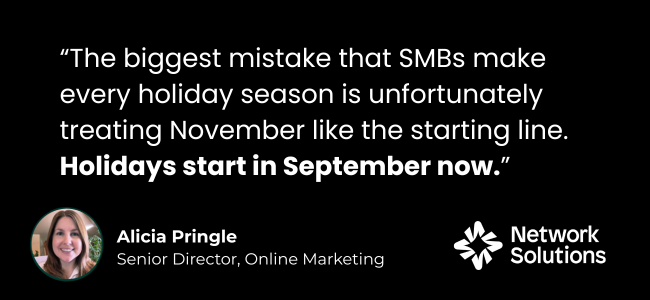
As Alicia Pringle, Senior Director of Online Marketing at Network Solutions, puts it: “The biggest mistake that SMBs make every holiday season is unfortunately treating November like the starting line. Holidays start in September now.”
The sooner you build your foundation, the easier it becomes to capture holiday demand when it arrives.
Your September holiday marketing checklist
This month is dedicated to your digital foundation. Before you focus on visibility, promotions, or holiday campaigns, make sure the foundation of your business can support the additional traffic and demand.
Your goal is to remove obstacles while there is still time to fix them. Work through these five priorities and check off each one as you complete it:
Each section includes actions you can check off, plus a few ways AI can help you move faster. Treat AI as an assistant: verify its work, protect sensitive information, and keep the final judgment yours.
- Make sure your website is ready
- Finalize one holiday offer
- Update your local listings
- Confirm inventory, shipping, and service deadlines
- Start a simple review habit
1. Make sure your website is ready
Your website is the one place online that you completely control. And it is also through your website that human shoppers, search engines, and new AI tools understand exactly what you offer. That is why you must ensure that your website is ready 90 days before the holidays.
Work through these checks:
☐ Confirm your website is live and opens correctly on all devices: desktop, mobile phone, tablet.
☐ Make sure each product or service page clearly states what you sell and who it is for.
☐ Update every price, inventory status, availability note, and policy link.
☐ Make your return or cancellation policy easy to find.
☐ Test the full mobile path:
• Find an item or service
• Add it to the cart or begin booking
• Reach the final payment or confirmation screen without completing the purchase
• Apply a mock discount code if relevant
☐ Ask a first-time visitor to confirm that the offer and next step are clear.
Once you have checked the facts yourself, AI can help you review how clearly your website presents them.
Use AI to:
- Review your verified website copy for clarity and completeness.
- Flag confusing language, missing information, and unanswered customer questions.
- Suggest places where key details could be easier to find.
- Remove sensitive customer or company information before using an AI tool.
If you do not have a website yet, then you had better start with that. Here is our comprehensive guide on how to build an eCommerce site.
Get your store online before the holiday rush
Create a professional business website with AI-powered tools and easy editing, no coding required.

2. Finalize one holiday offer
More offers don’t always lead to more sales. A single, well-defined offer is often easier for customers to understand and easier for your team to deliver.
The offer should be easy to explain at a glance:
- What is included?
- Who is it for?
- How much does it cost?
- Why is it valuable?
- When does it end?
Check these off:
☐ Pick one goal: Do you want to increase sales, move a specific product, attract new customers, or encourage repeat purchases?
☐ Choose one offer based on proven demand and your holiday capacity: Look at past sales, common requests, seasonal trends, and your capacity during the holiday rush.
☐ Select the type of holiday offer: Will it be a discount, bundle, free shipping, gift with purchase, or another small perk customers will value?
☐ Make sure the offer is worth it for your business: Check inventory, costs, and profit margins before settling on the discount or incentive.
☐ Clearly define the holiday offer: Place every information needed such as what are the inclusions, who it is for, how much it costs, why it is valuable, and when it ends.
☐ Confirm that your team can fulfill the offer confidently and profitably: Make sure that your crew can fulfill the holiday offer. That is why it is better to focus on one valuable holiday offer to prevent mishaps when the holiday rush peaks.
☐ Write the offer in one sentence: Have a version you can use consistently on your website, social media, and email.
After you confirm your sales data, costs, inventory, and capacity, AI can help you spot patterns and shape ideas.
Use AI to:
- Analyze de-identified sales data for trends and best-sellers.
- Identify products customers frequently purchase together.
- Generate bundle and promotion ideas based on past demand.
- Review every suggestion against your costs, inventory, and capacity before choosing the final offer.
Here’s a helpful article on how you can start offering discounts through coupons.
3. Update your local listings
If a shopper searches for a nearby store on their phone, they will likely see your Google Business Profile page before they ever click on your website. Last year, 71% of people used at least one digital tool to find holiday gift ideas, making accurate digital information incredibly important.
It is tedious to maintain a presence on every directory available. That is why you need to focus on the platforms your audience actually uses. What you need to do is focus on local directory optimization.
Here’s how you do it:
- Confirm your business name, address, phone number, website link, and holiday hours.
- Make sure all details match your website and key listings.
- Remove outdated information.
- Repair broken links by manually checking all links to redirect to their desired sites.
- Make sure every profile gives customers a working way to buy, book, call, or visit.
Start with an approved business fact sheet, then let AI help you compare it with your key listings.
Use AI to:
- Compare your listings against an approved business fact sheet.
- Flag inconsistent details, outdated hours, missing information, and broken links.
- Create a list of suggested updates for you to review and complete.
Get your holiday prep done faster
Review website copy, brainstorm offers, and draft review requests with ChatGPT, Claude, Gemini, and Grok in one place, with one login and one bill.

4. Confirm inventory, shipping, and service deadlines
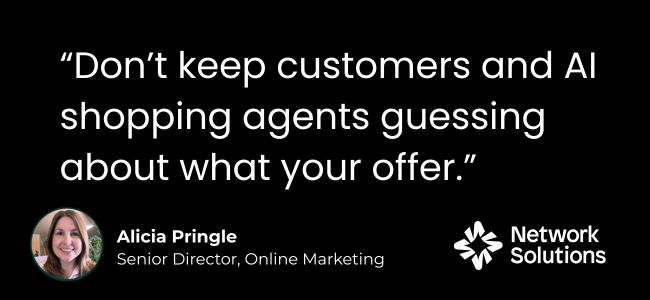
Nothing creates holiday frustration faster than finding the perfect gift, only to discover it will not arrive on time. Whether you sell products or services, clear deadlines help customers make decisions with confidence.
Before you promote a holiday offer, make sure you can actually fulfill it. Review what you have, how much your team can handle, and how long each order or booking will take.
Check these off:
☐ Confirm current inventory: Confirm how much stock you have for products included in your holiday offer. Check supplies, packaging, and service capacity.
☐ Set realistic order, shipping, pickup, or booking cutoffs: Estimate how much you can realistically sell or fulfill. Match your turnaround time and public deadline with your own processing time and capacity, not only on a carrier’s published date.
☐ Identify products or services at risk of selling out: Once you’ve identified them, decide whether you need backup options, substitutions, or quantity limits.
☐ Review carrier or delivery timelines: Check shipping estimates, holiday schedules, and any service limitations that could affect delivery. Then, add your own buffer and not simply base customer-facing deadline on a carrier’s final shipping date.
☐ Set final order deadlines: Add the final dates to product pages, service pages, landing pages, and checkout flows.
☐ Review your return and exchange policy: Decide whether holiday purchases have different return periods, exclusions, or conditions.
☐ Plan for low stock, delay, and fully booked periods: Give your team a plan for low inventory, shipping delays, and fully booked periods.
☐ Confirm that customers fully understand what they need to do and by when: Add deadlines to product pages, service pages, landing pages, checkout, confirmation emails, and FAQs when relevant. Replace vague wording like “order early” with clear deadlines. Make sure that a date refers to ordering, shipping, pickup, booking, or expected arrival.
☐ Test the customer journey: Check that customers can find the deadline, understand it, and know what action to take
Once you confirm the dates and capacity, AI can help you organize the details and turn them into clear customer-facing copy.
Use AI to:
- Organize verified inventory, shipping, and booking data.
- Draft deadline tables, FAQs, and customer-facing explanations.
- Identify places on your website where deadline information may be missing.
- Verify every date yourself. Never rely on AI to generate shipping or booking dates.
5. Start a simple review habit
Reviews give unfamiliar holiday shoppers a reason to trust you, and they help clarify what your business does well. Recent reviews also show that your business is active and serving customers consistently.
Rather than scrambling for reviews during the holiday rush, build a simple process now.
Check these off:
☐ Choose the moment when you will ask, such as after delivery or a completed service.
☐ Add a direct review link to an email, text message, or physical receipt.
☐ Test the link and make sure customers can leave a review in just a few clicks.
☐ Make the request part of your regular customer follow-up.
☐ Keep every request natural and consistent with your brand voice.
After you decide when and how to ask, AI can help you draft messages that you can review in your own voice.
Use AI to:
- Draft polite review request emails, texts, or follow-up messages.
- Create variations for different products, services, or customer segments.
- Suggest draft responses to common review themes or questions.
- Rewrite every message in your voice before sending it.
- Never generate, alter, or impersonate customer reviews, and never upload private customer information to an unapproved tool.
What should you do after September?
Once you’ve set up this foundation, you’re ready to move forward into the busier months. These articles below help you shift from preparation to visibility and execution:
- October Holiday Marketing Checklist: Follow a 60-day visibility plan focused on content, messaging, and campaign testing before peak shopping begins.
- November Holiday Marketing Checklist: Execute your offers, communicate deadlines, and capture holiday demand during the busiest weeks of the season.
- 2026 Holiday Marketing: Read this for context on what changed in consumer behavior this year.
Frequently asked questions
A holiday marketing checklist is a list of tasks that helps your business prepare for the holiday shopping season, from updating your website to planning offers and promotions.
Start about 90 days before the holiday rush. Early preparation gives you time to fix issues, refine your offers, and get ahead of early shoppers.
A strong holiday marketing checklist should cover your website, holiday offers, local listings, inventory and deadlines, customer reviews, and marketing plans.
AI can help research, organize information, review content, and generate ideas faster. Always verify the results and make the final business decisions yourself.
Make it easy to find and choose you before the rush
The holiday season rarely becomes successful by accident. Most of the work happens before shoppers ever arrive.
September is your opportunity to strengthen the pieces customers rely on most: your website, your offer, your business listings, your fulfillment plans, and your reviews.
Think of this checklist as laying the groundwork for everything that follows. When shoppers start researching, comparing, and buying in the coming weeks, they’ll find accurate information, understand your value, trust your business, and know exactly what to do next.
If you want to see the complete September-to-November roadmap, download the 2026 Holiday Readiness Playbook for SMBs.