
Key takeaways:
- A URL is the web address that points a browser to a specific webpage, file, image, or other online resource.
- The most important parts of a URL are the protocol, domain name, and path.
- A clear, memorable domain name makes your website easier to find, share, and trust.
Every time you type a website address into a browser’s address bar or click a link in an email, you’re actually using a uniform resource locator (URL), which is the web address that helps a browser locate a specific page, file, or image on the internet.
For those with websites and online businesses, URLs do more than point people to content. They help visitors reach the right page, make your website easier to share, and support a smoother browsing experience. Understanding how URLs work can help you recognize suspicious links and navigate the web more safely.
We’ll explain what a URL is, break down its main parts, and show how URLs work when you enter one into your browser. You’ll also learn how to use a browser’s address bar correctly and why choosing a clear domain name matters when building a website people can find and trust.
Find the perfect domain
Ready to register a domain name? Check domain availability and get started with Network Solutions today.
What is a URL?
A uniform resource locator is the address your browser uses to find a resource on the internet. It tells the browser where something lives online and how to reach it.
Often, it’s also called a website address because it gives your browser the location it needs to find something online. For example, the URL https://www.example.com/blog points to a specific blog page under the website ‘example.com’. A URL can also lead you directly to an image, file, video, or downloadable content on the web.
A URL may be considered a web address, but it’s different from a domain name, which people also often think of as a website address. A domain name is only one part of a full URL. In https://www.example.com/blog, ‘example.com’ is the domain name, while the full URL includes other parts such as the protocol, subdomain, and path: https://, www, and /blog.
Put simply, the domain name identifies your website, while the full URL points to a specific resource on it.
Parts of a URL
A full URL looks complicated, but it’s actually easy to understand once you break it into smaller parts. Each part is vital for browsers to understand which web information it needs to load.
Here is what this URL consists of:
- Protocol or scheme
- Domain name
- Subdomain
- Path
- Query parameters
- Anchor or fragment
Let’s explore each part, how it functions, and why it matters.
Protocol or scheme

The protocol, also called the scheme, tells the browser how to access the resource in a URL. It gives the browser the rules it needs to follow, whether to load a webpage, open an email link, or access a file.
For most websites, the preferred protocol is Hypertext Transfer Protocol Secure (HTTPS), which helps create a secure connection between the browser and the website. Without the protocol, the browser would not know how to correctly request and display the resource.
You may also see HTTP, but it is the older, less secure version. HTTP becomes HTTPS when a website has an active Secure Sockets Layer (SSL) certificate and Transport Layer Security (TLS), adding a secure layer that helps protect information sent between your browser and the website by encrypting it. Other schemes exist, too, like mailto for email links or an FTP URL that uses the File Transfer Protocol.
Domain name

The domain name is the most memorable part of the URL. In https://www.example.com/blog, ‘example.com’ is the domain name. It works with the Domain Name System (DNS) to help people access a website without having to remember a long IP address.
Simply, the domain turns a technical address (e.g., 2001:4860:4860::8888) into a more memorable one (google.com). Our dedicated article covers everything you need to know about DNS and how it connects domain names to websites.
Since the domain name is the most recognizable part of a URL, choosing the right one matters. The right domain supports brand recognition, trust, and professional credibility. It also makes your website address easier to advertise on different media and platforms.
Create a memorable name using our AI Domain Generator or register a domain name you already came up with through our domain registration tool.
[D&D CTA for AI Domain Generator]
Subdomain

A subdomain is the part of the URL that appears before the domain name. In www.example.com, ‘www’ is the subdomain. Websites can also use descriptive subdomains, such as shop.example.com or blog.example.com, to organize different areas of a website.
Sites can have multiple subdomains for different purposes. For example, a business might use one subdomain for its online store and another for its blog. Not every URL needs a subdomain, but it makes larger websites easier to manage and navigate.
Path

The path is the part of the URL that points to a specific location within a website. In the URL https://www.example.com/blog/how-to-start, the path is ‘/blog/how-to-start’. Without a path, a URL takes visitors to the website’s homepage. But with it, browsers can navigate directly to a specific resource.
Readable paths also help users understand where they are on a website. For example, ‘/blog/how-to-start-blogging’ clearly shows that the page is a blog post about how to start blogging. When publishing a new page, review the page slug or permalink so the path does not display unreadable code or random numbers. Clean paths can also support SEO by giving search engines and visitors a clearer context about what a page covers.
Query parameters

Query parameters appear after a question mark in a URL. In ‘?category=domains’, the query parameter passes additional information to the website, in this case, which content category to show. This data is included in the request sent to the web server, helping it return the correct page. Most users do not need to edit query parameters manually, especially when they appear after clicking a link or using a search/filter option on a website.
Anchor or fragment
An anchor, also called a fragment, appears after a ‘#’ symbol in a URL. In ‘#tips’, the anchor points to a specific location within a webpage. When someone clicks that link, the browser jumps directly to that section. Anchors are useful for long articles, FAQs, table of contents links, and any content where visitors need to quickly reach a specific section of a webpage.
How URLs work
Understanding how URLs work is easier when you follow the steps your browser takes. First, you type a URL into the browser. The browser reads the URL, all parts of it: the protocol, domain name, and path, to understand what resource you want to access. Next, it uses DNS to locate the right server. A DNS server helps connect a domain name to its corresponding IP address, the numeric address computers use to find websites online.
Once the browser knows where to go, it sends a request to the web server. The server responds by sending the requested resource (e.g., a page, image, video, or file). Finally, the browser displays the page on your screen. This process happens in a matter of seconds.
A domain name that synergizes with your business is part and parcel of establishing a strong online presence. Our VP of Customer Experience, Malania Arezzi, gives her insights on how you can leverage your domain name to support your business growth: “First and foremost, secure your domains across multiple extensions and alternate spellings. If you have a trademark, services like GlobalBlock make it so much easier to secure your brand. Make sure you have a website that works for your business. Also, make sure your business can be found across multiple social media platforms and review sites. Facebook, Instagram, X, TikTok, Google etc. Consumers are more likely to buy from a business with an established online presence.”
How to use a browser to enter a URL
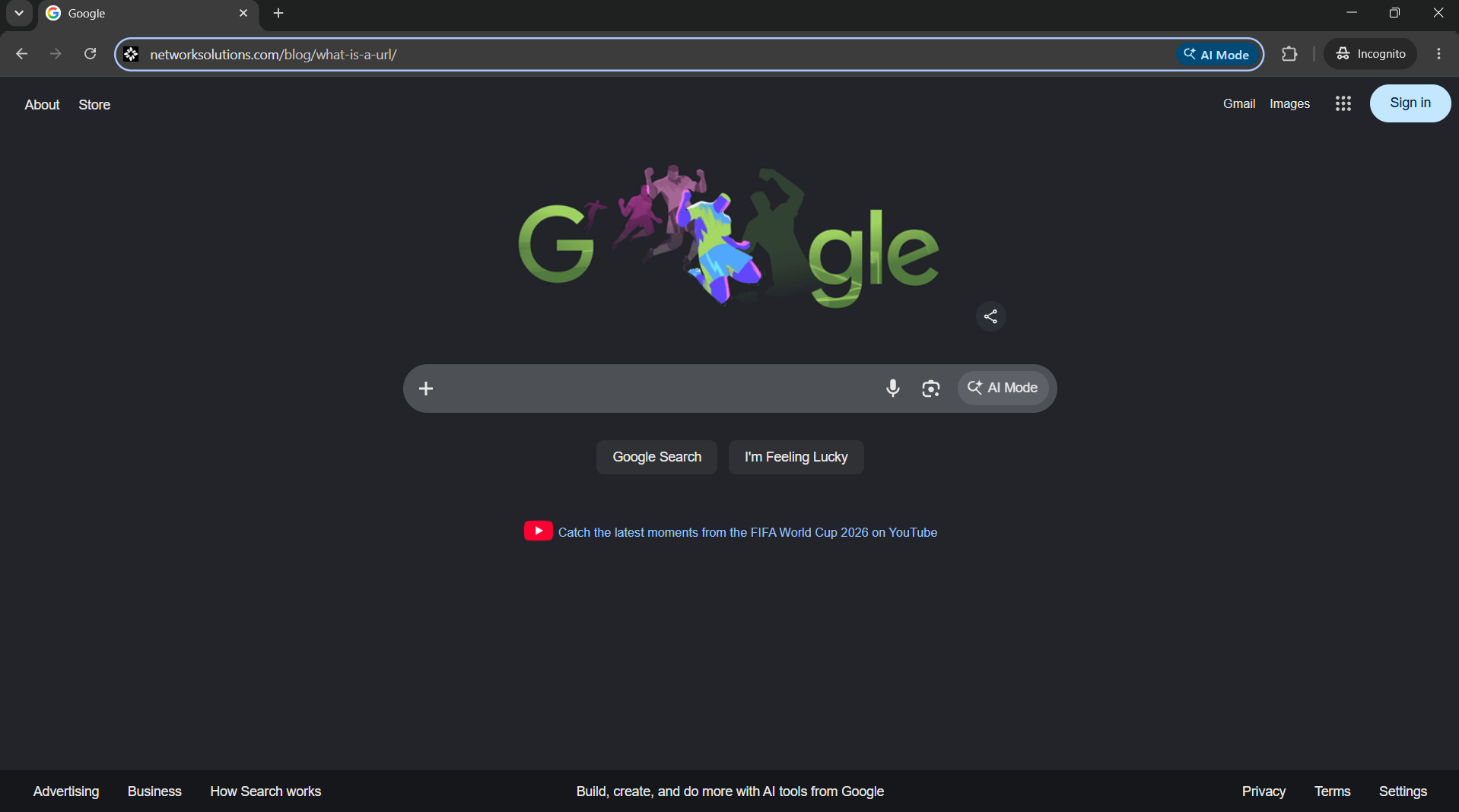
You can enter a URL into any browser, including Google Chrome, Mozilla Firefox, Microsoft Edge, or Safari. The browser’s address bar is the rectangular box at the top of the window where you can type or paste a web address to access a page.
- Open your browser.
- Click the address bar at the top of the window.
- Type or paste the full URL.
- Press Enter or Return on your keyboard.
- Check the page and URL if an error appears.
URLs should be typed carefully because even a small change can send you to a different web page or cause an error. If the page does not load, check for missing letters, extra spaces, or incorrect symbols.
Frequently asked questions
URL stands for Uniform Resource Locator. It is the address used to locate a webpage, file, image, or another resource on the internet, so a browser knows where to go.
People often use “URL” and “web address” interchangeably. However, a full URL address can include more than the domain name, such as the protocol, path, query parameters, and anchor.
An example URL is https://www.example.com/blog. In this URL example, ‘https’ is the protocol, ‘example.com’ is the domain name, and ‘/blog’ is the path.
A domain name is one part of a full URL. In https://www.example.com/blog, ‘example.com’ is the domain name. The full URL points to a specific webpage or resource on that domain.
Stay in control of your web address
Knowing the meaning of URLs, their different parts, and how they work gives you more confidence as you navigate the internet, manage your website, and spot links that may put your data at risk.
A URL can include the protocol, subdomain, domain name, path, parameters, and anchor, but the domain name is what people remember and share the most. Choose one that is clear, memorable, and built around your brand. Start by searching for a domain suitable for your business using our domain search, or create the perfect name with our AI Domain Name Generator, and claim a web address that helps your business break through.
Choose a web address people won’t forget.
A memorable domain helps customers find your business more easily. Claim yours today and give your brand a web address people will remember.