
Key takeaways:
- Website downtime occurs when a site becomes unavailable or key features stop working, often due to server failures, software conflicts, human error, or traffic spikes.
- Downtime reduces your overall uptime percentage, user trust, search visibility, and potential revenue, making prevention an important part of maintaining a reliable online presence.
- To prevent website downtime, site owners should invest in a reliable hosting provider, website monitoring, regular backups, strong security measures, and a disaster recovery plan.
Every website owner deals with one big risk: website downtime.
When your site goes down, you can lose traffic, sales, leads, and user trust fast. A site outage can also hurt website uptime, user experience, and your visibility in search engine results. For many businesses, even a short outage affects more than just the website’s performance. It affects revenue and credibility, too.
The good news is that many downtime issues are preventable. Frequent downtime often comes from avoidable problems. But with the right hosting provider, better monitoring tools, and a clear disaster recovery plan, you can minimize downtime and keep your site stable.
Build your website on reliable hosting
Give your website a reliable foundation with hosting built for strong uptime, consistent performance, and growth.

What is website downtime?
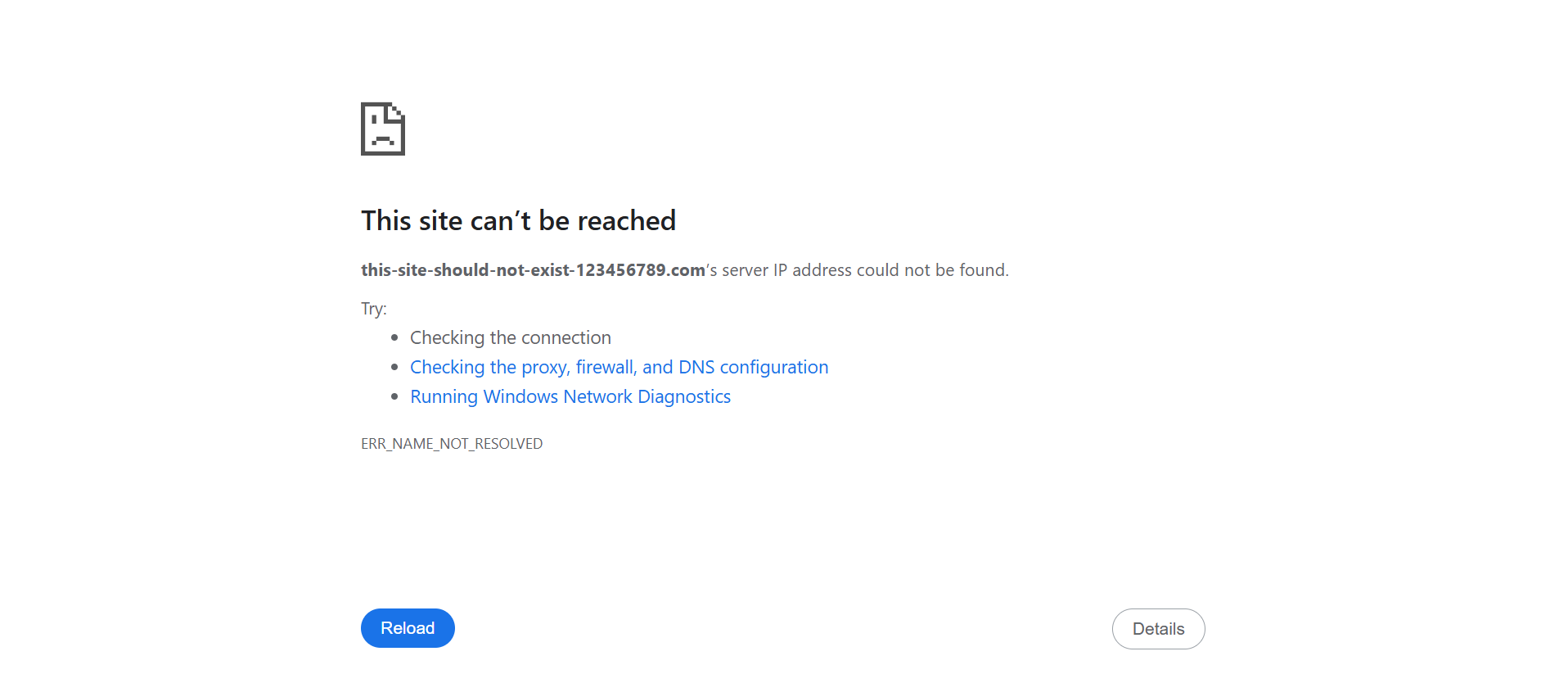
Website downtime is any time your site cannot be reached or does not work as it should. Think of a customer who couldn’t complete purchases or a visitor who can’t access your blog pages.
Sometimes the whole site is offline. Other times, only key parts fail, like website contact forms, checkout, or login pages. In both cases, visitors cannot access your site properly.
Website downtime can be planned, such as during maintenance, or unplanned, such as during server crashes, hardware failures, DDoS attacks, power outages, or software issues.
One recent example was the AWS outage in October 2025, which disrupted major services including Snapchat and Reddit, and highlighted how cloud infrastructure failures can affect thousands of websites simultaneously. It showed how problems at one cloud provider can quickly affect the websites and apps people use every day.
What are common reasons for website downtime?
Most website downtime can be traced back to a handful of common issues:
- Overloaded servers: Traffic surges can overwhelm your hosting environment if it lacks sufficient resources to handle sudden spikes in visitors. This can lead to slow loading times or complete outages. For more guidance, learn how to decide which web server to use for small businesses.
- Server maintenance: Hosting providers occasionally perform scheduled maintenance on web servers and data centers. While these updates help maintain system health, they can temporarily affect website availability.
- Server issues: Hardware failures, network disruptions, power outages, and other server infrastructure problems can cause a website to slow down or go offline unexpectedly.
- Software conflicts: Plugins, themes, software updates, and other tools may not always work well together. Compatibility issues can break site functionality and impact performance.
- Cyber attacks and security breaches: Threats such as DDoS attacks, malware, and malicious intrusion attempts can disrupt services, block legitimate users, or compromise critical data. Regular security monitoring and malware scans can help reduce risk.
- Human error: Accidental file deletions, misconfigured settings, failed updates, or an incorrect DNS record can quickly bring a website offline.
- DNS, domain, or SSL problems: DNS errors, expired domain names, and outdated SSL certificates can prevent visitors from accessing your site or trigger browser security warnings.
- Third-party outages: Many websites rely on external services, including payment gateways, APIs, plugins, and content delivery networks (CDNs). If one of these services experiences an outage, it can affect your site’s functionality or availability.
Why is it important to prevent website downtime?
Website downtime can affect far more than your website’s availability. Even short outages can lead to lost revenue, missed business opportunities, frustrated visitors, and long-term damage to your brand’s reputation.
Here are some of the biggest ways downtime can affect a business:
- Lost sales: If your site goes down during peak hours, promotions, or checkout, customers may abandon their purchases and turn to competitors instead.
- Missed leads: Contact forms, booking pages, and inquiry tools can’t generate leads when they’re unavailable.
- Reduced reliability: Frequent outages can make your website less dependable for visitors, customers, and business partners.
- Weaker user trust: Visitors expect a reliable online experience. Frequent downtime can make your business appear unprofessional or unreliable.
- Poorer customer experience: Slow-loading pages, broken features, and account access issues can frustrate users just as much as a complete outage.
- Decreased SEO performance: Search engines may have difficulty crawling and indexing pages that are frequently unavailable. Short outages typically don’t have a lasting SEO impact, but recurring or extended downtime can make it harder for search engines to crawl and index your content consistently.
- Interrupted operations: If your website supports orders, appointments, customer service, or other day-to-day business functionalities, downtime can disrupt operations and productivity.
That’s why preventing website downtime isn’t just a technical task. It’s an important part of protecting your search visibility, reputation, bottom line, and long-term growth.
10 tips for preventing and minimizing website downtime
Preventing website downtime starts with addressing the common issues that cause outages in the first place. While no website is completely immune to technical problems, the right combination of hosting, monitoring, security, and maintenance can significantly reduce the risk of disruptions and keep your site available to visitors.
Here are 10 practical ways to prevent and minimize website downtime:
- Choose the right hosting plan and provider
- Perform regular backups
- Monitor your website and schedule routine maintenance
- Update your website’s software, themes, and plugins
- Strengthen your security measures
- Implement load balancing
- Use content delivery networks
- Enable caching
- Create a recovery plan
- Download and install secure themes and plugins
Choose the right hosting plan and provider
Your hosting provider plays a major role in your website’s reliability. Choosing a provider with strong uptime, scalable resources, dependable support, and built-in security features can help reduce outages and improve overall site performance.
As your website grows, your hosting solution should be able to handle increased web traffic without compromising stability. Whether you’re considering shared hosting, VPS hosting, a dedicated server, or a more advanced setup, it’s important to choose a provider that provides the resources and reliability needed to maintain consistent website uptime, even during traffic spikes.
For a deeper look at what to evaluate before making a decision, read our guide on how to choose a hosting provider for your website.
Ready for more control and performance?
Upgrade to VPS hosting for dedicated resources, greater flexibility, and the reliability your growing website needs.

Perform regular backups
Backups help you recover quickly if your website experiences data loss. By maintaining up-to-date copies of your website files and databases, you can restore critical data and reduce extended downtime when problems occur.
Automated backups and off-site storage provide the best protection, since they ensure a recoverable version of your site is available even if your hosting environment is affected.
For a more detailed walkthrough, read our guide on how to back up a website.
Monitor your website and schedule routine maintenance
Even with reliable hosting and regular backups, issues can still arise. Website monitoring helps you detect problems early, while routine maintenance helps prevent them from happening in the first place.
Use monitoring services and tools to track uptime, performance, server health, and critical site functions. Alerts and notifications from these services can help you respond quickly to outages and minimize their impact on visitors.
Regular maintenance is equally important. Tasks such as reviewing updates, testing forms and checkout pages, monitoring SSL certificates, and checking error logs can help keep your website stable and secure.
Our website maintenance guide covers these best practices in greater detail.
Update your website’s software, themes, and plugins
Outdated software can create issues that increase the risk of website downtime. Keeping your content management system (CMS), themes, and plugins up to date helps maintain overall site performance.
To update your website safely:
- Update your CMS regularly: CMS updates often include bug fixes, performance improvements, and security patches that help keep your site running smoothly.
- Use a staging environment first: Test updates before applying them to your live site to identify potential conflicts without risking downtime.
- Back up your website before updating: A recent backup allows you to quickly restore your site if an update causes unexpected issues.
- Review compatibility before installing updates: Check whether new plugin, theme, or CMS versions work with your existing setup and customizations.
- Update in smaller batches: Making changes gradually makes it easier to pinpoint the source of any problems.
- Test key functionality after updates: Verify that important features, such as forms, logins, checkout pages, navigation menus, and mobile responsiveness, work as expected.
A consistent update process helps keep your website secure, stable, and resilient over time.
Strengthen your security measures
Security breaches can disrupt your website. Strengthening your security measures helps reduce the risk of downtime caused by cyber threats.
Consider implementing:
- A web application firewall (WAF) to filter malicious traffic
- DDoS protection to help keep your site available during traffic-based attacks
- Regular malware scans to detect and remove threats early
- SSL certificates to secure data and prevent browser security warnings
- Timely security patches for your CMS, themes, and plugins
Website security is an ongoing process, not a one-time task. Our guide on website security explains the key safeguards every website owner should have in place.
Implement load balancing
Traffic spikes can strain a single server and increase the risk of performance degradation or outages. Load balancing helps prevent this by distributing incoming requests across multiple servers, improving reliability, and keeping your website available during periods of high demand.
Use these steps to put it into practice:
- Distribute traffic across multiple servers: Spread requests across multiple servers so no single machine becomes overwhelmed, reducing the risk of performance issues and downtime.
- Match traffic handling to your site’s needs: Websites that experience frequent traffic spikes or high visitor volume can benefit most from load balancing because it helps maintain consistent availability during busy periods.
- Use a hosting provider that supports it: If load balancing is important to your business, choose a hosting provider that offers scalable infrastructure and multi-server support.
- Set rules for how traffic is routed: Load balancers can direct users based on factors such as server health, location, or traffic demand to improve performance and reliability.
- Monitor server health continuously: Regular monitoring helps identify problems early so traffic can be redirected away from unhealthy servers before they cause service disruptions.
- Plan for failover and backup support: A failover system allows traffic to automatically shift to backup servers if a primary server goes down, helping minimize downtime.
- Test the setup before peak traffic hits: Simulate increased traffic to identify weaknesses and confirm your infrastructure can handle heavier demand.
- Combine it with caching and a content delivery network: These tools reduce the workload on your servers and can further improve website speed, performance, and availability.
For smaller websites on shared hosting, load balancing may not be necessary until traffic growth or performance demands justify a more advanced infrastructure.
Use content delivery networks
A content delivery network (CDN) can help reduce downtime risk and improve website resilience by distributing content across multiple locations. By reducing the load on your origin server and delivering content closer to users, a CDN can improve website speed and help your site handle traffic spikes more effectively.
Use these steps to get started:
- Choose a CDN that fits your site: Select a CDN that works well with your hosting provider, traffic levels, and website setup. It should be easy to integrate and flexible enough to support your site’s needs.
- Connect your CDN to your website: Once you’ve chosen a provider, configure it to serve static assets (images, scripts, and stylesheets) through its global network rather than relying solely on your hosting server.
- Cache content across multiple locations: A CDN stores copies of your content on servers (caching) around the world, allowing visitors to access files from the location nearest to them. This improves load times and reduces strain on your origin server.
- Use it to handle traffic surges: During periods of high traffic, a CDN can distribute requests across its network, helping reduce server overload.
- Pair it with caching and load balancing: Combining a CDN with caching and load balancing can further improve traffic management, increase availability, and strengthen your site’s ability to handle traffic spikes.
- Monitor performance after setup: Track website speed, uptime, and server health after implementation to confirm the CDN is improving performance and reducing server workload.
A CDN works best as part of a broader uptime strategy. When combined with reliable hosting, caching, monitoring, and load balancing, it can help create a faster, more resilient website that’s better prepared for unexpected traffic demands.
Enable caching
Caching helps reduce the work your server needs to perform every time someone visits your website. By storing frequently accessed content and serving it more efficiently, caching can lower the risk of downtime during high-traffic periods.
Use these steps to implement caching effectively:
- Turn on page caching: Page caching stores pre-built versions of your web pages so the server doesn’t have to generate them from scratch for each visitor. Caching improves performance and can help reduce server strain, although it won’t eliminate every cause of downtime.
- Cache static files: Images, CSS, JavaScript, and other static assets can be cached to load faster for returning visitors. This reduces repeated requests to your hosting server and supports better performance.
- Reduce repeated database queries: Dynamic websites often process the same requests repeatedly. Caching helps minimize that workload, improving efficiency.
- Use caching tools or hosting features: Many hosting providers, CMS platforms, and plugins offer built-in caching capabilities. Review the tools already available to you before adding additional solutions.
- Set cache rules carefully: Different types of content require different caching strategies. Static pages can often remain cached longer, while dynamic ones may require shorter cache durations or their own caching presets.
- Clear cache after major updates: Whenever you make changes to your website, clear cached files to ensure visitors see the updated version.
- Test your site after enabling caching: Verify that key pages and site features work as expected after implementation to ensure caching isn’t causing functionality issues.
Create a recovery plan
Even with strong preventive measures in place, unexpected outages can still happen. A recovery plan helps you respond quickly and reduce the impact of downtime on your business.
To build an effective recovery plan:
- Identify critical website functions: Determine which pages, tools, and services are most important to your business so they can be prioritized during recovery.
- Document recovery procedures: Create clear instructions for restoring backups, troubleshooting issues, and contacting key providers or team members.
- Define roles and responsibilities: Make sure everyone involved knows what actions to take if your website experiences an outage.
- Keep recovery resources readily available: Store recent website backups, recovery documentation, and necessary account credentials in a secure location so they can be accessed quickly during an outage.
- Maintain an emergency contact list: Keep contact information for your hosting provider, web developer, IT support team, and other key contacts readily available to speed up troubleshooting and recovery.
- Test your recovery plan regularly: Periodic testing helps identify gaps and ensures your team can respond effectively when downtime occurs.
A recovery plan won’t prevent every outage, but it can significantly reduce recovery time and help your business resume normal operations faster.
Download and install secure themes and plugins
Themes and plugins can add useful functionality to your website, but if they’re not properly vetted, they can increase the risk of downtime and other website disruptions. Choosing reputable tools and keeping them up to date can help minimize these risks.
Follow these best practices:
- Download from trusted sources: Install themes and plugins from reputable marketplaces, developers, or official CMS repositories whenever possible.
- Review ratings, updates, and support history: Before installing a tool, check whether it’s actively maintained and supported by its developer.
- Limit unnecessary installations: Too many themes and plugins can increase complexity, create conflicts, and affect website performance.
- Keep themes and plugins updated: Updates help maintain compatibility with your CMS, address known vulnerabilities, and reduce the risk of functionality issues.
- Remove unused tools: Deactivate and delete themes or plugins you no longer need to reduce potential security and compatibility risks.
- Test new installations before deploying them: Whenever possible, use a staging environment to identify issues before making changes to your live website.
Carefully managing your themes and plugins can help reduce security risks and lower the chances of downtime caused by software conflicts or vulnerabilities.
Frequently asked questions
Preventing website downtime starts with choosing a reliable hosting provider, keeping your software up to date, implementing strong security measures, monitoring your website, performing regular backups, and creating a recovery plan. Together, these steps help reduce the risk of outages and minimize their impact when issues occur.
Website downtime can result from overloaded servers, server failures, software conflicts, cyberattacks, human error, DNS issues, expired domains, SSL certificate problems, and third-party service outages.
Yes. Sudden traffic spikes can overwhelm servers if your hosting environment doesn’t have sufficient resources to handle increased demand. Solutions such as load balancing, caching, CDNs, and scalable hosting can help reduce this risk.
Popular website uptime monitoring tools include UptimeRobot, Pingdom, StatusCake, Site24x7, and Better Stack. When choosing a solution, look for features such as uptime monitoring, performance tracking, SSL monitoring, and real-time alerts.
Website downtime can lead to lost sales, missed leads, operational disruptions, poorer user experience, and erosion of customer trust. Frequent outages may also affect your search visibility if search engines have difficulty accessing your website.
You can check your website’s status using uptime monitoring tools, your hosting provider’s dashboard, or by testing the site from different devices and locations. Monitoring tools are often the fastest way to confirm and diagnose an outage.
A 99.9% uptime guarantee allows roughly 43.8 minutes of downtime per month, or about 8.8 hours per year. That’s why businesses that depend heavily on their websites often seek stronger uptime guarantees and additional redundancy measures.
Prevent downtime before it costs you
Website downtime can happen for many reasons, but the best way to minimize risk is to build a strong foundation from the start. Reliable hosting, regular backups, routine website maintenance, strong security measures, and a clear recovery plan can all help improve website reliability and reduce the likelihood of disruptions.
For website owners, the goal is simple: maintain uptime, protect revenue, and deliver a consistent experience for visitors.
That’s where the right foundation makes a difference. We support your website-building journey with the tools you need to get started with confidence. Register your domain name with us and get free marketing tools like a Coming Soon page and a Customer app. These tools can help establish your online presence while you build your website.
It’s a simple way to launch your brand online with greater confidence from day one.
Find the perfect domain
Ready to register a domain name? Check domain availability and get started with Network Solutions today.