
Key takeaways:
- A construction website should clearly show your services, past projects, client testimonials, and contact information
- Starting with a professional domain name gives your construction company a stronger online foundation before you build the full site
- A strong construction website supports local visibility, mobile users, and lead generation through clear calls to action and contact forms
Your construction website is often the first place people go after hearing your name. Referrals, social media, and word of mouth can get you noticed, but they don’t always give potential clients enough to choose you. Before they call, homeowners and property managers want to see what you build, where you work, what services you offer, what past customers say, and how to reach you.
This guide walks through how to create a website for construction company owners who want a stronger online presence without making the process harder than it needs to be. You’ll see how to plan your construction company website, choose a domain, use a website builder, add the right pages, show proof of your work, and keep your company website fresh as your construction business grows.
Start building your construction website
Show your work, services, and contact details in one place with Network Solutions Website Builder.

Website features by construction business type
The key features your construction website needs depend on your services, audience, and sales process. A small remodeler may need room-specific galleries and a consultation form, while a commercial construction company may need case studies, safety records, and an RFP contact option.
Use the table below as a starting point for planning your website design.
Construction business type | Website features to include |
|---|---|
General contractor | Project gallery, services page, quote request form, service area details, and client testimonials |
Remodeler | Before-and-after project photos, consultation form, room-specific galleries, and service pages for kitchens, bathrooms, additions, or other specialties |
Custom home builder | Portfolio organized by home style, design process page, client testimonials, inquiry form, and details about build timelines |
Commercial construction company | Case studies, safety records, certifications, completed projects, commercial construction services, and an RFP contact option |
Roofing contractor | Emergency contact banner, inspection request form, storm or damage galleries, seasonal maintenance content, and clear contact forms |
Landscaping or outdoor construction company | Project gallery, seasonal service pages, scheduling options, service area details, and photo examples by project type |
Restoration or repair company | Urgent contact path, insurance-related information, before-and-after visuals, repair services, and trust signals for potential clients |
What is a construction company website?
A construction website is the online home for your construction business. It gives potential customers a clear place to see who you are, what you build, where you work, and how to contact your team.
Think of your construction company website as four things in one: a digital portfolio, a service overview, a trust-building tool, and a lead generation channel. It can showcase finished projects, explain your services, introduce your team, share customer reviews, and guide visitors to request a quote.
A strong construction website answers the questions people usually have before they reach out. Do you handle the type of project they need? Do you serve their area? Have you completed similar work? Is there an easy way to call, email, or submit a form? The faster your site answers those questions, the easier it is for someone to take the next step.
Why have a website for your construction business?
A website gives your construction business a place to show proof, answer common questions, and help people contact you when they’re ready to talk. Here’s where a website can start pulling its weight:
- Build credibility before the first call
- Turn past projects into a digital portfolio
- Help local customers find and contact you
Let’s expand each more.
Build credibility before the first call
Before someone calls, they want to know they’re dealing with a company they can trust. That’s especially true in construction, where projects can be expensive, personal, and time-sensitive.
Your website can give people that proof early. Show completed projects, client testimonials, safety records, certifications, service areas, and team experience in places visitors can find quickly. For example, a homeowner may want to see similar remodels nearby, while a property manager may look for commercial experience, licensing, and safety practices.
Many construction companies also rely on reputation to win work. Your site helps support that reputation by putting your best trust signals in one place. Add comments from satisfied clients, highlight certifications that matter to your work, and keep your project examples up to date.
Turn past projects into a digital portfolio
Construction work is visual, so your past projects should do a lot of the talking. Real project photos help people see your workmanship, style, and attention to detail in a way stock images can’t.
Use your website as a digital portfolio featuring high-quality images, before-and-after photos, and short notes for each project. For example, a remodeler could separate kitchen, bathroom, and basement projects, while a builder could organize projects by home style or size.
Project pages help potential clients picture what it would be like to work with you. They also make it easier for visitors to understand the quality and scope of your work before reaching out.
Help local customers find and contact you
People aren’t just looking for any contractor. They’re looking for someone who works in their city and handles the type of project they need nearby.
Your website can support that search engine visibility by listing your service areas, using local keywords naturally, and keeping your business information consistent. Your company name, address, phone number, hours, and services should match what appears on your Google Business Profile and other online listings.
Once they land on your site, make the next step easy. Add contact forms, phone numbers, quote request buttons, and scheduling options where people can spot them quickly.
How to create a construction company website
The best way to create a construction website is to start with a professional domain name. Your domain gives your construction company a clear online foundation, while your website builder, pages, photos, and contact tools help bring the full site together; no coding skills needed.
Follow these steps to build your site:
- Choose a professional domain name
- Choose a website builder or platform
- Select hosting and basic website protection
- Pick a construction-friendly template and design style
- Create the key pages
- Add project photos, testimonials, and trust signals
- Set up lead generation and contact options
- Improve local visibility and the mobile experience
- Test, publish, and update regularly
Step 1: Choose a professional domain name
Your domain name is the first piece of your construction company website, so start here before choosing colors, layouts, or pages. A strong domain should be clear, memorable, and close to your business name. It should also be easy to say out loud, spell, and place on trucks, signs, invoices, and business cards.
When choosing a domain name, consider using:
- Your company name
- Your company name plus your city
- Your company name plus your main service
- A short version of your business name, if the full name is too long
Avoid confusing spellings, unnecessary hyphens, and overly long domain names. If your first choice is taken, use Network Solutions AI Domain Name Generator to brainstorm more ideas, then check availability on the domain search page.
As Alicia Pringle, Senior Director, Online Marketing, puts it: “The sooner you get your website up with at least a little bit of helpful content on it, the sooner search engines like Google will find and crawl your website. Think of it as progress, not perfection.”
Step 2: Choose a website builder or platform
Once you have a domain, choose how you’ll build the site. For many small construction businesses, a website builder is the simplest path because it lets you create pages, add project photos, publish content, and update your company website without coding skills.
You have a few practical options:
- Use a DIY Website Builder for speed, ready-made templates, and easier website building
- Use WordPress if you want more flexibility, plugins, and advanced functionality
- Work with professional services if you want expert help with design, content, setup, or ongoing updates
Network Solutions Website Builder can help construction business owners create a site without coding, especially when you want to focus on your projects rather than the technicalities.
As Chris Day, VP, Customer Fulfillment, explains: “Your website is the digital expression of your brand—an extension of your domain and often your first impression. For most small businesses, website builders offer the fastest path to launch, combining beautiful design, guided content creation, and increasingly AI-powered setup with little to no technical effort.”
Step 3: Select hosting and basic website protection
Hosting is what makes your website available online. When someone types in your domain or clicks your site from a search, your hosting helps load the pages, images, and forms they need to view.
For a construction business, reliable web hosting matters because downtime can mean missed calls, lost quote requests, and frustrated potential clients. Your site should load quickly, especially for mobile users who may be comparing contractors on a job site, in an office, or at home.
You’ll also want basic website protection in place. An SSL certificate helps secure information sent through your site and shows visitors that your website is safer to use. For additional protection, consider using cWatch to help monitor your site, identify potential issues, and support a secure online experience. Keep this step simple: choose hosting that keeps your site live, fast, and ready for visitors.
Step 4: Pick a construction-friendly template and design style
Your construction website design should make it easy for visitors to understand what you do and how to contact you. Choose a layout that feels clean, practical, and easy to move through. You don’t need a flashy design. You need a site that helps potential clients find services, view your work, and take the next step.
Look for a template or website design that includes:
- Simple navigation for services, projects, about, and contact pages
- Clear calls to action, such as Request a quote or Schedule a consultation
- Mobile-friendly design for visitors browsing on phones
- Space for project galleries and high-quality visuals
- Service pages that explain what you offer
- Contact forms that are easy to complete
- Testimonial sections for reviews and client feedback
Use your real logo, brand colors, and authentic photos whenever possible. Your design should feel like your business, not a generic construction site. Focus on clarity first: visitors should quickly see what you build, where you work, and how to reach you.
Step 5: Create the key pages
Your website needs a few key pages that help visitors understand your business, see your work, and contact you without having to dig around. Keep your navigation simple so critical information is easily accessible from the header, footer, and main pages.
Build these pages first:
- Home page: Give a quick overview of your construction business, services, service area, and main contact options. Add a clear quote request button near the top of the page
- Services page: List the work you offer, such as remodeling, roofing, custom builds, repairs, or commercial projects. Keep each service description clear and specific
- Project portfolio or gallery: Show past projects and completed projects with photos, short descriptions, locations, and service types. This helps visitors understand the kind of work you do
- About page: Share your background, team experience, values, certifications, and business information. This is a good place to explain why clients trust your company
- Contact page: Include your phone number, email address, contact forms, service area, hours, and location details if you have a public office
- Testimonials or reviews page: Add feedback from past clients, especially comments that mention reliability, communication, project quality, or timelines
- Service area page: Add this if you serve multiple cities, counties, or regions. It can help visitors quickly confirm that you work in their location
Every major page should include a clear contact path, whether that’s a phone number, a form, a quote request button, or a consultation link.
Step 6: Add project photos, client testimonials, and trust signals
Construction websites need proof, not just descriptions. Anyone can say they do great work. Your site should help visitors see it and verify it.
Start with strong project photos from past projects. Add before-and-after images when appropriate, especially for remodels, repairs, restoration, landscaping, and roofing work. Pair each image with a short note about the project type, location, scope, and result so visitors understand what they’re looking at.
Then add trust signals that support your reputation. These can include:
- Client testimonials from satisfied clients
- Certifications, licenses, or trade memberships
- Safety records for commercial or larger-scale work
- Years of experience in professional construction
- Details about your team’s expertise
- Awards, warranties, or insurance information where relevant
Make these details specific and easy to verify. Instead of saying “trusted contractor,” show a real review, highlight certifications by name, or explain what type of work your team has completed. Proof helps potential clients feel more comfortable reaching out.
Step 7: Set up lead generation and contact options
A construction website should make the next step obvious. Once potential clients understand your services and see proof of your work, they should know exactly how to contact you, ask a question, or request pricing.
Add contact options where visitors expect to find them. These can include:
- Quote request forms for project details
- Contact forms on service and contact pages
- A phone number in the header
- A business email address
- Scheduling options for consultations or inspections
- Service area details so visitors know where you work
- An emergency contact banner for roofing, restoration, or repair services
Keep every call to action clear and action-oriented. Instead of vague buttons like Submit or Get started, use phrases that match what people want to do, such as Request a quote, Schedule a consultation, View our projects, or Call now. Clear calls help engage clients and drive lead generation, turning site visitors into new clients.
Step 8: Improve local SEO and the mobile experience
Construction companies usually compete in specific service areas, not everywhere. That means your site should help potential customers understand where you work and help search engines connect your business to the right local searches.
Start with the basics:
- Add city, county, neighborhood, or region names naturally on your service pages
- Create or update your Google Business Profile
- Keep your name, address, and phone number consistent across your website and listings
- Add local project examples, such as “kitchen remodel in Austin” or “commercial buildout in Raleigh”
- Write meta descriptions that clearly explain each page
- Make sure your site works well on mobile devices
Local search engine optimization helps your business appear in search results when people look for contractors near them. Network Solutions’ SEO Tool can help you review your site and find ways to improve organic traffic.
You’ll also want to track what’s working. As Joe Mueller, Global Product Director, Analytics, says: “I always recommend setting up Google Analytics and claiming your domain in Google Search Console. Both tools are free, relatively easy to set up for most folks, and give users intel on how people are getting to their site.”
Good mobile optimization matters, too. Make buttons easy to tap, forms short, and phone numbers clickable.
Step 9: Test, publish, and update regularly
Before you publish, walk through your site like a first-time visitor. Make sure everything works, reads clearly, and makes it easy for someone to contact you.
Check these items before launch:
- Test every link
- Submit each contact form
- Click phone numbers on desktop and mobile
- Review the mobile layout
- Confirm that each page loads quickly
- Check project images for size and clarity
- Read for spelling, grammar, and outdated details
After launch, keep your construction website updated regularly. Add new project photos, active projects, client testimonials, service changes, awards, certifications, and updated business information as they become available. Fresh website content shows visitors that your business is active and gives search engines more relevant content to read.
Regular maintenance also helps you manage projects on your site and avoid minor issues that reduce trust, such as broken forms, outdated phone numbers, or outdated service pages.
Construction website examples
The examples below show how real construction companies use website design, project visuals, navigation, trust signals, and contact options to guide visitors. Use them as practical references as you decide what to include on your own site.
Example 1: Jerdon Construction
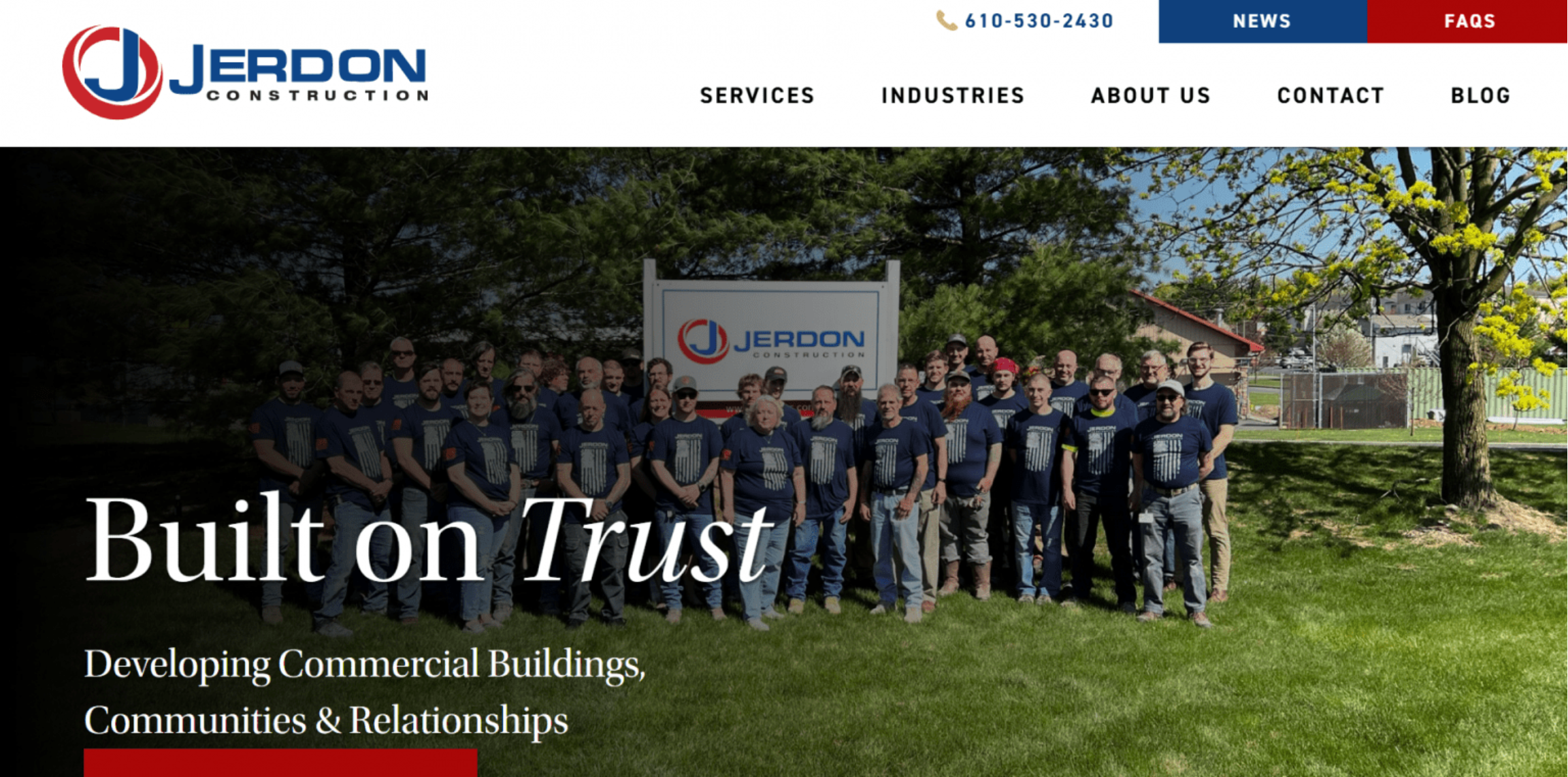
Jerdon Construction’s website makes its focus on commercial construction clear right away. The home page guides visitors to its services, contact page, and company updates without requiring them to search for the basics.
As visitors scroll, they can explore project categories such as healthcare, restaurants, schools, and other commercial spaces. This helps potential clients quickly see whether the company has experience with the type of work they need. The site also uses past projects and client testimonials to build trust before someone reaches out.
Its clear calls to action, including “Contact us” and “Join our team,” are placed in natural spots across the page. Overall, this construction website keeps the message simple: here’s what we build, here’s our proof, and here’s how to reach us.
Example 2: Edifis
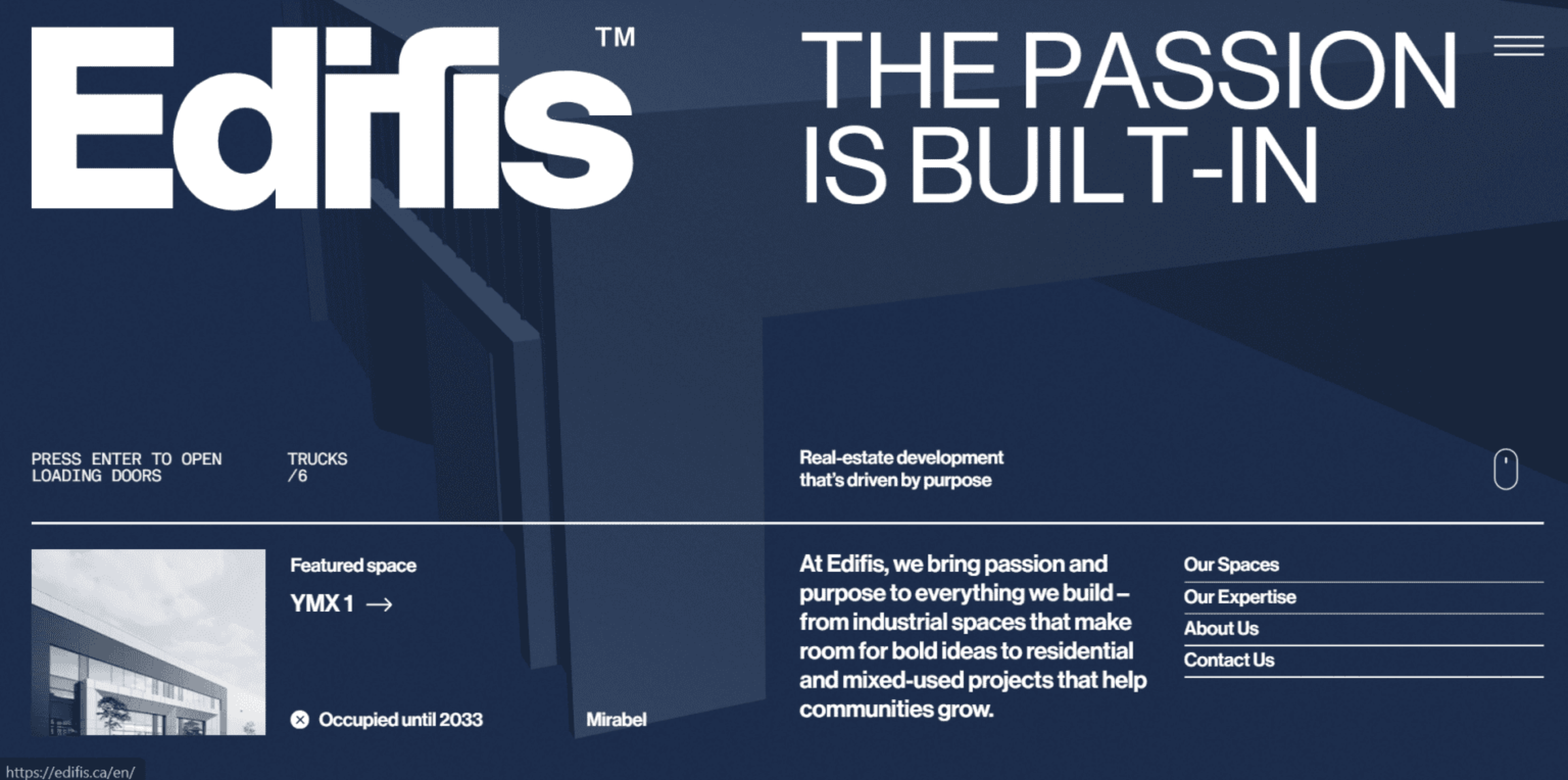
Edifis uses strong visuals and project details to help visitors understand the scale of its work. The site features large project images, then supports them with useful stats such as project size, completion date, location, and scope.
This approach works well because potential clients can quickly connect the visuals to real business details. Instead of only showing finished projects, the website design gives context around what was built and what the company handled. Clear buttons also guide visitors to services, contact information, and more details about the company.
Overall, this construction website design focuses on projects, high-quality images, and simple navigation, making the site easier to explore.
Example 3: McDonald Building Co.
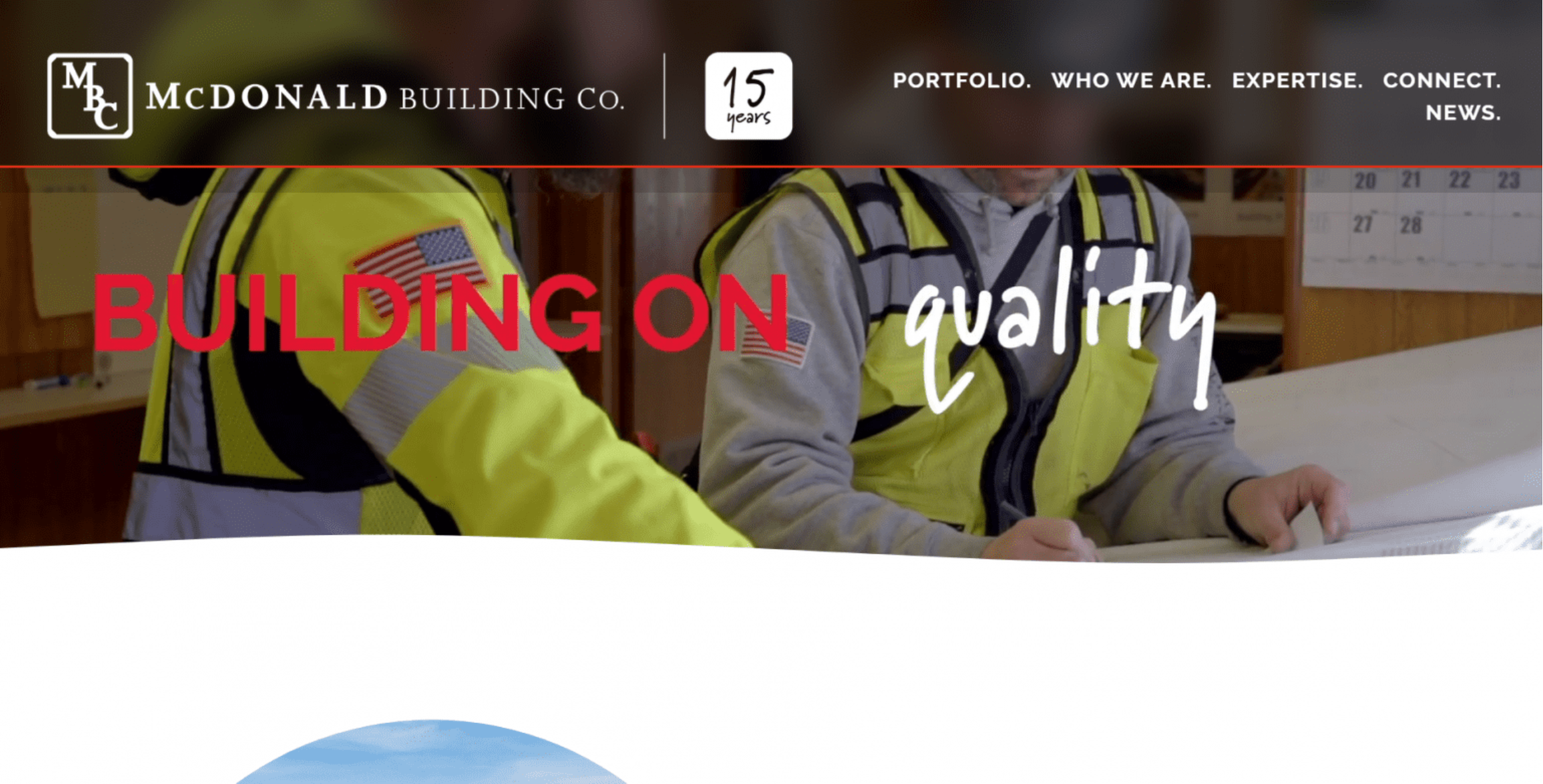
McDonald Building Co.’s site builds trust by focusing on relationships, client feedback, and project transparency. The home page introduces the construction business with a clear message about trust, then supports that message with client testimonials placed near key sections of the page.
The site also works like a digital portfolio. Visitors can view past projects to see the company’s experience, style, and range of work. If the drone or active projects feature is still visible, it’s worth keeping in the article because it shows how progress updates can make a construction website feel more transparent and up to date.
Clear calls to action help visitors move from browsing to contacting the team.
Example 4: Weitz
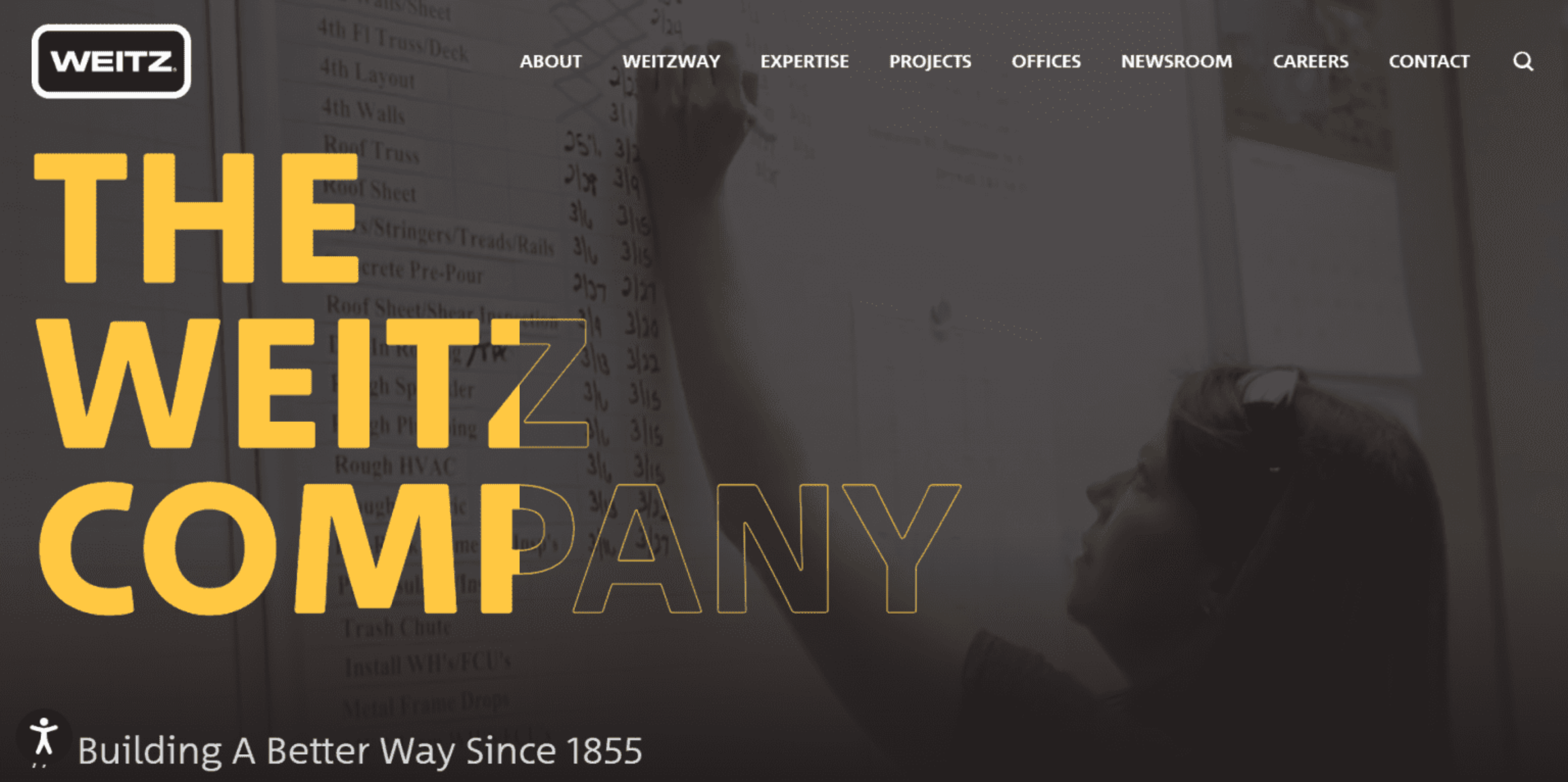
Weitz uses its company website to make its experience clear from the start. The home page guides visitors to its services, portfolio, and contact information with simple navigation, so they can quickly understand what the company does and where to go next.
Its project sections give visitors a look at completed projects across different types of work. This helps potential clients see the company’s range and the scale of its professional construction experience. Weitz also supports its trust with client quotes, safety records, rankings, and years of industry experience.
The main takeaway: a construction website can use experience, proof, and clear navigation to help visitors feel more confident before they reach out.
Example 5: Skanska
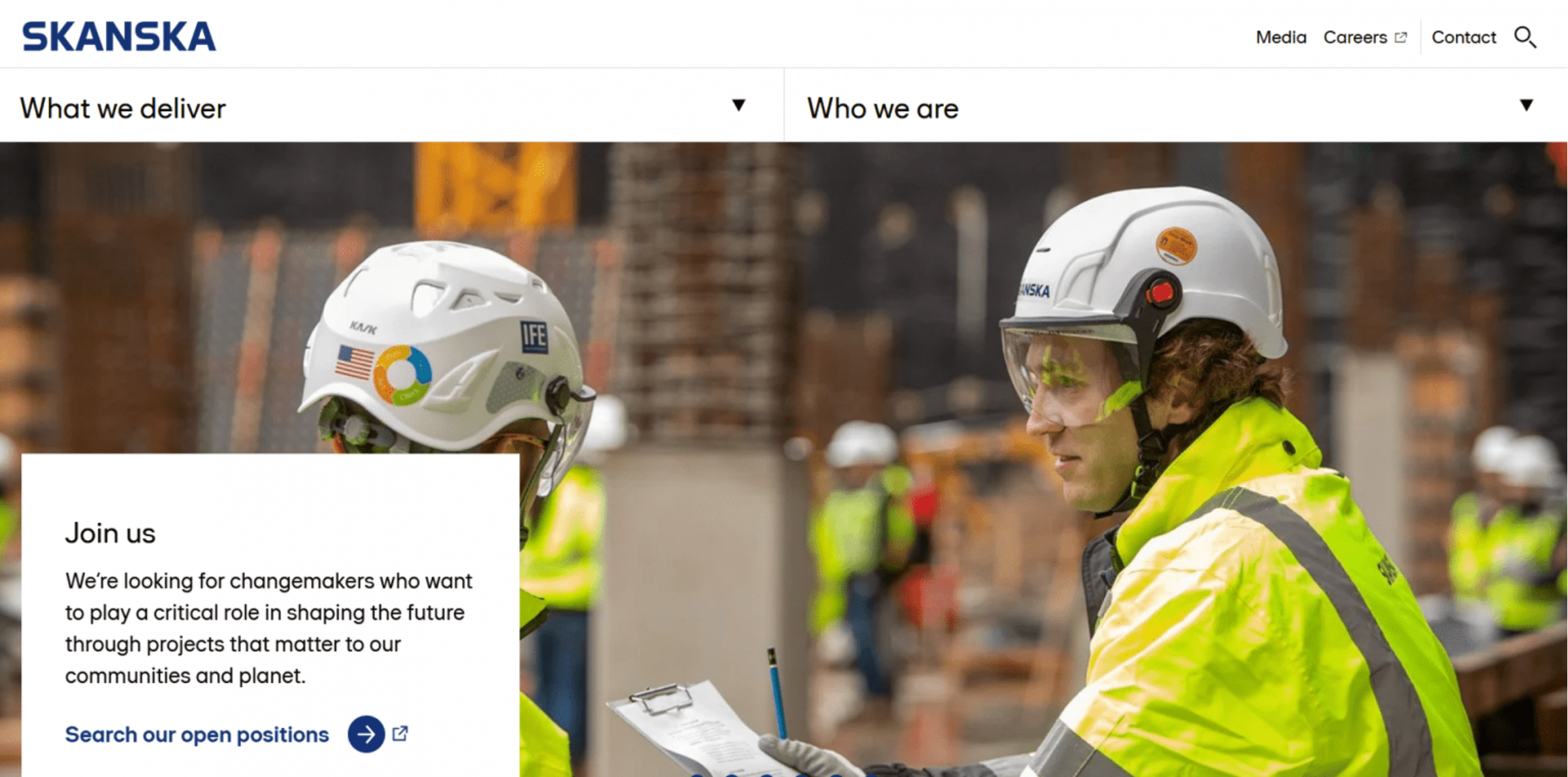
Skanska’s website shows how construction companies can use a site to share more than project photos. The home page connects its work in the construction industry to its values, sustainability efforts, news, and global projects.
The navigation makes it easy to find projects, capabilities, and company information. This gives visitors a quick way to understand what Skanska builds, what it stands for, and how its teams work across different markets. The site also includes clear business information and contact details, which help clients, partners, and job seekers reach the right team.
The main takeaway: a construction website can use values, project experience, and easy-to-find contact information to build trust.
Best practices for successful construction websites
A strong construction website should be easy to use, easy to trust, and easy to act on. These best practices can help you shape a site that clearly showcases your work and provides visitors with a simple way to contact you.
- Use real project photos and clear project descriptions
- Make contact options easy to find
- Design for mobile users first
- Keep services and service areas specific
- Update the site with new work and reviews
Let’s jump right into each of them.
Use real project photos and clear project descriptions
Real project photos are more useful than generic stock images because they show what your team can actually do. Use photos from past projects, completed projects, job sites, and finished spaces so visitors can see your workmanship for themselves.
Add a short description to each project so the visuals have context. Include details such as:
- Location
- Project type
- Timeline
- Main challenge
- Final outcome
For example, don’t just post a photo of a finished kitchen. Mention where the project was, what changed, how long it took, and what problem the client needed solved. Before-and-after images are especially helpful for remodels, repairs, restoration work, roofing, and landscaping.
High-quality images and high-quality visuals help visitors picture the results they can expect from your business.
Make contact options easy to find
Don’t make potential clients hunt for a way to reach you. Put your phone number, contact forms, and quote request button in places people naturally look, such as the header, footer, contact page, and service pages.
Your main contact options should stay easily accessible from every major page. A visitor reading about roofing, remodeling, or commercial construction should be able to call, submit a form, or request a quote without having to click through several pages.
Use clear calls like Request a quote, Schedule a consultation, or Call now instead of vague button text. Simple contact paths support lead generation and make it easier for interested visitors to take action.
Design for mobile users first
Many mobile users will visit your construction website from their phones, especially when they’re comparing contractors, checking service areas, or looking for a quick way to call. Your site should work well on mobile devices without forcing people to zoom, pinch, or scroll through cluttered pages.
Focus on a mobile-friendly design that loads quickly and keeps the next step easy. Use large tap-friendly buttons, short contact forms, readable text, and responsive layouts that adjust to different screen sizes. Phone numbers should be clickable, and quote buttons should be easy to spot.
For more tips, use this mobile-friendly website checklist to guide your mobile optimization review.
Keep services and service areas specific
Clear service descriptions help potential customers know whether you handle the work they need. Instead of saying “construction services,” name the work you offer, such as home additions, commercial buildouts, roofing repairs, kitchen remodels, or outdoor living spaces.
Do the same for your service areas. List the cities, counties, neighborhoods, or regions your construction business serves, and connect them naturally to your project types and specialties. This gives visitors the business information they need before reaching out.
Specific services and locations also support search engine optimization because they help search engines understand where you work and what your company does.
Update the site with new work and reviews
A current website gives people more confidence in your business. Add new projects, client testimonials, awards, certifications, and service updates as they happen, so visitors can see that your team is active and your website content remains accurate.
Reviews from satisfied clients are especially useful because they show what it’s like to work with your company. Pair them with recent project photos or short project notes when possible.
Set a simple schedule to review your site every few months. Check contact forms, phone numbers, email addresses, service pages, and location details. Keeping your site updated regularly helps visitors find relevant content and makes it easier for them to reach out when they’re ready.
What are the benefits of a construction website?
The biggest benefits of a construction website come down to trust, visibility, and easier communication. It gives your construction business a place to show your work, answer common questions, and help potential clients take the next step.
- It builds trust before a consultation: Visitors can review your services, experience, client testimonials, certifications, and contact details before they call.
- It shows completed projects in one place: A project gallery helps people see the type, quality, and scope of work your team handles.
- It helps attract local organic traffic: Service pages, location details, and project examples can help your business appear when people search for contractors in your area.
- It makes quote requests easier: Contact forms, phone numbers, and clear buttons give visitors simple ways to ask about pricing, timelines, or availability.
- It supports a more professional brand image: A polished website gives your company a more established online presence than social media alone.
- It gives you a place to share updates: Add new projects, service changes, reviews, awards, and proof points as your business grows and works to bring in new clients.
Frequently asked questions
To create a website for a construction company, start with a professional domain name, then choose a website builder or platform. Add key pages, project photos, services, contact forms, testimonials, and local business information. Test the site before publishing, then keep it updated with new work and reviews.
A construction website should include a home page, services page, project portfolio, about page, contact page, testimonials, and service area details. It should also show completed work, client reviews, business information, and clear contact options so potential customers can quickly decide whether to reach out.
The cost depends on how you build it. A website builder is usually the more affordable option for small businesses, while WordPress or professional services may cost more depending on design, content, hosting, and added features. Pricing can also change based on your provider and plan.
Yes. A website builder lets you create pages, add images, publish content, and update your construction website without coding skills. Many builders include templates, drag-and-drop tools, and built-in features for contact forms, galleries, buttons, and basic site settings.
Use clear calls to action, contact forms, quote request buttons, clickable phone numbers, and service pages that explain what you offer. Lead generation also improves when your site shows proof points, such as project photos, client testimonials, service areas, and clear ways for potential customers to contact you.
Build a construction website that works as hard as you do
Building a construction website takes planning, but it doesn’t have to be complicated. Start with a strong domain name, then choose a website builder that helps you create your company website without coding.
From there, add the pages people need most: services, past projects, testimonials, trust signals, and contact forms. Improve your local search presence, keep your site updated, and make it easy for potential clients to reach you from any page.
Your construction business already has work worth showing. Put it online with a clear domain, a practical site, and a path that helps turn visitors into new clients.